
1. Introduction
Thank you for choosing the LUTEC P6221W-PIR24 Dual-Head LED Motion Activated Flood Light. This manual provides essential information for the safe installation, operation, and maintenance of your new flood light. Please read these instructions thoroughly before installation and retain them for future reference.

Image 1: Front view of the LUTEC P6221W-PIR24 Dual-Head LED Motion Activated Flood Light, showing two adjustable light heads and a motion sensor below.
2. Safety Information
- Electrical Safety: Always disconnect power at the circuit breaker before installing or servicing the fixture.
- Qualified Electrician: Installation should be performed by a qualified electrician or a person familiar with the construction and operation of the product and the hazards involved.
- Grounding: Ensure the fixture is properly grounded to avoid potential electrical shock.
- Wiring: All wiring connections must comply with local and national electrical codes.
- Operating Temperature: Do not operate the fixture in temperatures outside its specified range.
- No User Serviceable Parts: The LED light source is integrated and not user-replaceable. Do not attempt to open or modify the light heads.
- Eye Protection: Avoid looking directly into the LED light source when illuminated, as it may cause eye strain or damage.
3. Package Contents
Verify that all components are present before beginning installation:
- 1 x LUTEC P6221W-PIR24 Dual-Head LED Motion Activated Flood Light
- 2 x 18AWG Wire connectors
- 2 x Outlet Box Screw
- 1 x Mounting Bracket
- 2 x Fixture Screw
- 1 x Rubber Stopper
- 1 x Gasket
- 1 x Instruction Manual (this document)

Wire Connectors

Outlet Box Screws

Mounting Bracket

Fixture Screws

Rubber Stopper & Gasket
4. Product Features
- Motion Detection: Features a sensitive motion sensor with a 110-degree sensing angle and a detection range of 9.84 to 49.21 feet.
- Adjustable Dual Light Heads: Two light heads can be adjusted 360 degrees to customize the coverage area.
- High Brightness: Provides 2000 Lumens of 5200K Daylight White light with only 18W power consumption.
- Durable and Waterproof: IP54 waterproof rating ensures suitability for various outdoor applications.
- Reflective Structures: Designed with reflective structures for enhanced long-distance illumination and stronger brightness.
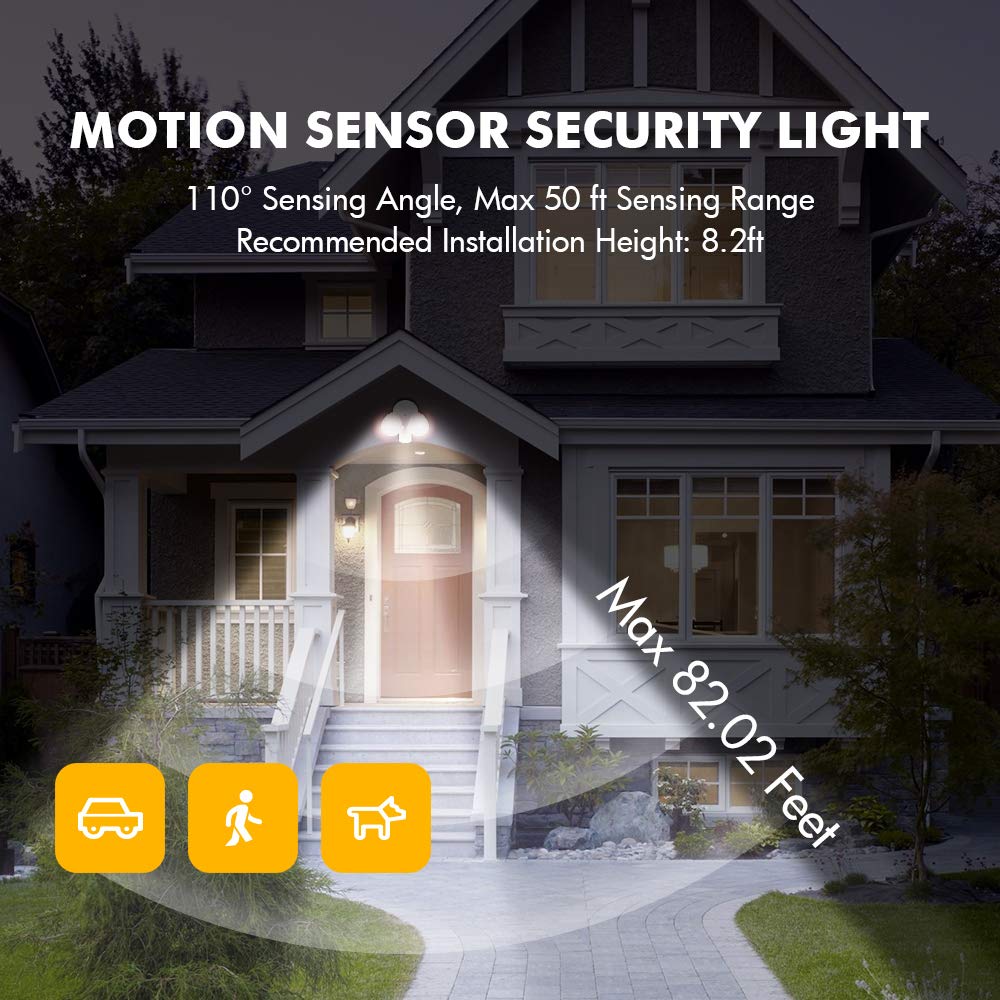
Image 2: Illustration of the motion sensor's 110-degree sensing angle and up to 50 ft range, with a recommended installation height of 8.2 ft.
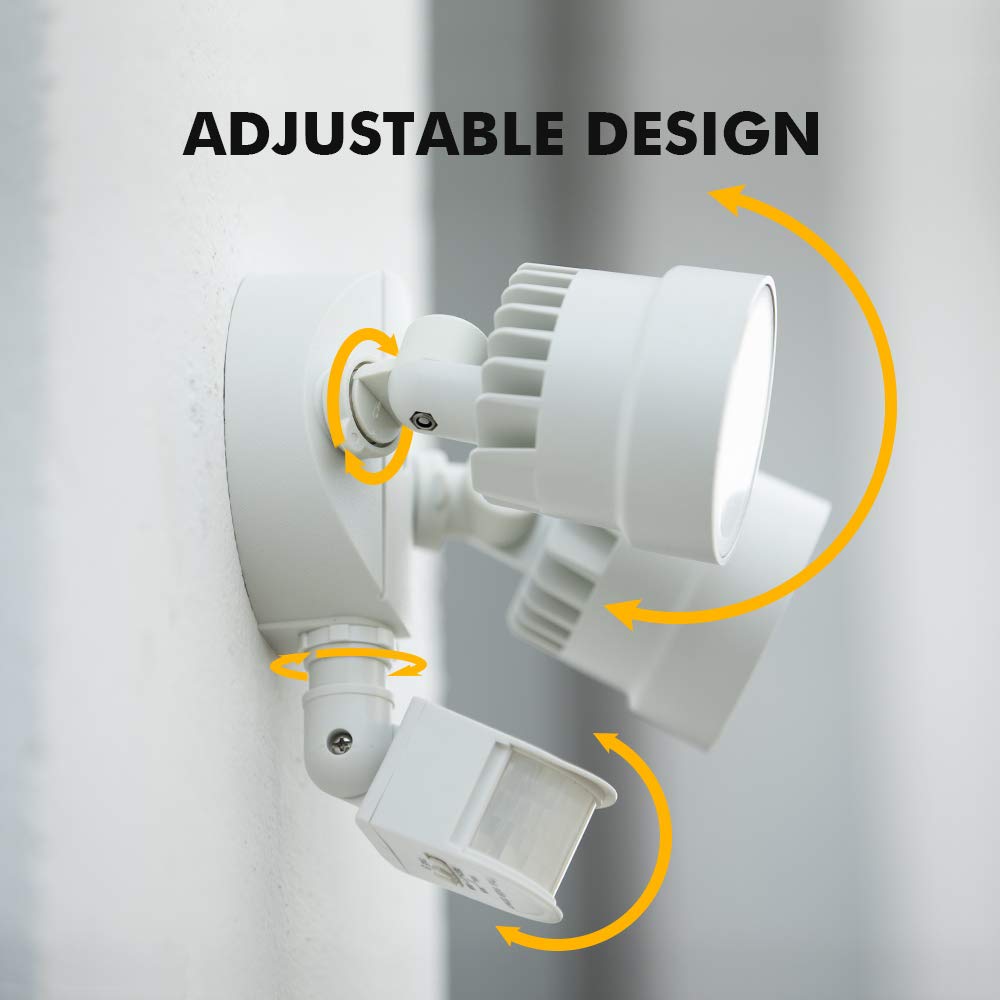
Image 3: Demonstrates the adjustable design of the dual light heads and the motion sensor, allowing for flexible positioning.
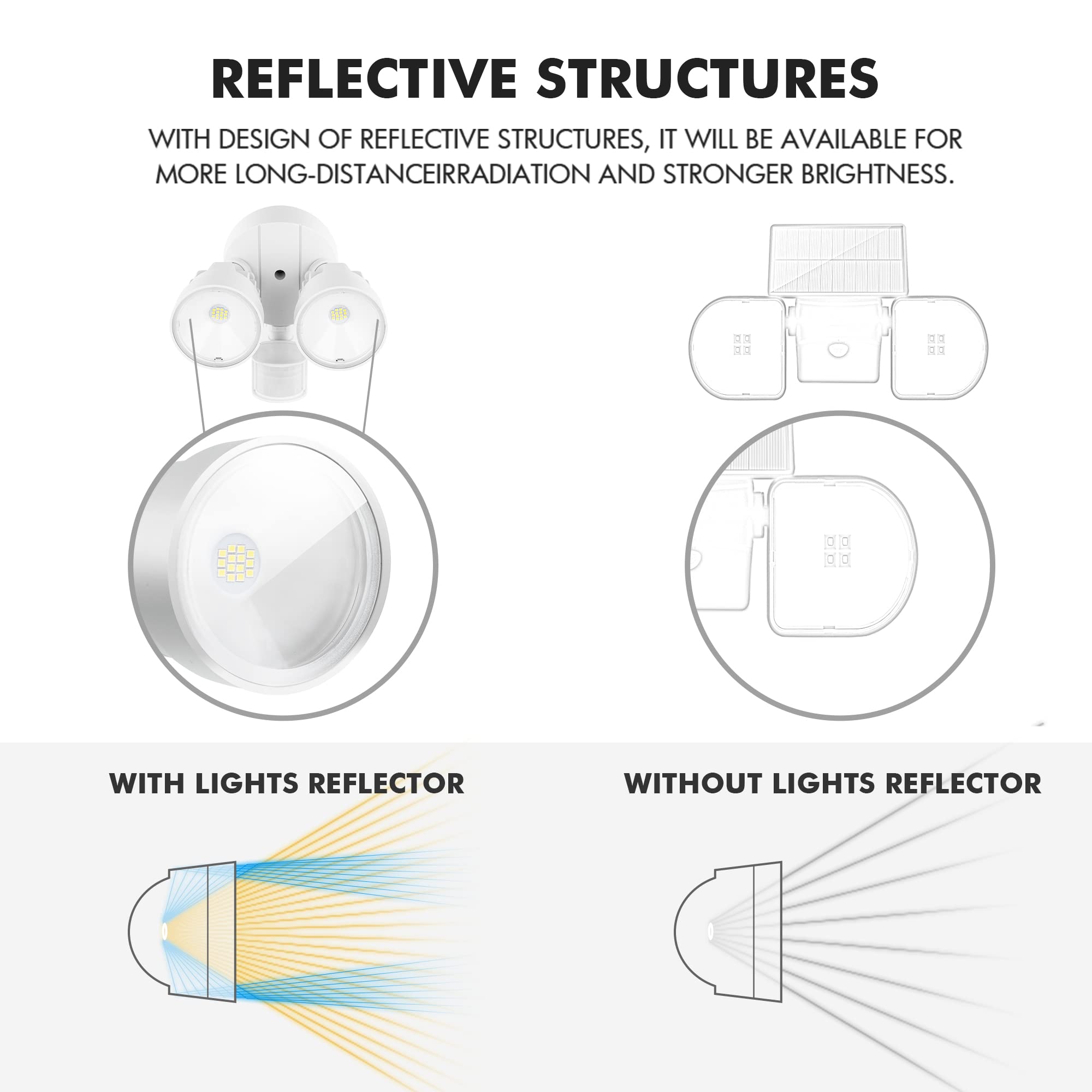
Image 4: Diagram illustrating the internal reflective structures of the light heads, designed to enhance light output and range compared to non-reflective designs.
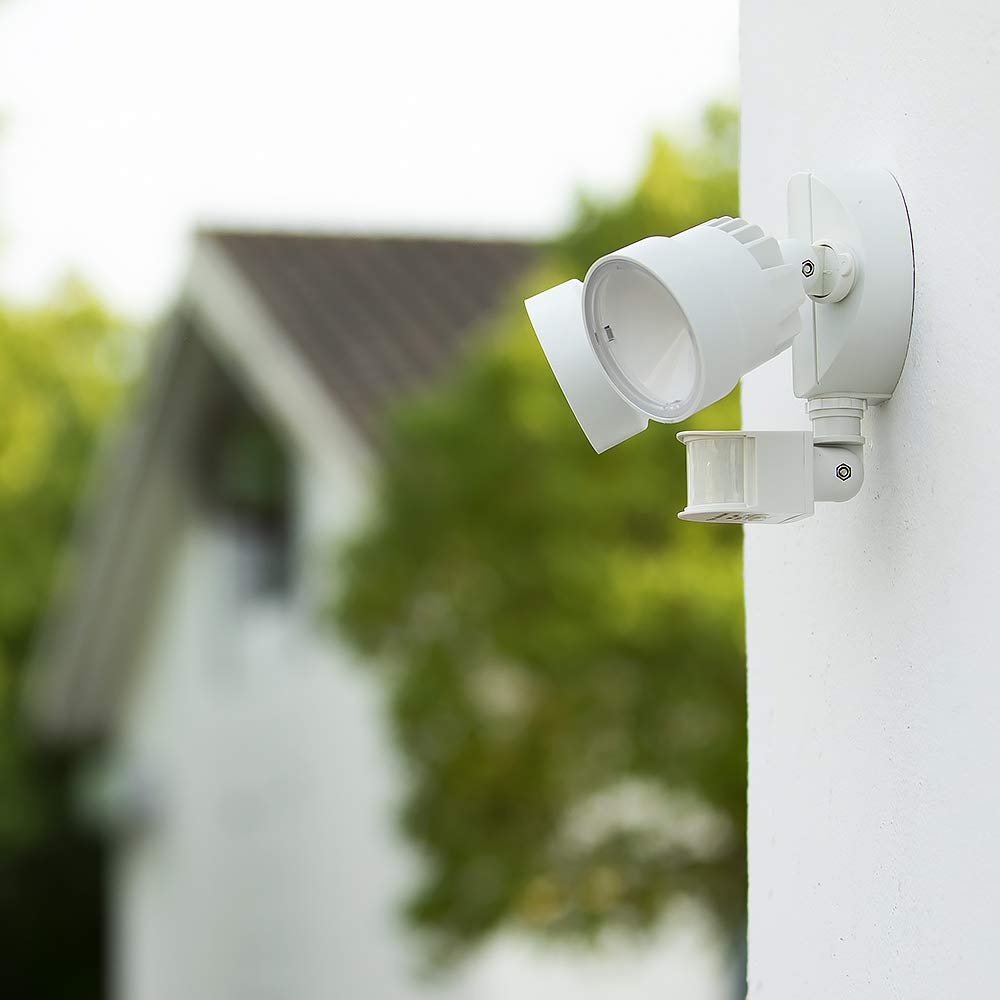
Image 5: The flood light installed on an exterior wall during rainfall, highlighting its waterproof design and the inclusion of a gasket for sealing.
5. Setup and Installation
Important: Before starting installation, ensure the power supply to the installation area is turned off at the circuit breaker.
- Prepare Mounting Surface: Ensure the mounting surface is clean, dry, and structurally sound. The recommended installation height is approximately 8.2 feet (2.5 meters) for optimal motion detection.
- Install Mounting Bracket: Secure the mounting bracket to the junction box using the provided outlet box screws. Ensure the bracket is firmly attached.
- Wire Connections: Connect the household wiring to the fixture's wires using the provided wire connectors.
- Connect the black (Live) wire from the fixture to the black (Live) wire from the junction box.
- Connect the white (Neutral) wire from the fixture to the white (Neutral) wire from the junction box.
- Connect the green/ground wire from the fixture to the green/ground wire from the junction box.
- Mount the Fixture: Carefully align the fixture with the mounting bracket and secure it using the fixture screws. Ensure the gasket is properly seated between the fixture and the mounting surface to maintain the waterproof seal.
- Adjust Light Heads and Sensor: Adjust the light heads to direct illumination to the desired areas. Position the motion sensor to cover the intended detection zone.
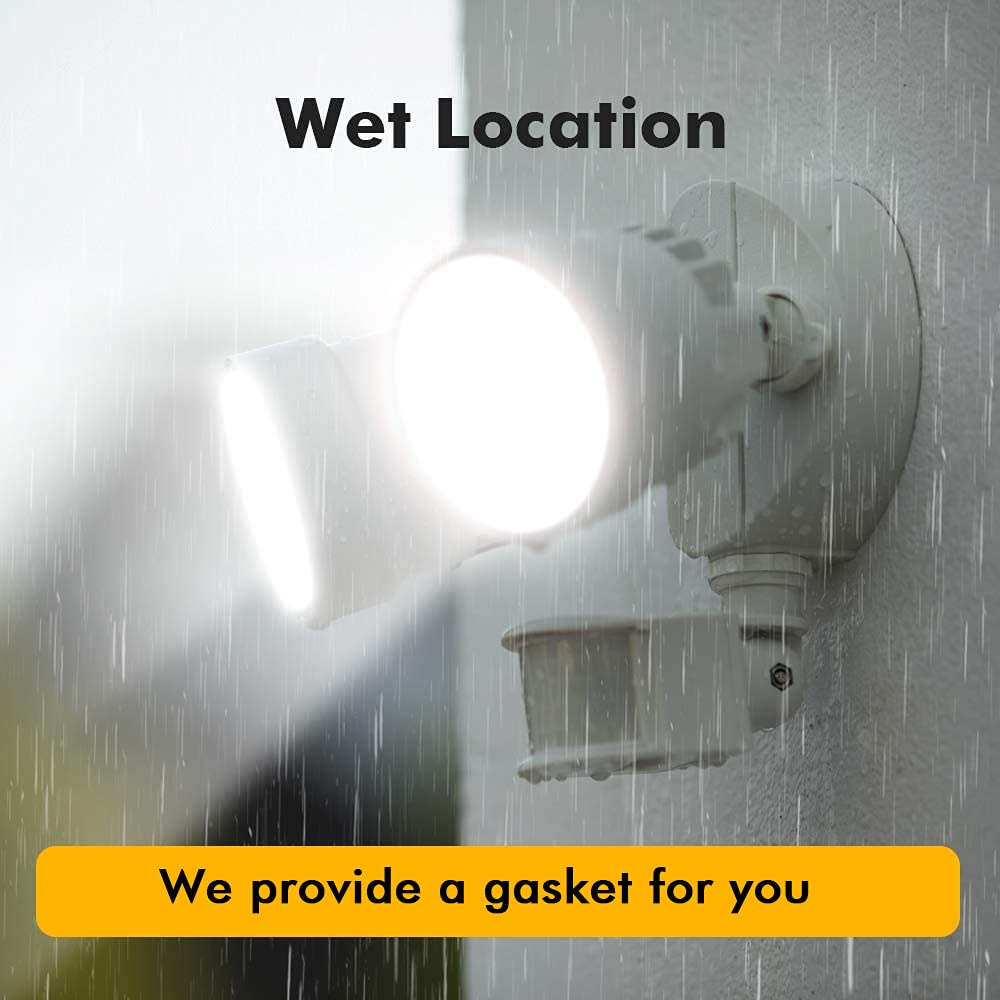
Image 6: A person installing the flood light onto a wall, using a screwdriver to secure the fixture. This illustrates the final mounting step.
6. Operating Instructions
After installation, restore power to the fixture at the circuit breaker. The flood light will enter a warm-up period, typically lasting a few seconds.
Motion Sensor Settings:
The motion sensor features an adjustable switch to control the duration the light stays on after motion is detected.
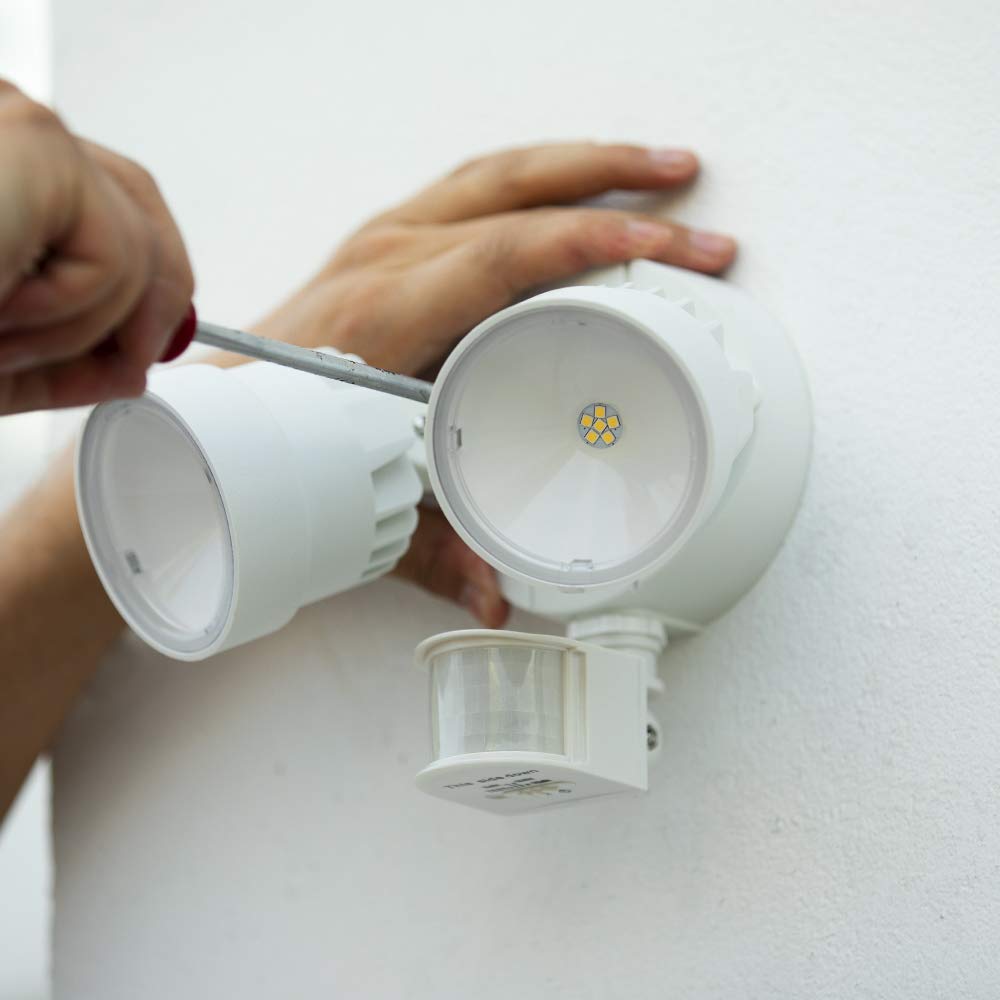
Image 7: Close-up of the motion sensor's adjustable switch, showing settings for "TEST", "1 MIN", "3 MIN", and "10 MIN" for light duration.
- TEST Mode: Use this setting during initial setup to verify the sensor's detection area. In TEST mode, the light will turn on for a short period (e.g., 5-10 seconds) each time motion is detected, regardless of ambient light.
- 1 MIN: The light will remain on for approximately 1 minute after motion is no longer detected.
- 3 MIN: The light will remain on for approximately 3 minutes after motion is no longer detected.
- 10 MIN: The light will remain on for approximately 10 minutes after motion is no longer detected.
Adjust the switch to your desired duration. The sensor also includes a photocell that prevents the light from activating during daylight hours, saving energy.
7. Maintenance
- Cleaning: Periodically clean the fixture with a soft, damp cloth. Do not use abrasive cleaners or solvents, as they may damage the finish or electrical components.
- Inspection: Regularly inspect the fixture for any signs of damage, loose wiring, or wear. If any issues are found, disconnect power and consult a qualified electrician.
- No Bulb Replacement: The LED light source is integrated and designed for long-term use. Do not attempt to replace bulbs.
8. Troubleshooting
| Problem | Possible Cause | Solution |
|---|---|---|
| Light does not turn on at night. |
|
|
| Light stays on continuously. |
|
|
| Light flashes or flickers. |
|
|
| Motion sensor not detecting. |
|
|
9. Specifications
| Feature | Detail |
|---|---|
| Model Number | P6221W-PIR24 |
| Brand | LUTEC |
| Power Source | Corded Electric |
| Wattage | 18 Watts |
| Brightness | 2000 Lumens |
| Color Temperature | 5200 Kelvin (Daylight White) |
| Light Source Type | Integrated LED |
| Motion Sensor Angle | 110 degrees |
| Motion Sensor Range | 9.84 - 49.21 feet (3 - 15 meters) |
| Water Resistance Level | IP54 Waterproof |
| Material | Plastic, Aluminum (shade) |
| Product Dimensions (L x W x H) | 8.66" x 6.3" x 7.28" (22cm x 16cm x 18.5cm) |
| Item Weight | 1.34 pounds (0.61 kg) |
| Voltage | 120 Volts |
| Installation Type | Flush Mount |
| Recommended Use | Outdoor (Patio, Garden, Yard, Warehouse, Garage) |
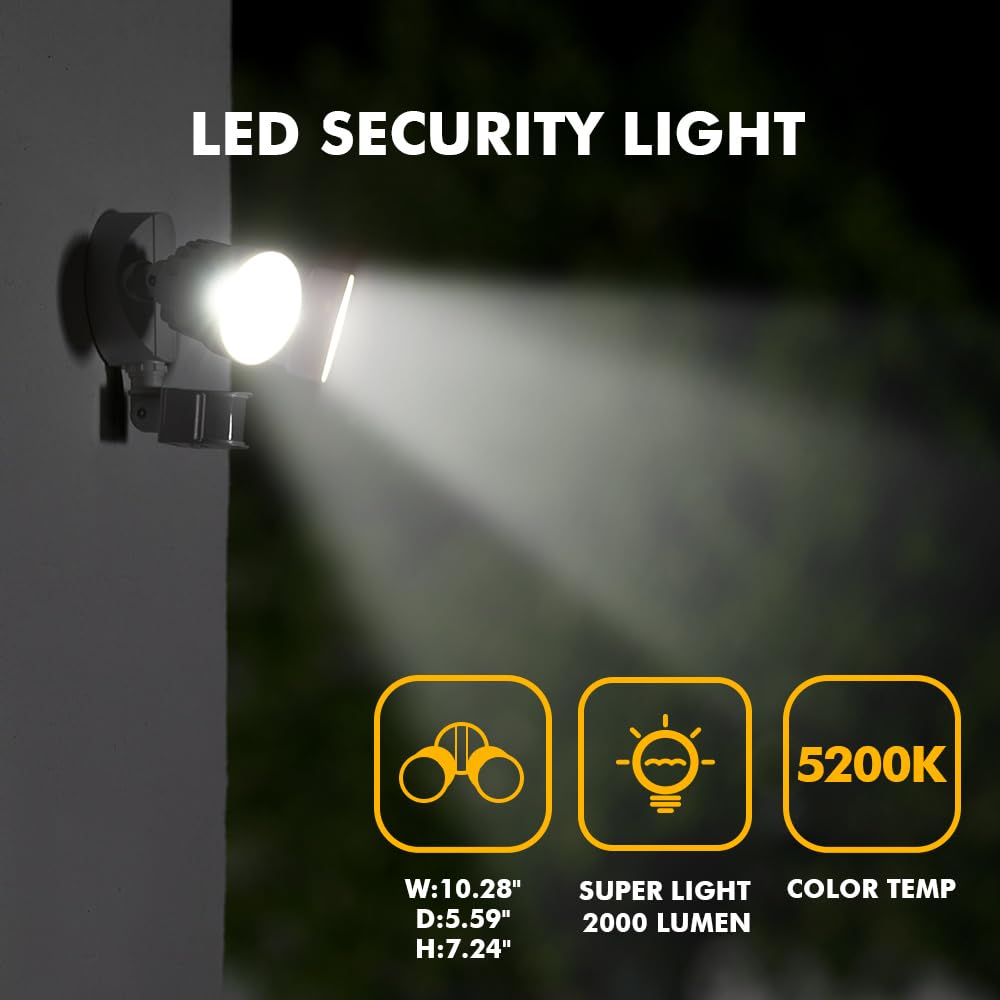
Image 8: Visual representation of key specifications including dimensions (W:10.28", D:5.59", H:7.24"), brightness (2000 Lumens), and color temperature (5200K).
10. Warranty and Support
LUTEC provides a 5-year warranty for this product, ensuring quality and reliability.
For any questions, technical assistance, or warranty claims, please contact LUTEC customer service. We offer 7*24 hour after-sales service to assist you.
Contact Information: Please refer to the packaging or the official LUTEC website for the most current contact details.


