
Introduction
Thank you for choosing the ASHATA 120W Universal Laptop Charger. This versatile power adapter is designed to provide reliable charging for a wide range of laptops and other digital devices, both at home and on the go. Featuring multiple DC tips and adjustable voltage settings, it offers a convenient solution for various power needs. Please read this manual carefully before use to ensure proper operation and safety.
Safety Information
To ensure safe operation and prevent damage, please observe the following safety guidelines:
- Always verify the correct voltage and tip compatibility for your device before connecting the charger. Incorrect voltage or tip can damage your laptop.
- The charger is equipped with multiple protection features: overcharge protection, short circuit protection, overcurrent protection, and overtemperature protection.
- Do not expose the charger to water, moisture, or extreme temperatures.
- Avoid dropping or subjecting the charger to strong impacts.
- Do not attempt to disassemble or repair the charger yourself. Refer to qualified service personnel.
- Ensure adequate ventilation around the charger during use to prevent overheating.
- Keep out of reach of children.

Image: The charger features multiple protection mechanisms for safe operation.
Package Contents
Please check the package for the following items:
- 1x ASHATA 120W Universal Laptop Charger Unit
- 1x AC Power Cord (EU-plug)
- 1x Car Charger Cable
- 34x Interchangeable DC Connector Tips

Image: All components included in the package: the main charger unit, power cables, and a variety of DC tips.
Setup
-
Identify the Correct DC Connector Tip:
Examine your laptop's charging port and consult your laptop's manual to determine the required DC tip size and type. Select the corresponding tip from the provided 34 options. Ensure a snug fit.

Image: A detailed view of the various DC connector tips and their specifications to help identify the correct one for your device.
-
Set the Correct Output Voltage:
Before connecting to your laptop, identify the required input voltage for your device (usually found on your original charger or laptop's specifications). The ASHATA charger supports adjustable voltages: 12V, 15V, 16V, 18V, 19V, 20V, 22V, 24V. Use the voltage selector switch on the charger unit to match your device's requirement. WARNING: Setting an incorrect voltage can severely damage your laptop.

Image: The charger unit showing the voltage selector switch and a connected DC tip.
-
Connect the Power Source:
Choose between the AC power cord for wall outlets or the car charger cable for vehicle use.
- For AC power: Connect the AC power cord to the charger unit, then plug it into a standard wall outlet (110-240V AC).
- For Car power: Connect the car charger cable to the charger unit, then plug it into your vehicle's 12V DC accessory socket.
-
Connect to Laptop:
Attach the selected DC connector tip to the charger's output cable, then plug the tip into your laptop's charging port. The charger should begin supplying power to your laptop.
Operating Instructions
Charging a Laptop
Once the setup is complete and the correct voltage and tip are selected, the charger will automatically begin charging your laptop when connected to a power source. Monitor your laptop's charging indicator to confirm it is receiving power.
Using the USB Port
The charger includes a USB port (DC 5V) that allows you to charge most mobile phones, tablets, and other digital products simultaneously while charging your laptop. Simply connect your USB charging cable to the charger's USB port and your device.
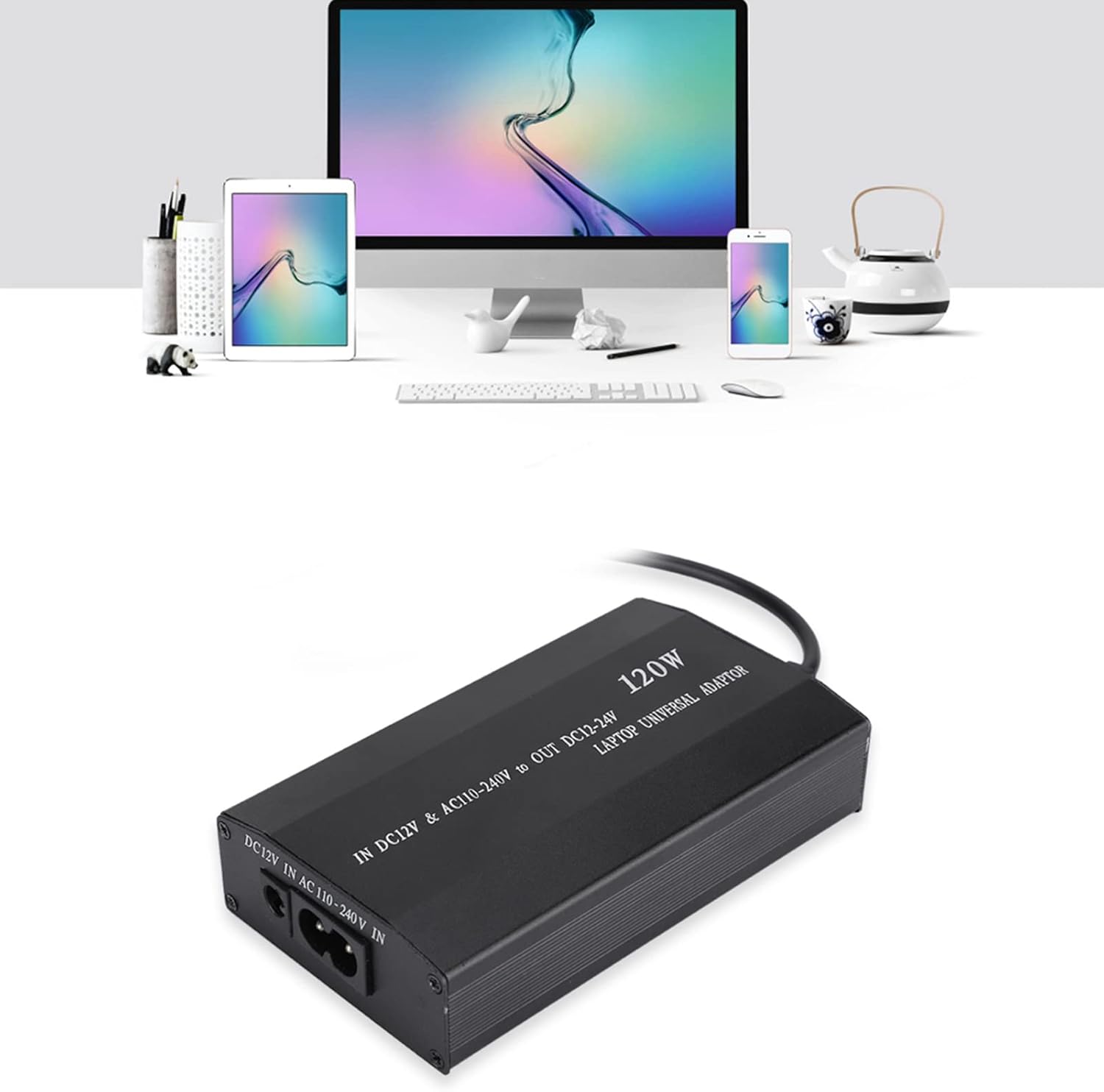
Image: The charger simultaneously powering a laptop and charging multiple other digital devices via its USB port.
Usage Scenarios
The ASHATA 120W Universal Laptop Charger is designed for versatile use in various environments:
- Home Use: Connect to a standard wall outlet for charging at your desk or anywhere in your home.
- Car Use: Utilize the included car charger cable to power your laptop and devices while traveling in your vehicle.
- Travel Use: Its compact design makes it suitable for travel, offering a single charging solution for multiple devices.
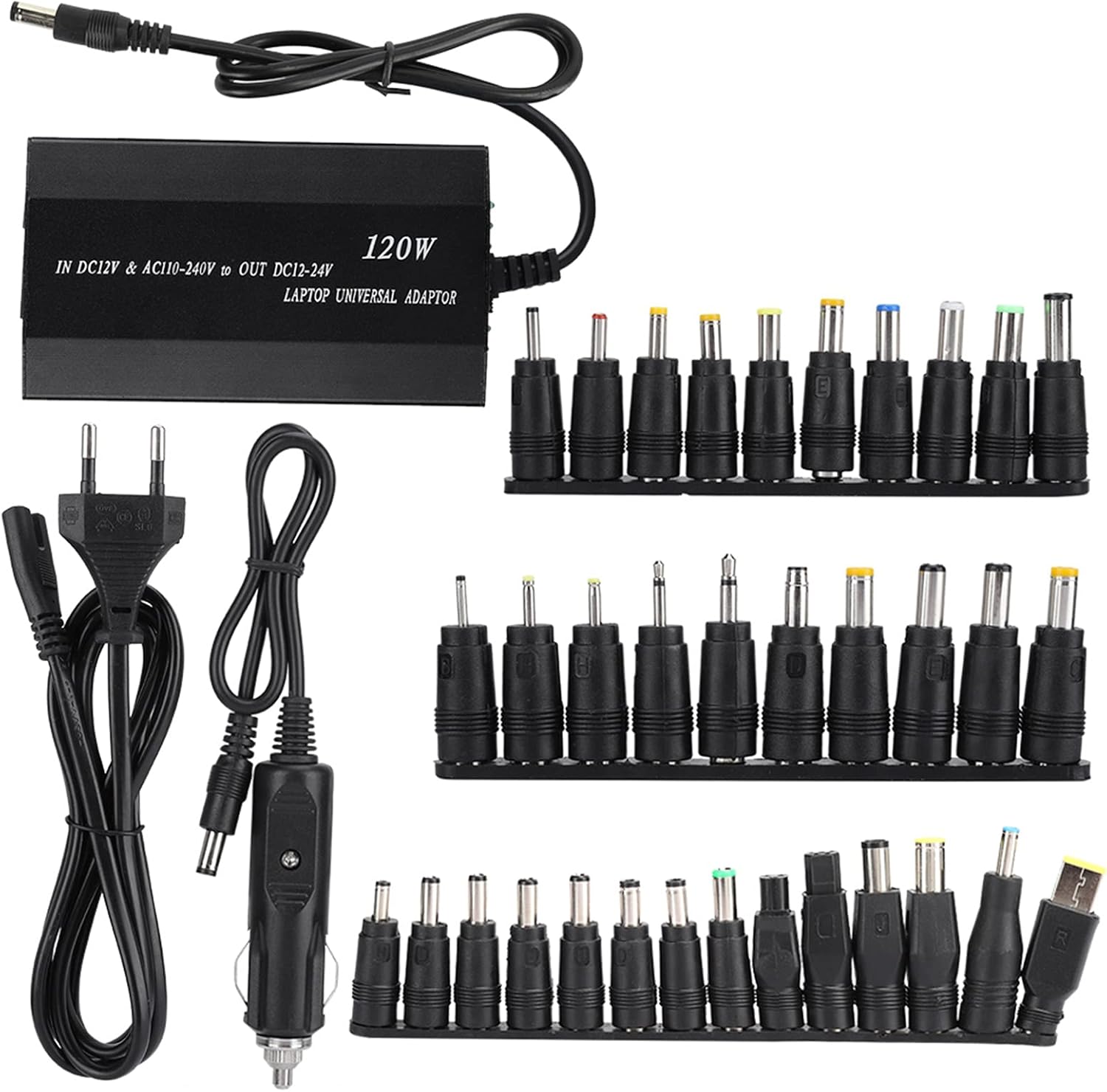
Image: The charger's adaptability for home, car, and travel use.
Maintenance
- Cleaning: Disconnect the charger from all power sources and devices before cleaning. Use a soft, dry cloth to wipe the surface. Do not use liquid cleaners or abrasive materials.
- Storage: Store the charger in a cool, dry place away from direct sunlight and extreme temperatures when not in use.
- Cable Care: Avoid bending or twisting cables excessively. Do not place heavy objects on the cables.
Troubleshooting
- Charger is not powering on or charging device:
-
- Ensure the power cord is securely connected to both the charger and the power outlet/car socket.
- Verify that the power outlet or car socket is functional.
- Check if the correct DC connector tip is firmly inserted into both the charger cable and the laptop's charging port.
- Confirm that the voltage switch on the charger is set to the correct voltage for your laptop.
- Try a different power outlet or car socket.
- Device is charging slowly or intermittently:
-
- Ensure the charger's output wattage (120W) is sufficient for your laptop's power requirements.
- Check for any damage to the cables or connectors.
- Make sure the voltage setting is correct.
- Charger feels hot during use:
-
- It is normal for the charger to become warm during operation. However, if it becomes excessively hot to touch, disconnect it immediately.
- Ensure there is adequate ventilation around the charger and it is not covered.
- Verify that the correct voltage is selected for your device.
- If overheating persists, discontinue use and contact customer support.
Specifications
| Feature | Detail |
|---|---|
| Brand | ASHATA |
| Model | ASHATAyfqni1m0hb-02 |
| Wattage | 120 Watts |
| Input Voltage (AC) | 110-240V |
| Input Voltage (DC) | 12V (Car Charger) |
| Output Voltage (Adjustable) | 12V, 15V, 16V, 18V, 19V, 20V, 22V, 24V |
| Total USB Ports | 1 (DC 5V) |
| Number of DC Tips | 34 |
| Special Features | Short Circuit Protection, Overcharge Protection, Overcurrent Protection, Overtemperature Protection |
| Dimensions (LxWxH) | 11.5 x 6.5 x 2.5 cm |
| Weight | 478 g |
Warranty and Support
This product has undergone professional and rigorous testing to ensure quality. ASHATA provides a professional 24-hour online customer service team. If you encounter any quality issues with the product or have questions regarding its use, please do not hesitate to contact us. We are committed to resolving your concerns in a timely manner.
For support, please refer to the contact information provided with your purchase or visit the official ASHATA website.