
Sage SES880BTR4EEU1
SAGE SES880 The Barista Touch Espresso Machine User Manual
Model: SES880BTR4EEU1 | Brand: Sage
Introduction
Welcome to the world of specialty coffee at home with your new Sage SES880 The Barista Touch espresso machine. This manual provides detailed instructions for setting up, operating, maintaining, and troubleshooting your machine to ensure you get the best coffee experience. Please read this manual thoroughly before first use and keep it for future reference.
Setup
Unboxing and Placement
Carefully remove all packaging materials and place the machine on a flat, stable, heat-resistant surface. Ensure there is adequate space around the machine for ventilation and access to the water tank and bean hopper.

The Sage Barista Touch espresso machine positioned on a kitchen counter, ready for use.
Filling the Water Tank
Remove the water tank from the back of the machine. Fill it with fresh, cold filtered water up to the MAX line. Reinsert the water tank firmly into its position.
Filling the Bean Hopper
Lift the lid of the bean hopper located on top of the machine. Pour fresh, whole coffee beans into the hopper. Replace the lid securely.
First Use / Priming
Before first use, or if the machine has not been used for a long time, it is recommended to prime the machine. Follow the on-screen prompts to run water through the group head and steam wand without coffee to flush the system.

A detailed front view of the Sage Barista Touch espresso machine, highlighting its intuitive touchscreen interface and integrated components.
Operating Instructions
Touchscreen Navigation
The intuitive touchscreen allows you to easily select and customize your coffee. Swipe left or right to browse through pre-programmed drinks like Espresso, Long Black, Latte, Flat White, and Cappuccino.

A close-up view of the machine's touchscreen, showing the 'Swipe and select' prompt and various coffee drink options.
Selecting and Customizing a Drink
- Select Drink: Tap on your desired coffee drink from the menu.
- Adjust Settings: Once selected, you can adjust parameters such as grind size, shot volume, milk temperature, and milk texture using the on-screen sliders.
- Save Customization: You can save up to 8 personalized coffee settings under unique names for quick access.
Grinding and Tamping
The integrated conical burr grinder delivers the precise amount of coffee on demand. Insert the portafilter into the grinding cradle. The machine will automatically grind the correct dose. After grinding, use the integrated tamper to compress the coffee grounds evenly.
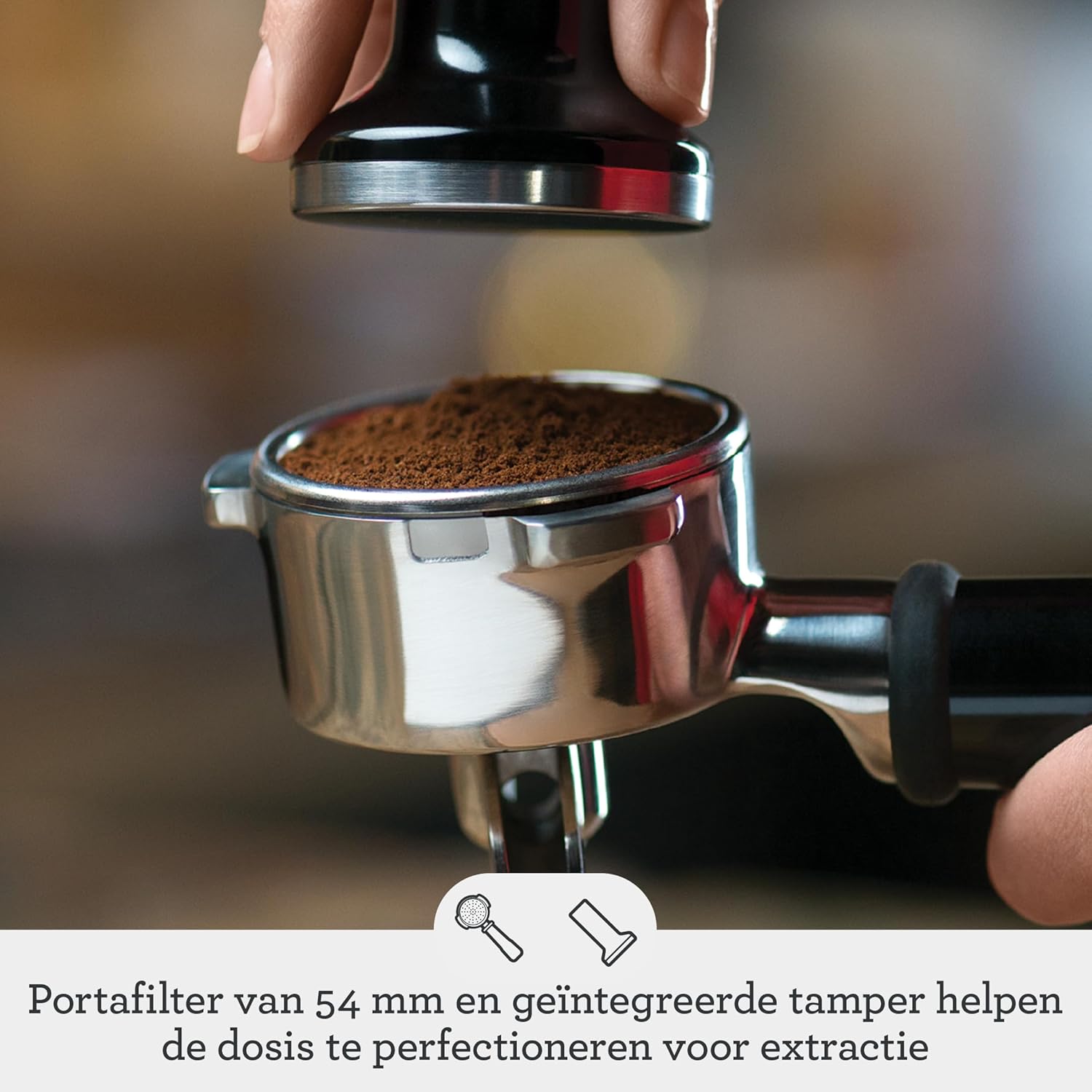
A hand tamping freshly ground coffee in the 54mm portafilter, ensuring proper compaction for optimal extraction.
Espresso Extraction
Insert the portafilter into the group head and lock it into place. Press the 'Brew' button on the touchscreen. The machine's ThermoJet heating system reaches the optimal extraction temperature in 3 seconds, and the digital PID temperature control ensures precise water temperature for balanced extraction.
Automatic Milk Frothing
Place a milk jug filled with cold milk under the automatic steam wand. The machine will automatically texture the milk to your desired temperature and texture, creating professional-quality micro-foam essential for latte art.
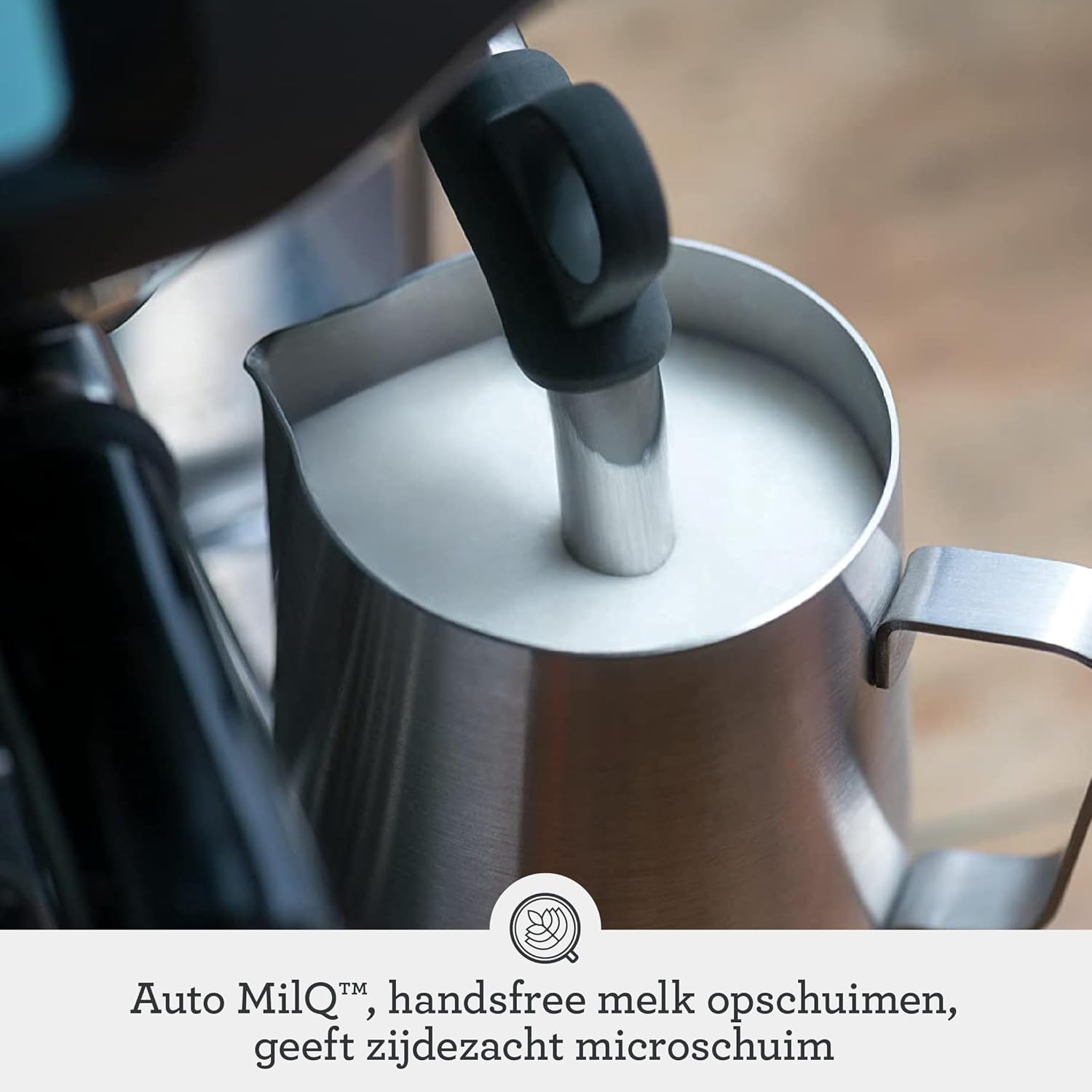
The automatic steam wand frothing milk in a stainless steel jug, producing silky micro-foam.
Maintenance and Cleaning
Regular cleaning and maintenance will prolong the life of your espresso machine and ensure consistent coffee quality.

A comprehensive display of all accessories included with the Sage Barista Touch, including cleaning tools, filters, and the portafilter.
Daily Cleaning
- Portafilter and Baskets: After each use, remove spent coffee grounds and rinse the portafilter and filter baskets under hot water.
- Steam Wand: Immediately after frothing milk, wipe the steam wand with a damp cloth to remove any milk residue. Purge the wand briefly to clear any internal blockages.
- Drip Tray: Empty and rinse the drip tray daily or when the 'EMPTY ME' indicator appears.
Weekly Cleaning
- Group Head: Use the cleaning brush provided to scrub the group head and remove any coffee oils. Perform a backflush cycle using a cleaning tablet as per the machine's instructions.
- Bean Hopper: Empty any remaining beans and wipe the inside of the hopper with a dry cloth.
Descaling
The machine will prompt you when descaling is required. Follow the on-screen instructions and use a descaling solution specifically designed for espresso machines. Descaling removes mineral buildup, ensuring optimal performance and longevity.
Troubleshooting
| Problem | Possible Cause | Solution |
|---|---|---|
| No coffee dispenses | Water tank empty; clogged filter basket; machine needs descaling. | Refill water tank; clean filter basket; perform descaling cycle. |
| Weak or watery coffee | Grind too coarse; insufficient coffee dose; old coffee beans. | Adjust grind finer; increase coffee dose; use fresh beans. |
| No steam from wand | Steam wand clogged; machine not at steam temperature. | Clean steam wand hole with pin; wait for machine to heat up. |
| Machine leaking | Drip tray full; water tank not seated correctly; seal issue. | Empty drip tray; re-seat water tank; contact support if issue persists. |
Specifications

Diagram illustrating the product dimensions: 40.7 cm high x 31.8 cm wide x 32.2 cm deep.
| Feature | Detail |
|---|---|
| Brand | Sage |
| Model Number | SES880BTR4EEU1 |
| Color | Matte Black |
| Dimensions (L x W x H) | 32.21 x 39.4 x 40.7 cm |
| Weight | 10.3 Kilograms |
| Capacity | 2 Liters (Water Tank) |
| Power | 1680 Watts |
| Voltage | 240 Volts |
| Material | Stainless Steel, Plastic |
| Special Features | Automatic Milk Frother, Water Filter, Integrated Grinder, Touchscreen |
| Coffee Maker Type | Espresso Machine |
Warranty and Support
Your Sage SES880 The Barista Touch espresso machine comes with a manufacturer's warranty. For specific warranty terms and conditions, please refer to the warranty card included in your product packaging or visit the official Sage website. For technical support, spare parts, or service inquiries, please contact Sage customer support through their official channels. Always provide your model number and purchase date when seeking support.
Related documentsSES880BTR4EEU1


Ask a question about this manual
Ask about setup, troubleshooting, compatibility, parts, safety, or missing instructions. Manuals+ will review the question and use this page’s manual context to help answer it.