
Urbanears Pampas
Urbanears Pampas Over-Ear Bluetooth Headphones User Manual
Model: Pampas (1001885)
1. Introduction
Welcome to the Urbanears Pampas Over-Ear Bluetooth Headphones user manual. This guide provides essential information for setting up, operating, maintaining, and troubleshooting your headphones. The Urbanears Pampas headphones are designed for extended listening sessions, offering a comfortable fit and wireless audio connectivity.
2. What's in the Box
Verify that all components are present:
- Urbanears Pampas Over-Ear Bluetooth Headphones
- USB-C Charging Cable
- User Guide and Legal and Safety Information
3. Product Overview
Familiarize yourself with the physical components of your Urbanears Pampas headphones.

Figure 3.1: Front view of the Urbanears Pampas headphones, showcasing the earcups and headband.

Figure 3.2: Side view of the headphones, highlighting the control knob on the right earcup.
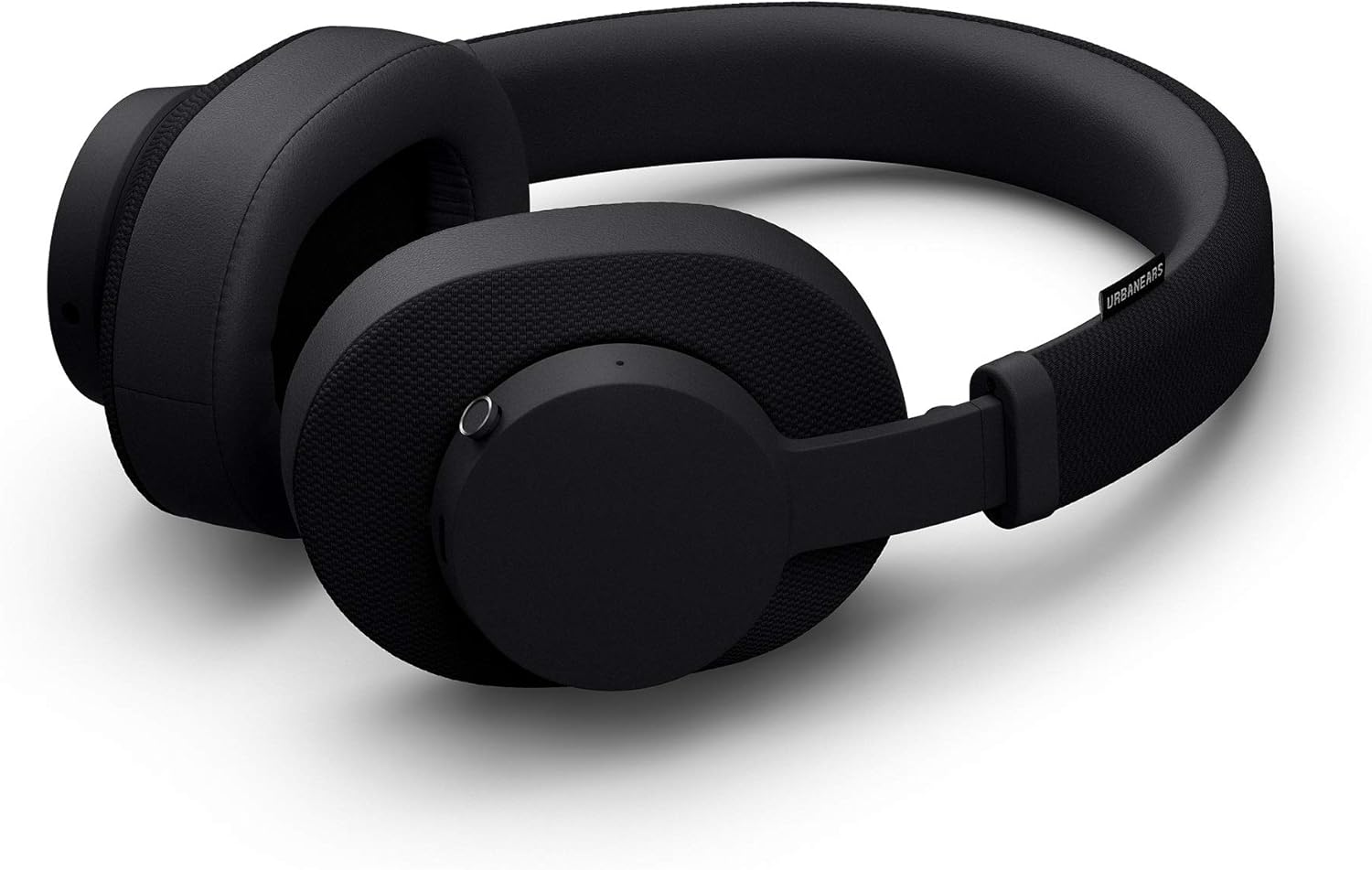
Figure 3.3: The headphones in their folded position, demonstrating their portability.
4. Setup
4.1 Charging the Headphones
- Connect the supplied USB-C charging cable to the charging port on the headphones.
- Plug the other end of the cable into a USB power source (e.g., computer, wall adapter).
- The LED indicator will show charging status. A full charge provides over 30 hours of wireless playtime.
4.2 Bluetooth Pairing
- Ensure the headphones are charged and powered off.
- Press and hold the control knob until the LED indicator flashes blue, indicating pairing mode.
- On your device (smartphone, tablet, computer), navigate to the Bluetooth settings.
- Select "Urbanears Pampas" from the list of available devices.
- Once connected, the LED indicator will turn solid blue.
5. Operating Instructions
5.1 Control Knob Functions
The multi-directional control knob allows for easy management of audio and calls:
- Press and Hold: Power On/Off
- Single Press: Play/Pause music, Answer/End calls
- Double Press: Skip track forward
- Triple Press: Skip track backward
- Push Up/Down: Adjust volume
- Push Left/Right: Navigate tracks (some devices)
5.2 Music Sharing
The Pampas headphones feature an empty 3.5mm audio socket, allowing you to share your music with a friend. Simply plug another pair of headphones into this socket to enable simultaneous listening.
6. Maintenance
To ensure the longevity and optimal performance of your Urbanears Pampas headphones, follow these maintenance guidelines:
- Cleaning: Use a soft, dry cloth to clean the earcups and headband. Avoid using harsh chemicals or abrasive materials.
- Storage: When not in use, store the headphones in a cool, dry place. The foldable design allows for compact storage.
- Avoid Moisture: These headphones are not water-resistant. Keep them away from liquids and high humidity.
- Cable Care: Handle the USB-C charging cable gently to prevent damage.
7. Troubleshooting
If you encounter issues with your headphones, refer to the following common solutions:
| Problem | Possible Solution |
|---|---|
| Headphones do not power on | Ensure the headphones are fully charged. Connect to a power source using the USB-C cable. |
| Cannot pair with device | Make sure the headphones are in pairing mode (flashing blue LED). Turn off and on Bluetooth on your device. Move closer to the device. |
| No sound or low volume | Check the volume levels on both the headphones and your connected device. Ensure the headphones are properly paired. |
| Intermittent connection | Reduce the distance between the headphones and your device. Avoid obstacles that may interfere with the Bluetooth signal. |
If the issue persists, try resetting the headphones (refer to the full user guide for specific reset instructions) or contact customer support.
8. Specifications
- Model Name: Pampas
- Item Model Number: 1001885
- Connectivity Technology: Bluetooth 5.0
- Wireless Range: Up to 10 meters (30 feet)
- Battery Life: 30+ hours
- Charging Port: USB-C
- Audio Driver Type: Dynamic Driver
- Frequency Range: 20Hz – 20,000Hz
- Impedance: 32 Ohm
- Ear Placement: Over Ear (Circumaural)
- Control Type: Multi-directional Control Knob
- Special Features: Foldable design, Microphone Included, Universal Phone Control, Volume Control, Music Sharing Socket
- Material: Plastic
- Item Weight: Approximately 9.1 ounces (0.57 pounds)
- Product Dimensions: 7 x 7 x 4 inches
- Water Resistance Level: Not Water Resistant
9. Warranty and Support
For detailed warranty information, please refer to the official warranty document provided with your product or available online:
For further assistance, technical support, or service inquiries, please visit the official Urbanears website or contact their customer service department.
Related documentsPampas


Ask a question about this manual
Ask about setup, troubleshooting, compatibility, parts, safety, or missing instructions. Manuals+ will review the question and use this page’s manual context to help answer it.