
1. Product Overview
The HAMMOND CS663 Electrical Enclosure is designed to house and protect electrical and electronic components from dust, dirt, and light splashing of water. Constructed from durable steel with a screw cover, this enclosure meets NEMA 1 standards, making it suitable for indoor applications where a degree of protection against falling dirt and incidental contact with the enclosed equipment is required. Its compact 6x3x6 inch dimensions make it ideal for various industrial and commercial installations.
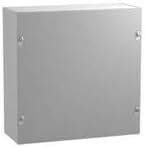
Figure 1: Front view of the HAMMOND CS663 Electrical Enclosure. This image displays the grey steel enclosure with its screw-on cover, designed to protect internal electrical components.
2. Safety Information
Read and understand all instructions before installing or servicing this product. Failure to follow these instructions could result in serious injury or property damage.
- Qualified Personnel Only: Installation and maintenance should only be performed by qualified and licensed electricians or technicians familiar with electrical codes and safety practices.
- Disconnect Power: Always ensure that all power to the circuit or equipment being installed or serviced is disconnected at the main breaker or fuse box before beginning any work. Verify zero voltage with a suitable testing device.
- Proper Grounding: Ensure the enclosure is properly grounded in accordance with local and national electrical codes to prevent electrical shock.
- Use Appropriate Tools: Use only insulated tools when working with electrical components.
- Environmental Considerations: This NEMA 1 enclosure is intended for indoor use and provides protection against falling dirt and light splashing. Do not install in outdoor or washdown environments.
3. Setup and Installation
The HAMMOND CS663 enclosure is designed for surface mounting. Follow these steps for proper installation:
- Unpack and Inspect: Carefully remove the enclosure from its packaging. Inspect for any shipping damage. Do not install damaged units.
- Select Mounting Location: Choose a flat, stable surface capable of supporting the enclosure and its contents. Ensure adequate clearance for opening the cover and for cable entry/exit.
- Mark Mounting Holes: The enclosure features pre-drilled mounting holes or dimples for drilling. Use the enclosure as a template to mark the drilling locations on the mounting surface.
- Drill Pilot Holes: Drill appropriate pilot holes for your chosen mounting hardware (screws, anchors, etc.).
- Mount Enclosure: Securely fasten the enclosure to the mounting surface using suitable hardware. Ensure the enclosure is level and plumb.
- Cable Entry: This enclosure does not have pre-punched knockouts. All cable entry points must be drilled by the installer. Use appropriate hole saws and conduit fittings (e.g., conduit hubs, cable glands) to maintain the enclosure's NEMA 1 rating and prevent sharp edges from damaging cables. Deburr all drilled holes.
- Install Components: Install internal electrical components as required. Ensure proper spacing and wire management.
- Grounding: Connect a ground wire from the enclosure to a reliable earth ground point, following all applicable electrical codes. The enclosure typically includes a grounding stud or provision.
- Secure Cover: Once all internal wiring and components are installed, securely fasten the screw cover using the provided screws. Ensure all screws are tightened evenly to maintain the enclosure's integrity.
4. Operating Principles
The HAMMOND CS663 is a passive electrical enclosure. Its primary function is to provide a protective housing for electrical and electronic equipment. It does not have active operational controls.
- Protection: The enclosure protects internal components from environmental factors such as falling dirt, dust, and light splashing of water, as defined by NEMA 1 standards. It also prevents accidental contact with live electrical parts.
- Access: Access to the internal components is gained by unscrewing and removing the front cover. Always ensure power is disconnected before opening the enclosure.
- Thermal Management: As a sealed enclosure, internal heat dissipation relies on conduction through the enclosure walls and convection from the exterior surface. Consider internal heat loads when selecting components to prevent overheating.
5. Maintenance
Regular maintenance ensures the longevity and continued protective function of your HAMMOND CS663 enclosure.
- Periodic Inspection: Annually, or more frequently in dusty environments, inspect the enclosure for signs of damage, corrosion, or loose mounting hardware.
- Cleanliness: Keep the exterior of the enclosure clean. Use a soft, damp cloth to wipe away dust and dirt. Avoid abrasive cleaners or solvents that could damage the finish.
- Cover Screws: Periodically check that all cover screws are securely tightened. Do not overtighten.
- Cable Entries: Inspect cable entry points for any signs of wear or damage to conduit fittings or cable glands. Ensure they remain sealed.
- Internal Inspection: If opening the enclosure for internal inspection or component replacement, always disconnect power first. After work is complete, ensure the cover is re-secured properly.
6. Troubleshooting
This section addresses common issues that may arise with the enclosure itself.
| Problem | Possible Cause | Solution |
|---|---|---|
| Cover not closing flush | Debris inside; uneven mounting surface; bent cover. | Clear debris; remount on a flat surface; inspect cover for damage. |
| Corrosion on enclosure surface | Exposure to harsh chemicals; high humidity; physical damage to finish. | Clean and apply rust-inhibiting paint if minor; replace if severe. Ensure environment is suitable for NEMA 1. |
| Loose mounting | Improper mounting hardware; vibration; loose screws. | Tighten mounting screws; use appropriate anchors; consider vibration dampeners if necessary. |
7. Specifications
Key technical specifications for the HAMMOND CS663 Electrical Enclosure:
| Attribute | Value |
|---|---|
| Model | CS663 |
| Brand | Hammond |
| Material | Alloy Steel |
| Finish Type | Steel |
| NEMA Rating | NEMA 1 |
| Dimensions (Approx.) | 6" x 3" x 6" (Height x Depth x Width) |
| Item Weight | 4.99 pounds |
| Style | Compact, Screw Cover |
| UPC | 623980360027 |
8. Warranty Information
Warranty coverage for the HAMMOND CS663 Electrical Enclosure is provided by the manufacturer, Hammond Manufacturing. Specific warranty terms, conditions, and duration may vary. Please refer to the official warranty documentation provided with your purchase or visit the Hammond Manufacturing official website for detailed information.
Retain your proof of purchase for any warranty claims.
9. Customer Support
For technical assistance, product inquiries, or support regarding your HAMMOND CS663 Electrical Enclosure, please contact:
- Hammond Manufacturing: Visit their official website for contact details, technical resources, and FAQs.
- Authorized Reseller: Contact the seller from whom you purchased the product for initial support or guidance.
When contacting support, please have your product model (CS663) and any relevant purchase information readily available.