
Introduction
Thank you for choosing the Fossil FS5542 Chase Timer watch. This timepiece combines classic design with modern functionality, featuring a precise quartz movement and chronograph capabilities. This manual will guide you through the proper setup, operation, and care to ensure optimal performance and longevity of your watch.
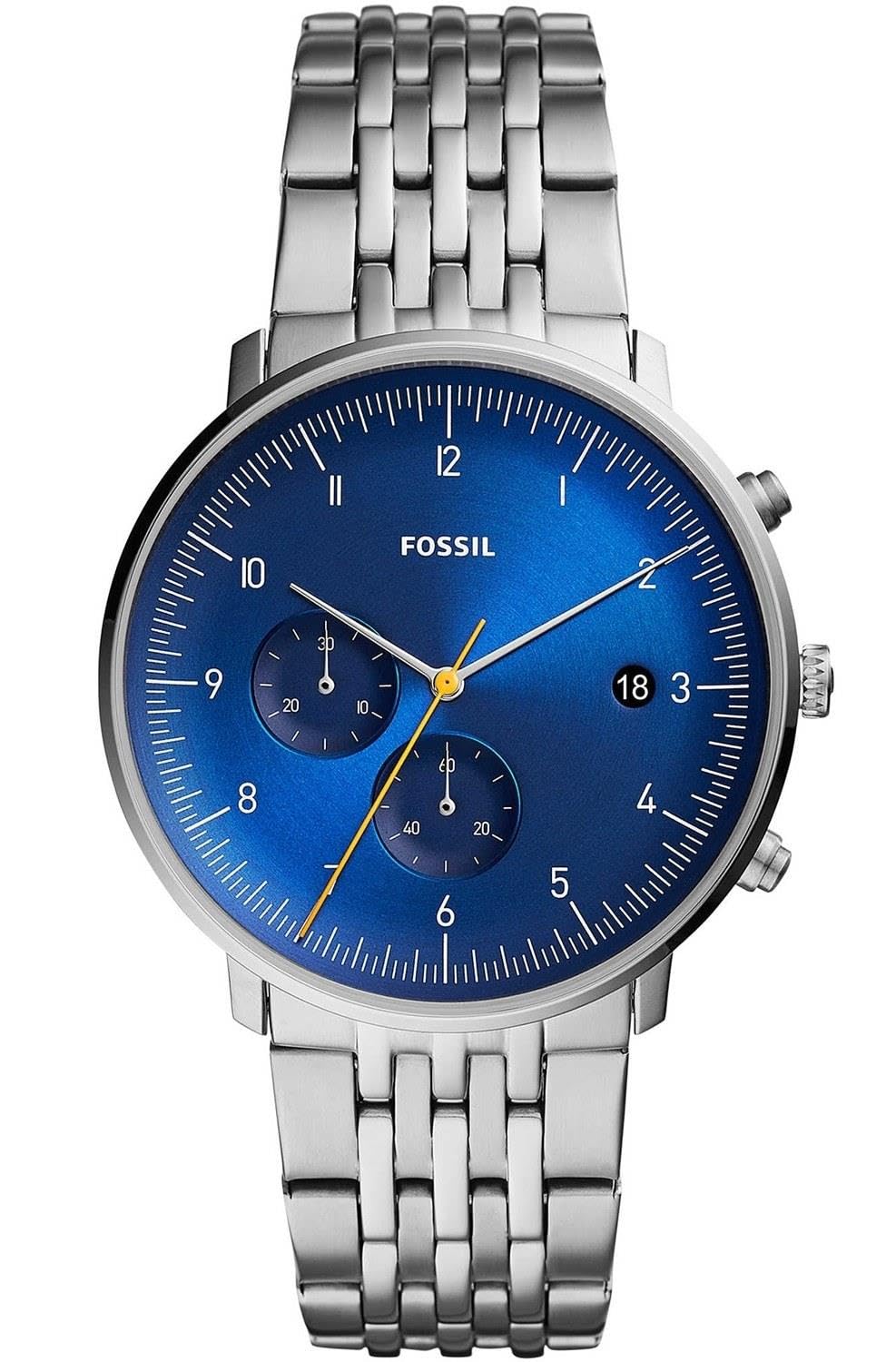
Image: Fossil FS5542 Chase Timer watch, showcasing its blue dial, Arabic numeral indices, and stainless steel bracelet.
Key Features
- Quartz Movement: Ensures accurate timekeeping.
- Chronograph Function: For precise time measurement.
- Date Display: Convenient date window.
- Stainless Steel Case and Bracelet: Durable and stylish construction.
- Mineral Glass Crystal: Provides scratch resistance.
- Water Resistance: Rated for 30 meters (3 ATM).
Setup and Initial Adjustment
Setting the Time
- Pull the crown out to position 2 (farthest position).
- Turn the crown clockwise or counter-clockwise to set the hour and minute hands to the desired time.
- Push the crown back into position 0 (normal position) to start the watch.
Setting the Date
- Pull the crown out to position 1 (middle position).
- Turn the crown clockwise to adjust the date. Avoid setting the date between 9 PM and 3 AM, as this may damage the movement.
- Once the correct date is displayed, push the crown back into position 0.
Operating the Chronograph
The chronograph function allows you to measure elapsed time. Your watch features two pushers, typically located at 2 o'clock (Pusher A) and 4 o'clock (Pusher B).
Basic Chronograph Operation
- Start: Press Pusher A to start the chronograph. The chronograph second hand will begin to move.
- Stop: Press Pusher A again to stop the chronograph. The elapsed time will be indicated by the chronograph hands.
- Reset: Press Pusher B to reset the chronograph hands to their zero position.
Split Time Function (if applicable)
Some chronographs allow for split time measurement, enabling you to measure intermediate times without stopping the main timing.
- Start: Press Pusher A to start the chronograph.
- Split: Press Pusher B to record a split time. The chronograph hands will stop, but the internal timing continues.
- Resume: Press Pusher B again to catch up the chronograph hands to the ongoing elapsed time.
- Stop: Press Pusher A to stop the chronograph.
- Reset: Press Pusher B to reset all hands to zero.
Maintenance and Care
General Care
- Clean your watch regularly with a soft, dry cloth to remove dust and dirt.
- Avoid exposing your watch to extreme temperatures, direct sunlight for prolonged periods, or strong magnetic fields.
- Do not expose your watch to harsh chemicals, solvents, or detergents, as these can damage the case, bracelet, or seals.
Water Resistance
Your Fossil FS5542 watch is water resistant to 30 meters (3 ATM). This rating means the watch is suitable for everyday use and can withstand splashes or brief immersion in water, such as rain or hand washing. It is not suitable for swimming, showering, diving, or any water sports. Always ensure the crown is fully pushed in before any contact with water.
Battery Replacement
The watch is powered by a lithium-metal battery. When the watch stops or the second hand begins to jump erratically (indicating a low battery), it is time for a battery replacement. It is recommended to have the battery replaced by an authorized Fossil service center or a qualified watchmaker to ensure proper sealing and maintain water resistance.
Troubleshooting
| Problem | Possible Cause | Solution |
|---|---|---|
| Watch stops or runs intermittently | Low battery | Replace the battery. |
| Date does not change at midnight | Time is set for AM/PM incorrectly | Advance the time by 12 hours. |
| Chronograph hands do not reset to zero | Requires calibration | Consult an authorized service center for adjustment. |
| Condensation inside the crystal | Water ingress due to damaged seal or open crown | Immediately take the watch to an authorized service center. Do not attempt to dry it yourself. |
If you encounter issues not listed here or if the suggested solutions do not resolve the problem, please contact Fossil customer support or an authorized service center.
Specifications
| Feature | Detail |
|---|---|
| Model Number | FS5542 |
| Brand | Fossil |
| Movement Type | Quartz |
| Display Type | Analog |
| Case Material | Stainless Steel |
| Case Diameter | 42 mm |
| Case Thickness | 10 mm |
| Strap Material | Stainless Steel |
| Strap Width | 22 mm |
| Strap Color | Blue |
| Dial Color | Blue |
| Crystal Material | Mineral Glass |
| Clasp Type | Folding Clasp |
| Water Resistance | 30 Meters (3 ATM) - Splash Resistant |
| Power Source | Battery (1 Lithium-metal, included) |
| Product Weight | 122 Grams |
| UPC | 796483441446 |
Warranty and Support
Manufacturer's Warranty
Your Fossil FS5542 watch is covered by a manufacturer's warranty. The specific terms and duration of the warranty may vary by region. Please refer to the warranty card included with your purchase or visit the official Fossil website for detailed information regarding coverage, limitations, and how to make a claim.
Customer Support
For further assistance, service, or inquiries, please contact Fossil customer support. You can typically find contact information, including phone numbers and email addresses, on the official Fossil website or through your local authorized dealer.
Online Resources: For additional information and FAQs, visit the official Fossil website: www.fossil.com
