
1. Introduction
Thank you for choosing the Xanlite APS500D Solar LED Wall Light. This product is designed to provide efficient and autonomous outdoor lighting, utilizing solar energy for charging and featuring a motion sensor for enhanced security and convenience. Its robust design ensures suitability for various outdoor environments.
2. Safety Instructions
- Read all instructions carefully before installation and use.
- Do not attempt to disassemble or modify the product. This may void the warranty and pose safety risks.
- Ensure the installation surface is stable and can support the weight of the light.
- Keep the solar panel clean to ensure optimal charging efficiency.
- This product is designed for outdoor use. Do not submerge in water.
3. Package Contents
Verify that all components are present in the package:
- 1 x Xanlite APS500D Solar LED Wall Light
- Mounting hardware (screws, wall plugs) - (Assumed, not explicitly listed but standard for wall lights)
4. Product Overview
The Xanlite APS500D features an integrated solar panel, an LED light array, and a motion sensor. It is designed for surface mounting on outdoor walls.

This image displays the front of the Xanlite APS500D solar LED wall light, highlighting its integrated LED panel and central motion sensor.
5. Setup and Installation
5.1 Choosing an Installation Location
Select a location that receives direct sunlight for at least 6-8 hours daily to ensure optimal battery charging. The motion sensor should be positioned to cover the desired detection area, such as a pathway, entrance, or garden.

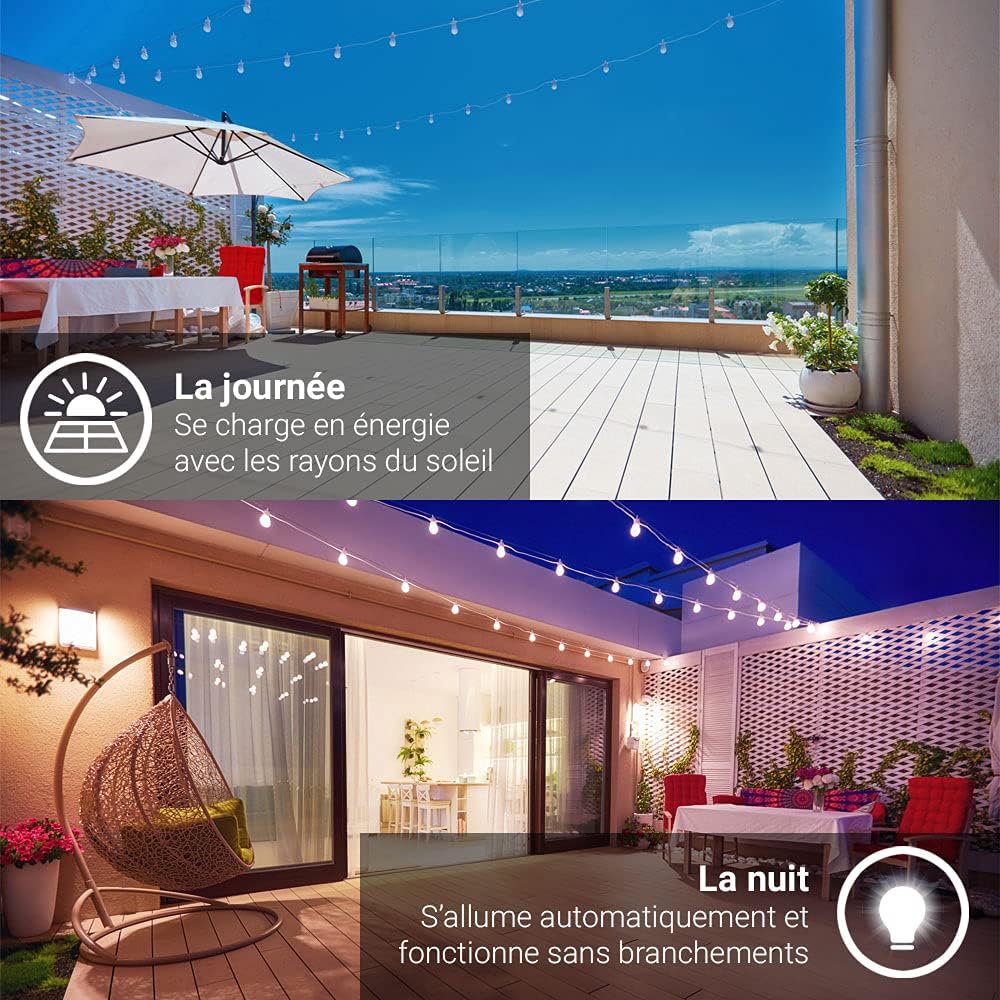
During the day, the integrated solar panel charges the battery using sunlight. At night, the light automatically activates, providing illumination without external wiring.
5.2 Mounting the Light
- Mark the desired drilling points on the wall using the light's mounting holes as a template.
- Drill holes at the marked positions.
- Insert the wall plugs into the drilled holes.
- Align the light with the holes and secure it using the provided screws.

This diagram illustrates the physical dimensions of the Xanlite APS500D, with a width of 210mm and a height of 114mm, aiding in installation planning.
6. Operating Instructions
The Xanlite APS500D features a switch to select between three luminous intensity levels and operates automatically based on light conditions and motion detection.
6.1 Initial Activation and Charging
Before first use, ensure the light is exposed to direct sunlight for at least 24 hours to allow the internal battery to fully charge.
6.2 Adjusting Light Intensity
Locate the switch on the unit (often a small button or toggle). Pressing the switch cycles through the available modes:
- Mode 1: High Intensity (approx. 500 lumens) - Activates upon motion detection.
- Mode 2: Medium Intensity (approx. 200 lumens) - Activates upon motion detection.
- Mode 3: Low Intensity (approx. 150 lumens) - Activates upon motion detection.
- Off: Turns the light off.
The light will automatically turn on at dusk in the selected intensity mode when motion is detected.

The built-in motion detector automatically turns on the light when movement is detected, enhancing security and convenience.
7. Maintenance
- Cleaning the Solar Panel: Regularly wipe the solar panel with a soft, damp cloth to remove dust, dirt, or debris. A clean panel ensures maximum charging efficiency.
- General Cleaning: Clean the light fixture with a soft, dry cloth. Do not use abrasive cleaners or solvents.
- Weather Resistance: The light is designed to be resistant to rain and cold temperatures.

The Xanlite APS500D is designed to withstand outdoor elements, including rain and garden irrigation, ensuring reliable performance in various weather conditions.
This solar wall light is built to endure cold temperatures and snow, making it suitable for year-round outdoor use.
8. Troubleshooting
| Problem | Possible Cause | Solution |
|---|---|---|
| Light does not turn on at night. | Insufficient solar charge. | Ensure the solar panel is in direct sunlight for 6-8 hours daily. Clean the solar panel. |
| Light is dim or flickers. | Low battery charge. | Allow the light to charge for a full day in direct sunlight. |
| Motion sensor not detecting. | Sensor obstructed or incorrect angle. | Clear any obstructions from the sensor's view. Adjust the light's position if necessary. |
| Light stays on constantly or does not turn off. | Continuous motion detected or sensor malfunction. | Ensure no constant movement is within the sensor's range. If the issue persists, contact customer support. |
9. Specifications
| Feature | Detail |
|---|---|
| Brand | Xanlite |
| Model Number | APS500D |
| Power Source | Solar Energy |
| Light Type | LED |
| Luminous Flux (Max) | 650 lm |
| Adjustable Intensities | 500 lm, 200 lm, 150 lm |
| Special Features | Motion Sensor |
| Material | Metal, Aluminum (Shade) |
| Color | Black |
| Dimensions (approx.) | 22.1 x 12.2 x 9.9 cm |
| Weight | 390 g |
| EU Energy Label | A++ |
| Installation Type | Surface Mount |
| Intended Use | Outdoor (Balcony, Entrance, Garden) |
10. Warranty and Support
For warranty information or technical support, please refer to the documentation provided with your purchase or contact Xanlite customer service directly. Keep your proof of purchase for any warranty claims.


