
ARGO IRO PLUS
ARGO Iro Plus Portable Air Conditioner with Heat Pump User Manual
Model: IRO PLUS
1. Introduction
The ARGO Iro Plus is a versatile portable air conditioner designed for year-round comfort, featuring both cooling and heating capabilities. Its minimalist design and intuitive controls make it a perfect addition to any living space. This manual provides essential information for the safe and efficient operation, setup, and maintenance of your ARGO Iro Plus unit.
Key Features:
- Portable air conditioner with heat pump, Energy Class A.
- Four operating modes: Cooling, Heating, Ventilation, and Dehumidification.
- Three fan speeds for customized airflow.
- Motorized top flap with Swing function for wide air distribution.
- Digital 24-hour timer for scheduled operation.
- Sleep function for enhanced comfort during rest.
- Memory function for automatic restart with previous settings after power interruption.
- Environmentally friendly R290 refrigerant.
- Equipped with practical handles and multi-directional wheels for easy portability.
2. Safety Information
Please read all safety warnings and instructions carefully before using the appliance to prevent injury or damage. Keep this manual for future reference.
- Always connect the unit to a grounded power outlet with the correct voltage.
- Do not operate the unit with a damaged power cord or plug.
- Do not block the air inlets or outlets. Ensure adequate clearance around the unit for proper airflow.
- Do not insert fingers or objects into the air outlets.
- Keep the unit away from water and other liquids. Do not use in bathrooms or very humid environments.
- Unplug the unit before cleaning or performing any maintenance.
- Do not attempt to repair or modify the unit yourself. Contact qualified service personnel for repairs.
- This appliance is not intended for use by persons (including children) with reduced physical, sensory or mental capabilities, or lack of experience and knowledge, unless they have been given supervision or instruction concerning use of the appliance by a person responsible for their safety.
- Children should be supervised to ensure that they do not play with the appliance.
3. Product Components
Familiarize yourself with the main parts of your ARGO Iro Plus portable air conditioner.

Figure 3.1: Front view of the ARGO Iro Plus portable air conditioner, showcasing its sleek white design and compact form factor.

Figure 3.2: Another front view of the ARGO Iro Plus, highlighting the minimalist design.

Figure 3.3: Top-down view of the control panel with digital display and touch-sensitive buttons for various functions like Swing, Timer, Speed, Temperature Up/Down, Mode, Sleep, and Power.

Figure 3.4: Rear view of the unit, showing the exhaust air outlet, power cord storage, and air intake grilles.

Figure 3.5: Side view of the ARGO Iro Plus, highlighting the integrated handle for easy lifting and portability.

Figure 3.6: Side view of the ARGO Iro Plus, showing the exhaust port and side grilles.

Figure 3.7: Technical diagram illustrating the dimensions of the ARGO Iro Plus unit: 770mm height, 470mm width, and 382mm depth.
Included Accessories:
- Flexible Exhaust Hose
- Window Adapter
- Kit for Fixed Glass Installation
- Remote Control
4. Setup and Installation
4.1 Placement
Place the ARGO Iro Plus on a flat, stable surface. Ensure there is at least 30 cm (12 inches) of clearance around the unit for proper air circulation. Do not place the unit near heat sources or in direct sunlight.
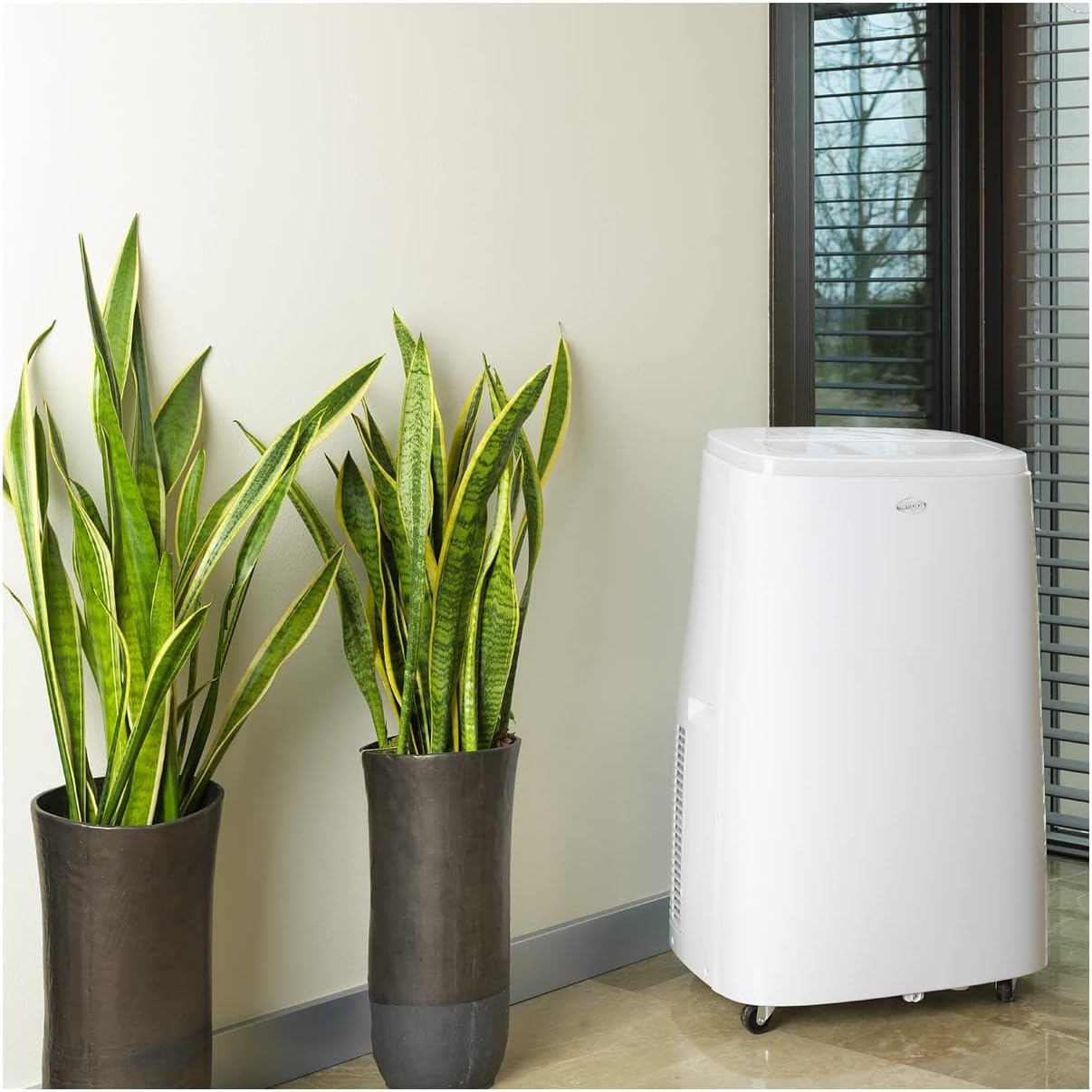
Figure 4.1: The ARGO Iro Plus unit positioned in a room, demonstrating suitable placement near a window for exhaust hose connection.
4.2 Exhaust Hose Installation
- Attach one end of the flexible exhaust hose to the air outlet on the back of the unit. Twist clockwise until securely fastened.
- Attach the window adapter to the other end of the exhaust hose.
- Open a window or sliding door and place the window adapter firmly in the opening. Ensure the opening is sealed as much as possible to prevent outside air from entering.
- For fixed glass installations, use the provided kit according to its specific instructions.
Important: The exhaust hose must be as short and straight as possible to ensure optimal performance. Bends or excessive length will reduce efficiency.
5. Operating Instructions
Your ARGO Iro Plus can be operated using the control panel on the top of the unit or the included remote control.
5.1 Control Panel Overview
Refer to Figure 3.3 for the layout of the control panel buttons.
- POWER Button: Turns the unit ON or OFF.
- MODE Button: Cycles through operating modes: Cool, Heat, Fan, Dehumidify.
- UP/DOWN Buttons: Adjust temperature settings or timer duration.
- SPEED Button: Selects fan speed (Low, Medium, High).
- TIMER Button: Sets the auto-on or auto-off timer.
- SWING Button: Activates or deactivates the automatic swing function of the top flap.
- SLEEP Button: Activates Sleep mode for quiet operation and optimized temperature control during sleep.
5.2 Operating Modes
- Cooling Mode: For cooling the room. Set desired temperature using UP/DOWN buttons.
- Heating Mode: For heating the room (Heat Pump function). Set desired temperature.
- Fan Mode: Circulates air without cooling or heating. Select desired fan speed.
- Dehumidification Mode: Removes moisture from the air. The unit will operate at a low fan speed. Continuous drainage is recommended in this mode.
5.3 Timer Function
The 24-hour timer allows you to set the unit to turn on or off automatically after a specified period.
- Press the TIMER button.
- Use the UP/DOWN buttons to set the desired delay time (in hours).
- The timer will activate after a few seconds.
6. Maintenance
Regular maintenance ensures optimal performance and extends the lifespan of your ARGO Iro Plus. Always unplug the unit before cleaning.
6.1 Cleaning the Air Filter
The air filter should be cleaned every two weeks, or more frequently if the unit is used in a dusty environment.
- Turn off and unplug the unit.
- Locate the air filter panel (usually on the side or back).
- Remove the filter.
- Clean the filter with a vacuum cleaner or wash it gently with lukewarm water and mild detergent.
- Allow the filter to dry completely before reinserting it.
6.2 Draining Water
The unit automatically evaporates most condensation. However, in high humidity conditions or during dehumidification mode, the internal water tank may fill up. The unit will stop operating and display an indicator when the tank is full.
- Turn off and unplug the unit.
- Place a shallow pan or container under the drainage outlet (usually at the bottom rear of the unit).
- Remove the drain plug to allow water to flow out.
- Once drained, replace the drain plug firmly.
- For continuous drainage in dehumidification mode, connect a suitable drain hose (not included) to the continuous drainage outlet.
7. Troubleshooting
Before contacting customer support, please refer to the following common issues and their solutions.
| Problem | Possible Cause | Solution |
|---|---|---|
| Unit does not turn on. | No power, power cord loose, circuit breaker tripped. | Check power connection, ensure outlet is working, reset circuit breaker. |
| Unit is running but not cooling/heating. | Exhaust hose blocked/disconnected, room too large, windows/doors open, air filter dirty, temperature setting too high/low. | Ensure exhaust hose is properly installed and unblocked. Close windows/doors. Clean air filter. Adjust temperature setting. |
| Unit is noisy. | Unit not on a flat surface, fan speed too high, internal components loose. | Place unit on a flat surface. Reduce fan speed. If noise persists, contact support. |
| Water leakage. | Drain plug loose, continuous drainage hose not properly connected, unit tilted. | Ensure drain plug is secure. Check continuous drainage hose connection. Place unit on a level surface. |
| "Full Tank" indicator (or similar) is on. | Internal water tank is full. | Drain the water tank as described in Section 6.2. |
If the problem persists after trying these solutions, please contact ARGO customer support.
8. Specifications
| Model Number | IRO PLUS |
| Brand | ARGO |
| Product Dimensions (H x W x D) | 77 x 47 x 38 cm |
| Item Weight | 31.5 kg |
| Form Factor | Portable |
| Cooling Capacity | 13000 BTU/h |
| Voltage | 216.67 V |
| Energy Source | Corded Electric |
| Energy Efficiency Rating | A |
| Special Features | Automatic shutdown, Cooling, Dehumidification, Fan, Heating, Air filter |
| First Available Date | January 15, 2020 |
9. Warranty and Support
9.1 Warranty Information
The ARGO Iro Plus portable air conditioner comes with a 2-year supplier warranty from the date of purchase. This warranty covers defects in materials and workmanship under normal use. Please retain your proof of purchase for warranty claims.
The warranty does not cover damage resulting from:
- Improper installation or use not in accordance with this manual.
- Accidents, abuse, neglect, fire, water, lightning, or other acts of nature.
- Unauthorized repairs or modifications.
- Normal wear and tear.
9.2 Customer Support
For technical assistance, troubleshooting beyond this manual, or warranty claims, please contact ARGO customer support through their official website or the retailer where you purchased the product. Have your model number (IRO PLUS) and purchase date ready.
Related documentsIRO PLUS


Ask a question about this manual
Ask about setup, troubleshooting, compatibility, parts, safety, or missing instructions. Manuals+ will review the question and use this page’s manual context to help answer it.