
PMD Beauty 4002
PMD Beauty Clean Pro Smart Facial Cleansing Device User Manual
Brand: PMD Beauty | Model: 4002
Introduction
The PMD Beauty Clean Pro Smart Facial Cleansing Device is designed to provide a deep facial cleanse and an anti-aging massage. This device utilizes SonicGlow™ technology for effective cleansing and ActiveWarmth™ technology to enhance the absorption of skincare products. Its ultra-hygienic silicone brush head is suitable for all skin types.
Safety Information
- Do not use the device on broken skin, open wounds, or areas with severe acne or skin conditions. Consult a dermatologist if you have concerns.
- Keep the device out of reach of children.
- The device is waterproof for shower use, but avoid prolonged submersion in water.
- Discontinue use if irritation occurs.
- Use only the provided charging cable.
Package Contents
- PMD Beauty Clean Pro Smart Facial Cleansing Device
- Charging Cord
- Storage Case
Device Overview
The PMD Clean Pro features a dual-sided design for comprehensive skincare.
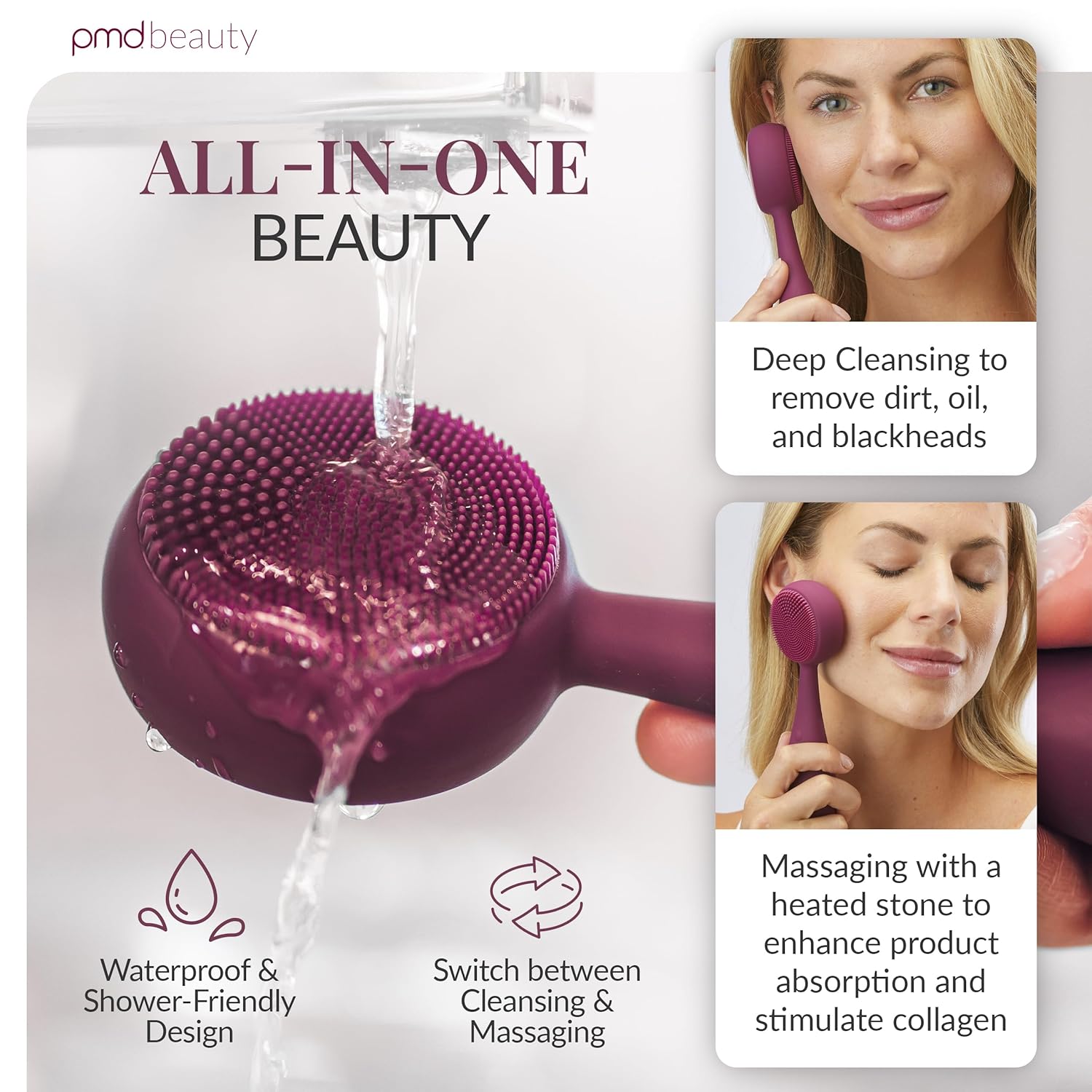
Image: PMD Clean Pro device with callouts for SonicGlow Technology, ActiveWarmth Technology, and Ultra-Hygienic Silicone.
- SonicGlow™ Technology: Delivers 7,000 vibrations per minute for deep cleansing.
- ActiveWarmth™ Technology: Heat therapy helps absorb skincare products deeper for better results.
- Ultra-Hygienic Silicone: Odor-resistant, hypoallergenic, and waterproof for easy cleaning and durability.

Image: Demonstrates the device's deep cleansing, massaging, and waterproof capabilities.
Setup
Charging the Device
Before first use, fully charge your PMD Clean Pro device. Connect the charging cord to the device's charging port and plug the USB end into a compatible power adapter. The indicator light will show charging status.
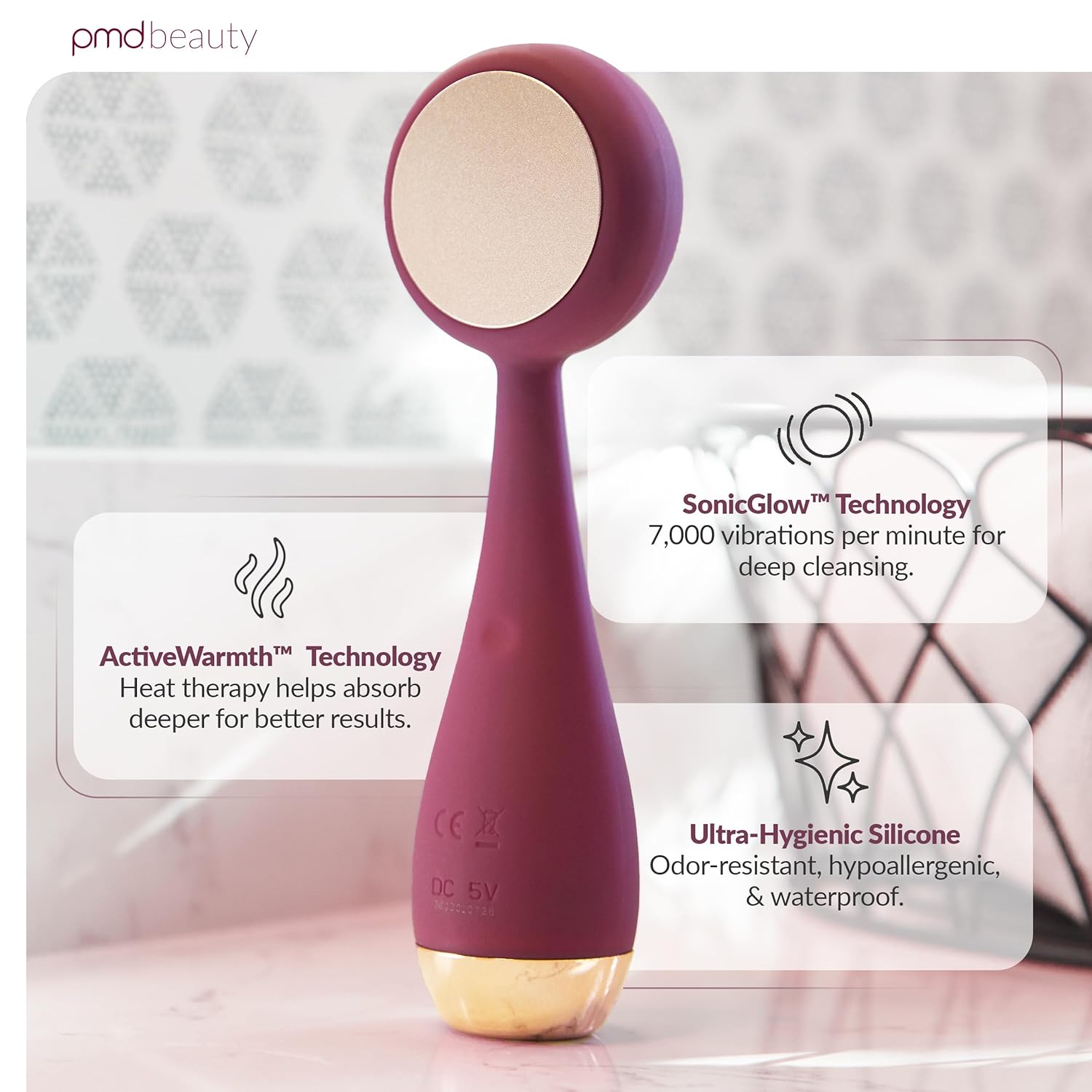
Image: The PMD Clean Pro device, ready for use or charging.
Operating Instructions
The PMD Clean Pro has four modes: two for cleansing and two for anti-aging massage. Press the power button to cycle through the modes.

Image: Visual guide for the three main steps of using the device.
Cleansing Mode
- Apply Cleanser: Dampen your face and apply your preferred cleanser.
- Activate Device: Turn on the device and select your desired cleansing mode (Mode 1: Gentle Vibration, Mode 2: Intense Vibration).
- Cleanse: Move the silicone brush head in circular motions across your face. Focus on areas needing deep cleansing.
- Rinse: Rinse your face and the device thoroughly after use.
Anti-Aging Massage Mode
- Apply Skincare: Apply your favorite serum or moisturizer to your face.
- Activate Heat: Flip the device to the ActiveWarmth™ side (the rose quartz or metal plate) and select an anti-aging massage mode (Mode 3: Gentle Pulsation, Mode 4: Intense Pulsation). The plate will warm up.
- Massage: Gently glide the warm plate over your skin, allowing the heat and pulsations to help absorb your products and stimulate the skin.
Maintenance
Cleaning
After each use, rinse the PMD Clean Pro device with warm water and mild soap. Pat dry with a soft, lint-free cloth. Do not use abrasive cleaners or chemicals that could damage the silicone or the device's finish.
Storage
Store the device in its provided storage case in a cool, dry place away from direct sunlight. Ensure the device is completely dry before storing.
Troubleshooting
| Issue | Possible Cause | Solution |
|---|---|---|
| Device not turning on | Low battery or device is locked. | Charge the device fully. Ensure the travel lock is disengaged (refer to specific model instructions for unlocking). |
| Vibrations are weak | Low battery. | Recharge the device. |
| Heat function not working | Device not in appropriate mode or malfunction. | Ensure you are in an anti-aging massage mode (Mode 3 or 4). If the issue persists, contact customer support. |
| Skin irritation | Over-exfoliation or sensitivity to product/device. | Reduce frequency of use or switch to a gentler mode. Consult a dermatologist if irritation continues. |
Specifications
- Model Number: 4002
- Dimensions: 1.5 x 1.5 x 7 inches
- Weight: 8.8 ounces
- Battery: 1 Lithium Ion battery (included)
- Material: Ultra-hygienic silicone, Rose Quartz (for Berry variant)
- Technology: SonicGlow™ (7,000 vibrations/minute), ActiveWarmth™
- Waterproof: Yes
Warranty and Support
For warranty information, product registration, or technical support, please visit the official PMD Beauty website or contact their customer service. Keep your proof of purchase for warranty claims.
Website: pmdbeauty.com
Ask a question about this manual
Ask about setup, troubleshooting, compatibility, parts, safety, or missing instructions. Manuals+ will review the question and use this page’s manual context to help answer it.