
Introduction
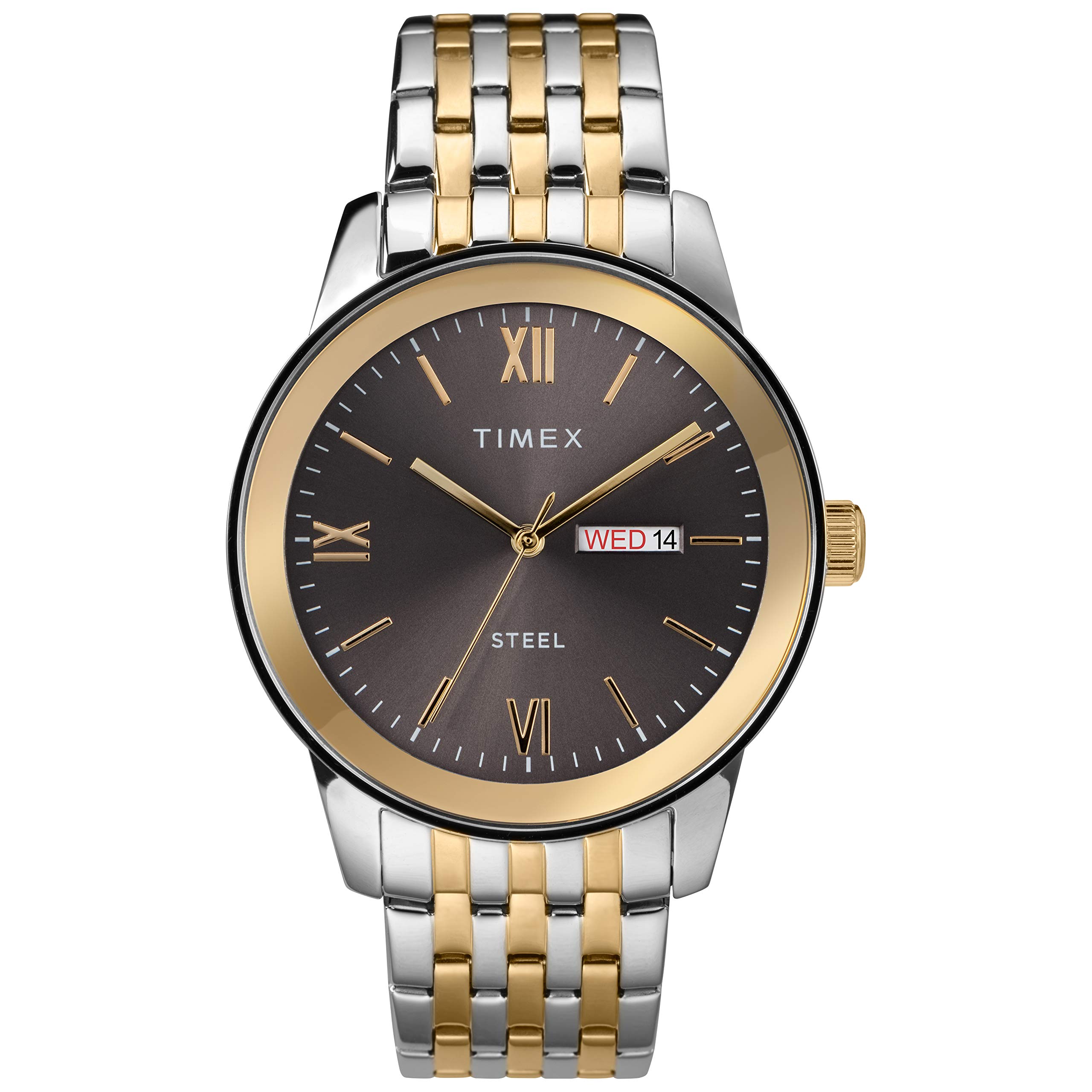
This manual provides instructions for the operation and care of your Timex Men's Dress Day-Date 41mm Watch, model TW2T50500JT. This timepiece features an analog-quartz movement, a silver-tone dial with partial Roman numerals, and a day and date window. The watch is equipped with a two-tone stainless steel bracelet and is water resistant to 30 meters (100 feet).
Setup
Setting the Time
- Locate the crown on the right side of the watch case.
- Gently pull the crown out to position 2 (the outermost position). The watch hands will stop moving.
- Rotate the crown clockwise or counter-clockwise to set the desired time. Ensure that AM/PM is correctly set, especially when setting the date.
- Once the time is set, push the crown back into position 0 (the innermost position) to restart the watch.
Setting the Day and Date
- Pull the crown out to position 1 (the intermediate position).
- Rotate the crown clockwise to adjust the date.
- Rotate the crown counter-clockwise to adjust the day.
- Avoid setting the date or day between 9:00 PM and 3:00 AM, as this is when the watch's internal mechanism is engaged in changing the date, and manual adjustment can cause damage. If you need to set the date during these hours, first set the time outside this range, adjust the date, then reset the time.
- Once the day and date are set, push the crown back into position 0.
Operating Your Watch
Your Timex watch is powered by an analog-quartz movement, which provides accurate timekeeping. Once the time, day, and date are set, the watch will operate continuously as long as the battery has power. The day and date will automatically advance at midnight. If the watch is not worn for an extended period, it may require resetting the time and date when put back into use.
Maintenance
Water Resistance
This watch is water resistant to 30 meters (100 feet). This means it is suitable for splashes or brief immersion in water. It is not suitable for swimming, bathing, showering, or diving. Always ensure the crown is fully pushed in to maintain water resistance. Do not operate the crown while the watch is wet.
Cleaning
To clean your watch, gently wipe the case and bracelet with a soft, dry, or slightly damp cloth. Avoid using harsh chemicals or abrasive materials, as these can damage the finish. For the stainless steel bracelet, a soft brush can be used to remove dirt from between the links.
Battery Replacement
The watch is powered by a product-specific battery (included). When the battery needs replacement, it is recommended to have it replaced by a qualified watch technician to ensure proper sealing and maintain water resistance.
Troubleshooting
- Watch not running: Ensure the crown is fully pushed into position 0. If the watch still does not run, the battery may need replacement.
- Date or Day not changing: Verify that the time is set correctly, especially the AM/PM cycle. The day and date typically advance around midnight. If the issue persists, ensure the crown is fully pushed in after setting.
- Inaccurate timekeeping: While quartz movements are highly accurate, significant deviations may indicate a low battery or a need for servicing.
Specifications
| Feature | Detail |
|---|---|
| Model Number | TW2T50500JT |
| Case Diameter | 41 millimeters |
| Case Thickness | 11 millimeters |
| Case Material | Stainless Steel |
| Band Material | Stainless Steel |
| Band Width | 21 millimeters |
| Band Color | Two Tone |
| Dial Color | Black |
| Dial Window Material Type | Mineral |
| Display Type | Analog |
| Movement | Quartz |
| Calendar | Day-Date |
| Water Resistant Depth | 30 meters (100 Feet) |
| Item Weight | 1.6 ounces |


Warranty and Support
Your Timex watch is covered by a manufacturer's warranty. For specific details regarding the warranty period and coverage, please refer to the warranty information provided with your purchase or contact Timex customer service directly. For technical support or service inquiries, please visit the official Timex website or contact their customer service department.
You can request warranty information from customer service. For assistance, please visit the Timex official website.


