
1. Introduction
The OttLite Recharge LED Desk Lamp is designed to provide portable, high-quality illumination for various tasks. Featuring OttLite's exclusive ClearSun LED Technology, this lamp aims to reduce eyestrain and enhance visual clarity. Its flexible gooseneck and rechargeable battery offer versatility for use in different environments.

Image 1.1: Historical context and the mission of OttLite for healthier vision.
2. Important Safety Instructions
- Read all instructions before operating the lamp.
- Do not operate the lamp with a damaged cord or plug.
- Avoid exposing the lamp to water or excessive moisture.
- Do not attempt to disassemble or repair the lamp yourself. Refer to qualified service personnel.
- Keep the lamp away from heat sources.
- Use only the provided USB charging cord and adaptor.
3. Package Contents
Verify that all items are present in the package:
- OttLite Recharge LED Desk Lamp
- USB Charging Cord
- Power Adaptor
4. Setup
4.1 Initial Charging
Before first use, fully charge the lamp. Connect the provided USB charging cord to the lamp's charging port and plug the adaptor into a standard electrical outlet. The charging indicator light will illuminate during charging and change color or turn off when fully charged.
4.2 Positioning the Lamp
Place the lamp on a stable, flat surface. The flexible gooseneck allows for adjustment of the light head to direct illumination where needed. The lamp's height can be adjusted from 10 to 18.75 inches. The base measures 2.65 x 3.625 inches.
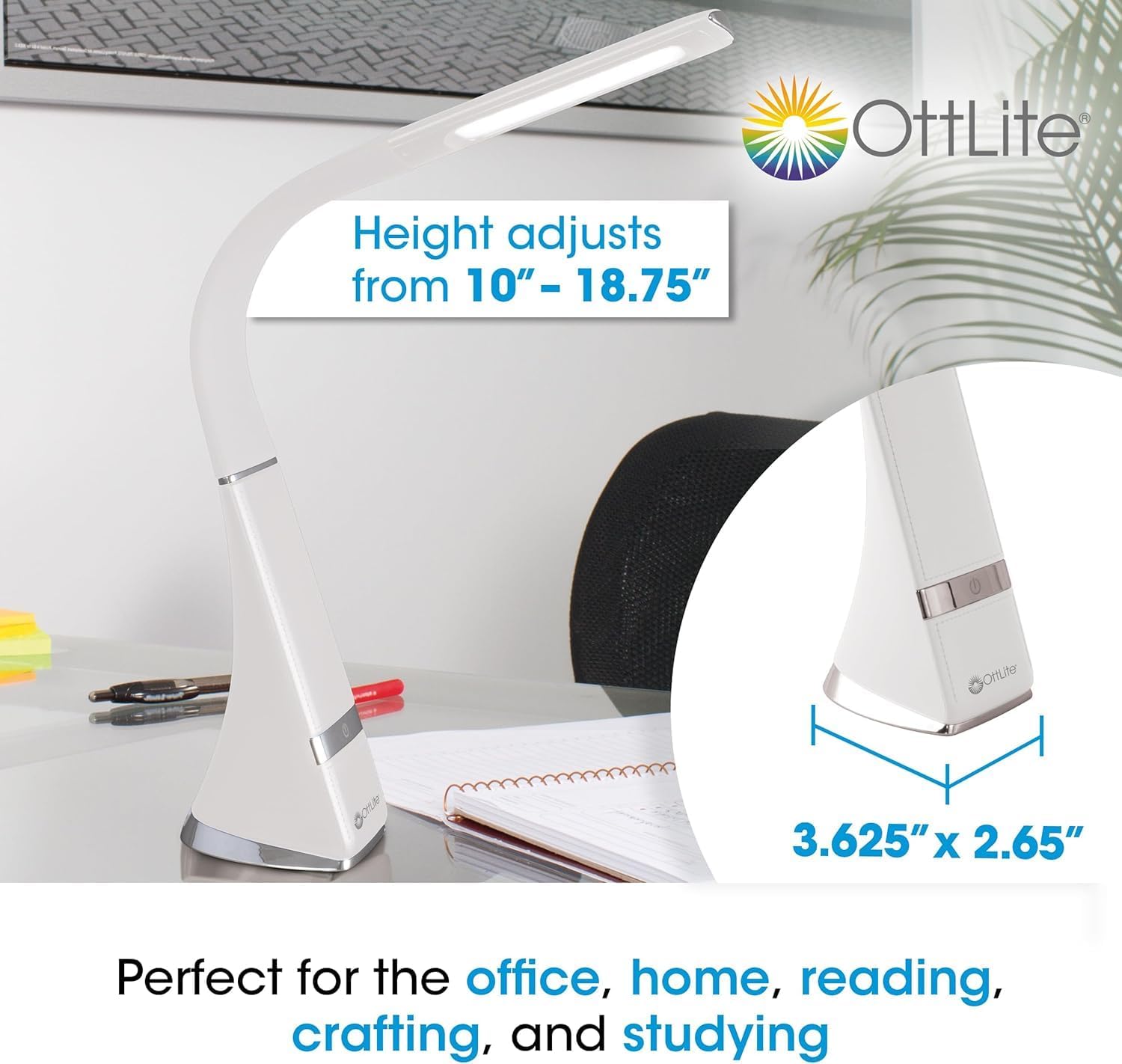
Image 4.1: Lamp dimensions and height adjustment range.
5. Operating Instructions
5.1 Power On/Off and Brightness Adjustment
The lamp features touch-activated controls. Locate the touch control area on the lamp base.
- To turn on: Lightly tap the touch control area.
- To adjust brightness: Tap the touch control area repeatedly to cycle through the three available brightness levels.
- To turn off: Continue tapping until the lamp switches off, or hold the touch control for a few seconds.
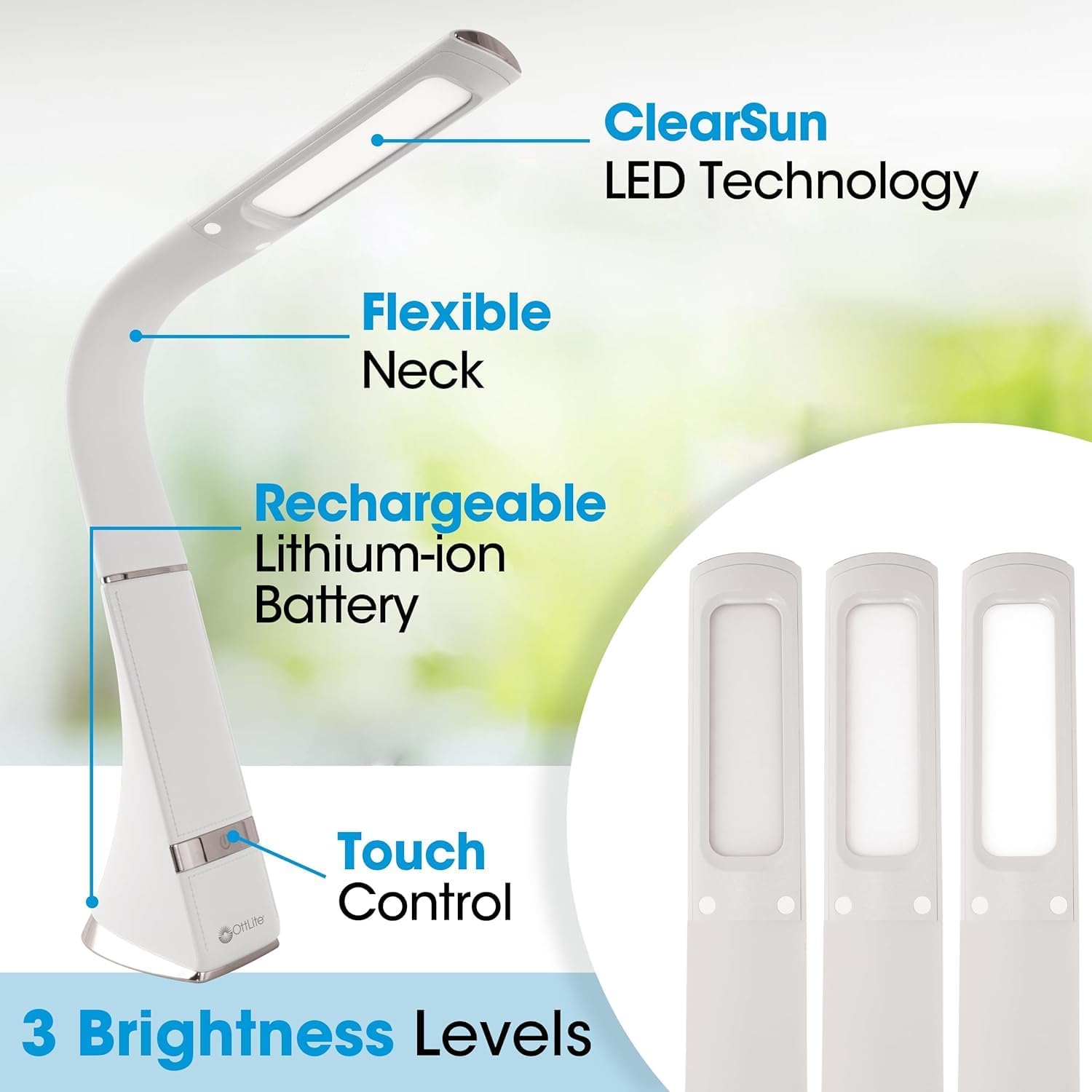
Image 5.1: Lamp features including touch control and brightness levels.
6. ClearSun LED Technology
The OttLite Recharge LED Desk Lamp incorporates ClearSun LED Technology, which is engineered to closely replicate the spectral output of natural daylight. This technology is designed to reduce eyestrain by up to 51% compared to standard LEDs, allowing for extended periods of comfortable use.

Image 6.1: Illustration of ClearSun LED technology's impact on eyestrain reduction.
ClearSun LEDs also boast a Color Rendering Index (CRI) of 95+, indicating high accuracy in rendering colors. This ensures that colors appear vivid and true-to-life under the lamp's illumination.
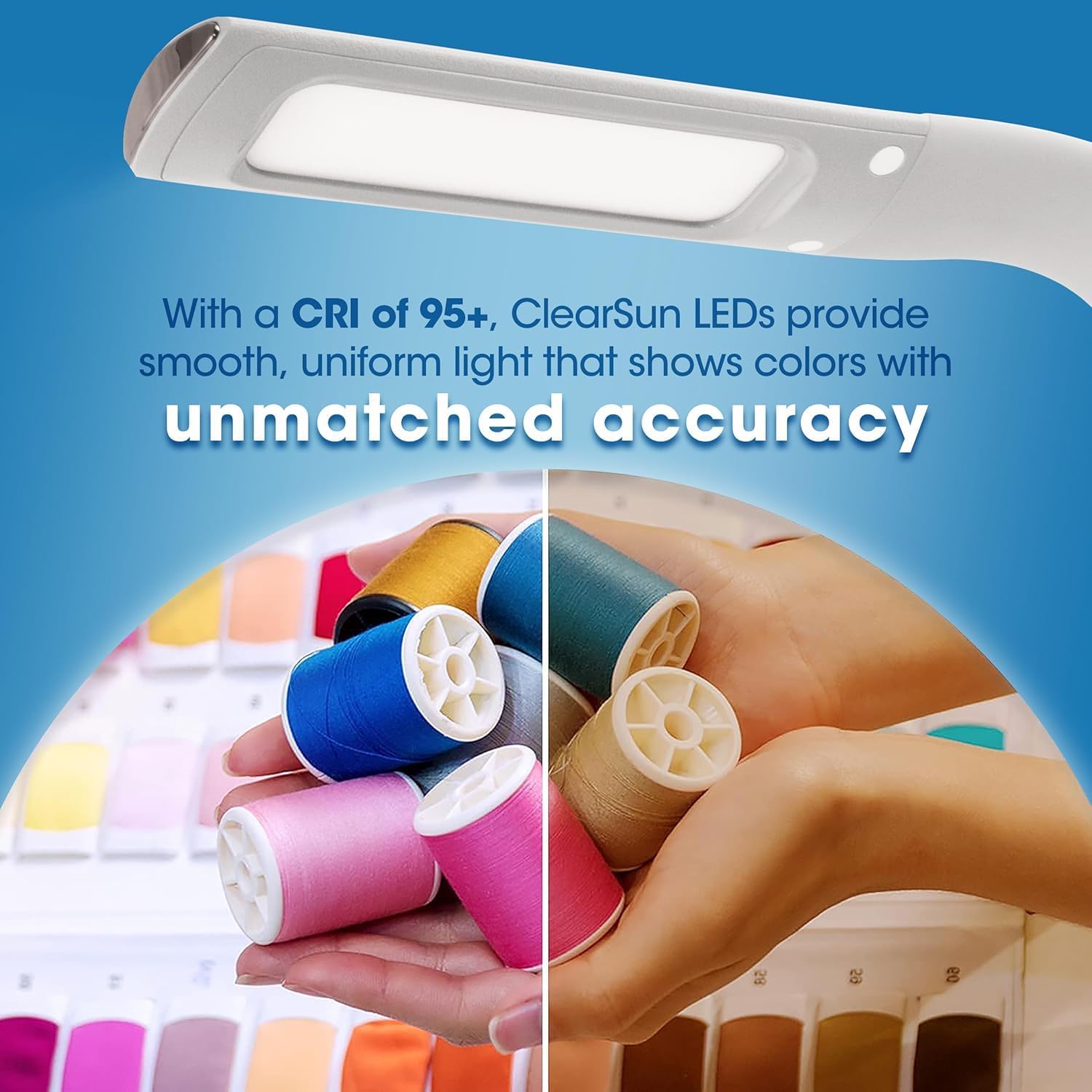
Image 6.2: Visual comparison of color accuracy with a CRI of 95+.

Image 6.3: Benefits of natural daylight illumination for tasks.
6.1 Informational Videos on ClearSun Technology
Video 6.1: Official video explaining OttLite's ClearSun LED Technology and its benefits across various products.
Video 6.2: Official video introducing the OttLite Wellness Series with ClearSun LED, focusing on healthier lighting for improved vision.
7. Charging the Lamp
The lamp is equipped with a rechargeable lithium-ion battery. To charge, connect the USB charging cord to the lamp and a power source (e.g., wall adaptor, computer USB port). A full charge provides several hours of cordless operation, depending on the brightness setting used. The lamp can also be used while charging.
8. Maintenance
8.1 Cleaning
To clean the lamp, ensure it is turned off and unplugged. Use a soft, dry cloth to wipe down the surfaces. Do not use abrasive cleaners, solvents, or harsh chemicals, as these may damage the finish or electronic components.
8.2 Storage
When not in use for extended periods, store the lamp in a cool, dry place. It is recommended to charge the battery periodically to maintain its lifespan.
9. Troubleshooting
- Lamp does not turn on:
- Ensure the lamp is charged. Connect it to a power source and allow it to charge for at least 30 minutes.
- Verify that the power adaptor and USB cord are securely connected and functioning correctly.
- Lamp does not charge:
- Check the USB charging cord and adaptor for any visible damage.
- Try using a different USB port or power outlet.
- Light is dim or flickers:
- The battery may be low. Recharge the lamp.
- Ensure the lamp is not operating in an excessively hot or cold environment.
10. Specifications
| Feature | Detail |
|---|---|
| Model Number | CS59089-SHPR |
| Brand | OttLite |
| Light Source Type | LED (ClearSun Technology) |
| Power Source | Battery Powered (Rechargeable Lithium-ion) |
| Wattage | 5 watts |
| Voltage | 120 Volts |
| Product Dimensions | 3.63"D x 2.65"W x 18.75"H |
| Item Weight | 1.32 Pounds |
| Switch Type | Touch |
| Brightness Settings | 3 Levels |
| Gooseneck | Flexible |
| Material Type | Plastic |
| Color | White |
11. Warranty and Support
11.1 Manufacturer's Warranty
This OttLite product comes with a standard manufacturer's warranty. Please refer to the warranty card included in your package for specific terms and conditions, or visit the official OttLite website for detailed information.
11.2 Customer Support
For technical assistance, troubleshooting, or warranty claims, please contact OttLite customer support:
- Website: www.ottlite.com
- Phone: Refer to the OttLite website for regional contact numbers.


