
INIU BI-B41
INIU 10000mAh Portable Power Bank User Manual
Model: BI-B41
Introduction
Thank you for choosing the INIU 10000mAh Portable Power Bank. This manual provides essential information for the safe and efficient use of your device. Please read it thoroughly before operation and keep it for future reference.
This power bank is designed to provide reliable and high-speed charging for a wide range of portable electronic devices, including smartphones, tablets, and other USB-powered gadgets. Its compact and lightweight design makes it an ideal companion for travel and daily use.
Package Contents
- INIU 10000mAh Portable Power Bank (Model: BI-B41)
- 1ft USB-A to USB-C Cable
- Storage Bag
- User Guide

Setup
Initial Charging of the Power Bank
Before first use, fully charge your INIU Power Bank. Use the provided USB-A to USB-C cable or a compatible USB-C cable to connect the power bank's USB-C port to a USB wall charger (not included). The paw print indicator lights will illuminate to show the charging progress. All four paw prints will glow steadily when fully charged.

Connecting Devices for Charging
The INIU Power Bank features multiple output ports for charging your devices:
- USB-A Output Ports: Connect your device's USB charging cable to one of the two USB-A output ports.
- USB-C In/Out Port: This versatile port can be used for both charging the power bank and charging compatible devices with a USB-C to USB-C cable.

Operating Instructions
Charging Your Devices
Once your device is connected, the power bank will automatically begin charging. The paw print indicator will show the remaining battery level of the power bank.
- High-Speed Charging: The power bank supports 3A high-speed charging for compatible devices, significantly reducing charging times.
- Simultaneous Charging: You can charge up to three devices simultaneously using the available USB-A and USB-C output ports.

Checking Battery Level
The illuminated paw print icon on the power bank indicates the remaining battery capacity. Each illuminated 'pad' of the paw print represents approximately 25% of the battery charge.
- Four pads illuminated: 75-100% charge
- Three pads illuminated: 50-75% charge
- Two pads illuminated: 25-50% charge
- One pad illuminated: 0-25% charge (recharge soon)
Flashlight Function
The power bank includes a built-in flashlight. To activate or deactivate the flashlight, press and hold the power button for approximately 2-3 seconds.
Portability and Travel
The INIU Power Bank is designed to be ultra-slim and lightweight, making it highly portable. It is also airline-approved for carry-on luggage, allowing you to bring it on flights.

Maintenance
Cleaning
Wipe the power bank with a soft, dry cloth. Do not use harsh chemicals or abrasive materials, as they may damage the surface.
Storage
Store the power bank in a cool, dry place away from direct sunlight and extreme temperatures. If storing for extended periods, charge the power bank to approximately 50-75% capacity every three months to maintain battery health.
Battery Health (TempGuard 2.0)
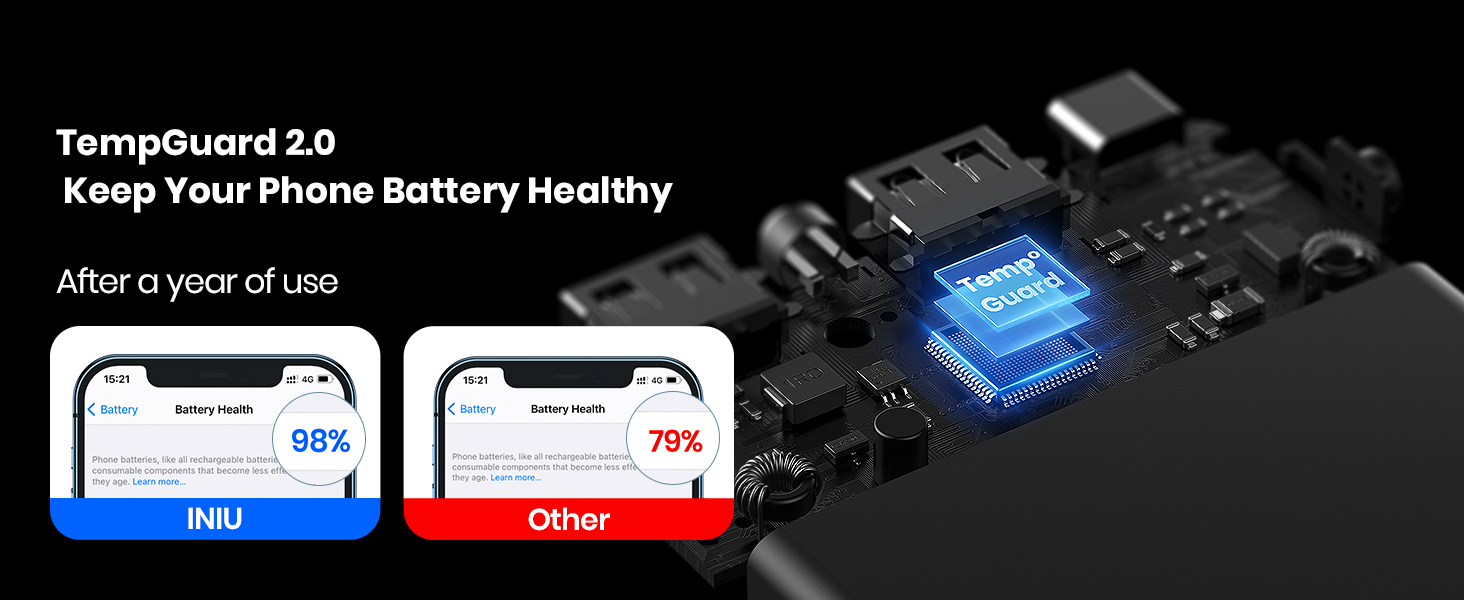
The INIU Power Bank incorporates TempGuard 2.0 technology, which helps to regulate temperature during charging and discharging, contributing to the longevity and health of your device's battery over time.
Troubleshooting
Common Issues and Solutions
- Power Bank Not Charging:
- Ensure the charging cable is securely connected to both the power bank's USB-C input and the wall charger.
- Try a different USB wall charger and cable.
- Verify the wall charger is functioning correctly.
- Device Not Charging from Power Bank:
- Ensure the power bank has sufficient charge (check paw print indicator).
- Verify the charging cable is securely connected to both the power bank output port and your device.
- Try a different charging cable.
- Ensure your device is compatible with USB charging.
- Slow Charging:
- Ensure you are using a high-quality cable.
- Charging multiple devices simultaneously may reduce individual charging speeds.
- Some devices may not support the power bank's maximum charging speed.
Safety Features (15-Layer SmartProtect System)
The INIU Power Bank is equipped with a comprehensive 15-layer SmartProtect System to ensure safe operation and protect both the power bank and your connected devices. These protections include:
- Charge low and high temperature protection
- Discharge low and high temperature protection
- Battery short-circuit protection
- Output overvoltage protection
- Charging undervoltage protection
- Battery temperature protection
- Battery overdischarge protection
- Output overcurrent protection
- Charging overvoltage protection
- USB-C overcharge protection
- Charging overcurrent protection
- Discharge overcurrent protection
- Output short-circuit protection
- Type-C port overcharge protection
- USB-A overcharge protection

Specifications
| Feature | Detail |
|---|---|
| Brand | INIU |
| Model Number | BI-B41 |
| Battery Capacity | 10000mAh |
| Item Weight | 7 ounces |
| Product Dimensions (LxWxH) | 1 x 1 x 1 inches |
| Color | Brown |
| Power Source | Battery Powered, Corded Electric, USB Cable |
| Voltage | 5 Volts |
| Batteries Required | 1 Lithium Polymer battery |
| Connector Type | Input: USB-C; Output: USB-C, USB-A*2 |
| Special Feature | Fast Charge, Portable Charger |
Warranty and Support
INIU offers a 3-Year Product Care / Replacement Promise for this power bank. For any issues or support inquiries, please refer to the contact information provided in the included User Guide or visit the official INIU support website.
You can also find additional support and information by visiting the INIU Store on Amazon.
Related documentsBI-B41


Ask a question about this manual
Ask about setup, troubleshooting, compatibility, parts, safety, or missing instructions. Manuals+ will review the question and use this page’s manual context to help answer it.