Product Overview
This manual provides comprehensive instructions for the safe and efficient installation and use of your USX MOUNT Fixed TV Wall Mount. This low-profile mount is designed to securely hold 42-86 inch flat screen televisions, supporting a maximum weight of 132 lbs (60 kg) and VESA patterns up to 600x400mm. Its ultra-slim design positions your TV just 1.1 inches from the wall, saving space and providing a clean aesthetic.

Image: The USX MOUNT Fixed TV Wall Mount, showing the main wall plate, TV brackets, and a small spirit level.
Safety Information
- Read all instructions carefully before installation.
- If you are unsure about any part of the installation process, consult a qualified professional.
- Ensure the wall structure can safely support the combined weight of the mount and your TV.
- Do not mount on drywall alone. Always mount into wood studs, concrete, or brick walls.
- Use appropriate safety gear, including eye protection.
- Keep children and pets away during installation.
- Do not exceed the maximum weight capacity of 132 lbs (60 kg).
- Verify VESA compatibility and stud spacing before beginning installation.
Important Note on Wall Types
This mount is designed for installation on 16", 18", or 24" wood studs, concrete walls, or brick walls. Concrete anchors (φ10x50mm) are available upon request if not included.

Image: Illustration of stud spacing compatibility (8", 16", 24") and a crucial warning against mounting on drywall without studs.
Package Contents
Please verify that all components are present and undamaged before proceeding with installation.
| Component | Quantity | Description |
|---|---|---|
| Wall Plate Assembly | 1 | Main frame that attaches to the wall. |
| TV Brackets | 2 | Attach to the back of your TV. |
| Hardware Kit | 1 set | Includes various screws, washers, spacers for TV and wall mounting. |
| Spirit Level | 1 | For ensuring level installation. |
| Instruction Manual | 1 | This document. |
Image: The complete USX MOUNT Fixed TV Wall Mount package, showing the wall plate, two TV brackets, and a small level.
Specifications
- Model: B07PN93RJN
- TV Size Compatibility: 42-86 inches
- Weight Capacity: Up to 132 lbs (60 kg)
- VESA Compatibility: 150x150mm to 600x400mm (Horizontal x Vertical)
- Wall Distance (Profile): 1.1 inches (2.8 cm)
- Wall Stud Compatibility: 16", 18", 24" wood studs
- Wall Type Compatibility: Wood studs, concrete wall, brick wall
- Material: Metal
- Color: Black
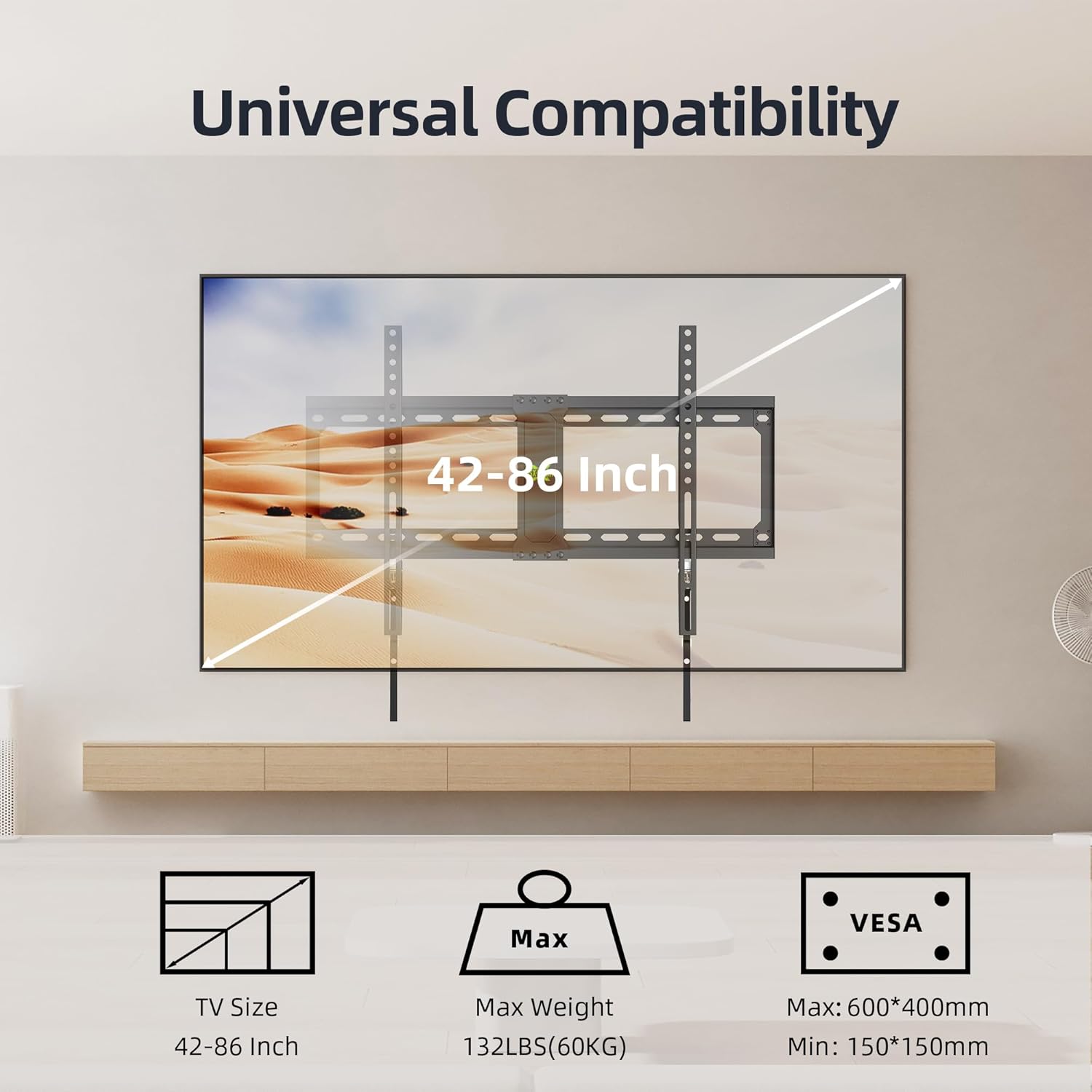
Image: Visual representation of the mount's universal compatibility, detailing supported TV sizes, maximum weight, and VESA patterns.

Image: Detailed diagram showing multiple VESA hole configurations supported by the mount, from 150x150mm up to 600x400mm.
Installation Guide
This section outlines the steps for installing your USX MOUNT TV Wall Mount. It is recommended to have two people for safe installation.
Tools Required
- Pencil
- Stud Finder (for wood stud installation)
- Drill with appropriate drill bits (e.g., 5/32" (4mm) for wood studs, 3/8" (10mm) for concrete/brick)
- Socket Wrench or Adjustable Wrench
- Phillips Head Screwdriver
- Hammer (for concrete anchors)
- Tape Measure
- Spirit Level (included)
Step-by-Step Installation
- Attach TV Brackets to TV:
Carefully place your TV face-down on a soft, clean surface. Identify the VESA mounting holes on the back of your TV. Select the appropriate screws, washers, and spacers from the hardware kit that fit your TV's mounting holes. Attach the two TV brackets to the back of your TV, ensuring they are centered and securely fastened. The longer arms of the brackets should point downwards.

Image: Illustration of attaching the TV brackets to the back of the television using screws.
- Install Wall Plate:
Determine the desired height for your TV. Use a stud finder to locate the center of two adjacent wood studs (16", 18", or 24" apart). Mark the drill holes for the wall plate. For concrete or brick walls, mark the desired locations. Drill pilot holes at the marked spots. For wood studs, use a 5/32" (4mm) drill bit. For concrete/brick, use a 3/8" (10mm) drill bit and insert concrete anchors (if applicable). Secure the wall plate to the wall using the lag bolts and washers provided. Use the included spirit level to ensure the wall plate is perfectly horizontal before tightening all bolts.
Image: Illustration of securing the wall plate to the wall, showing the use of a wrench.
- Hang the TV:
With assistance, carefully lift the TV with the attached brackets and hook the brackets onto the top edge of the wall plate. Gently lower the TV until the brackets fully engage with the wall plate. The quick-release pull cords should hang freely below the TV.
Image: Illustration of hanging the television onto the installed wall plate.
- Secure the TV (Quick Release Lock):
The mount features a quick-release and lock mechanism. Once the TV is hung, the brackets will automatically lock into place. To ensure the TV is securely fastened, gently pull down on the quick-release cords to confirm they are engaged. These cords are used to unlock and remove the TV when needed.

Image: Detailed view of the pull cord mechanism, showing 'lock' and 'unlock' positions for securing and releasing the TV.
Low Profile Design
This mount is designed to keep your TV very close to the wall, with only 1.1 inches (2.8 cm) of space between the TV and the wall. This creates a sleek, flush appearance.

Image: A television mounted on a wall, illustrating the ultra-slim 1.1-inch profile of the mount, which saves space.
Operating the Mount (TV Removal)
To remove the TV from the wall mount, simply pull down on the quick-release cords located at the bottom of the TV brackets. This will disengage the locking mechanism, allowing you to lift the TV off the wall plate. Always have assistance when removing the TV to prevent damage or injury.
Maintenance
- Periodically check all screws and bolts to ensure they remain tight and secure.
- Dust the mount and TV with a soft, dry cloth. Avoid using abrasive cleaners.
- Inspect the mount for any signs of wear or damage. If any issues are found, contact customer support.
Troubleshooting
TV is not level after installation.
Solution: Ensure the wall plate was installed perfectly level using the spirit level. If the TV brackets allow for minor rotational adjustment, make small adjustments. If not, the wall plate may need to be re-adjusted.
Difficulty attaching TV brackets to TV.
Solution: Verify that you are using the correct VESA screws and spacers for your TV model. Refer to your TV's manual for its specific VESA requirements.
TV feels unstable on the mount.
Solution: Immediately remove the TV. Re-check all wall plate and TV bracket connections. Ensure the wall plate is securely fastened to studs or concrete/brick with all lag bolts. Confirm the TV's weight does not exceed the mount's 132 lbs capacity.
Quick-release cords are not engaging/disengaging properly.
Solution: Ensure the TV is properly seated on the wall plate. Check for any obstructions. The mechanism should operate smoothly. If it feels stiff, ensure no cables are interfering.
Warranty and Support
USX MOUNT products are manufactured with quality and customer satisfaction in mind. For any questions, concerns, or assistance with your product, please contact USX MOUNT customer support.
Contact Information: Please refer to the USX MOUNT official website or your purchase platform for the most current contact details.
Warranty: Specific warranty details may vary. Please retain your proof of purchase for any warranty claims.


