
1. Overview
The OneOdio Pro 10 Over-Ear Headphones are designed for high-resolution audio, featuring a 50mm driver that delivers powerful bass and extended mid-highs. These headphones are versatile, suitable for music production, DTM, home recording, DJing, mixing, monitoring, and general music listening. They offer a comfortable over-ear design with flexible and breathable ear pads, ensuring good seal and sound isolation for prolonged use. The headphones are also lightweight and foldable for convenient storage and portability.
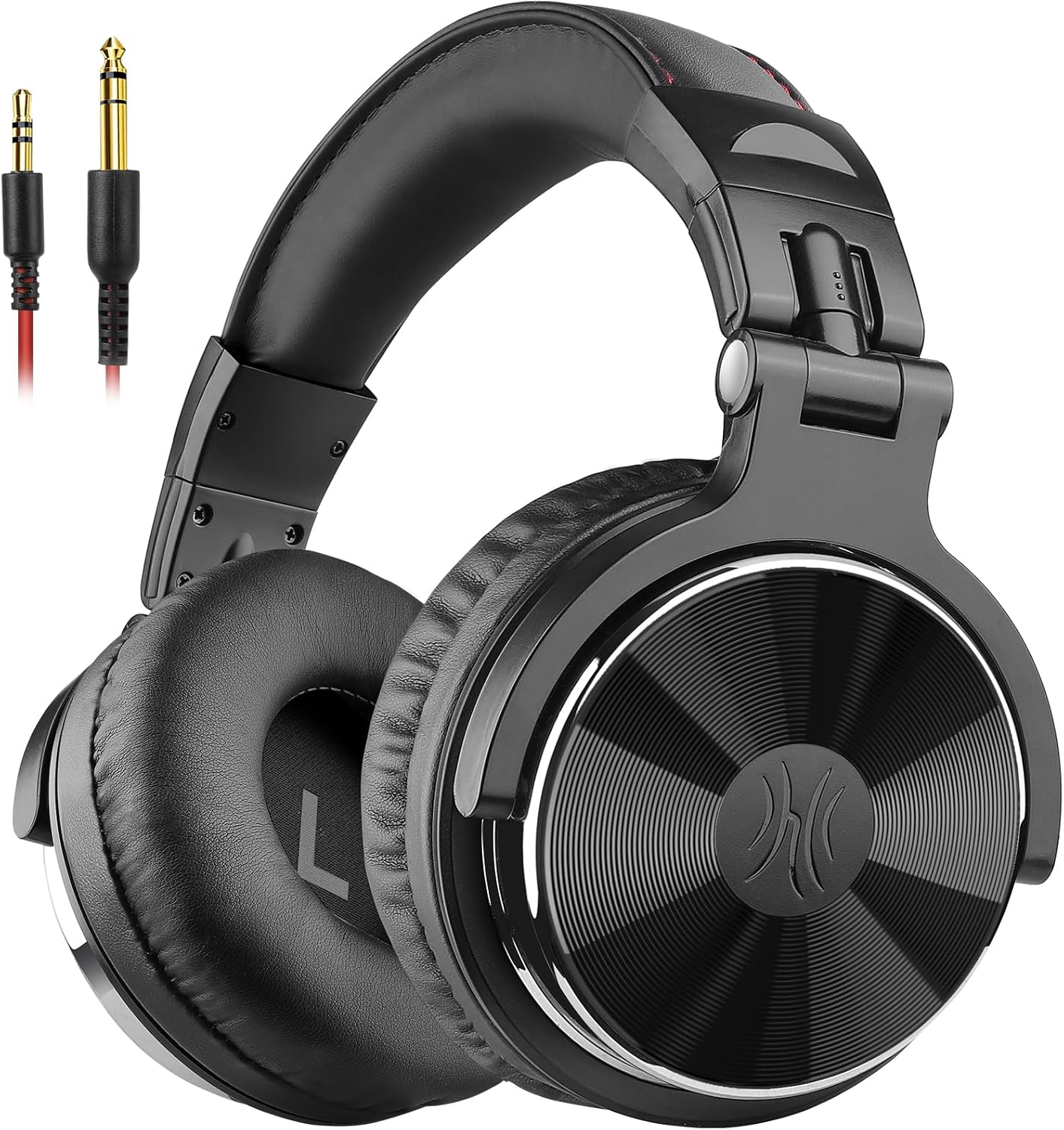
Image: The OneOdio Pro 10 Over-Ear Headphones in black, showcasing their design and included dual-jack cables.
2. Package Contents
Please verify that all items listed below are included in your package:
- Headphone body
- Cable with 3.5mm microphone
- 3.5mm to 6.35mm curl cord
- Instruction manual (this document)
- Carrying pouch
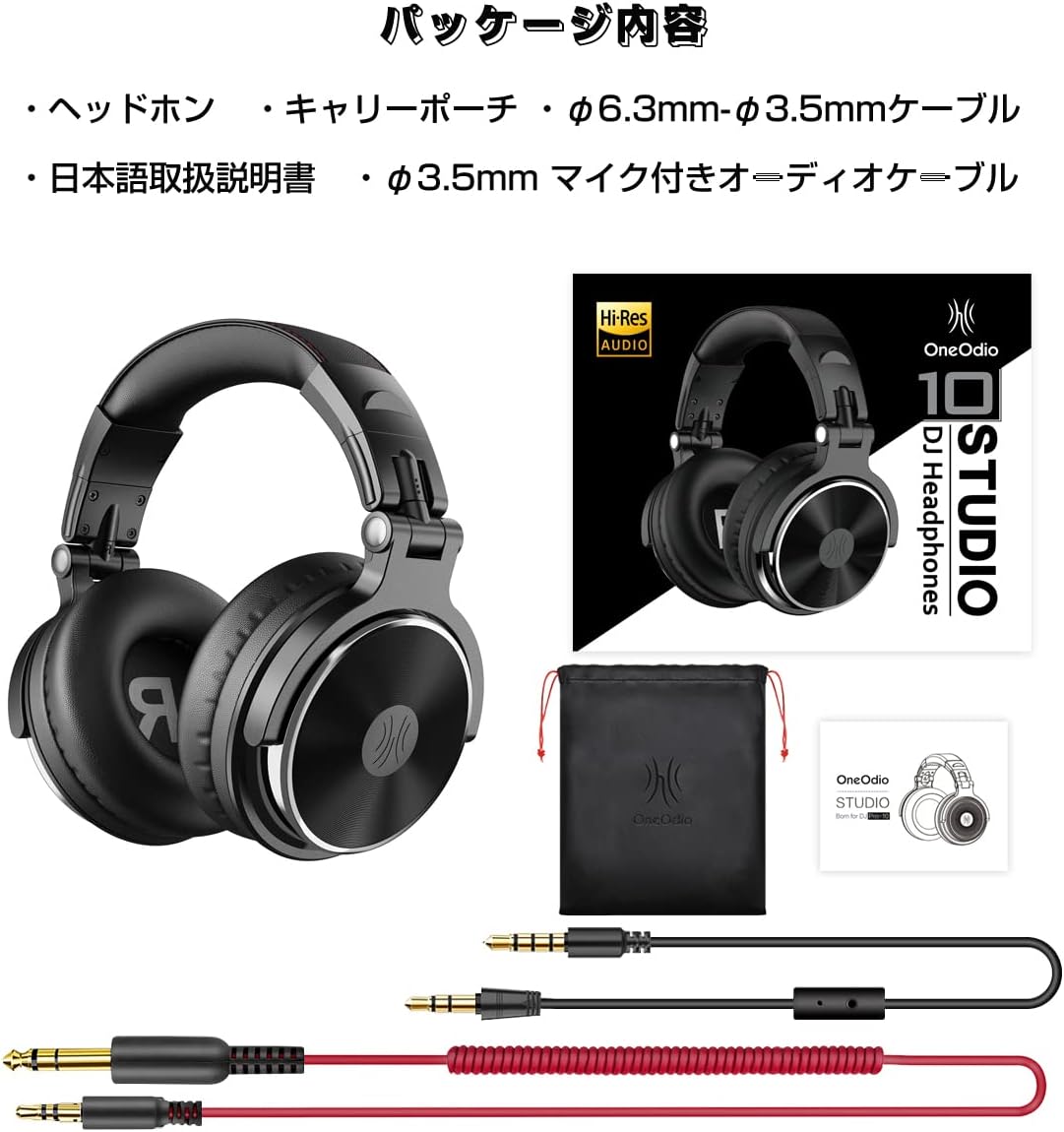
Image: A visual representation of the OneOdio Pro 10 headphone package contents, including the headphones, cables, and pouch.
3. Setup
3.1 Adjusting the Headphones
The OneOdio Pro 10 headphones feature an adjustable headband and swiveling earcups to ensure a comfortable and secure fit. Gently extend or retract the headband until it rests comfortably on your head. The earcups can pivot to conform to your ear shape, providing optimal sound isolation and comfort.
3.2 Wired Connection
These headphones support dual audio sources simultaneously with both 3.5mm and 6.35mm jacks located on both sides of the headphones. Use the provided detachable cables to connect to your audio device.
- For 3.5mm Jack: Connect the 3.5mm cable to the corresponding port on the headphone and to your smartphone, PC, MP3/4 player, PS4, X-box, Switch, or tablet.
- For 6.35mm Jack: Use the 3.5mm to 6.35mm curl cord to connect to devices like electronic pianos, electronic drums, electric guitars, or audio interfaces.

Image: Diagram illustrating the 3.5mm and 6.35mm jack connections and various compatible devices such as phones, gaming consoles, and musical instruments.
4. Operating Instructions
4.1 Basic Controls (via 3.5mm cable with microphone)
The 3.5mm cable includes an in-line controller for convenient operation:
- Play/Pause: Press the central button once.
- Next Track: Press the central button twice.
- Previous Track: Press the central button three times.
- Answer Call: Press the central button once during an incoming call.
- End Call: Press the central button once during a call.
- Reject Call: Press and hold the central button during an incoming call.

Image: Close-up of the in-line microphone and control buttons on the 3.5mm cable, showing playback and call management functions.
4.2 Single Ear Monitoring
The headphone housing is designed with a monitor structure that allows the earcups to be flipped 90° forward and 180° up and down. This feature enables convenient single-ear monitoring, which is particularly useful for DJs or in studio environments where monitoring from the neck is preferred.

Image: The headphones demonstrating their foldable structure and the ability to swivel earcups for single-ear monitoring.
4.3 Audio Sharing
The dual 3.5mm and 6.35mm jacks allow for audio sharing. You can connect two headphones to one audio source, enabling two users to listen to the same audio simultaneously.

Image: Two individuals sharing music using the OneOdio Pro 10 headphones connected to a laptop, illustrating the audio sharing feature.
5. Maintenance
To ensure the longevity and optimal performance of your OneOdio Pro 10 headphones, follow these maintenance guidelines:
- Cleaning: Use a soft, dry cloth to wipe the earcups and headband. Avoid using harsh chemicals or abrasive materials.
- Storage: When not in use, store the headphones in the provided carrying pouch to protect them from dust, scratches, and impacts. The foldable design allows for compact storage.
- Cable Care: Handle the detachable cables gently. Avoid sharp bends or excessive pulling, which can damage the internal wires.
- Temperature: Do not expose the headphones to extreme temperatures (hot or cold) or high humidity.

Image: Close-up of the soft, breathable ear pads of the OneOdio Pro 10 headphones, emphasizing their comfort and design for sound isolation.
6. Troubleshooting
If you encounter any issues with your OneOdio Pro 10 headphones, please refer to the following common troubleshooting steps:
- No Sound: Ensure the cable is securely plugged into both the headphones and the audio source. Check the volume levels on both the headphones and the connected device. Test with a different audio source or cable if possible.
- Distorted Sound: Lower the volume on your audio source. Ensure the cable is not damaged or improperly connected.
- Microphone Not Working: Verify that the 3.5mm cable with the microphone is fully inserted into the headphone jack. Check the microphone settings on your connected device.
- Compatibility Issues: Ensure your device has a compatible 3.5mm or 6.35mm audio jack. Some devices may require specific adapters (not included).
If the problem persists after trying these steps, please contact OneOdio customer support for further assistance.
7. Specifications
Key technical specifications for the OneOdio Pro 10 Over-Ear Headphones:
| Model Name | Pro10 |
| Connectivity Technology | Wired |
| Audio Driver Size | 50mm |
| Frequency Response | 20 Hz - 20,000 Hz |
| Sensitivity | 110 dB |
| Impedance | 32 Ohm |
| Headphones Jack | 3.5mm & 6.35mm |
| Cable Length | 3 Meters |
| Item Weight | 232 Grams (8.2 ounces) |
| Material | Plastic, Stainless Steel, Leather |
| Ear Placement | Over Ear |
| Noise Control | None |
8. Warranty and Support
OneOdio products are backed by a manufacturer's warranty. For detailed information regarding warranty coverage, terms, and conditions, please refer to the warranty card included in your product packaging or visit the official OneOdio website. If you require technical support, have questions about product functionality, or need assistance with troubleshooting, please contact OneOdio customer service through their official channels.
Visit the OneOdio Store on Amazon for more information and product registration.


