
Introduction
This manual provides comprehensive instructions for the safe and effective use, assembly, maintenance, and troubleshooting of your Catnapper Burns 4847 Power Dual Motor Infinite Position Sleeper Lift Chair Recliner. Designed for comfort and support, this recliner features a dual motor system allowing independent adjustment of the backrest and ottoman, infinite positioning, and a robust 400 lbs weight capacity. It includes comfort coil seating, fire-retardant materials, and a 24-volt motor for smooth, quiet operation. A battery back-up feature is included for power outages (9V batteries not included).
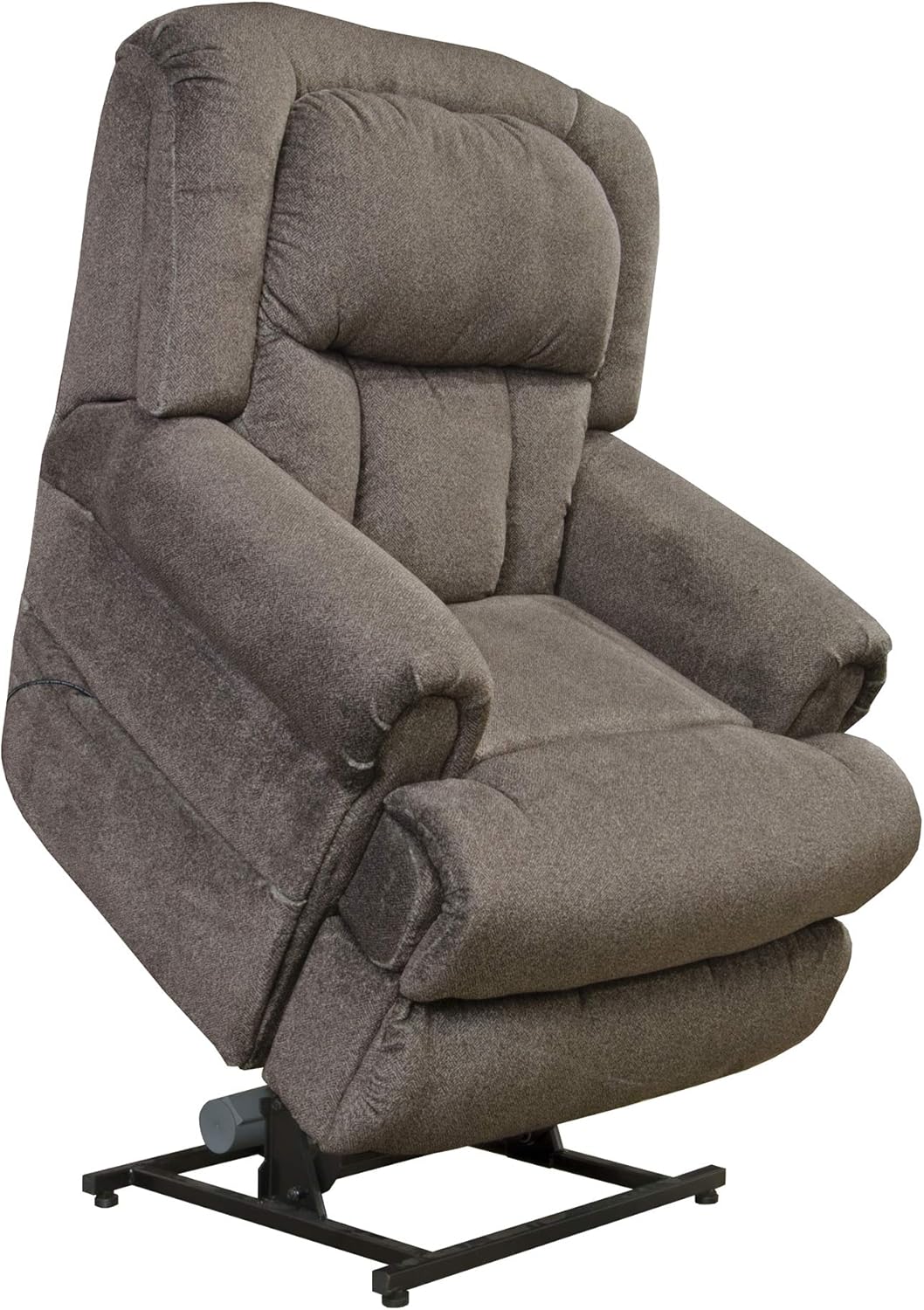
Image: Catnapper Burns Power Lift Recliner in Ash color, shown in an upright position, highlighting its design and upholstery.
Setup
Follow these steps to assemble your Catnapper Burns Power Lift Recliner. While the provided video may feature a slightly different model, the general assembly principles apply.
- Attach Anti-Back-Tipping Components: Secure the anti-back-tipping brackets to the base of the chair using the provided bolts and wing nuts. Ensure they are tightened for stability.
- Armrest Assembly: Carefully slide the left and right armrests onto the corresponding metal brackets on the chair's base. Ensure they are fully seated and locked into place.
- Backrest Assembly: Align the backrest with the receiving brackets on the chair's base and slide it down until it securely locks into position.
- Wire Connections: Connect the lift remote cable, massage/heating function cables (if applicable), and USB cables to their respective ports located on the chair's base. Ensure all connections are firm. Tidy up any loose wires using the provided fasteners.
- Power Connection: Connect the power cord to the chair's power input and then plug it into a standard electrical outlet. Ensure the power switch on the chair's base is in the 'ON' position.
Video: Assembly guide for a similar MCombo Power Lift Recliner, demonstrating the steps for attaching components and connecting wires. This video is provided by the seller.
Operating Instructions
Your Catnapper Burns recliner features a user-friendly hand wand for controlling its various functions. The dual motor system allows for independent adjustment of the backrest and footrest, providing a wide range of positions from upright to a full lay-out.
- Reclining and Lifting: Use the buttons on the hand wand to smoothly adjust the backrest and ottoman to your desired position. The chair can recline to a full lay-out or lift to assist in standing.
- Infinite Positioning: The dual motors enable you to stop the backrest and footrest at any point, allowing for personalized comfort.
- Battery Back-up: In case of a power failure, the chair's battery back-up feature allows for limited operation. Ensure 9V batteries are installed (not included) for this function.

Image: Catnapper Burns Power Lift Recliner in a fully reclined, lay-flat position, illustrating the extended footrest and the underlying mechanism.
Video: Operation demonstration of a similar MCombo Power Lift Recliner, showcasing the reclining and lifting functions using the remote control. This video is provided by the seller.
Maintenance
Proper care will extend the life and appearance of your recliner.
- Cleaning: For general cleaning, spot clean with a damp cloth. For more stubborn stains, use a mild fabric cleaner and follow the product's instructions. Always test on an inconspicuous area first. Avoid harsh chemicals.
- Regular Inspection: Periodically check all connections and moving parts to ensure they are secure and functioning correctly.
- Battery Replacement: If using the battery back-up feature, replace the 9V batteries as needed to ensure functionality during power outages.
Troubleshooting
If you encounter issues with your recliner, please refer to the following common solutions:
- Chair Not Responding: Ensure the power cord is securely plugged into both the chair and the wall outlet. Check that the power switch on the chair's base is in the 'ON' position. Verify that the remote control cable is firmly connected.
- Uneven Movement or Noise: Inspect the lift mechanism for any obstructions. Check all bolts and connections for tightness. If a mechanical component appears damaged, discontinue use and contact customer support.
- Battery Back-up Not Working: Confirm that fresh 9V batteries are correctly installed in the battery back-up compartment.
For issues not resolved by these steps, please contact customer support.
Specifications
| Feature | Detail |
|---|---|
| Brand | Catnapper |
| Model Name | Burns |
| Item Model Number | Catnapper Burns 4847 Ash |
| Product Dimensions | 44"D x 39"W x 42"H |
| Seat Depth | 22 inches |
| Seat Height | 20 inches |
| Seat Width | 22 inches |
| Item Weight | 138 pounds |
| Weight Capacity | 400 lbs |
| Frame Material | Alloy Steel |
| Fill Material | Foam |
| Reclining Position Count | 5-7 |
| Special Feature | Arm Rest, Cushion Availability |
| Product Care Instructions | Spot Clean, Wipe Clean |
| UPC | 749511910520 |

Image: Diagram illustrating the overall dimensions of the Catnapper Burns Power Lift Recliner.
Warranty Information
Your Catnapper Burns Power Dual Motor Infinite Position Sleeper Lift Chair Recliner comes with the following warranty coverage:
- Catnapper Factory One Year Parts Warranty: Covers parts for one year from the date of purchase.
- Extended 5 Year In-Home Parts and Labor Warranties: Available for purchase (ASIN -B06Y17LW2F). This extended warranty covers both parts and labor for five years.
All warranties are applicable to the original purchaser only and do not cover rental or commercial use.
Support
For further assistance, technical support, or warranty claims, please contact Catnapper customer service. Refer to your purchase documentation for specific contact details.