
1. Introduction
This manual provides essential information for the safe and efficient operation of your Wathai 120mm x 38mm 12V DC Brushless Cooling Case Fan. This high-performance fan is designed to provide effective cooling for various electronic components and environments, ensuring optimal airflow and temperature regulation. Please read this manual thoroughly before installation and use.
2. Safety Information
- Ensure the power supply matches the fan's rated voltage (12V DC). Incorrect voltage can damage the fan.
- Disconnect power before installation, cleaning, or maintenance.
- Keep fingers and other objects away from the fan blades during operation to prevent injury.
- Do not operate the fan in environments with excessive dust or corrosive gases unless specifically rated for such conditions.
- While some models may offer moisture resistance, prolonged submersion or direct water exposure is not recommended unless explicitly stated for underwater operation.
3. Package Contents
Verify that all items are present in the package:
- 1 x Wathai 120mm x 38mm 12V DC Brushless Cooling Case Fan
- 1 x Fan Grill
- 4 x Mounting Screws and Nuts

Figure 1: Fan accessories including the fan, grill, screws, and nuts.
4. Specifications
| Feature | Specification |
|---|---|
| Model Number | 12038S12V2P2.5 |
| Dimensions (L x W x H) | 120mm x 120mm x 38mm (4.72" x 4.72" x 1.5") |
| Rated Voltage | 12V DC |
| Rated Current | 0.5A |
| Power Consumption | 6 watts |
| Speed | 2800 RPM |
| Air Flow Capacity | 118 CFM |
| Noise Level | 42 dBA |
| Bearing Type | Sleeve Bearing |
| Power Connector | 2-Pin |
| Material | Plastic |

Figure 2: Detailed dimensions of the Wathai 120mm x 38mm fan.
5. Setup & Installation
5.1 Physical Installation
- Prepare Mounting Location: Identify a suitable location for the fan, ensuring adequate space for airflow and mounting. The fan dimensions are 120mm x 120mm x 38mm.
- Attach Fan Grill: Place the fan grill over the side of the fan where air will be exhausted or drawn in, depending on your desired airflow direction. This protects the blades and prevents accidental contact.
- Mount the Fan: Use the provided screws and nuts to securely fasten the fan to your desired surface (e.g., computer case, cabinet, enclosure). Ensure the fan is stable and does not vibrate excessively.
5.2 Electrical Connection
The fan features a 2-pin connector for power. Connect the red wire to the positive (+) 12V DC terminal and the black wire to the negative (-) or ground terminal of your power source. Ensure a secure connection to prevent intermittent operation or damage.
5.3 Airflow Direction
The fan is designed to move air in a specific direction. Typically, air flows from the open side of the fan towards the side with the motor's support struts. An arrow on the fan frame usually indicates the direction of airflow. Position the fan to achieve the desired cooling or ventilation effect.
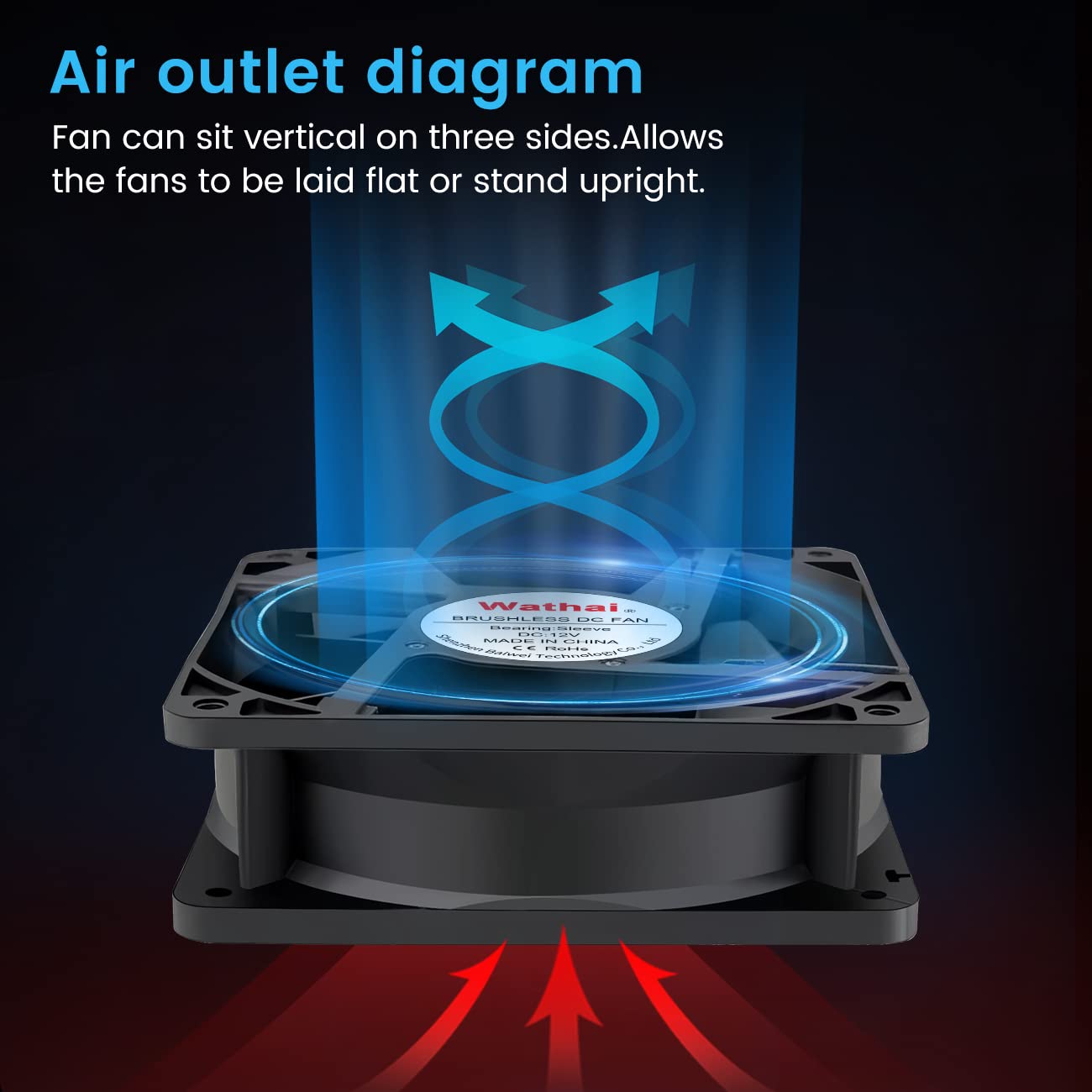
Figure 3: Airflow direction diagram. Fan can be oriented vertically or horizontally.
6. Operating Instructions
6.1 Powering On/Off
Once properly installed and connected to a 12V DC power source, the fan will begin operating. To turn the fan off, disconnect it from the power source or use an inline switch if one has been installed.
6.2 Typical Applications
This fan is suitable for a wide range of cooling applications:
- Computer Systems: Cooling CPUs, GPUs, and PC cases to maintain stable operating temperatures.
- RV Refrigerators: Enhancing ventilation for RV refrigerator coils to improve cooling efficiency.
- Industrial Environments: Providing airflow for various industrial equipment, inverters, and enclosures.
- DIY Projects: Versatile for custom cooling solutions in various electronic setups.
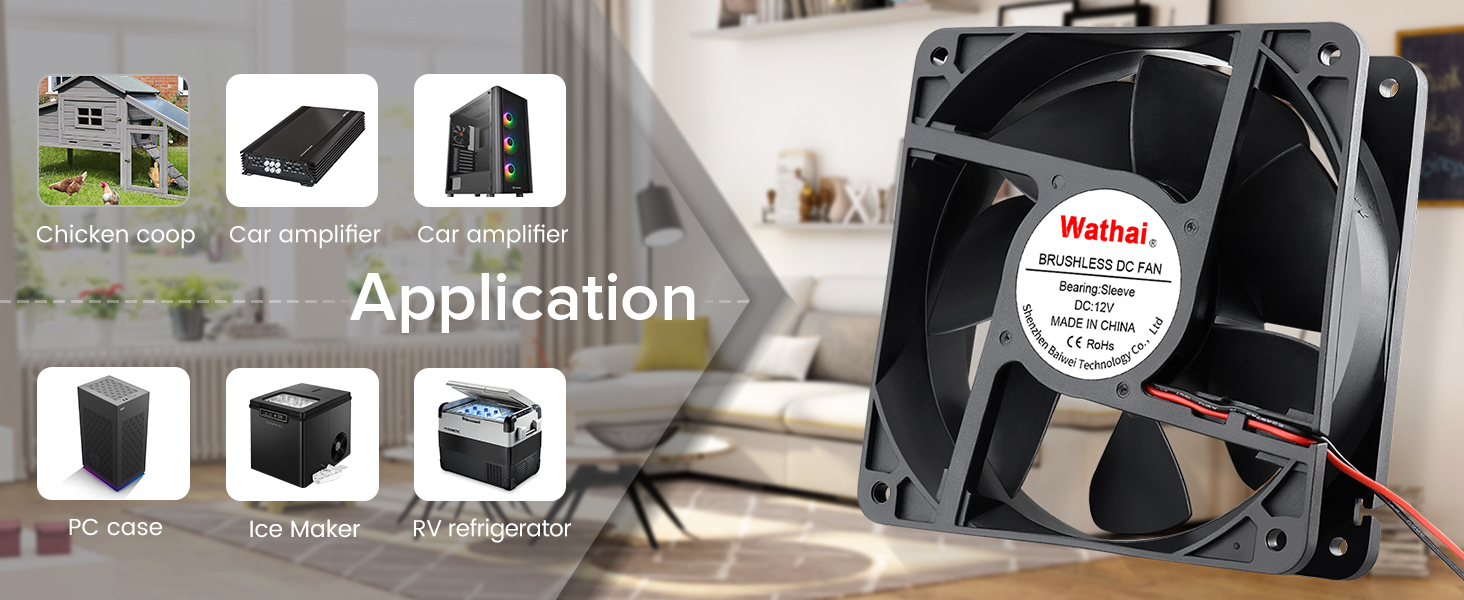
Figure 4: Various applications for the Wathai cooling fan.
6.3 Performance Characteristics
The fan provides a high airflow of 118 CFM at 2800 RPM. The noise level is rated at 42 dBA. While effective for cooling, this noise level may be noticeable in quiet environments. Consider using a fan speed controller (not included) if noise reduction is desired for specific applications.
7. Maintenance
7.1 Cleaning
Regular cleaning helps maintain optimal performance and extends the fan's lifespan. Disconnect power before cleaning. Use a soft brush or compressed air to remove dust and debris from the fan blades and frame. Avoid using liquid cleaners directly on the fan motor or electrical components.
7.2 Bearing Type
This fan utilizes a sleeve bearing. Sleeve bearings are generally quieter at lower speeds and cost-effective. They typically require less maintenance than ball bearings but can have a shorter lifespan in high-temperature or vertical mounting applications compared to ball bearings.
7.3 Moisture Resistance
The fan is designed with some level of moisture resistance suitable for environments like RVs or outdoor enclosures where occasional moisture might be present. However, it is not designed for continuous underwater operation unless specified with a higher IP rating (e.g., IP67 for full submersion).
Video 1: Demonstration of the Wathai fan's IP67 waterproof capabilities.
Video 2: Video showing an IP rating test for a similar fan, demonstrating moisture resistance.
8. Troubleshooting
- Fan Not Spinning:
- Check power connections: Ensure the red wire is connected to +12V DC and the black wire to ground.
- Verify power source: Confirm that the 12V DC power source is active and providing sufficient current.
- Inspect for obstructions: Make sure nothing is blocking the fan blades from rotating freely.
- Excessive Noise:
- Check for loose mounting: Ensure all screws and nuts are tightened.
- Inspect for obstructions: Remove any debris that might be hitting the fan blades.
- Consider a fan speed controller: If the noise is due to high RPM, a controller can reduce speed and noise.
- Insufficient Cooling:
- Verify airflow direction: Ensure the fan is pushing air in the correct direction for your application.
- Clean fan blades and grill: Dust buildup can significantly reduce airflow.
- Check for proper ventilation: Ensure there are clear intake and exhaust paths for air.
9. Additional Information & Usage Examples
Video 3: Video demonstrating the Wathai 120mm fan in a DIY cooling setup.
Video 4: Short video showcasing the Wathai 12V cooling fan for various DIY projects.
Video 5: Video about fan size introduction, useful for understanding fan dimensions and compatibility.
Video 6: Detailed video demonstrating the high airflow and moisture-proof features of a 120mm fan.
Video 7: Video demonstrating a DC small fan for DIY cooling projects.
10. Warranty & Support
For warranty information, technical support, or any inquiries regarding your Wathai cooling fan, please contact the manufacturer directly through their official website or the retailer where the product was purchased. Keep your purchase receipt as proof of purchase for warranty claims.