
1. Introduction
Thank you for choosing the TIGERKING 1.2 Cu Ft LK-WHITE Digital Security Safe Box. This safe is designed to provide secure storage for your valuables, documents, and personal items. It features a robust construction with an electronic combination lock, dual anti-theft locking bolts, and a removable shelf for organized storage. Please read this manual carefully before operating your safe to ensure proper setup and usage.
Text Description: This video provides a general overview of the TIGERKING Digital Security Safe Box, highlighting its features and design.
2. Safety Information
- Do not store emergency keys inside the safe. Keep them in a secure, separate location.
- Ensure the safe is mounted securely to prevent unauthorized removal.
- Keep the safe away from moisture and direct sunlight.
- Replace batteries promptly when the low battery indicator appears to ensure continuous operation.
- This safe is not fireproof or waterproof. Do not store items that require fire or water protection.
3. Package Contents
Verify that all items are included in your package:
- 1 x TIGERKING 1.2 Cu Ft Digital Security Safe Box
- 2 x Emergency Keys
- 4 x Expansion Bolts (for mounting)
- 1 x External Battery Box
- 1 x User Manual

Text Description: An image showing all components included with the TIGERKING safe: the safe itself, a user manual, an emergency battery box, two emergency keys, and four expansion bolts for installation.
4. Specifications
| Feature | Detail |
|---|---|
| Brand | TIGERKING |
| Model Number | E25LK |
| Product Dimensions | 9.9"D x 13.8"W x 9.9"H |
| Capacity | 1.2 Cubic Feet |
| Lock Type | Electronic Combination Lock |
| Material | Alloy Steel |
| Special Features | Alarm System, Anti-Theft, Combination Lock, Removable Shelf, Sensor Light |
| Mounting Type | Wall Mount |
| Item Weight | 20.1 pounds |
| Water Resistance Level | Not Water Resistant |
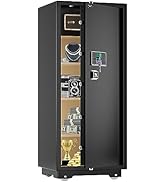
Text Description: A visual representation of the safe's exterior and interior dimensions, highlighting its 1.2 cubic feet capacity.
5. Setup
5.1 Initial Opening with Emergency Key
- Locate the emergency lock cover on the front panel.
- Remove the cover to reveal the keyhole.
- Insert one of the emergency keys and turn it counter-clockwise.
- While holding the key turned, rotate the handle clockwise to open the safe door.
- Once the safe is open, remove the emergency key and store it in a safe place outside the safe.
Text Description: This video demonstrates the first-time operation of the safe using the emergency keys to open the door.
5.2 Battery Installation
The safe requires 4 x AA batteries (not included) for the electronic keypad to function.
- Open the safe door using the emergency key (if not already open).
- Locate the battery compartment on the inside of the safe door.
- Insert 4 x AA batteries, ensuring correct polarity (+/-).
- Close the battery compartment cover.

Text Description: A detailed view of the safe's digital keypad and the internal battery compartment, illustrating where to insert the AA batteries.
5.3 Mounting the Safe
For enhanced security, the safe can be mounted to a wall or floor.
- Choose a suitable location for mounting.
- The safe has 4 pre-drilled holes on the back and bottom.
- Position the safe and mark the drilling points on the wall or floor.
- Drill holes at the marked points.
- Align the safe with the drilled holes and secure it using the provided expansion bolts.

Text Description: A step-by-step visual guide on how to install the safe by mounting it to a wall, showing the drilling and securing process.
5.4 Setting User Code
You can set a personal user code (1 to 8 digits) for daily access.
- With the safe door open, press the red reset button located on the inside of the door.
- The yellow indicator light on the keypad will flash, and you will hear a beep.
- Enter your desired user code (1-8 digits) on the keypad.
- Press the "#" button to confirm. The safe will emit 2 beeps, and the yellow light will turn off.
Text Description: This video demonstrates the first method to set up a user code for the digital safe, guiding through the steps of pressing the reset button and entering a new code.
Text Description: This video illustrates a second method for setting up a user code on the digital safe, providing an alternative approach to programming your personal access code.
5.5 Setting Master Code
A master code provides an additional layer of security and can be used to open the safe or reset user codes.
- With the safe door open, press the "0" button twice, then press the red reset button.
- The yellow indicator light will flash, and you will hear a beep.
- Enter your desired master code (1-8 digits) on the keypad.
- Press the "#" button to confirm. The safe will emit 2 beeps, and the yellow light will turn off.
Text Description: This video demonstrates the first method to set up a master code for the digital safe, guiding through the steps of pressing specific buttons and entering a new master code.
Text Description: This video illustrates a second method for setting up a master code on the digital safe, providing an alternative approach to programming your master access code.
6. Operating Instructions
6.1 Opening the Safe with Code
- Enter your user code or master code on the keypad.
- Press the "#" button to confirm.
- The green indicator light will illuminate, and you will hear a beep.
- Within 5 seconds, rotate the handle clockwise to open the door.
Text Description: This video demonstrates how to open the TIGERKING safe using a programmed code on the digital keypad.
6.2 Opening the Safe with Emergency Key
Follow the steps in section 5.1 if the batteries are dead or you forget your code.
6.3 Dual Alarm System
The safe is equipped with a dual alarm system for enhanced security:
- Incorrect Entry Alarm: If an incorrect code is entered three consecutive times, the alarm will sound for 20 seconds, and the keypad will lock for 3 minutes.
- Vibration Alarm: If the safe experiences violent vibration or tampering, the alarm will sound.

Text Description: A visual explanation of the safe's dual warning system, illustrating how the alarm activates upon violent vibration or multiple incorrect code entries.
6.4 Silent Mode
For discreet access, the safe features a silent mode:
- To activate silent mode, press the "*" button before entering your code.
- The safe will operate without sound, allowing for quiet access when needed.
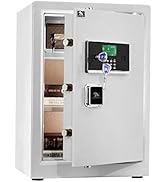
Text Description: A visual guide to the safe's alarm and silent mode features, showing how to activate silent mode for discreet operation.
6.5 Removable Shelf
The interior of the safe includes a removable shelf to customize storage space.
- To remove the shelf, simply lift it from its supports.
- To re-install, align the shelf with the desired supports and lower it into place.

Text Description: A visual demonstration of the safe's removable shelf, highlighting its flexibility for organizing various items.
7. Maintenance
7.1 Battery Replacement
When the batteries are low, the keypad indicator light will flash red. Replace all four AA batteries promptly.
- Open the safe door.
- Remove the battery compartment cover.
- Replace old batteries with new 4 x AA batteries, observing correct polarity.
- Close the battery compartment cover.
7.2 Cleaning
Clean the safe exterior with a soft, damp cloth. Avoid using abrasive cleaners or solvents that could damage the finish.
8. Troubleshooting
| Problem | Possible Cause | Solution |
|---|---|---|
| Safe does not open with code. | Incorrect code entered; low batteries. | Re-enter correct code; replace batteries; use emergency key. |
| Keypad is unresponsive. | Dead batteries. | Use the external battery box or emergency key to open, then replace internal batteries. |
| Alarm sounds unexpectedly. | Tampering detected; multiple incorrect entries. | Ensure safe is stable; enter correct code to disarm. |
9. Warranty & Support
TIGERKING offers a 1-year warranty on this product against defects in materials and workmanship. For customer service, technical support, or warranty claims, please contact TIGERKING customer service. Our responsive customer service team is available to assist you.
- Customer Service: Refer to the contact information provided in your purchase documentation or visit the official TIGERKING website.
- Satisfaction Guarantee: Your satisfaction is important to us. If you encounter any issues, please reach out for assistance.
Ask a question about this manual
Ask about setup, troubleshooting, compatibility, parts, safety, or missing instructions. Manuals+ will review the question and use this page’s manual context to help answer it.