
Introduction
The PAC Concealer Brush 081 is designed for precise application of concealer and eye shadow primer. Its flat, dense bristles and tapered point allow for accurate coverage in smaller contours of the face, including under-eye areas and around the nose.
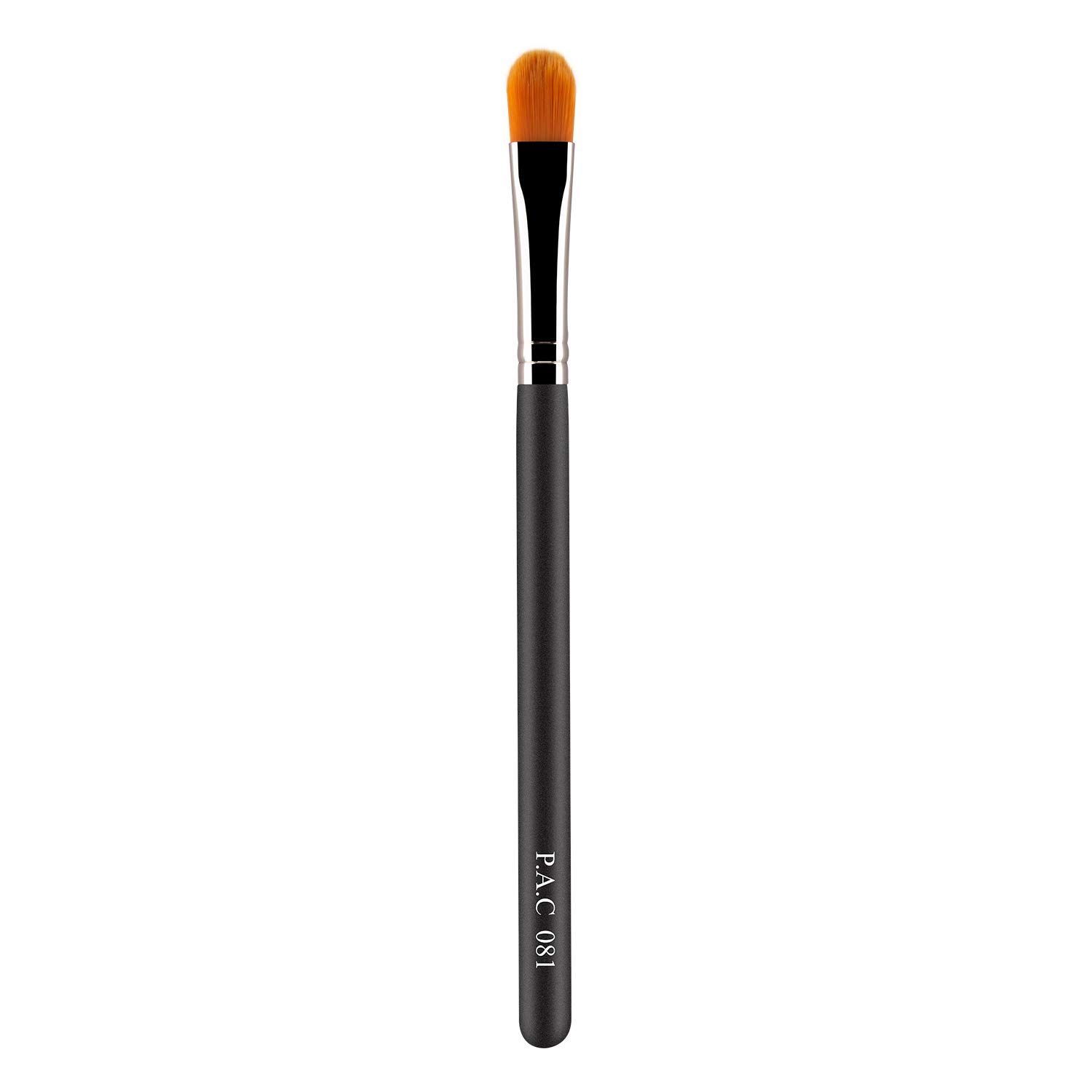
Image showing the PAC Concealer Brush 081, highlighting its design with a dark wooden handle and a silver ferrule connecting to the flat, tapered synthetic bristles.
Product Features
- Flat, dense bristles: Designed for precise application and blending.
- Tapered point: Allows access to smaller facial contours.
- Medium coverage application: Ideal for building up desired coverage.
- Versatile use: Suitable for concealer and eye shadow primer.
Setup
The PAC Concealer Brush 081 requires no assembly. Upon receiving the product, remove it from its packaging. Inspect the brush for any visible damage or defects. If any issues are found, contact customer support immediately.
Operating Instructions
Follow these steps for effective use of your PAC Concealer Brush 081:
- Prepare the product: Dispense a small amount of concealer or eye shadow primer onto the back of your hand or a clean palette.
- Load the brush: Gently dab the flat side of the brush into the product, picking up a small, even amount. Avoid overloading the brush.
- Apply concealer: For under-eye circles or imperfections, gently pat the concealer onto the desired area. Use the very edge of the tapered brush to reach areas around the nose and eyes for precise application.
- Blend: Lightly tap or stipple the product into the skin until blended seamlessly. Avoid harsh dragging motions.
- Apply eye shadow primer: For eye shadow primer, apply a thin, even layer across the eyelid using the flat side of the brush.
Maintenance and Care
Proper maintenance extends the life and performance of your brush.
- Regular Cleaning: Clean your brush regularly, ideally after every few uses, or immediately if switching between different product types or colors.
- Cleaning Method:
- Wet the bristles with lukewarm water.
- Apply a small amount of mild brush cleanser or baby shampoo to the bristles.
- Gently lather the bristles by swirling them in the palm of your hand or on a textured cleaning mat.
- Rinse thoroughly under lukewarm running water until the water runs clear and no product residue remains.
- Gently squeeze out excess water with a clean towel.
- Reshape the bristles to their original form.
- Lay the brush flat or hang it upside down (if possible) to air dry completely before storage or next use. Avoid drying upright, as water can seep into the ferrule and loosen the glue.
- Storage: Store the brush in a clean, dry place, away from direct sunlight and excessive heat. Keep it protected from dust and dirt.
Troubleshooting
If you encounter issues with your brush, consider the following:
- Bristle Shedding: A small amount of shedding during initial uses is normal. Excessive shedding may indicate improper cleaning (e.g., using hot water, harsh cleansers) or rough handling. Ensure gentle cleaning and drying.
- Stiff or Product-Laden Bristles: This usually means the brush needs a thorough cleaning. Follow the maintenance instructions carefully to remove all product buildup.
- Poor Product Application: Ensure the brush is clean and dry. Check if you are loading the correct amount of product onto the brush. Application technique (patting vs. dragging) can also affect results.
Specifications
| Brand | PAC |
| Model Number | BR081 |
| Item Part Number | BR081 |
| ASIN | B07PBW8RGQ |
| Manufacturer | PAC, Professional Artist Cosmetics Limited |
| Item Weight | 10 g |
| Net Quantity | 1.00 Count |
| Package Dimensions | 20.1 x 4.4 x 1.3 cm |
| Date First Available | 3 March 2019 |
| Recommended Uses | Dark Circle, Concealing, Contour |
| Item Form | Wand |
| Number of Pieces | 1 |
| Handle Material | Wood |
Warranty and Support
Specific warranty information for the PAC Concealer Brush 081 is not provided in this manual. For details regarding warranty coverage, returns, or any product-related inquiries, please contact PAC customer support directly.
Manufacturer Contact Information:
PAC, Professional Artist Cosmetics Limited
Office no 2609, Level 26, Concord Tower, Al Safouh 2, Dubai, PO Box - 84059, United Arab Emirates
Packer/Importer Contact Information:
PAC Cosmetics Private Limited.
Shop No. 1 Woodrow Building Veera Desai Road Opp. Veera Desai Police Station, Andheri West, Mumbai, Maharashtra 400053