Introduction
The Broan-NuTone AE50110DC Flex DC Series Bathroom Ventilation Fan is an ENERGY STAR certified multi-speed fan designed for both new construction and room-side retrofit installations. It offers selectable CFM settings (50, 80, or 110) for bathrooms up to 105 sq. ft., operating quietly at <0.3-0.4-0.9 sones. Its powerful ventilation effectively reduces humidity and eliminates fogged mirrors. The fan features a plug-in, permanently lubricated brushless DC motor for continuous operation and TrueSeal™ damper technology to reduce air leakage by up to 50%.
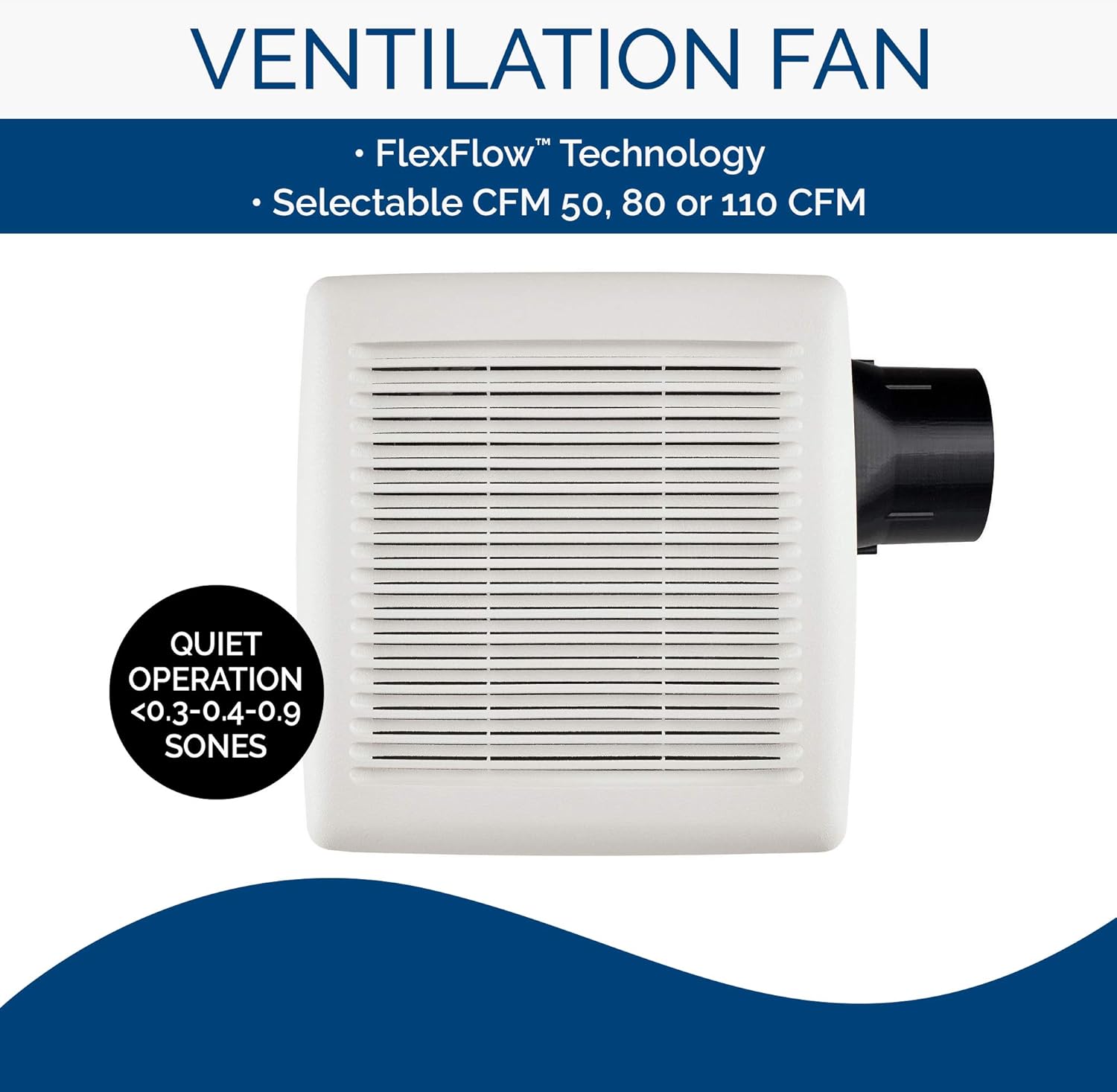
Image: Broan-NuTone Flex DC Series Ventilation Fan, highlighting selectable CFM and quiet operation.
Setup and Installation
This section provides detailed instructions for installing your Broan-NuTone AE50110DC Flex DC Series Bathroom Ventilation Fan. Please read all instructions carefully before beginning installation.
Safety First
- Always disconnect power at the service panel before beginning any installation or maintenance.
- Lock or tag the disconnect with a warning to prevent accidental power restoration.
Installation Steps (New Construction)
- Unpack the Fan: Carefully remove the fan from its packaging. Remove the blower and wiring panel from the fan housing.
- Attach Damper and Duct Connector: In new construction, attach the damper and duct connector to the fan housing.
- Mount Housing: When mounting the housing to the ceiling structure, ensure the bottom of the housing will be flush with the finished ceiling. Bend out the housing tabs to fit against the bottom of the structure.
- Secure Housing: Secure the housing through the mounting ears on each side of the housing with appropriate fasteners.
- Connect Ductwork: Connect 4-inch round duct to the duct connector using duct tape.
- Connect Wiring: Connect the power cable to the housing with appropriate UL-approved connectors. Follow the provided wiring instructions carefully.
- Reinstall Wiring Panel: Reinstall the wiring panel and secure it with the provided screw.
- Blower and Grille Installation: The blower and grille will be installed after the ceiling is finished.

Image: Fan housing with duct connector, ready for installation.
Installation Steps (Retrofit)
- Remove Old Fan: First, remove the existing old fan from the ceiling opening.
- Enlarge Opening (If Needed): If necessary, enlarge the ceiling opening to 9 3/4 inches parallel to the joist and 10 1/2 inches perpendicular to the joist. Be careful not to cut through any existing ducting or wiring. Leave existing ductwork and wiring in place.
- Fold Mounting Ears: Fold the mounting ears flat against the housing.
- Connect Power Cable: Connect the power cable to the housing with appropriate UL-approved connectors. Follow the provided wiring instructions carefully.
- Install Wiring Panel: Install the wiring panel and secure it with the provided screw.
- Connect Ductwork: Pull the existing duct through the hole in the housing. Connect the duct to the duct connector with duct tape.
- Fit Duct Connector: Fit the duct connector into the housing. Engage the tabs and secure with the provided screw.
- Install Blower: Install the blower into the housing and secure it with two provided screws.
- Plug in Blower: Plug the blower back into its receptacle.
- Install Grille: Squeeze the grille springs and insert them into the slots in the housing. Push the grille up against the ceiling to complete the installation.
Video: Official installation guide for the Broan-NuTone Flex DC Series Bathroom Ventilation Fan, demonstrating steps for both new construction and retrofit installations.
Operating Instructions
The Broan-NuTone AE50110DC fan features selectable CFM settings of 50, 80, or 110. The desired CFM setting can be chosen during installation or adjusted as needed. Refer to the wiring diagram for specific connections related to CFM selection. Once installed, operate the fan using your standard bathroom fan switch.

Image: Internal view of the fan, highlighting its efficient brushless DC motor and ENERGY STAR certification.
Maintenance
Regular cleaning of the fan grille and occasional cleaning of the blower wheel are recommended to maintain optimal performance. Ensure power is disconnected before performing any maintenance. Wipe the grille with a damp cloth. For blower cleaning, consult a qualified technician or refer to detailed instructions in the full manual if available.

Image: Close-up of the fan grille, which should be regularly cleaned.
Troubleshooting
- Fan Does Not Operate: Check the power supply at the service panel. Ensure all wiring connections are secure and correctly installed according to the diagram.
- Excessive Noise: If the fan is noisy, check for obstructions in the ductwork or loose components. Excessive vibration may indicate an unbalanced blower wheel or improper mounting.
- Poor Airflow: Verify that the ductwork is not obstructed or kinked. Ensure the fan grille is clean and free of debris.
- If issues persist, contact customer support.
Specifications
| Feature | Detail |
|---|---|
| Brand | Broan-NuTone |
| Model | AE50110DC |
| Color | White |
| Electric Fan Design | Exhaust Fan |
| Power Source | AC |
| Style | Without Light |
| Product Dimensions | 13.32"D x 11.04"W x 13.32"H |
| Room Type | Bathroom |
| Special Feature | Manual |
| Recommended Uses | Exhausting, Ventilating |
| Noise Level | 0.3 Sones (at 50 CFM) |
| Wattage | 3 watts |
| Finish Type | White |
| Air Flow Capacity | Selectable 50, 80, or 110 CFM |
| Speed | 3 Power Levels (corresponding to CFM settings) |
| Voltage | 120 Volts |
| Item Weight | 8.1 Pounds |
| Included Components | Bathroom Ventilation Fan |
| Indoor/Outdoor Usage | Indoor |
| Specification Met | Energy Star |
| Motor Type | Brushless |
| Mounting Type | Ceiling Mount |

Image: Technical diagram showing fan dimensions for installation planning.
Warranty Information
The Broan-NuTone AE50110DC Flex DC Series Bathroom Ventilation Fan comes with a 3-year warranty. For details on warranty claims and coverage, please refer to the official warranty document included with your product or visit the manufacturer's website.
Support
For technical assistance, replacement parts, or further inquiries regarding your Broan-NuTone AE50110DC fan, please contact Broan-NuTone customer support. Visit the official Broan-NuTone website for contact information and additional resources.
Official Brand Store: Broan-NuTone Store on Amazon


