
Princess 01.350000.01.001
Princess Smart Tower Fan 350000 User Manual
Model: 01.350000.01.001
Brand: Princess
Introduction
This user manual provides essential information for the safe and efficient operation of your Princess Smart Tower Fan. Please read this manual thoroughly before use and keep it for future reference.
The Princess Smart Tower Fan (Model 01.350000.01.001) is designed to provide efficient air circulation with smart control features. It stands 103 cm tall, operates at 50W, and offers three distinct modes: Sleep, Natural, and Normal, along with a 1-8 hour timer function. Control is available via the integrated control panel, a smartphone application, or voice assistants.
Important Safety Instructions
- Always ensure the fan is placed on a stable, flat surface to prevent tipping.
- Do not insert fingers or foreign objects into the fan grille.
- Keep the fan away from water or other liquids. Do not use in damp environments.
- Unplug the fan from the power outlet before cleaning or when not in use.
- Do not operate the fan with a damaged cord or plug. Contact qualified service personnel for repairs.
- Ensure proper ventilation around the fan to prevent overheating.
- This appliance is not intended for use by persons (including children) with reduced physical, sensory or mental capabilities, or lack of experience and knowledge, unless they have been given supervision or instruction concerning use of the appliance by a person responsible for their safety.
- Children should be supervised to ensure that they do not play with the appliance.
Package Contents
Please check the package for the following items:
- Princess Smart Tower Fan unit
- Base assembly
- User Manual (this document)

Image: The Princess Smart Tower Fan, a tall, slender black unit with silver accents at the top and base, standing upright.
Setup and Assembly
The fan comes in two main parts: the tower unit and the base. Assembly is quick and requires a Phillips head screwdriver.
- Carefully remove all components from the packaging.
- Align the tower unit with the base. Ensure the power cord passes through the designated opening in the base.
- Secure the tower unit to the base using the provided screws. Tighten firmly but do not overtighten.
- Place the assembled fan on a stable, flat surface.
- Plug the power cord into a suitable electrical outlet (240V).
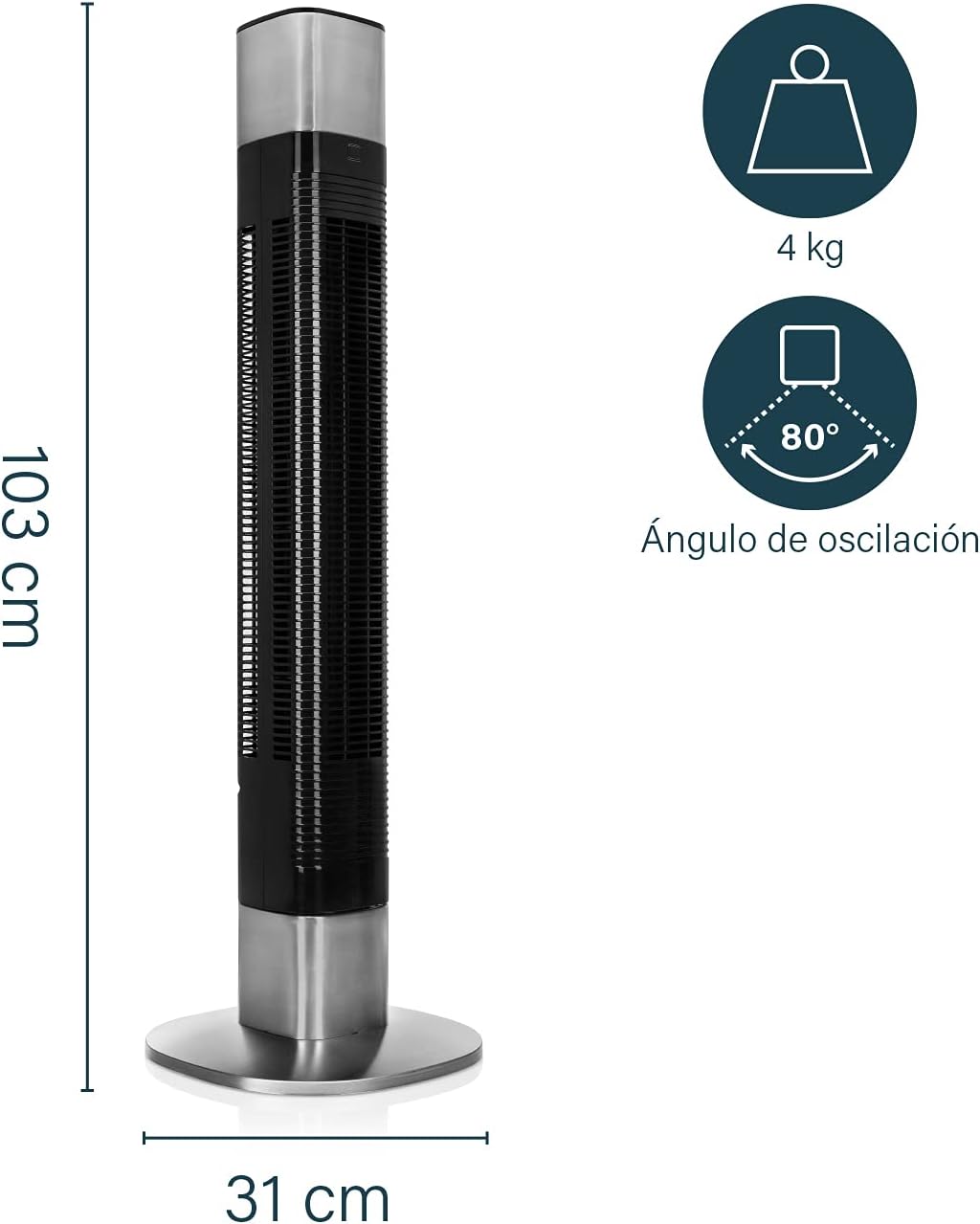
Image: Diagram showing the dimensions of the Princess Smart Tower Fan, which is 103 cm tall and has a base diameter of 31 cm. It weighs 4 kg and has an oscillation angle of 80 degrees.
Operating Instructions
Control Panel Operation
The fan can be operated directly using the control panel located on top of the unit.

Image: Close-up of the fan's top control panel, showing buttons for power, speed, mode, timer, and oscillation, with a digital display showing the current speed setting.
- Power Button: Press to turn the fan On or Off.
- Speed Button: Cycle through different fan speeds (e.g., Low, Medium, High).
- Mode Button: Select from three operating modes:
- Normal Mode: Constant airflow at the selected speed.
- Natural Mode: Simulates natural breeze by varying fan speed.
- Sleep Mode: Gradually decreases fan speed and light intensity for quiet operation during sleep.
- Timer Button: Set the fan to automatically turn off after a specified period (1-8 hours).
- Oscillation Button: Activate or deactivate the 80° oscillation feature for wider air distribution.

Image: An overhead view diagram illustrating the 80-degree oscillation range of the tower fan, showing how it rotates to distribute air.
Smart Control via HomeWizard Climate App
The Princess Smart Tower Fan can be conveniently controlled via your smartphone using the HomeWizard Climate application.
- Download the "HomeWizard Climate" app from your device's app store.
- Follow the in-app instructions to pair your fan with your smartphone. Ensure your fan is powered on and within Wi-Fi range.
- Once connected, you can control all fan functions, including power, speed, modes, timer, and oscillation, directly from your phone.
- The app also allows for scheduling and programming of the fan's operation.

Image: A hand holding a smartphone displaying the HomeWizard Climate app interface, with the Princess Smart Tower Fan visible in the background, demonstrating remote control capabilities.
Voice Assistant Control
The fan is compatible with popular voice assistants such as Amazon Alexa, Google Assistant, and Siri.
- Ensure your fan is connected to the HomeWizard Climate app and your voice assistant device is set up.
- Link the HomeWizard Climate skill/action within your voice assistant's application.
- You can now use voice commands to control the fan. Examples include:
- "Alexa, turn on the tower fan."
- "Hey Google, set the tower fan to speed 2."
- "Siri, turn off the tower fan."
Video: This video demonstrates the smart features of the Princess Smart Tower Fan, including control via smartphone app and voice assistants like Google Assistant, and highlights its various modes and oscillation feature. It shows a user preparing to leave, activating the fan via app, and another user turning it off with a voice command.
Maintenance and Cleaning
Regular cleaning will help maintain the fan's performance and extend its lifespan.
- Always unplug the fan before cleaning.
- Use a soft, damp cloth to wipe the exterior surfaces of the fan. Do not use abrasive cleaners or solvents.
- Use a vacuum cleaner with a brush attachment to remove dust from the air intake and outlet grilles.
- Do not immerse the fan in water or any other liquid.
- Store the fan in a cool, dry place when not in use, preferably in its original packaging.
Troubleshooting
| Problem | Possible Cause | Solution |
|---|---|---|
| Fan does not turn on. | Not plugged in; power outlet issue; power button not pressed. | Ensure the fan is securely plugged into a working outlet. Press the power button. |
| Weak airflow. | Air grilles are blocked by dust; fan is in Sleep mode. | Clean the air grilles. Change the operating mode or increase the fan speed. |
| Fan does not oscillate. | Oscillation feature is turned off. | Press the oscillation button on the control panel or via the app. |
| Cannot connect to Wi-Fi/App. | Incorrect Wi-Fi password; fan too far from router; app not updated. | Verify Wi-Fi password. Move fan closer to router. Update the HomeWizard Climate app. Refer to app's troubleshooting guide. |
Specifications
| Feature | Detail |
|---|---|
| Brand | Princess |
| Model Number | 01.350000.01.001 |
| Color | Black and Silver |
| Style | Smart |
| Power Source | Corded Electric |
| Voltage | 240 Volts |
| Wattage | 50 Watts |
| Airflow Capacity | 1488 Cubic meters/hour |
| Noise Level | 54 dB |
| Energy Efficiency Class | A |
| Product Dimensions | 32D x 31.6W x 103H cm |
| Product Weight | 4.1 kg |
| Special Feature | Auto-oscillating (80°) |
| Timer | 1-8 hours |
| Control Type | Push Button, App, Voice Assistant |
Warranty and Support
Princess products are designed for durability and quality. For warranty information, technical support, or service inquiries, please refer to the warranty card included with your product or visit the official Princess website. Keep your purchase receipt as proof of purchase.
For additional support, you may visit the Princess brand store on Amazon: Princess Store
Related documents01.350000.01.001


Ask a question about this manual
Ask about setup, troubleshooting, compatibility, parts, safety, or missing instructions. Manuals+ will review the question and use this page’s manual context to help answer it.