
1. Introduction
This manual provides detailed instructions for the installation, operation, and maintenance of your HD Switch Premium Ignition Switch. This ignition switch is designed for specific John Deere ZTrak mower models, including Z915, Z920, Z920M, Z940A, and Z915B mowers with machine serial numbers before 030001. Please read this manual thoroughly before installation and use to ensure proper function and safety.

Image 1.1: HD Switch Premium Ignition Switch with included keys and carabiner.
2. Product Features
- Engineered Performance: Designed by HD Switch for reliable operation.
- Umbrella Key Protection: The included soft-grip umbrella key is designed to protect against harmful dust, dirt, and water ingress into the ignition switch mechanism.
- Premium Key Design: Features a protective soft-grip umbrella key for enhanced durability and user comfort.
- Complete Package: Includes original keys, necessary mounting hardware, and a carabiner keychain for convenience.
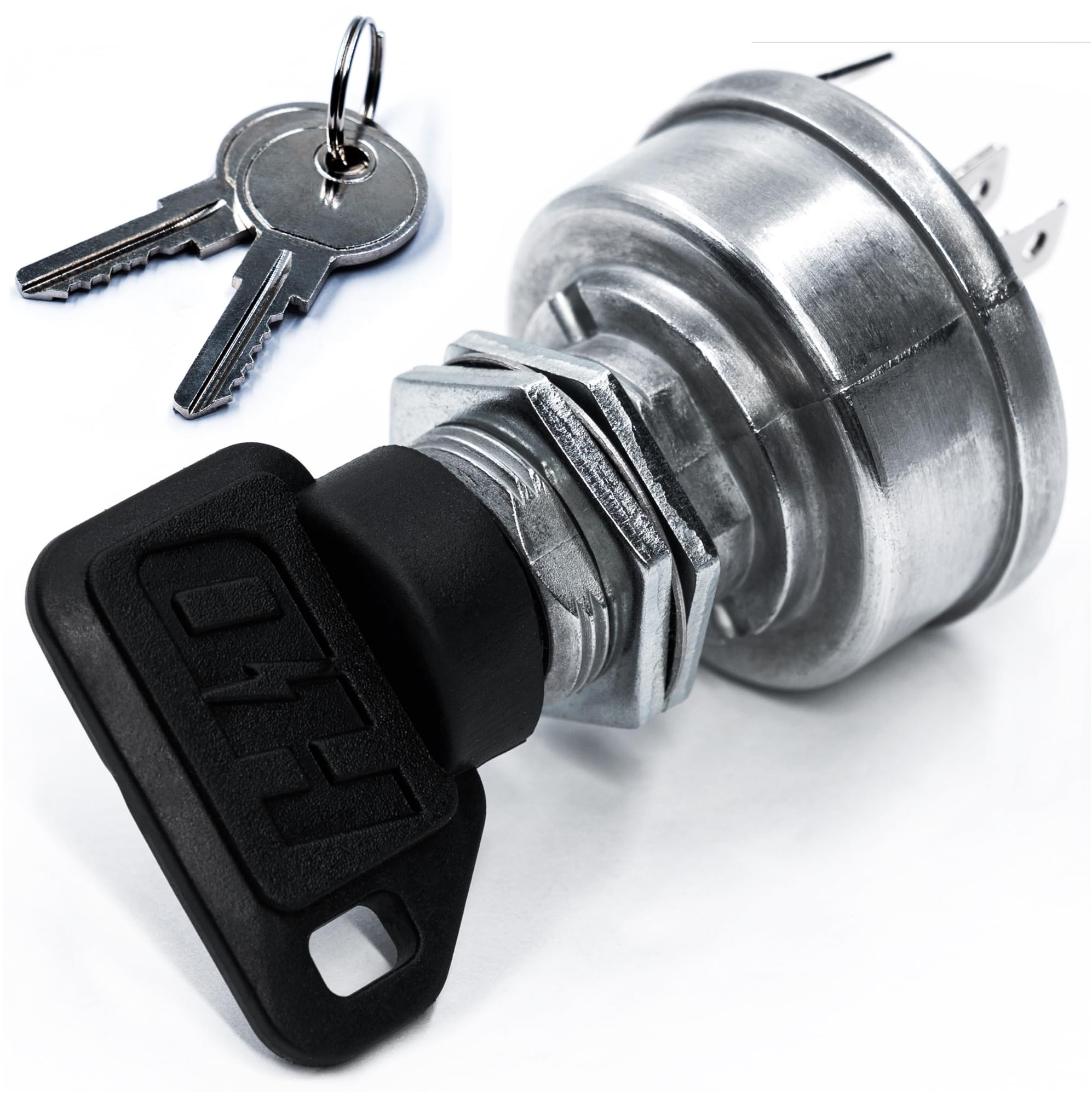
Image 2.1: The HD Switch protective umbrella key, designed to shield the switch from elements.

Image 2.2: Illustration of the umbrella key's effectiveness in keeping water out of the ignition switch.

Image 2.3: Illustration of the umbrella key's effectiveness in keeping dust out of the ignition switch.
Video 2.1: An official video from HD Switch demonstrating the ignition switch and its protective features, highlighting how the umbrella key helps prevent dust and water ingress.
3. Safety Information
Always prioritize safety when working with electrical components and machinery. Failure to follow these safety guidelines may result in injury or damage to equipment.
- Disconnect Power: Before attempting any installation or maintenance, always disconnect the battery to prevent accidental starting or electrical shock.
- Proper Tools: Use appropriate tools for installation to avoid damaging the switch or surrounding components.
- Professional Installation: If you are unsure about any step of the installation process, consult a qualified technician.
- Read Mower Manual: Refer to your John Deere mower's owner's manual for specific safety procedures and wiring diagrams.
4. Package Contents
Verify that all items are present in your package:
- 1 x HD Switch Premium Ignition Switch
- 3 x Keys (including the protective soft-grip umbrella key)
- Mounting Hardware (nuts and washers)
- 1 x Carabiner Keychain

Image 4.1: The ignition switch along with its mounting nuts and washers.
5. Installation Instructions
This section outlines the general steps for replacing an ignition switch. Specific procedures may vary slightly depending on your John Deere ZTrak model. Always refer to your mower's service manual for precise instructions.
- Prepare the Mower: Ensure the mower is turned off, the parking brake is engaged, and the engine is cool. Disconnect the negative terminal of the battery to prevent accidental starting or electrical shorts.
- Locate the Old Switch: Identify the existing ignition switch on your mower's control panel.
- Disconnect Wiring: Carefully label and disconnect all wires from the terminals of the old ignition switch. Take a photo for reference if needed.
- Remove Old Switch: Unscrew or unclip any retaining nuts or clips holding the old switch in place and remove it from the panel.
- Install New Switch: Insert the new HD Switch Premium Ignition Switch into the opening on the control panel. Secure it with the provided mounting hardware (nuts and washers).
- Connect Wiring: Reconnect the wires to the corresponding terminals on the new switch. Refer to your labels or photo taken in step 3. Ensure connections are secure.
- Reconnect Battery: Reconnect the negative terminal of the battery.
- Test Functionality: Test the ignition switch to ensure proper operation before using the mower.

Image 5.1: Rear view of the ignition switch, illustrating the terminal layout for wiring connections (A, B, G, M, S1, S2).
6. Operating Instructions
The HD Switch Premium Ignition Switch typically features three key positions:
- OFF: The engine is off, and all electrical power to the ignition system is disconnected. The key can be inserted or removed in this position.
- RUN: The engine is ready to operate. Electrical power is supplied to the ignition system and accessories.
- START: This is a momentary position. Turning the key to START engages the starter motor to crank the engine. Release the key once the engine starts; it will automatically return to the RUN position.
Always ensure the mower is in neutral and all safety interlocks are engaged before attempting to start the engine.
7. Maintenance
The HD Switch Premium Ignition Switch is designed for durability and protection. Regular maintenance can extend its lifespan:
- Keep Clean: Periodically wipe down the exterior of the switch and the umbrella key with a clean, dry cloth to remove any accumulated dust or debris.
- Inspect Key: Ensure the soft-grip umbrella key is free from damage. The umbrella feature is crucial for preventing moisture and dirt from entering the keyhole.
- Avoid Harsh Chemicals: Do not use abrasive cleaners or solvents on the switch or key, as these can damage the materials.
- Check Connections: Annually, or if issues arise, inspect the wiring connections at the back of the switch to ensure they are tight and free from corrosion.
8. Troubleshooting
If you encounter issues with your ignition switch, consider the following common troubleshooting steps:
| Problem | Possible Cause | Solution |
|---|---|---|
| Engine does not crank when key is turned to START. |
|
|
| Engine cranks but does not start. |
|
|
| Key is difficult to turn or remove. |
|
|
If these steps do not resolve the issue, it is recommended to consult a qualified John Deere service technician.
9. Specifications
- Operation Mode: Manual
- Contact Type: Normally Open
- Connector Type: Screw
- Switch Type: Ignition Switch
- Terminal: Screw
- Circuit Type: 1-way
- Mounting Type: Panel Mount
- Actuator Type: Ignition
- Contact Material: Copper, Brass
- Number of Positions: 3
- Unit Count: 1.0 Count
- Manufacturer: HD Switch
10. Warranty and Support
HD Switch products are engineered for performance and durability. For specific warranty information or technical support, please refer to the official HD Switch website or contact their customer service directly. Keep your purchase receipt as proof of purchase.


