
KRUPS XN741B
KRUPS Nespresso XN741B Citiz Coffee Machine User Manual
Model: XN741B
1. Introduction
The KRUPS Nespresso XN741B Citiz Coffee Machine is designed for coffee enthusiasts who appreciate both quality espresso and modern design. This machine combines elegant lines with efficient operating functions, making it a classic addition to the Nespresso machine family. It features a 19-bar pump pressure for authentic espresso quality, an automatic flow stop function, and an energy-saving automatic shut-off after 9 minutes.

Image 1.1: The KRUPS Nespresso XN741B Citiz Coffee Machine.
2. Important Safety Instructions
Please read all instructions before using the appliance. Failure to follow these instructions may result in electric shock, fire, or serious injury.
- Do not immerse the appliance, power cord, or plug in water or other liquids.
- This appliance is for household use only. Do not use outdoors.
- Always unplug the appliance from the power outlet when not in use and before cleaning.
- Do not operate any appliance with a damaged cord or plug, or after the appliance malfunctions or has been damaged in any manner.
- Keep the appliance and its cord out of reach of children.
- Avoid contact with hot surfaces. Use handles or knobs.
- Do not place on or near a hot gas or electric burner, or in a heated oven.
- Use only Nespresso capsules in this machine.
3. Package Contents
Verify that all components are present in the packaging:
- KRUPS Nespresso XN741B Citiz Coffee Machine
- Water Tank
- Drip Tray and Cup Support
- Used Capsule Container
- Welcome Pack with 14 Nespresso Capsules
- Instruction Manual

Image 3.1: All components included in the KRUPS Nespresso XN741B Citiz Coffee Machine package.
4. Setup
4.1 Initial Cleaning
- Remove all packaging and protective films.
- Clean the water tank, drip tray, and used capsule container with warm water and a mild detergent. Rinse thoroughly.
- Wipe the machine exterior with a damp cloth.
4.2 Filling the Water Tank
- Fill the water tank with fresh drinking water. Do not exceed the MAX level.
- Place the water tank back onto the machine.

Image 4.1: Side view of the machine showing the water tank.
4.3 First Use / Priming the Machine
- Plug the machine into a grounded power outlet.
- Press either the Espresso or Lungo button to turn on the machine. The buttons will blink as the machine heats up (approx. 25 seconds).
- Once the buttons are steady, place a container (at least 0.5L) under the coffee outlet.
- Press the Lungo button to run water through the machine without a capsule. Repeat this process 2-3 times to rinse the system.
- The machine is now ready for use.
5. Operating Instructions
5.1 Preparing Coffee
- Ensure the water tank is filled with fresh water.
- Turn on the machine by pressing either the Espresso or Lungo button. Wait for the buttons to stop blinking (machine is heated).
- Lift the lever completely and insert a Nespresso capsule into the capsule compartment.
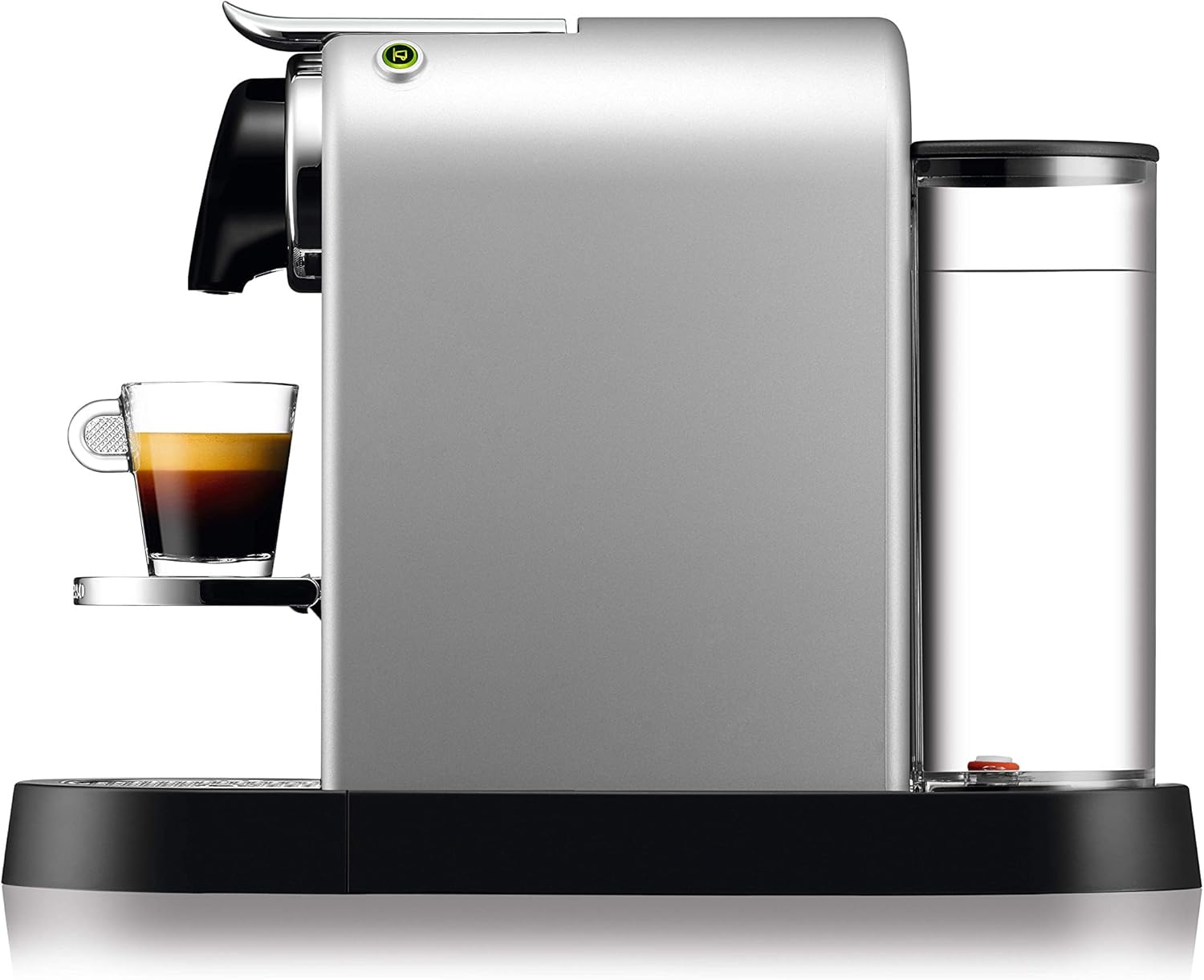
Image 5.1: Top view showing the capsule insertion area.
- Close the lever firmly.
- Place a cup under the coffee outlet. You can adjust the cup support for different cup sizes.

Image 5.2: The machine brewing coffee into a cup.
- Press the Espresso button for a small cup (approx. 40 ml) or the Lungo button for a larger cup (approx. 110 ml). The machine will automatically stop when the programmed volume is reached.
- To stop the flow manually at any time, press the illuminated coffee button again.
- After brewing, lift the lever to eject the used capsule into the internal container. Close the lever.
5.2 Programming Cup Sizes
You can customize the volume for Espresso and Lungo buttons:
- Turn on the machine and wait for the buttons to become steady.
- Insert a Nespresso capsule.
- Press and hold the button you wish to program (Espresso or Lungo).
- Release the button when the desired volume of coffee is reached in your cup. The machine will remember this setting for future use.
6. Maintenance and Cleaning
Regular cleaning and maintenance ensure the longevity and optimal performance of your coffee machine.
6.1 Daily Cleaning
- Emptying the Used Capsule Container and Drip Tray: After each use, or when full, remove and empty the used capsule container and drip tray. Wash them with warm water and mild detergent, then rinse and dry.
- Cleaning the Water Tank: Empty and rinse the water tank daily. Refill with fresh water before each use.
- Wiping the Machine: Wipe the coffee outlet and machine exterior with a damp cloth. Do not use abrasive cleaning agents or scourers.
6.2 Descaling
Descaling is crucial for maintaining your machine and ensuring consistent coffee quality. The frequency depends on water hardness and usage. Refer to the full Nespresso descaling instructions or the Nespresso website for detailed steps and recommended descaling solutions.
General Descaling Process:
- Empty the drip tray and used capsule container.
- Fill the water tank with the Nespresso descaling solution and water as per the descaling kit instructions.
- Place a large container (at least 1 liter) under the coffee outlet.
- Follow the specific descaling procedure for your Citiz model (usually involves pressing and holding both coffee buttons for a few seconds to enter descaling mode).
- Run the descaling solution through the machine.
- Rinse the machine thoroughly by running several tanks of fresh water through it.
7. Troubleshooting
If you encounter issues with your KRUPS Nespresso XN741B Citiz Coffee Machine, refer to the table below for common problems and solutions.
| Problem | Possible Cause | Solution |
|---|---|---|
| No coffee flow or very slow flow. | Water tank empty; machine needs descaling; capsule blocked. | Fill water tank; perform descaling; eject and re-insert capsule. |
| Coffee is not hot enough. | Cups not pre-heated; machine needs descaling. | Pre-heat cups with hot water; perform descaling. |
| Water leaking from machine. | Water tank not correctly positioned; drip tray full. | Ensure water tank is firmly in place; empty and clean drip tray. |
| Machine does not turn on. | No power supply; automatic shut-off activated. | Check power cord connection and outlet; press any coffee button to wake up the machine. |
If the problem persists after attempting these solutions, please contact KRUPS customer support.
8. Specifications
| Feature | Detail |
|---|---|
| Brand | KRUPS (Nespresso System) |
| Model Number | XN741B |
| Color | Silver |
| Product Dimensions (L x W x H) | 38.8 x 18.7 x 37.3 cm |
| Weight | 3 Kilograms |
| Water Tank Capacity | 1 Liter |
| Power / Wattage | 1260 Watts |
| Voltage | 220 Volts |
| Pump Pressure | 19 Bar |
| Material | Plastic |
| Automatic Shut-off | Yes (after 9 minutes) |
| Heat-up Time | 25 seconds |

Image 8.1: Product dimensions for the KRUPS Nespresso XN741B Citiz Coffee Machine.
9. Warranty and Support
9.1 Warranty Information
Your KRUPS Nespresso XN741B Citiz Coffee Machine is covered by a manufacturer's warranty against defects in materials and workmanship. The specific terms and duration of the warranty may vary by region. Please refer to the warranty card included in your package or visit the official KRUPS website for detailed information.
9.2 Customer Support
For technical assistance, spare parts, or any questions regarding your machine, please contact KRUPS customer service. You can find contact information on the official KRUPS website or through the retailer where you purchased the product.
You may also visit the official KRUPS Store for more information and products.
Related documentsXN741B


Ask a question about this manual
Ask about setup, troubleshooting, compatibility, parts, safety, or missing instructions. Manuals+ will review the question and use this page’s manual context to help answer it.