Download PDFFree PDF. The Save button below keeps a bookmark and private notes in your account.
Giandel 3000W Pure Sine Wave Inverter User Manual
Model: PS-3000KAR
1. Introduction
Thank you for choosing the Giandel 3000W Pure Sine Wave Inverter. This device is designed to convert 12V DC battery power into 110V/120V AC household power, providing clean and stable electricity for a wide range of applications, including RVs, campers, off-grid solar systems, and emergency power needs. Its pure sine wave output ensures compatibility with sensitive electronics and inductive loads, protecting your appliances and extending their lifespan.
This manual provides essential information for the safe and efficient operation of your inverter. Please read it thoroughly before installation and use, and keep it for future reference.
Figure 1.1: Giandel Pure Sine Wave Inverter for various applications.
2. Package Contents
Upon unpacking, please verify that all items listed below are included and in good condition. If any items are missing or damaged, contact Giandel customer support immediately.
1 x Giandel 3000 Watt Pure Sine Wave Power Inverter (Model: PS-3000KAR)
2 x 2-FT 4AWG Pure Copper Battery Cables (1 Red, 1 Black)
1 x 30 FT Wired Remote Control
4 x Special Designed Shockproof Pads
1 x User Manual (this document)
Figure 2.1: Included components in the package.
3. Safety Instructions
Adhering to these safety guidelines is crucial for preventing personal injury and damage to the inverter or connected equipment.
3.1 General Safety Precautions
Electrical Shock Hazard: The inverter generates high voltage AC power. Do not open the inverter casing. Refer all servicing to qualified personnel.
Fire Hazard: Do not operate the inverter near flammable materials, gases, or liquids. Ensure adequate ventilation to prevent overheating.
Proper Grounding: Always ensure the inverter is properly grounded to prevent electrical hazards.
Battery Safety: Work in a well-ventilated area when connecting batteries. Batteries can produce explosive gases. Wear eye protection.
Overload Protection: Do not exceed the inverter's rated power output. Overloading can damage the inverter and connected appliances.
ETL Listed & UL458 Standard: This inverter is ETL listed and complies with UL458 standard, ensuring high reliability and safety.
Figure 3.1: ETL certification ensures product safety and compliance.
3.2 Important Warnings
Do not connect the inverter to AC utility power or other AC power sources.
Ensure the DC input voltage matches the inverter's specification (12V DC).
Keep the inverter away from water, moisture, and extreme temperatures.
Disconnect the battery before performing any maintenance or cleaning.
4. Product Features and Overview
The Giandel 3000W Pure Sine Wave Inverter is equipped with advanced features for optimal performance and protection.
4.1 Key Features
Pure Sine Wave Output: Provides clean, stable AC power, ideal for sensitive electronics and inductive loads like microwaves, refrigerators, and pumps.
High Efficiency: Up to 91% conversion efficiency from DC to AC.
Multi-Protections: Includes over voltage, low voltage, overload, short circuit, over heat, and polarity reverse protection (fuse blown).
Intelligent Digital Display: LED display shows input voltage, output wattage, and error codes for easy monitoring.
Connectivity: Features 2 AC outlets, 1 AC terminal block for heavy-duty appliances, and a 5V/2.4A USB port.
Wired Remote Control: A 30ft wired remote for convenient power control from a distance.
Smart Cooling System: Intelligent cooling fan activates only when temperature reaches 35°C or load exceeds 1200W, reducing power consumption and noise.
4.2 Inverter Components
Figure 4.1: Front panel with intelligent digital display and protection indicators.
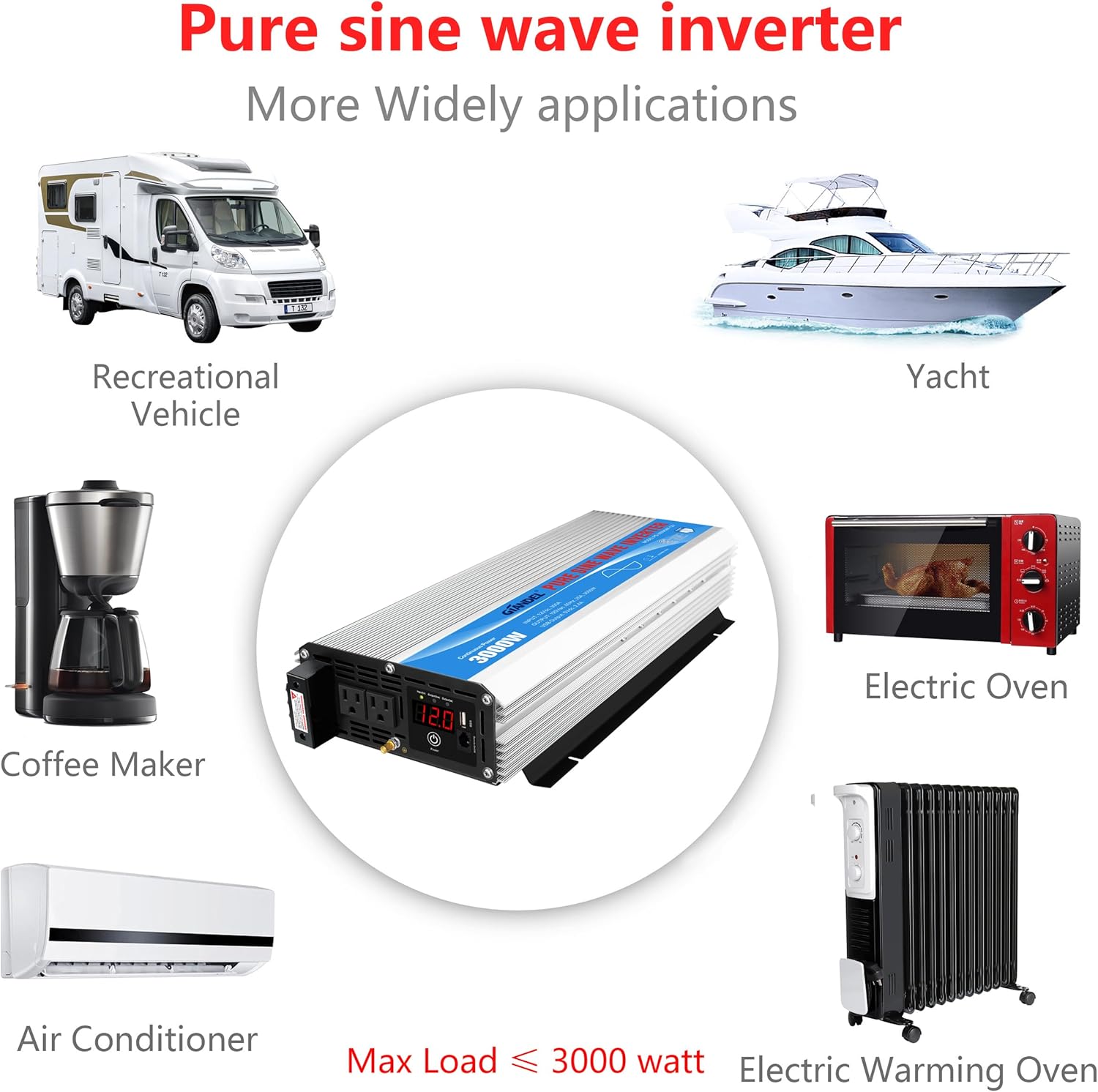
Figure 4.2: Wide range of applications for the pure sine wave inverter.
Figure 4.3: Efficient and quiet cooling system.
Figure 4.4: Inverter dimensions and component identification.
5. Setup and Installation
Proper installation is critical for the safe and efficient operation of your inverter.
5.1 Choosing a Location
Install the inverter in a cool, dry, and well-ventilated area.
Avoid direct sunlight, heat sources, and moisture.
Ensure there is sufficient clearance around the inverter for airflow, especially around the cooling fans.
Mount the inverter on a stable, non-flammable surface.
5.2 Battery Connection
Use the provided 4AWG pure copper battery cables for connection. Ensure the battery bank is 12V DC.
Ensure the inverter's power switch is in the "OFF" position.
Connect the red battery cable to the positive (+) terminal of the inverter and then to the positive (+) terminal of the battery.
Connect the black battery cable to the negative (-) terminal of the inverter and then to the negative (-) terminal of the battery.
Tighten all connections securely to prevent loose connections, which can cause overheating.
Connect the earth wire from the inverter's grounding terminal to a proper earth ground.
Important: Incorrect polarity will damage the inverter and void the warranty. Always double-check connections before powering on.
5.3 Remote Control Connection
Plug the RJ10 connector of the wired remote control into the "Remote Control" port on the inverter's front panel.
6. Operating Instructions
Follow these steps to operate your Giandel 3000W Pure Sine Wave Inverter.
6.1 Powering On/Off
To Power On: After all connections are secure, press the power button on the inverter's front panel or the wired remote control. The LED display will illuminate, and the cooling fan may briefly spin.
To Power Off: Press the power button again. The LED display will turn off.
6.2 Connecting Appliances
AC Outlets: Plug your 110V/120V AC appliances into the two standard AC outlets.
AC Terminal Block: For high-power appliances (1500W-3000W), use the AC terminal block for a direct hardwire connection. Ensure proper wiring by a qualified electrician if using this feature.
USB Port: Use the 5V/2.4A USB port to charge compatible USB devices.
Load Capacity: Ensure the total continuous wattage of all connected appliances does not exceed 3000W. The inverter has a 6000W peak power for instant startup of inductive loads.
6.3 Understanding the LED Display
The intelligent digital display provides real-time information and error codes:
Input (V): Displays the DC input voltage from the battery.
Output (W): Shows the current AC power output in watts.
Error Codes:
LO: Undervoltage protection (battery voltage too low).
OH: Over heat protection (inverter temperature too high).
HI: Overvoltage protection (battery voltage too high).
OL: Output overload or short-circuit protection.
Figure 6.1: LED display error codes and their meanings.
7. Maintenance
Regular maintenance helps ensure the longevity and optimal performance of your inverter.
Cleaning: Periodically clean the exterior of the inverter with a dry, soft cloth. Do not use liquid cleaners or solvents. Ensure ventilation openings are free from dust and debris.
Connection Check: Regularly inspect battery cable connections to ensure they are tight and free from corrosion. Loose connections can lead to voltage drops and overheating.
Ventilation: Ensure the area around the inverter remains clear to allow for proper airflow and cooling.
Storage: If storing the inverter for an extended period, disconnect it from the battery and store it in a cool, dry place.
8. Troubleshooting
This section addresses common issues you might encounter with your inverter.
Problem
Possible Cause
Solution
Inverter does not turn on.
Loose battery connections.
Battery voltage too low.
Inverter switch is OFF.
Blown fuse (due to reverse polarity).
Check and tighten all battery cable connections.
Recharge or replace the battery.
Ensure the inverter switch is ON.
Check and replace internal fuses if necessary (consult professional).
"LO" displayed (Low Voltage).
Battery voltage below safe operating level.
Recharge the battery immediately.
Reduce load on the inverter.
"HI" displayed (High Voltage).
Input voltage exceeds 15V DC.
Check battery charging system (e.g., alternator, solar charger) for overcharging.
Disconnect the inverter until voltage stabilizes.
"OL" displayed (Overload/Short Circuit).
Connected appliance draws too much power.
Short circuit in the output.
Disconnect all appliances. Turn inverter off and on. Reconnect appliances one by one to identify the problematic device.
Ensure total wattage does not exceed 3000W continuous.
Check for short circuits in wiring or appliances.
"OH" displayed (Overheat).
Poor ventilation.
Excessive ambient temperature.
Continuous high load.
Ensure adequate airflow around the inverter.
Reduce the load.
Allow the inverter to cool down.
Relocate to a cooler environment if possible.
9. Specifications
Feature
Specification
Model Name
PS-3000KAR
Continuous Power
3000 Watts
Peak Power
6000 Watts
DC Input Voltage
12V DC
AC Output Voltage
110V - 120V AC
Output Waveform
Pure Sine Wave
Efficiency
Up to 91%
USB Output
5V/2.4A
AC Outlets
2 x US Sockets + 1 AC Terminal Block
Remote Control
30ft Wired Remote
Product Dimensions
19.7 x 9.45 x 3.4 inches (50 x 24 x 8.6 cm)
Item Weight
13.67 pounds
Safety Certifications
ETL Listed, UL458 STD
Recommended Uses
Office, Vehicle, Hurricane, Solar Emergency, Home
Power Source
Solar and Battery Powered
10. Warranty and Support
Giandel stands behind the quality of its products.
10.1 Warranty Information
This Giandel 3000W Pure Sine Wave Inverter comes with an 18-Months Warranty from the date of purchase. This warranty covers defects in materials and workmanship under normal use. It does not cover damage caused by misuse, abuse, unauthorized modification, or improper installation.
Figure 10.1: Giandel 18-Months Warranty.
10.2 Customer Support
For technical assistance, warranty claims, or any questions regarding your Giandel inverter, please contact our customer support team.
Online Support: Visit the official Giandel store on Amazon for FAQs and contact options: Giandel Amazon Store
User Guides: Additional PDF user guides are available for download:
Ask about setup, troubleshooting, compatibility, parts, safety, or missing instructions. Manuals+ will review the question and use this page’s manual context to help answer it.