
1. Introduction and Overview
The AUTOOL BT360 Car Battery Tester is a specialized auxiliary measurement instrument designed to analyze the health status of automotive starting batteries. It accurately calculates the actual cold cranking capability (CCA) and the aging extent of the battery, providing reliable analysis evidence for battery testing and maintenance. This device helps users identify when a battery is aging and needs replacement.
The BT360 employs advanced conductance testing technology to assess various aspects of battery performance, including voltage, charge, and lifespan. It features four key testing modes: Quick Test, Standard Test, Cranking Test, and Charging Test. The tester provides numerical displays and includes built-in standard battery testing parameter ranges, facilitating convenient and precise measurement and data analysis for technicians. It assists in quickly diagnosing common faults in automotive starting and charging systems, enabling accurate and swift identification of vehicle issues for faster repairs.
The AUTOOL BT360 is compatible with all 12V 100-2000CCA batteries, including regular flooded, AGM flat plate, AGM spiral, and gel batteries. Test results are based on GB, BCI, CCA, EN, CA, MCA, DIN, SAE, JIS, and IEC Standards.
2. Product Features
- Battery Health Analysis: Calculates actual cold cranking capability and aging extent.
- Wide Compatibility: Supports 12V 100-2000CCA batteries (flooded, AGM flat plate, AGM spiral, gel).
- High Accuracy: Provides over 99.8% precise testing reports within milliseconds.
- Comprehensive Data: Displays voltage, internal resistance, cold cranking amp, AH capacity, battery health, and charge status.
- Multi-language Support: Supports 8 languages for diverse user needs.
- Reverse Polarity Protection: Ensures safety for both the device and battery.
- Software Upgradeable: Connects to a computer via USB for continuous performance optimization.
- Portable Design: Small and compact for easy storage and transport.

Figure 2.1: Key Features of the AUTOOL BT360 Battery System Tester.
3. Setup and Connection
The AUTOOL BT360 battery tester is designed for safe passive testing and powers on automatically once properly attached to the battery. Ensure the vehicle's ignition is off and all electrical devices are turned off before connecting the tester.
- Locate your vehicle's 12V battery.
- Connect the red clamp of the BT360 to the positive (+) terminal of the battery.
- Connect the black clamp of the BT360 to the negative (-) terminal of the battery.
- The device will power on and display the main menu.

Figure 3.1: AUTOOL BT360 Tester and its components, ready for connection.

Figure 3.2: Reverse Polarity Protection ensures safe connection.
4. Operating Instructions
The BT360 offers various testing modes to comprehensively analyze your battery and vehicle's electrical system.
4.1. Interface Display
The device features an intuitive interface for easy navigation and data interpretation.

Figure 4.1: AUTOOL BT360 Interface Display.
4.2. Quick Test
This mode provides a rapid assessment of the battery's condition.
- From the main menu, select "Quick Test".
- Follow the on-screen prompts, ensuring the engine and all electrical devices are off.
- Enter the Ah (Ampere-hour) rating of your battery when prompted.
- The tester will perform the test and display results such as voltage, life percentage, and impedance.
4.3. Standard Test
The Standard Test allows for a more detailed analysis and supports various battery types.
- Select "Standard Test" from the main menu.
- Choose the appropriate battery type (e.g., Normal battery, AGM Flat Plate, AGM Spiral, GEL, EFB).
- The tester will guide you through the process and provide detailed results.
4.4. Cranking Test
This test evaluates the vehicle's starting system performance.
- Select "Cranking Test" from the menu.
- Follow the on-screen instruction to "Start Engine".
- The tester will measure the cranking voltage and provide an assessment of the starting system.
4.5. Charging Test
The Charging Test assesses the vehicle's charging system (alternator).
- Select "Charging Test" from the menu.
- Follow the on-screen prompts: "Turn off the load" and "Increase the accelerator" (to increase RPM).
- The tester will display load voltage, no-load voltage, and ripple, indicating the charging system's health.
4.6. Review Data
You can review previously saved test data.
- Select "Review data" from the main menu to view stored test results.
4.7. Set Up (Multi-language Configuration)
The BT360 supports multiple languages for user convenience.
- Select "Set Up" from the main menu.
- Navigate to "Languages" to choose your preferred language from the available options: English, German, French, Italian, Spanish, Simplified Chinese, Traditional Chinese, Japanese, Korean, Russian, Polish.
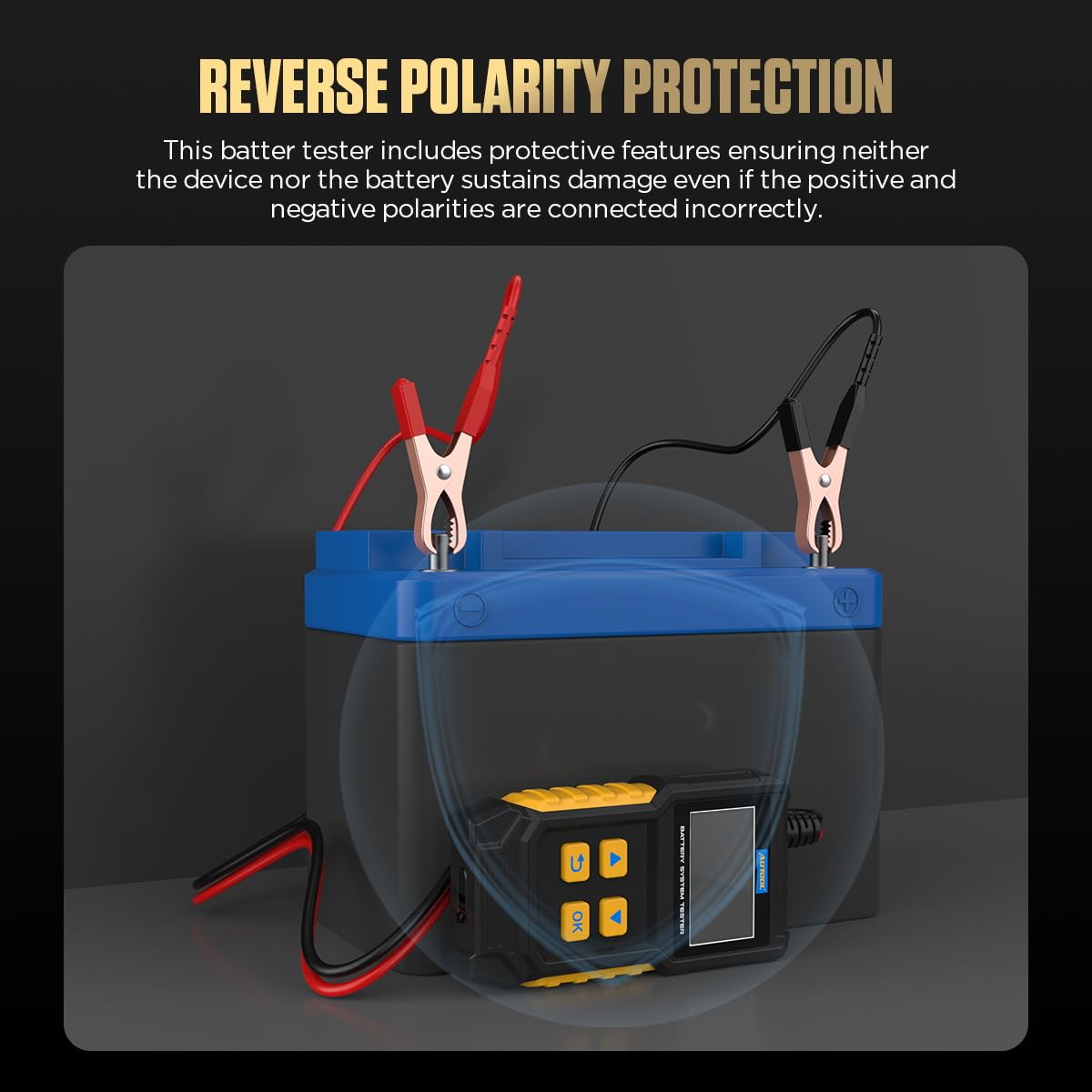
Figure 4.2: Multi-language options on the BT360.
4.8. Operational Videos
Video 4.1: Demonstrates the Quick Test, Standard Test, Cranking Test, Charging Test, Data View, and Multi-language features of the AUTOOL BT360. This video provides a comprehensive overview of the device's main functionalities.
Video 4.2: Illustrates the battery type selection, cranking test, and charging test procedures using the AUTOOL BT360. This video focuses on practical application of key testing modes.
5. Maintenance
5.1. Software Upgrade
The AUTOOL BT360 supports software upgrades to ensure optimal performance and compatibility with new battery technologies or vehicle models. Connect the device to a computer using a USB data cable for software updates.

Figure 5.1: Software Upgrade process for the BT360.
5.2. Cleaning and Storage
- Wipe the device with a soft, dry cloth after each use. Do not use abrasive cleaners or solvents.
- Store the BT360 in a dry, cool place, away from direct sunlight and extreme temperatures.
- Ensure the clamps are clean and free of debris before storage.
6. Troubleshooting
This section provides guidance for common issues you might encounter.
6.1. Device Not Powering On
- Ensure the red and black clamps are securely connected to the positive and negative terminals of the 12V battery, respectively. The device draws power directly from the battery.
- Check for any corrosion on the battery terminals or tester clamps and clean if necessary.
6.2. Inaccurate Readings
- Verify that the battery type and CCA rating entered into the tester match the specifications of the battery being tested.
- Ensure all vehicle electrical loads (lights, radio, etc.) are turned off during testing to avoid interference.
- Check for loose connections between the tester clamps and battery terminals.
6.3. "Battery Abnormal" or "Replace Battery" Message
- This indicates that the battery's health or cranking performance is below optimal levels. Consider charging the battery and retesting.
- If the issue persists after charging, the battery may be aged and require replacement. The tester provides reliable analysis evidence for this decision.
6.4. Cranking Test Issues
- Ensure the engine is cranked for the duration specified by the tester.
- If the cranking voltage is too low, it may indicate a weak battery or an issue with the starter motor.
6.5. Charging Test Issues
- Ensure you increase the engine RPM as instructed during the test to properly load the alternator.
- Abnormal loaded or no-loaded voltage, or high ripple, may indicate a faulty alternator or charging system component.
7. Specifications
| Parameter | Value |
|---|---|
| Model Number | BT 360 |
| Brand | AUTOOL |
| Voltage Measurement Range | 8V - 30V DC |
| Current Measurement Range | 15mA - 5A |
| Operating Temperature | -20°C to 50°C |
| Battery Test Range | 30-100AH |
| Test Standard Range (CCA) | 100-2000 CCA |
| Applicable Vehicle Models | Cars, Motorcycles, Trucks, RVs, ATVs, SUVs, Boats, Yachts, Lawnmowers, Golf Carts |
| Applicable Battery Types | Regular Flooded, AGM Flat Plate, AGM Spiral, GEL, EFB |
| Item Weight | 0.38 Kilograms (13.44 ounces) |
| Package Dimensions | 7.36 x 6.57 x 2.32 inches |
| Color | Black |
| Country of Origin | China |
7.1. Test Standard Parameters
| Test Standard | Test Range |
|---|---|
| CCA: Cold Cranking Amps | 20-2000 |
| BCI: Battery Council International | 20-2000 |
| CA: Cranking Amps | 20-2000 |
| MCA: Marine Cranking Amps | 20-2000 |
| DIN: German Auto Industry Committee | 20-2000 |
| IEC: Internal Electrical Technical Commission | 20-2000 |
| EN: European Automobile Industry Association | 20-2000 |
| SAE: Society of Automotive Engineers | 20-2000 |
| GB: China National Standard | 2-300AH |
| JIS: Japan Industrial Standard | 26A17-N200Z |

Figure 7.1: Application Range of the AUTOOL BT360.

Figure 7.2: Detailed Test Standard Parameters.
8. Warranty and Support
AUTOOL provides a comprehensive warranty and dedicated customer support for the BT360 Car Battery Tester.
- Three Years Warranty: For damage caused by non-human factors, AUTOOL promises to resend parts for free within 3 years from the date of purchase.
- Lifelong Maintenance: The product is supported with lifelong maintenance services.
- Customer Support: For any inquiries or support needs, please contact AUTOOL customer service. They aim to reply as soon as possible within 24 hours.

Figure 8.1: AUTOOL Warranty and Support Information.