
Ivation EUPHO E3
Ivation EUPHO E3 Bluetooth Spherical Wireless Speaker User Manual
Model: EUPHO E3
Introduction
Thank you for purchasing the Ivation EUPHO E3 Bluetooth Spherical Wireless Speaker. This manual provides important information regarding the setup, operation, maintenance, and troubleshooting of your new speaker. Please read this manual thoroughly before using the product to ensure proper function and to maximize your listening experience.
The Ivation EUPHO E3 is designed for both indoor and outdoor use, offering high-quality audio with versatile placement options, including removable wooden legs for floor standing or use as a portable unit with its integrated handle.
Safety Information
Please observe the following safety precautions to prevent damage to the speaker or injury to yourself:
- Do not expose the speaker to extreme temperatures, direct sunlight, or high humidity.
- This product is not waterproof. Avoid contact with water or other liquids.
- Do not disassemble, repair, or modify the speaker yourself. Refer all servicing to qualified personnel.
- Keep the speaker away from heat sources such as radiators, heat registers, stoves, or other apparatus (including amplifiers) that produce heat.
- Use only the charging cable provided by the manufacturer.
- Ensure proper ventilation around the speaker during operation.
Package Contents
Verify that all items are present in the package:
- Ivation EUPHO E3 Bluetooth Speaker
- Removable Wooden Legs (3 pieces)
- Charging Cable
- User Manual (this document)
Setup
Assembling the Wooden Legs
The Ivation EUPHO E3 speaker comes with three removable wooden legs for floor standing use. To assemble:
- Carefully unbox the speaker and the wooden legs.
- Locate the three threaded inserts on the bottom of the spherical speaker body.
- Screw each wooden leg clockwise into the corresponding threaded insert until securely fastened. Do not overtighten.
- Place the assembled speaker on a flat, stable surface.

Figure 1: Ivation EUPHO E3 speaker fully assembled with its wooden legs.
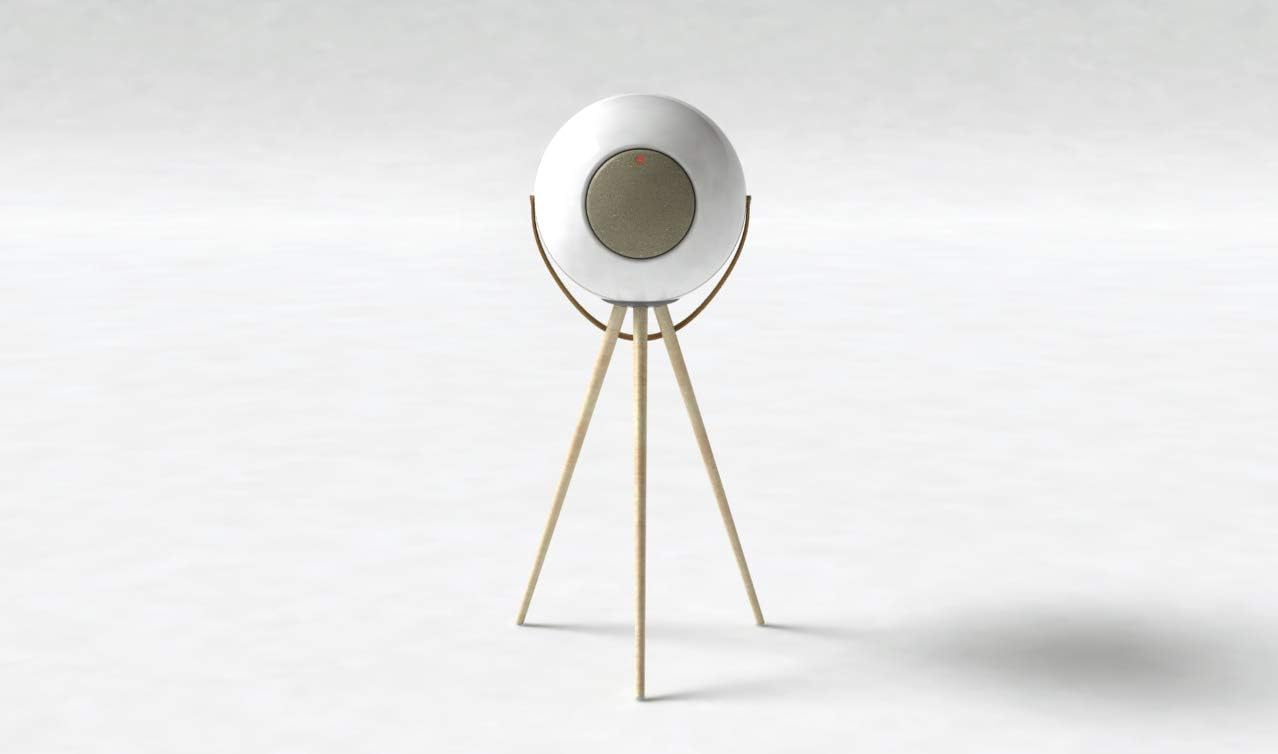
Figure 2: Front view of the Ivation EUPHO E3 speaker on its wooden stand, highlighting the speaker grille and indicator light.
Using as a Portable Speaker
The wooden legs are removable, allowing the speaker to be used as a portable unit. The speaker features an integrated handle for easy carrying.

Figure 3: Ivation EUPHO E3 speaker without its wooden legs, showcasing the integrated handle for portability.
Charging the Speaker
Before first use, fully charge the speaker. A full charge takes approximately 3 hours.
- Locate the charging port on the speaker.
- Connect the provided charging cable to the speaker and a compatible USB power adapter (not included).
- The indicator light will show charging status (e.g., red for charging, off or green for fully charged). Refer to the Operating section for specific indicator light behaviors.
Operating Instructions
Powering On/Off
- To power on: Press and hold the power button for approximately 3 seconds until you hear an audible prompt and the indicator light illuminates.
- To power off: Press and hold the power button for approximately 3 seconds until you hear an audible prompt and the indicator light turns off.
Bluetooth Pairing
The Ivation EUPHO E3 uses Bluetooth for wireless audio streaming. The Bluetooth range is approximately 10 meters (33 feet).
- Ensure the speaker is powered on and in pairing mode. The indicator light will typically flash rapidly when ready to pair.
- On your Bluetooth-enabled device (smartphone, tablet, computer), go to the Bluetooth settings.
- Search for available devices. You should see "EUPHO E3" or similar in the list.
- Select "EUPHO E3" to connect. Once successfully paired, the speaker will provide an audible confirmation, and the indicator light will change (e.g., solid blue).
- If prompted for a password, enter "0000".
The speaker can be connected to compatible devices such as televisions and personal computers.
Audio Playback
- Once paired, audio from your device will play through the EUPHO E3 speaker.
- Control volume and track selection directly from your connected device or via the speaker's control method (App).
- The speaker has a maximum output power of 60 Watts and provides stereo audio output.
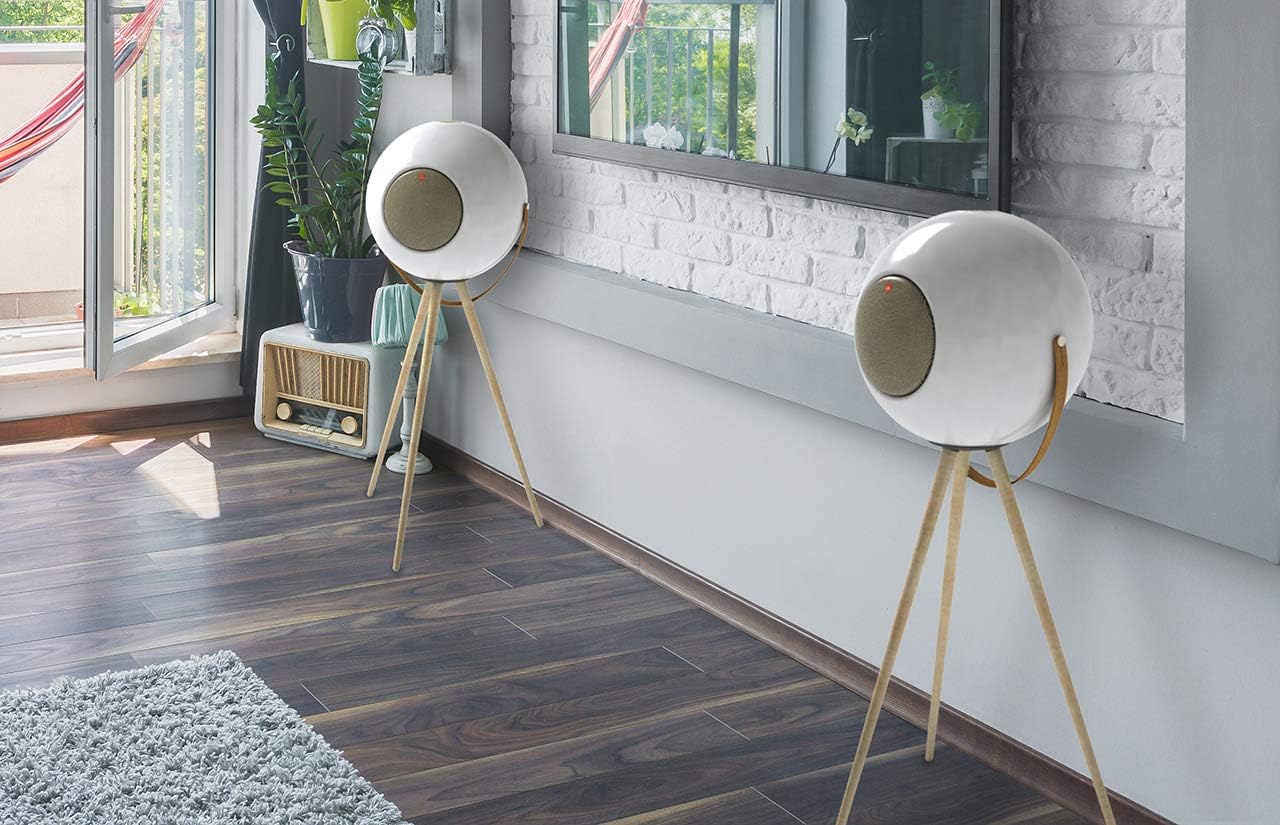
Figure 4: Two Ivation EUPHO E3 speakers positioned in a living room, demonstrating indoor use.

Figure 5: Two Ivation EUPHO E3 speakers set up outdoors near a body of water, illustrating their suitability for outdoor environments and parties.
Maintenance
Proper maintenance will extend the life of your Ivation EUPHO E3 speaker.
- Cleaning: Use a soft, dry cloth to clean the exterior of the speaker. Do not use abrasive cleaners, waxes, or solvents.
- Storage: When not in use for extended periods, store the speaker in a cool, dry place, away from direct sunlight and extreme temperatures.
- Battery Care: To maintain battery health, avoid fully discharging the battery frequently. Charge the speaker regularly, even if not in constant use.
- Water Exposure: As the speaker is not waterproof, ensure it is protected from rain, splashes, and high humidity, especially during outdoor use.
Troubleshooting
| Problem | Possible Cause | Solution |
|---|---|---|
| Speaker does not power on. | Battery is depleted. | Charge the speaker for at least 3 hours. |
| Cannot pair with Bluetooth device. | Speaker is not in pairing mode; Device's Bluetooth is off; Speaker is already connected to another device; Device is out of range. | Ensure speaker is in pairing mode (flashing indicator light). Turn on Bluetooth on your device. Disconnect from other devices. Move device closer to speaker (within 10 meters). |
| No sound or low volume. | Volume on speaker or device is too low; Speaker is not properly paired. | Increase volume on both the speaker (via app) and your connected device. Re-pair the speaker with your device. |
| Sound distortion. | Volume too high; Device too far from speaker; Interference. | Reduce volume. Move device closer to speaker. Move speaker away from other electronic devices that may cause interference. |
Specifications
| Feature | Detail |
|---|---|
| Model Name | EUPHO E3 |
| Speaker Type | 3D, Outdoor |
| Connectivity Technology | Bluetooth |
| Wireless Communication Technology | Bluetooth |
| Bluetooth Range | 10 Meters |
| Speaker Size / Woofer Diameter | 6.5 Inches |
| Speaker Maximum Output Power | 60 Watts |
| Audio Output Mode | Stereo |
| Power Source | Battery Powered |
| Charging Time | 3 Hours |
| Color | White |
| Included Components | Removable wooden legs |
| Is Waterproof | FALSE |
| Control Method | App |
| Mounting Type | Floor Standing |
| Item Weight | 19.96 pounds |
| Package Dimensions | 18 x 18 x 14 inches |
Warranty and Support
The Ivation EUPHO E3 speaker comes with a Limited Warranty. Please refer to the warranty card included in your package for specific terms and conditions. For technical support, troubleshooting assistance, or warranty claims, please contact Ivation customer service.
For the latest support information and contact details, please visit the official Ivation website or refer to the contact information provided with your purchase.
Note: Warranty terms may vary by region. Keep your proof of purchase for warranty service.
Ask a question about this manual
Ask about setup, troubleshooting, compatibility, parts, safety, or missing instructions. Manuals+ will review the question and use this page’s manual context to help answer it.