
Berghoff Arnica Merlin Replacement Filter
BergHOFF's Arnica Merlin Replacement Filter Instruction Manual
For BergHOFF's Arnica Merlin All-in-One Vacuum Cleaner
Product Overview
This manual provides essential information for the proper use and maintenance of your BergHOFF's Arnica Merlin Replacement Filter. This filter is designed specifically for the BergHOFF's Arnica Merlin All-in-One Vacuum Cleaner, ensuring optimal performance and air quality.
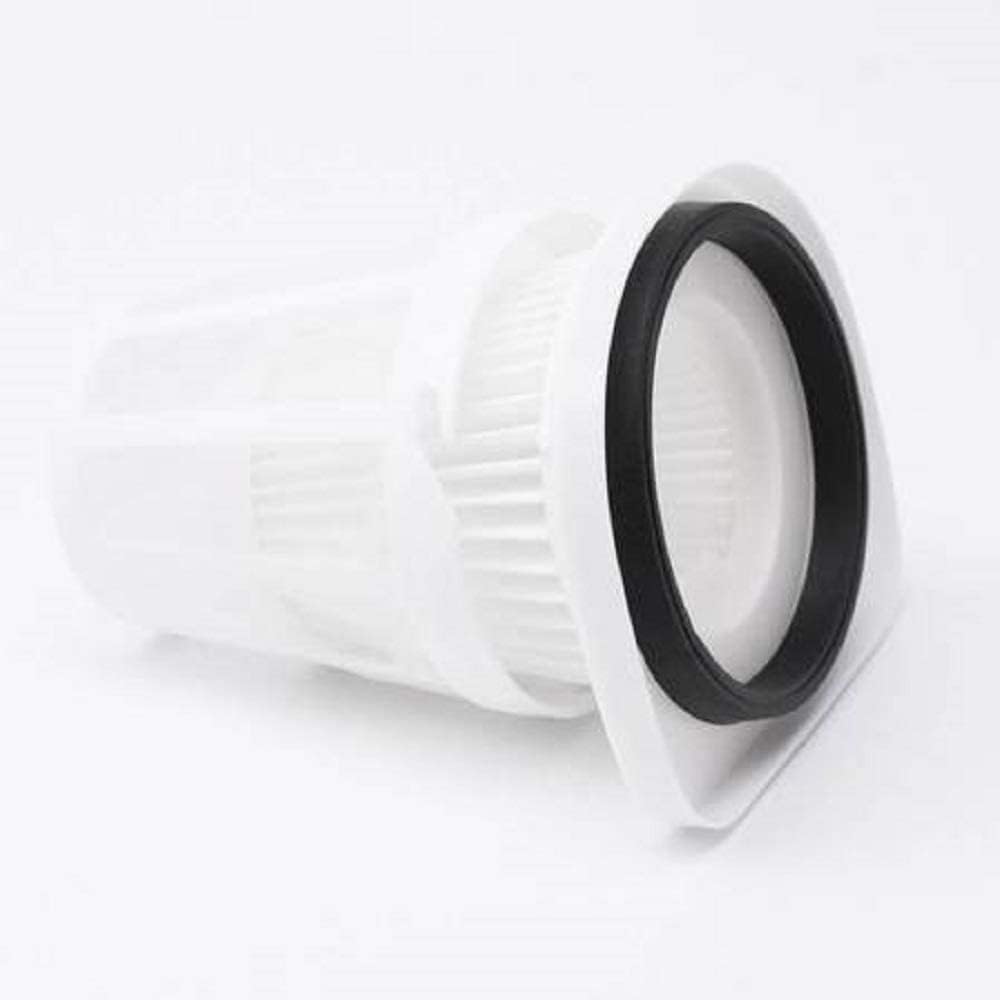
Image: A single white replacement filter with a black rubber gasket, designed for the BergHOFF Arnica Merlin vacuum cleaner.

Image: Four BergHOFF Arnica Merlin All-in-One Vacuum Cleaners in blue, purple, green, and orange, demonstrating the range of compatible models.
Key Features
- Compatibility: Specifically designed for BergHOFF's Arnica Merlin Vacuum Cleaner models (Blue, Purple, Green & Orange).
- Material Quality: Made from high-quality materials for durability and high performance.
- Filtration: Premium quality multi-layer design for effective elimination of dust, dirt, and dander.
- Maintenance: Easy to install, reusable, and washable.
- Package Contents: Typically includes 2 sets of filters (1 set + 1 set free, as per product description).
Setup and Installation
Proper installation of the replacement filter is crucial for the vacuum cleaner's performance and longevity. Follow these steps carefully:
- Power Off: Ensure the BergHOFF's Arnica Merlin Vacuum Cleaner is unplugged from the power outlet before beginning any maintenance.
- Locate Filter Compartment: The filter compartment is typically located within the dust canister of the vacuum cleaner. Refer to your vacuum cleaner's main instruction manual for exact location if unsure.
- Remove Old Filter: Open the dust canister and carefully remove the old filter. Dispose of the old filter responsibly.
- Insert New Filter: Place the new BergHOFF's Arnica Merlin Replacement Filter into the compartment. Ensure it is seated correctly and securely to prevent air leaks. The black rubber gasket should form a tight seal.
- Close Canister: Close the dust canister securely. Ensure all latches are engaged.
- Test: Plug in the vacuum cleaner and perform a brief test to ensure proper operation.
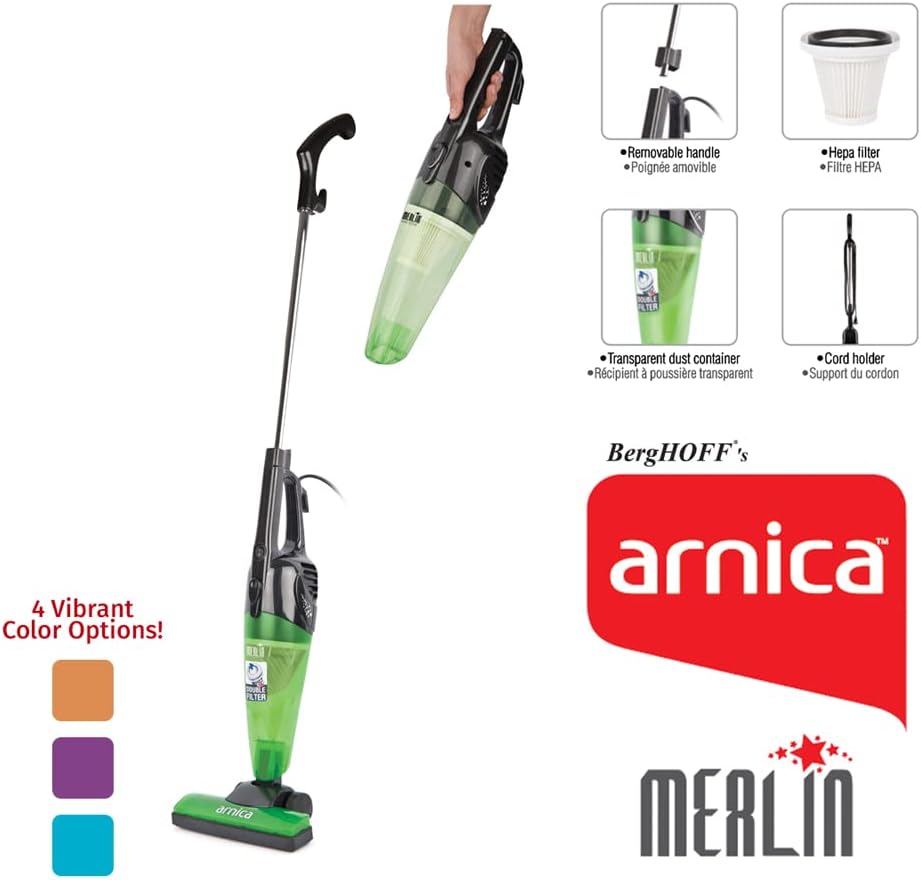
Image: A visual breakdown of the BergHOFF Arnica Merlin vacuum cleaner, highlighting components like the removable handle, HEPA filter, transparent dust container, and cord holder, useful for identifying the filter location.

Image: The BergHOFF Arnica Merlin vacuum cleaner displayed with its various attachments, illustrating its versatility and components.
Operating Considerations
While this manual focuses on the filter, understanding its role in the vacuum's operation is important:
- The filter is a critical component for trapping dust and allergens, ensuring clean exhaust air.
- A clean filter contributes to optimal suction power and overall vacuum efficiency.
- Operating the vacuum without a properly installed filter can lead to motor damage and reduced air quality.
Maintenance
Regular cleaning and timely replacement of the filter are essential for maintaining the performance of your BergHOFF's Arnica Merlin Vacuum Cleaner.
Cleaning the Filter:
- Remove Filter: Follow the steps in the "Setup and Installation" section to safely remove the filter from the vacuum cleaner.
- Tap Clean: Gently tap the filter over a trash can to dislodge loose dust and debris.
- Wash (Optional): The filter is washable. Rinse the filter under cool, running water until the water runs clear. Do not use hot water or detergents.
- Dry Completely: Allow the filter to air dry completely for at least 24 hours before reinserting it into the vacuum cleaner. Do not use heat to dry the filter, as this can damage the material. Ensure it is absolutely dry to prevent mold growth and damage to the vacuum motor.
Filter Replacement:
It is recommended to replace the filter periodically to improve cleaning performance and maintain air quality. The exact frequency depends on usage, but generally, replacement every 3-6 months is advisable, or sooner if you notice a decrease in suction or persistent odors.
This product includes 2 sets of filters, providing a convenient supply for future replacements.
Troubleshooting
Most issues related to vacuum performance can often be linked to the filter. Consider the following if you encounter problems:
| Problem | Possible Cause | Solution |
|---|---|---|
| Reduced Suction Power | Clogged or dirty filter. | Clean or replace the filter. Ensure it is completely dry before reinstallation. |
| Unpleasant Odor from Vacuum | Dirty filter or dust canister. | Clean the filter and empty/clean the dust canister thoroughly. Allow to dry completely. |
| Dust Escaping Vacuum | Filter not installed correctly or damaged filter. | Reinstall the filter, ensuring a tight seal. Inspect for damage and replace if necessary. |
Specifications
- Product Type: Replacement HEPA Filter
- Compatibility: BergHOFF's Arnica Merlin All-in-One Vacuum Cleaner (Blue, Purple, Orange & Green models)
- Reusability: Reusable and Washable
- Number of Pieces: 2 (referring to the package containing two filters)
- Filtration Type: HEPA (High-Efficiency Particulate Air)
Note: The dimensions provided in the product specifications (e.g., 13 x 7 x 13 inches) refer to the overall product packaging or the vacuum cleaner itself, not the filter. The filter is designed to fit perfectly within the specified BergHOFF's Arnica Merlin vacuum models.
Warranty and Support
For information regarding warranty coverage for your BergHOFF's Arnica Merlin Replacement Filter or the BergHOFF's Arnica Merlin Vacuum Cleaner, please refer to the original product documentation that came with your vacuum cleaner or visit the official BergHOFF website.
For further assistance or technical support, you may contact BergHOFF customer service through their official channels. Details can typically be found on the BergHOFF website or on the packaging of your original vacuum cleaner.
Related documentsArnica Merlin Replacement Filter


Ask a question about this manual
Ask about setup, troubleshooting, compatibility, parts, safety, or missing instructions. Manuals+ will review the question and use this page’s manual context to help answer it.