
Introduction
Thank you for purchasing the Divoom Voombox-Pro Portable Bluetooth Speaker. This manual provides essential information for setting up, operating, and maintaining your speaker to ensure optimal performance and longevity. The Voombox-Pro delivers powerful 40W DSP professional-tuned audio with 360° surround sound, designed for both indoor and outdoor use. It features TWS stereo pairing, a 10000mAh battery with 12 hours of playtime, and IPX5 water resistance.
Safety Information
- Do not expose the speaker to extreme temperatures or direct sunlight for prolonged periods.
- Avoid dropping or subjecting the speaker to strong impacts.
- Keep the speaker away from open flames or heat sources.
- Do not attempt to disassemble, repair, or modify the speaker yourself. Contact qualified service personnel.
- Ensure all ports are securely closed when using the speaker near water to maintain IPX5 water resistance.
- Use only the provided charging cable or a certified equivalent.
Package Contents
Please check the package for the following items:
- Divoom Voombox-Pro Portable Bluetooth Speaker
- USB-C Charging Cable
- AUX Cable
- User Manual (this document)
Product Overview
The Divoom Voombox-Pro is designed for robust performance and ease of use. Below is an image illustrating its water-resistant design, highlighting its durability for various environments.

Figure 1: Divoom Voombox-Pro showcasing its IPX5 water-resistant design.
The speaker features intuitive controls on its top panel for power, volume, Bluetooth pairing, and playback. Its robust casing ensures protection against dust, snow, and spills, making it suitable for diverse settings.
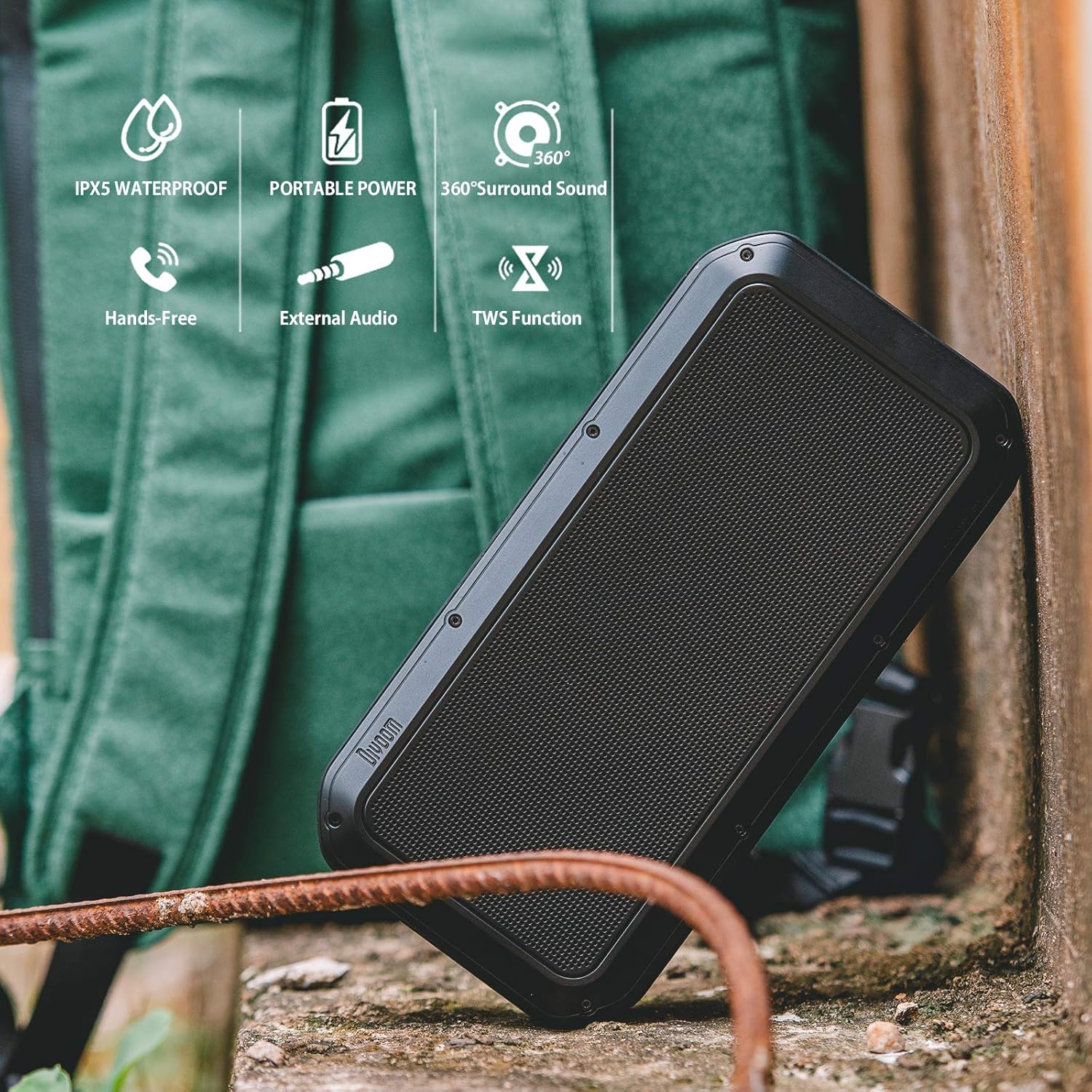
Figure 2: Key features of the Divoom Voombox-Pro, including IPX5 water resistance, portable power, 360° surround sound, hands-free calling, external audio input, and TWS function.
Setup
1. Charging the Speaker
Before first use, fully charge the Voombox-Pro. Connect the provided USB-C cable to the charging port on the speaker and the other end to a USB power adapter (not included) or a computer USB port. The battery indicator lights will show charging progress.

Figure 3: Charging the Voombox-Pro and its ability to charge other devices.
The built-in 10000mAh battery also allows the speaker to function as a power bank to charge your mobile devices via its USB-A output port.
2. Powering On/Off
Press and hold the Power button on the speaker's control panel for a few seconds to turn it on or off. A sound indicator will confirm the action.
3. Bluetooth Pairing
- Ensure the speaker is powered on and in Bluetooth pairing mode (indicated by a flashing LED).
- On your mobile device, enable Bluetooth and search for available devices.
- Select "Divoom Voombox-Pro" from the list.
- Once connected, the LED indicator will become solid, and a confirmation sound will play.
4. TWS (True Wireless Stereo) Pairing
For an enhanced audio experience, you can pair two Voombox-Pro speakers together to create a true wireless stereo system, doubling the acoustic output to 80W.

Figure 4: TWS Stereo Pairing setup for two Voombox-Pro speakers.
- Turn on both Voombox-Pro speakers.
- Press the TWS button on one speaker (this will be your primary speaker). It will automatically search for the second speaker.
- Once connected, both speakers will emit a confirmation sound, and their LEDs will indicate a successful TWS connection.
- Connect your mobile device to the primary speaker via Bluetooth as described above.
Operating Instructions
Audio Playback
- Play/Pause: Press the Play/Pause button.
- Volume Up/Down: Press the Volume + or Volume - buttons.
- Next/Previous Track: Long press the Volume + or Volume - buttons.
- AUX Input: Connect an audio device using the provided 3.5mm AUX cable to the AUX port. The speaker will automatically switch to AUX mode.
Call Handling
- Answer/End Call: Press the Play/Pause button.
- Reject Call: Long press the Play/Pause button.
Outdoor and Indoor Use
The Voombox-Pro is versatile for various environments, delivering consistent audio quality.

Figure 5: The Voombox-Pro is designed for outdoor use, providing 360° omni-directional sound.

Figure 6: The Voombox-Pro is also suitable for indoor environments, featuring 3D audio compensation technology.
Maintenance
- Cleaning: Wipe the speaker with a soft, damp cloth. Do not use abrasive cleaners or solvents.
- Storage: Store the speaker in a cool, dry place when not in use. Avoid extreme temperatures.
- Water Resistance: Ensure the rubber flap covering the ports is securely closed to maintain IPX5 water resistance. Do not submerge the speaker in water.
Troubleshooting
| Problem | Solution |
|---|---|
| Speaker does not turn on. | Ensure the speaker is charged. Connect it to a power source and try again. |
| Cannot pair via Bluetooth. | Make sure the speaker is in pairing mode. Turn off and on Bluetooth on your device. Move closer to the speaker. |
| No sound or low volume. | Check the volume levels on both the speaker and your connected device. Ensure the speaker is not muted. |
| TWS pairing fails. | Ensure both speakers are Voombox-Pro models and are within range of each other. Reset both speakers and try pairing again. |
| Charging issue. | Verify the charging cable and adapter are working correctly. Check the charging port for debris. |
Specifications
| Feature | Detail |
|---|---|
| Product Dimensions | 9.65 x 4.84 x 2.4 inches |
| Item Weight | 3.19 pounds |
| Model Number | Voombox Pro BK |
| Batteries | 1 Lithium Polymer batteries required |
| Audio Output | 40W DSP professional-tuned audio |
| Playtime | Up to 12 hours |
| Water Resistance | IPX5 |
| Manufacturer | Divoom |
Official Product Video
Watch the official product video for a visual guide on the Divoom Voombox-Pro's features and usage scenarios.
Video 1: Divoom Voombox-Pro features and usage demonstration.
Warranty and Support
For warranty information and technical support, please refer to the official Divoom website or contact their customer service. Keep your purchase receipt for warranty claims.
Official Divoom Store: Divoom Store on Amazon