
Introduction
Thank you for choosing the Nikon Coolpix B600 Red digital camera. This manual provides essential information for setting up, operating, and maintaining your camera to ensure optimal performance and longevity. The Coolpix B600 is designed for users seeking a versatile and easy-to-use camera with powerful zoom capabilities, ideal for capturing a wide range of subjects from distant landscapes to intricate close-ups.
Safety Information
Always handle your camera with care. Avoid exposing it to extreme temperatures, humidity, or dust. Do not attempt to disassemble or modify the camera, as this may cause damage and void the warranty. Keep the camera and its accessories out of reach of small children.
Setup
1. Unboxing and Initial Inspection
Upon opening the package, ensure all components of the Camera Kit are present. Inspect the camera for any visible damage. The kit typically includes the camera body, battery, USB cable, and strap.
2. Battery Installation and Charging
The Nikon Coolpix B600 uses an EN-EL12 rechargeable Lithium-ion battery. To install, open the battery compartment cover located at the bottom of the camera. Insert the battery with the correct orientation, then close the cover securely. To charge the battery, connect the camera to a power source using the supplied USB cable. The camera can be charged via its Micro USB port. A full charge is indicated by the charging indicator light.
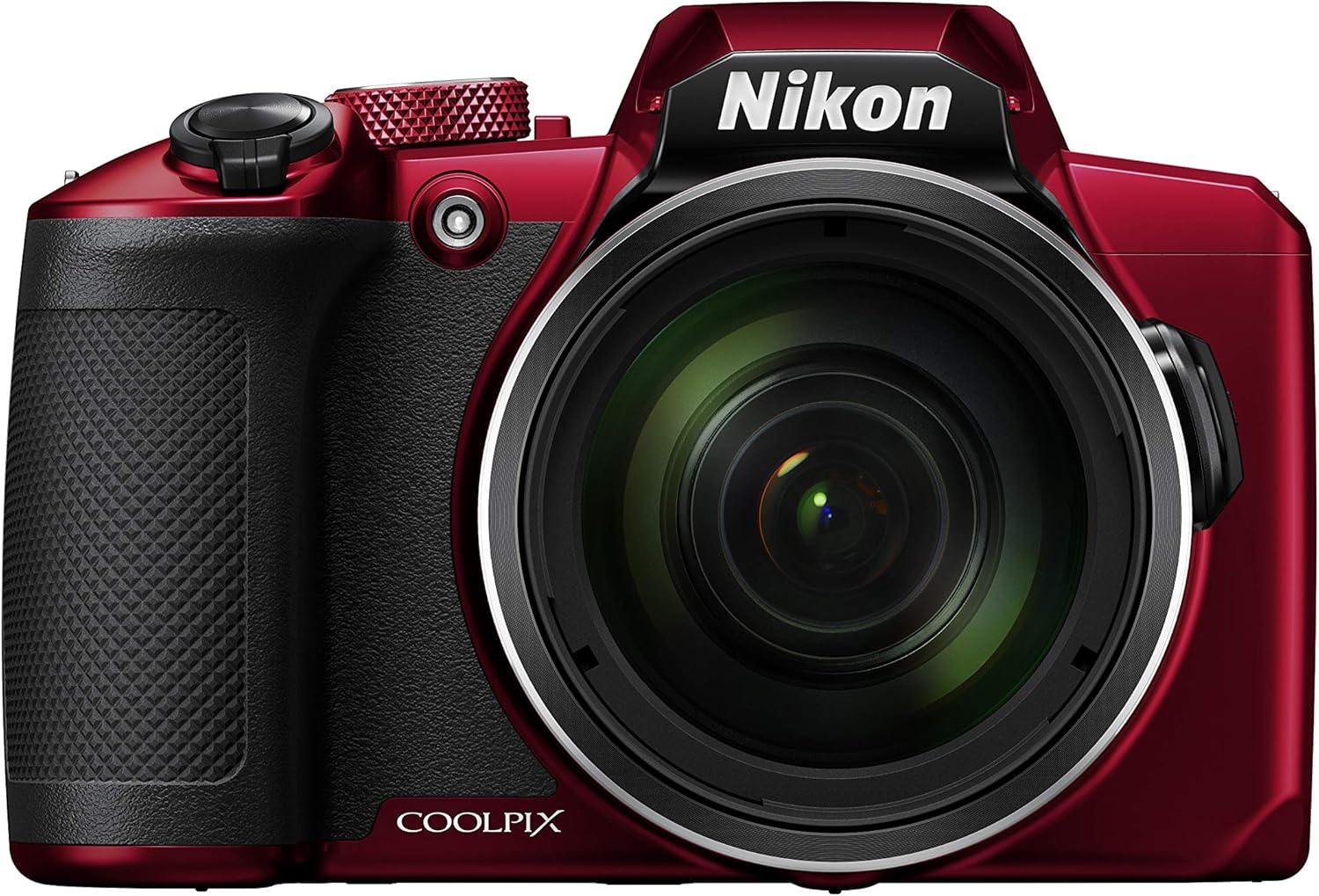
Figure 1: Front view of the Nikon Coolpix B600 Red camera.
3. Memory Card Installation
The camera supports SD, SDHC, and SDXC memory cards. Open the memory card slot cover, usually adjacent to the battery compartment. Insert the memory card until it clicks into place. Close the cover. Note: If using a quick-release plate for a tripod, accessing the battery and memory card may be difficult due to limited space.
4. Initial Power On and Settings
Press the ON/OFF button to power on the camera. The lens will extend and retract slightly as it adjusts, causing a brief delay before it's ready for use. Follow the on-screen prompts to set the date, time, and time zone.
Operating Your Camera
1. Camera Controls Overview

Figure 2: Rear view of the Nikon Coolpix B600 Red camera, highlighting the LCD screen and control buttons.
The Coolpix B600 features a user-friendly layout. The rear of the camera is dominated by the 3-inch LCD screen, which serves as your primary interface for composing shots and navigating menus. This screen has 921,000 dots for clear viewing but is fixed and does not offer touch capabilities or a traditional viewfinder.
2. Zoom Operation
The camera boasts a 60x optical zoom lens (24-1440mm equivalent) with built-in Vibration Reduction (VR) for stable images. You can control the zoom in two ways:
- Top Zoom Lever: Located around the shutter button, this lever allows for smooth zooming in and out.
- Side Zoom Toggle: On the side of the lens barrel, this toggle provides an alternative zoom control. Adjacent to it is a special button. When fully zoomed in, pressing and holding this button will quickly zoom out to give you a wider view of your scene, helping you re-frame your subject. Releasing the button will zoom back in to your previous magnification.
3. Built-in Flash
The camera includes a built-in flash for low-light situations. To activate, manually lift the flash unit from the top of the camera. There is no spring mechanism; you must physically raise it. Once raised, the flash can be controlled via the D-pad on the back of the camera.
4. Mode Dial and Scene Modes
The mode dial on the top of the camera allows you to select various shooting modes. The Coolpix B600 is highly focused on task-specific modes rather than traditional manual controls (Aperture, Shutter, ISO). Available modes include:
- Auto Mode: For general point-and-shoot photography.
- Scene Modes: Includes options like Portrait, Landscape, Night Landscape, Night Portrait, Party/Indoor, Sports, Sunset, Dusk/Dawn, Close-up, Food, Fireworks Show, Easy Panorama, and more. These modes optimize camera settings for specific shooting conditions.
- Creative Mode: Offers various filters and effects to enhance your photos.
When you switch modes, the name of the selected mode will be displayed on the LCD screen.
5. Autofocus System
The camera utilizes a contrast-based autofocus system. It features a dedicated AF assist light to aid focusing in dim conditions. Available AF area modes include:
- Face Priority: Detects and focuses on human faces.
- Manual: Allows you to manually select the focus area.
- Center: Focuses on the center of the frame.
- Subject Tracking: Tracks a moving subject.
- Target Finding AF: Automatically detects and focuses on the main subject.
Autofocus modes include AFS (Single Autofocus, locks focus once), AFF (Full-time Autofocus, continuously adjusts focus), and PRE-AF (Pre-focus, attempts to estimate where you will focus).
6. Video Recording
The Coolpix B600 can record Full HD 1080i videos. A dedicated video record button is located on the camera. Before recording, ensure your desired video format settings are configured in the menu. The camera does not offer extensive manual video modes beyond a short video clip feature.
7. Connectivity (Wi-Fi & Bluetooth)

Figure 3: Side view of the Nikon Coolpix B600 Red camera, showing the HDMI and USB ports.
The camera features built-in Wi-Fi and Bluetooth Low Energy (BLE) for seamless connection to smart devices via the SnapBridge application. Through the app, you can remotely capture photos and control the zoom level. However, the app offers limited control over other camera settings.
8. Ports
The camera is equipped with a Micro HDMI port for connecting to external displays and a Micro USB port for data transfer and in-camera battery charging. A rubber gasket protects these ports.
Maintenance
To ensure the longevity and optimal performance of your Nikon Coolpix B600, follow these maintenance guidelines:
- Cleaning: Use a soft, lint-free cloth to clean the camera body. For the lens, use a lens brush or air blower to remove dust, followed by a lens cleaning solution and a microfiber cloth if necessary.
- Battery Care: Store the battery in a cool, dry place when not in use. Avoid fully discharging the battery frequently.
- Storage: When storing the camera for extended periods, remove the battery and memory card. Store the camera in a dry, well-ventilated area, ideally in a camera bag to protect it from dust and impacts.
Troubleshooting
Here are some common issues and their potential solutions:
- Difficulty accessing battery/SD card with tripod plate: This is a design limitation. Consider removing the quick-release plate when frequent battery or card changes are needed.
- Fixed LCD screen limitations: The screen does not tilt or offer touch functionality. Compose shots carefully using the fixed display.
- No RAW file support: The camera only saves images in JPEG format. This limits post-processing flexibility compared to RAW files.
- Autofocus tracking issues: In some dynamic situations, the contrast-based AF system may struggle to maintain tracking, especially with rapid camera movement.
Specifications
| Feature | Specification |
|---|---|
| Model Name | Coolpix B600 |
| Model Number | 26529 |
| Sensor Type | 1/2.3-inch CMOS |
| Photo Sensor Resolution | 16 MP |
| Optical Zoom | 60x |
| Maximum Focal Length | 1440 Millimeters (35mm equivalent) |
| Image Stabilization | Optical, VR (Vibration Reduction) |
| Expanded ISO Range | 125 - 6400 |
| Aperture Range | f/3.3 - f/6.5 |
| Screen Size | 3 Inches LCD |
| Display Dots | 921,000 dots |
| Video Resolution | Full HD 1080i (1920x1080) |
| Supported File Format | JPEG, MP4 |
| Connectivity | Bluetooth, Wi-Fi |
| Ports | Micro HDMI, Micro USB |
| Battery Type | Rechargeable Li-ion Battery EN-EL12 (1050 mAh) |
| Item Weight | 1.1 Pounds |
Warranty and Support
The Nikon Coolpix B600 Red comes with a 1-year manufacturer's warranty. For technical support, service, or warranty claims, please refer to the contact information provided in your camera's packaging or visit the official Nikon support website. Keep your proof of purchase for warranty validation.


