
1. Introduction
Thank you for purchasing the ELEPHAS Mini Projector GC333. This manual provides essential information for the safe and efficient operation of your projector. Please read it thoroughly before use and retain it for future reference.
The ELEPHAS GC333 is a portable home theater projector designed to deliver a vivid image and an immersive viewing experience. It features advanced LCD display technology and a high-efficient LED lamp, offering full HD 1080P resolution support and a large display capability up to 180 inches.
2. What's Included
Carefully unpack the box and ensure all items are present and in good condition. If any items are missing or damaged, please contact customer support.
- ELEPHAS Mini Projector (GC333)
- User Manual
- Power Cord
- AV Cable
- Remote Control
3. Product Overview
Familiarize yourself with the components of your ELEPHAS Mini Projector.

Image: The ELEPHAS Mini Projector GC333, a compact black device with a prominent lens, shown alongside an HDMI cable.
3.1 Front and Rear Panels
- Lens: Projects the image onto the screen.
- Focus Ring: Adjusts image clarity.
- Keystone Correction: Adjusts image distortion.
- Control Panel: Buttons for basic navigation and settings.
- Input Ports: HDMI, USB, AV, VGA, SD card slot.
- Power Port: Connects to the power cord.
- Speaker: Built-in audio output.

Image: A diagram illustrating the various input interfaces available on the ELEPHAS Mini Projector, including Audio, AV, USB, HD (HDMI), and VGA ports, along with compatible devices like U disk, PS3/PS4/PS5, mobile phone, iPad, Fire TV, Roku Streaming Stick, and Laptop.
4. Setup
4.1 Placement
Place the projector on a stable, flat surface. For optimal viewing, position the projector directly in front of the projection screen or wall. The recommended projection distance for a 180-inch display is approximately 18.7 feet (5.7 meters).
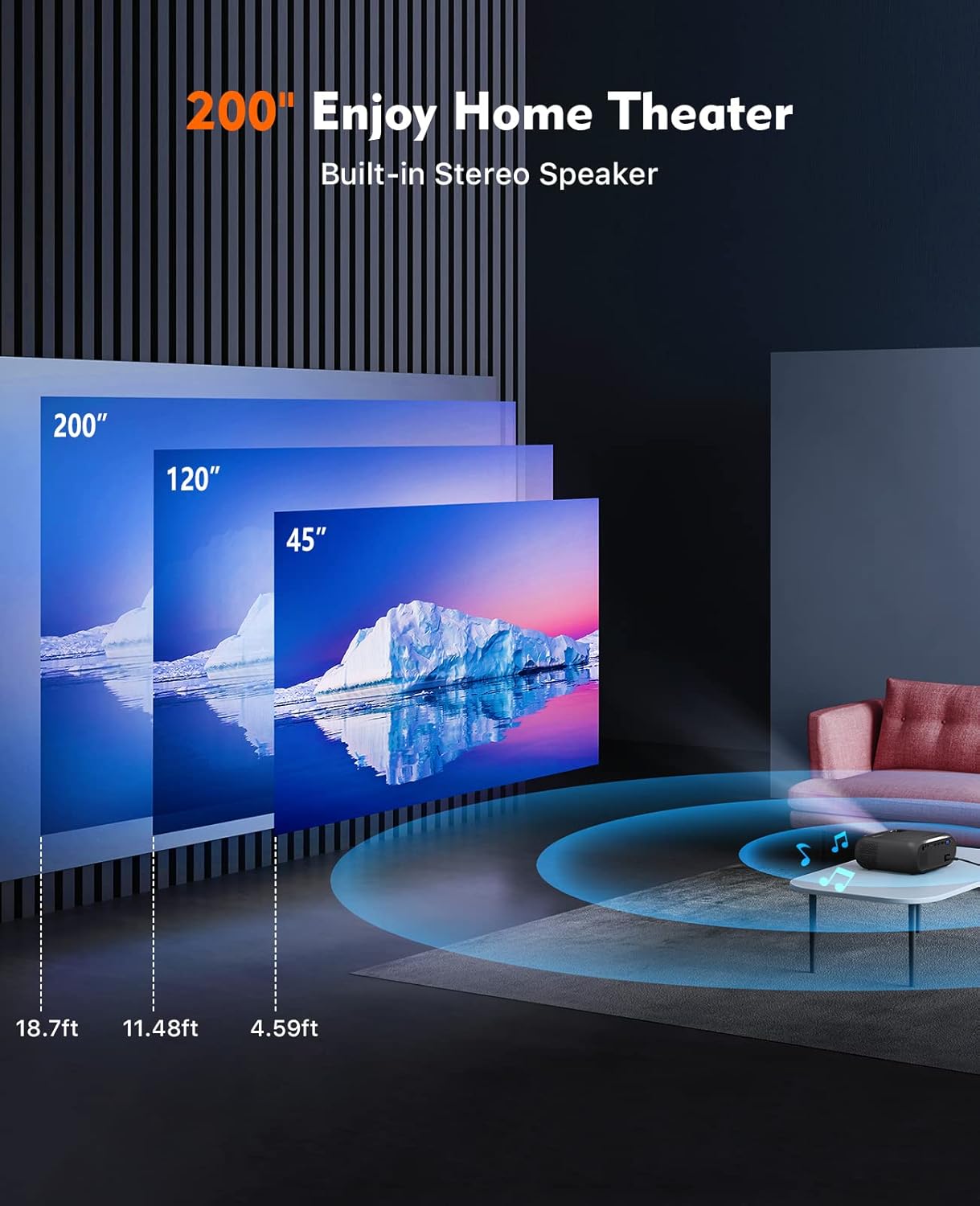
Image: An illustration showing recommended projection distances for different screen sizes: 45 inches at 4.59 ft, 120 inches at 11.48 ft, and 200 inches at 18.7 ft, demonstrating the projector's versatility for home theater setups.
4.2 Power Connection
- Connect the power cord to the projector's power input port.
- Plug the other end of the power cord into a power outlet.
- The power indicator light on the projector will illuminate.
4.3 Initial Power On
- Press the power button on the projector or the remote control to turn it on.
- The ELEPHAS logo will appear on the screen.
5. Operating Instructions
5.1 Adjusting Image Quality
- Focus: Rotate the focus ring near the lens until the image appears sharp and clear.
- Keystone: Use the keystone correction dial (if available) to adjust the image if it appears trapezoidal.
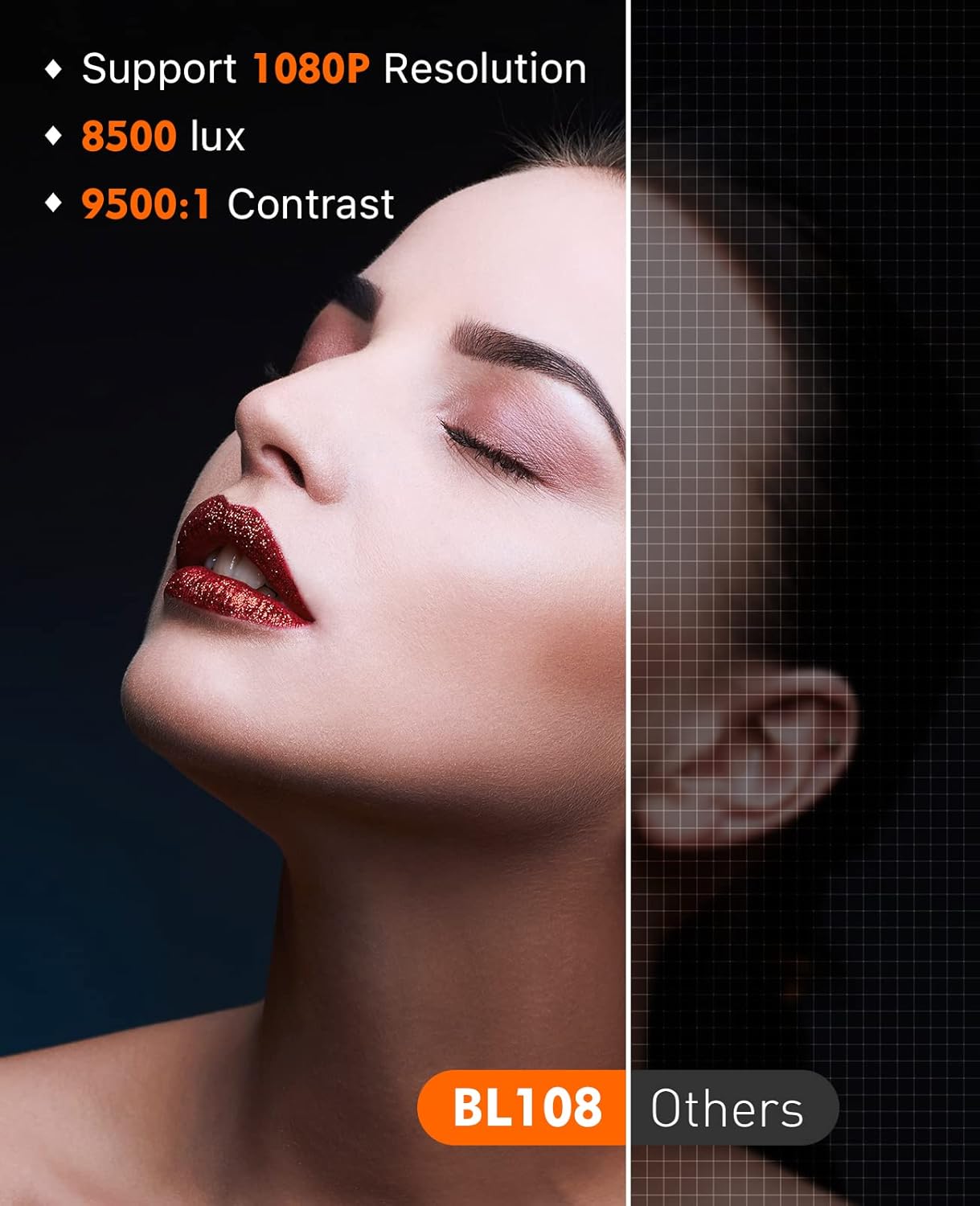
Image: A visual comparison demonstrating the superior image quality of the ELEPHAS projector (BL108) with 1080P resolution, 8500 lux brightness, and 9500:1 contrast, compared to other projectors, highlighting enhanced detail and clarity.
5.2 Connecting Devices
The GC333 offers multiple connectivity options:
- HDMI: Connect TV Box, Roku Stick, Chromecast, Laptop, DVD player, PS3, Xbox, or other HDMI-enabled devices.
- USB: Insert a USB drive to play media files directly.
- SD Card: Insert an SD card to play media files.
- AV: Connect older devices using the provided AV cable.
- VGA: Connect a PC via the VGA slot.
- Smartphone Connection: To connect a smartphone, a separate Lightning to HDMI adapter (for iOS) or USB-C to HDMI adapter (for Android) is required (not included).
5.3 Audio Output
The projector features built-in dual Hi-Fi stereo speakers for clear audio. For enhanced sound, you can connect external speakers via the 3.5mm audio input jack. Please note that Dolby sound is not supported.
5.4 Usage Scenarios
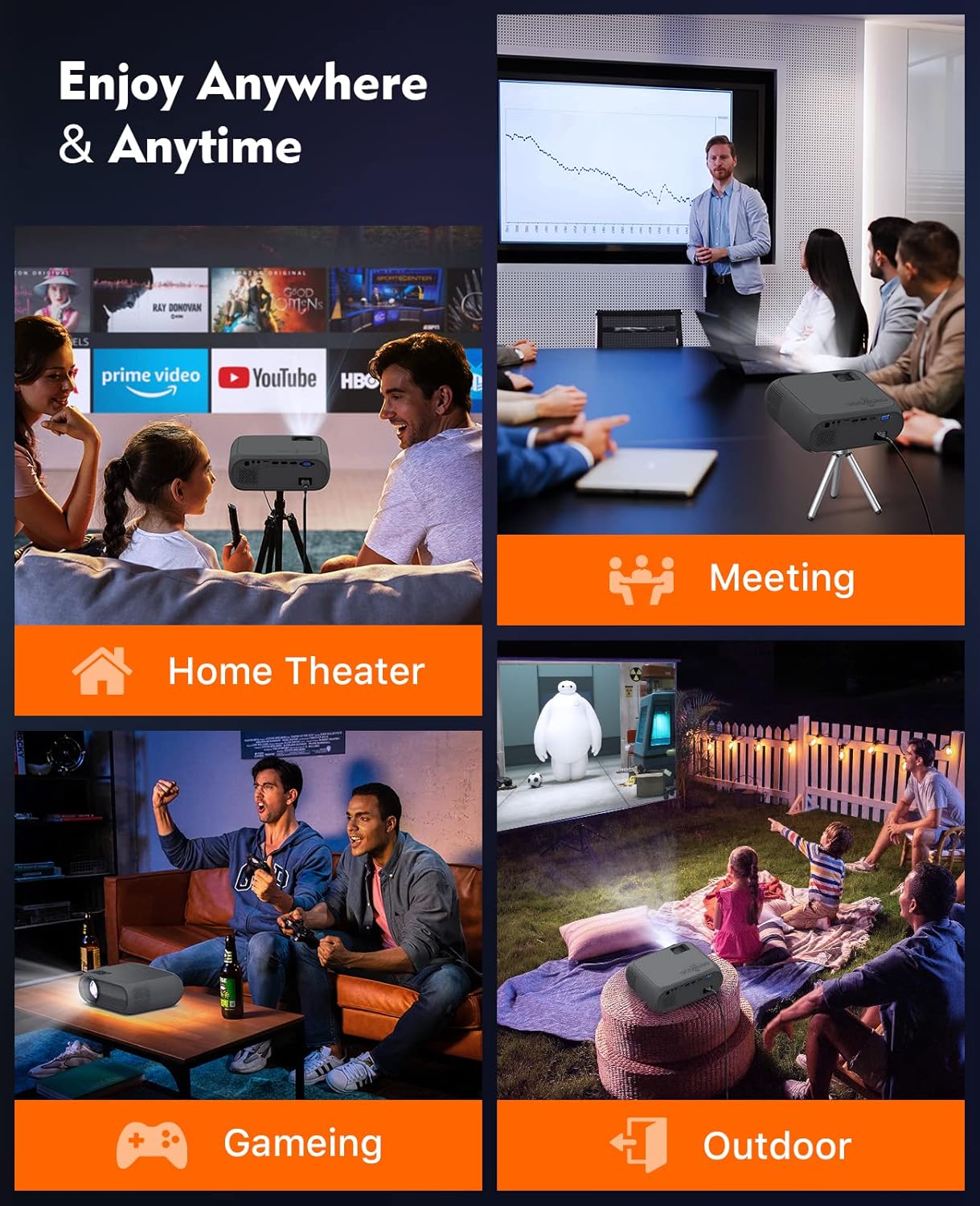
Image: A collage depicting the ELEPHAS Mini Projector being used in various settings: Home Theater, Meetings, Gaming, and Outdoor entertainment, highlighting its versatility for different environments.
The ELEPHAS Mini Projector is suitable for a variety of applications:
- Home Theater: Enjoy movies and TV shows on a large screen.
- Gaming: Connect your gaming console for an immersive experience.
- Presentations: Ideal for small meetings or educational purposes.
- Outdoor Entertainment: Perfect for backyard movie nights (ensure proper power supply and protection from elements).
6. Maintenance
6.1 Cleaning the Lens
Use a soft, lint-free cloth specifically designed for optical lenses to gently wipe the projector lens. Avoid using abrasive cleaners or cloths that could scratch the lens surface.
6.2 Cleaning the Projector Body
Wipe the exterior of the projector with a soft, dry cloth. Do not use liquid cleaners or solvents.
6.3 Ventilation
Ensure the projector's ventilation openings are clear and unobstructed to prevent overheating. The projector is equipped with an advanced cooling system and noise suppression technology to maintain optimal performance.
7. Troubleshooting
| Problem | Possible Cause | Solution |
|---|---|---|
| No image on screen | Power not connected; Input source not selected; Cable loose | Check power connection; Select correct input source (HDMI, USB, etc.); Ensure cables are securely connected. |
| Image is blurry | Focus not adjusted; Projector too close/far | Adjust the focus ring; Adjust projection distance. |
| Image is trapezoidal | Keystone not adjusted; Projector not perpendicular to screen | Adjust keystone correction; Reposition the projector. |
| No sound | Volume too low; Audio cable not connected; Dolby sound content | Increase volume; Check audio cable connection; Note: Dolby sound is not supported. |
| Remote control not working | Batteries dead; Obstruction between remote and projector | Replace batteries; Remove any obstructions. |
8. Specifications
- Model: GC333
- Display Technology: LCD
- Light Source: LED
- Native Resolution: 1920 x 1080 (Full HD 1080P supported)
- Contrast Ratio: Up to 2000:1
- Brightness: +80% compared to older models
- Projection Size: Up to 180 inches (458 cm visible screen diagonal)
- Lamp Life: 50,000 Hours
- Connectivity: USB, HDMI, SD, AV, VGA
- Audio: Built-in Dual Hi-Fi Stereo Speakers (Dolby sound not supported)
- Noise Level: Reduced via advanced cooling system
- Product Dimensions: 8.66 x 6.69 x 3.54 inches
- Item Weight: 2.3 pounds
- Recommended Uses: Home theater, gaming, presentations
- Special Feature: Portable
9. Warranty and Support
ELEPHAS provides a 3-year warranty for the GC333 Mini Projector. We are committed to offering timely and professional technical support to ensure your satisfaction.
The projector has received approval certificates including CE, FCC, and RoHS, ensuring its quality and safety standards.
For any questions, technical assistance, or warranty claims, please contact ELEPHAS customer support. You can often find contact information on the official ELEPHAS website or through your purchase platform.
Visit the ELEPHAS Store for more information and products.

