
1. Introduction
Thank you for choosing the Calor PRO EXPRESS ULTIMATE PURE+ GV9610C0 Steam Generator Iron. This appliance is designed to provide professional ironing efficiency with powerful steam output and advanced features for effortless garment care. Please read this manual carefully before first use and keep it for future reference.
The PRO EXPRESS ULTIMATE PURE+ features Smart Steam technology, an intuitive control panel, a powerful steam boost, an exclusive anti-calc system, and a Durilium AirGlide Autoclean soleplate for optimal performance and durability.
Video: Overview of the Calor PRO EXPRESS ULTIMATE PURE+ Steam Generator Iron's key features and benefits, demonstrating its powerful steam and ease of use.
2. Safety Instructions
WARNING: Failure to follow these safety instructions may result in electric shock, fire, or serious injury.
- Always plug the appliance into an earthed socket.
- Do not leave the iron unattended while it is switched on or connected to the mains.
- Keep the iron and its cord out of reach of children and pets when it is switched on or cooling down.
- Never immerse the appliance, power cord, or plug in water or any other liquid.
- Do not use the appliance if the power cord or the iron itself is damaged. Contact an authorized service center.
- The soleplate of the iron can become extremely hot and cause burns. Handle with care.
- Only use tap water in the water tank. Do not use scented water, water from tumble dryers, or demineralized water.
- Ensure the steam generator is placed on a stable, heat-resistant surface.
- Unplug the appliance before filling the water tank, cleaning, or when not in use.
3. Product Components
Familiarize yourself with the main parts of your steam generator iron:
- Iron: The handheld unit with the soleplate and steam buttons.
- Steam Generator Base: Houses the water tank, heating element, and control panel.
- Water Tank: Removable tank for filling with water.
- Control Panel: Located on the iron's handle, with 5 preset modes (Max, Normal, Delicate, Eco, Smart).
- Durilium AirGlide Autoclean Soleplate: The ironing surface designed for smooth glide and easy cleaning.
- Steam Hose: Connects the iron to the base.
- Power Cord: For connecting to the electrical outlet.
- Scale Collector: Removable component for collecting limescale.

Image: The Calor PRO EXPRESS ULTIMATE PURE+ GV9610C0 steam generator iron, showcasing its sleek design and compact base unit.

Image: Close-up of the iron's handle, highlighting the intuitive control panel with Smart Steam and other fabric presets.
4. Setup
- Unpacking: Carefully remove the appliance from its packaging. Retain the packaging for storage or transport.
- Positioning: Place the steam generator base on a stable, flat, and heat-resistant surface, such as an ironing board designed for steam generators.
- Filling the Water Tank:
- Remove the removable water tank from the base.
- Fill the tank with clean tap water up to the 'MAX' level indicator. The tank has a capacity of 1.9 liters.
- Replace the water tank securely into the base.
- Connecting Power: Unwind the power cord and plug it into an earthed electrical outlet.
- First Use Preparation: During the first few uses, a harmless odor and a small amount of smoke may be produced. This is normal and will disappear quickly.
5. Operating Instructions
5.1 Powering On and Heating
- Press the On/Off button on the base unit. The indicator light will illuminate.
- The appliance will begin to heat up. This typically takes a few minutes. The steam ready indicator light on the iron's handle will stop flashing and remain solid when the iron is ready for use.
5.2 Selecting Ironing Mode (Smart Steam Technology)
The iron features an intuitive control panel on the handle with 5 preset modes:
- Smart Mode: This intelligent mode automatically detects the iron's movement and delivers steam accordingly. Steam is released when the iron moves and stops when it is stationary, providing an optimal balance of steam and temperature for most fabrics.
- Max Mode: For maximum steam output and high temperature, ideal for thick or heavily creased fabrics.
- Normal Mode: A balanced setting for everyday ironing.
- Delicate Mode: Lower steam and temperature for delicate fabrics.
- Eco Mode: Energy-saving mode with reduced steam output.
Press the 'Mode' button on the iron's handle to cycle through these settings. The selected mode will be indicated by an illuminated light.

Image: The iron in use, demonstrating professional efficiency with powerful steam output smoothing out creases on fabric.
5.3 Ironing
- Once the iron is ready, begin ironing your garments.
- For continuous steam, press and hold the steam trigger under the handle.
- For stubborn creases, use the Steam Boost Function by pressing the dedicated button. This delivers a powerful burst of steam up to 650 g/minute.
- The Durilium AirGlide Autoclean soleplate ensures smooth gliding over all fabric types.

Image: The Durilium AirGlide Autoclean soleplate gliding effortlessly over fabric, illustrating its smooth performance.
5.4 Vertical Steaming
The iron can also be used for vertical steaming of hanging garments, curtains, or delicate fabrics. Hold the iron a few centimeters away from the fabric and press the steam trigger.
6. Maintenance and Cleaning
Regular maintenance ensures optimal performance and extends the lifespan of your appliance.
6.1 Anti-Calc System (Scale Collector)
The unique scale collector gathers up to 10 times more scale particles for long-lasting performance. It is recommended to clean the scale collector regularly, depending on the hardness of your water and frequency of use.
- Ensure the appliance is unplugged and completely cool.
- Unscrew the scale collector cap located on the side of the base unit.
- Remove the scale collector rod and rinse it thoroughly under running water to remove any limescale deposits.
- Reinsert the clean scale collector rod and screw the cap back on tightly.
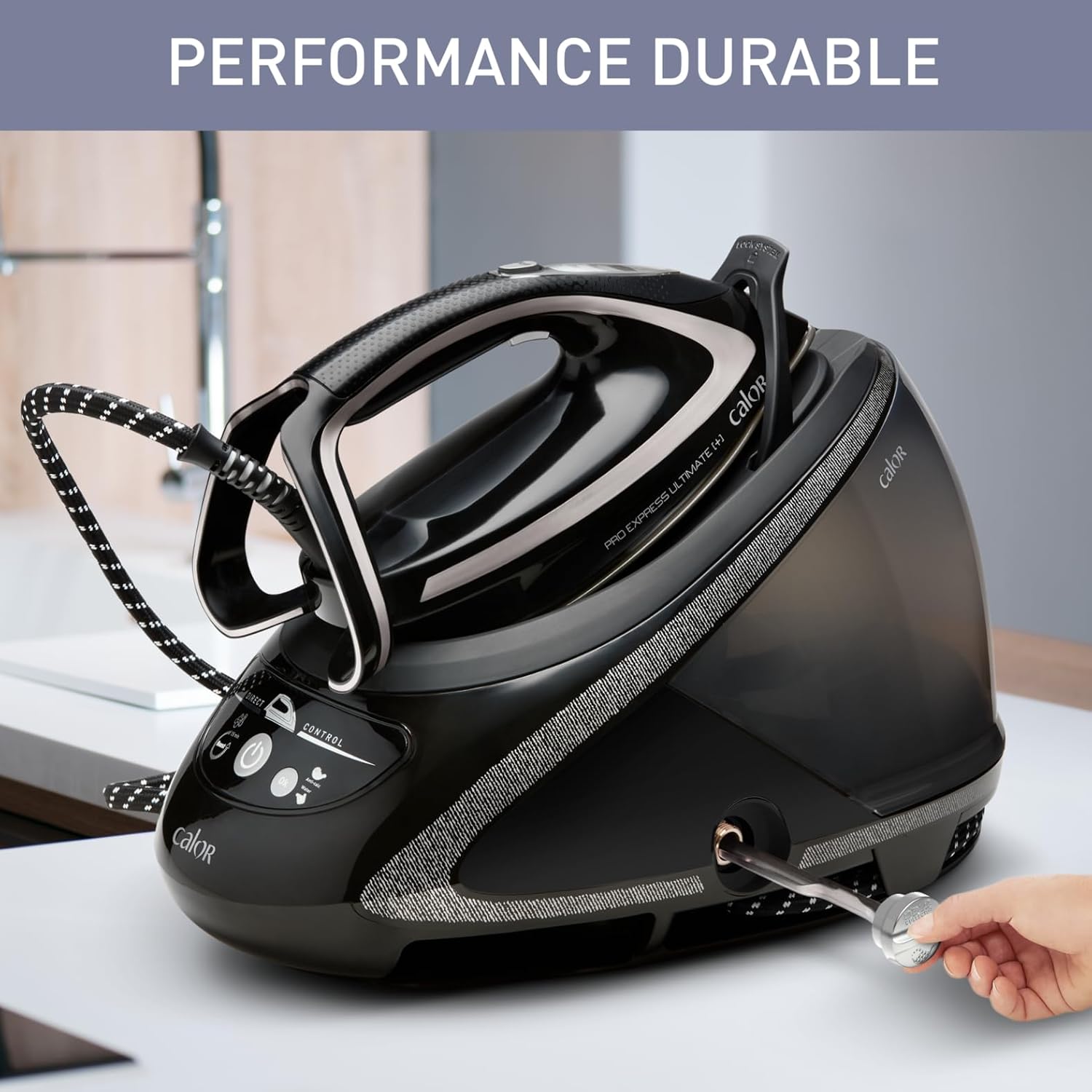
Image: A hand removing the scale collector from the base unit, illustrating the maintenance process for durable performance.
6.2 Cleaning the Soleplate
The Durilium AirGlide Autoclean soleplate is designed to remain clean. If necessary, wipe the soleplate with a damp cloth after it has cooled down. Do not use abrasive cleaners or metallic scouring pads.
6.3 Cleaning the Appliance
Wipe the exterior of the steam generator base and iron with a soft, damp cloth. Do not use solvents or abrasive products.
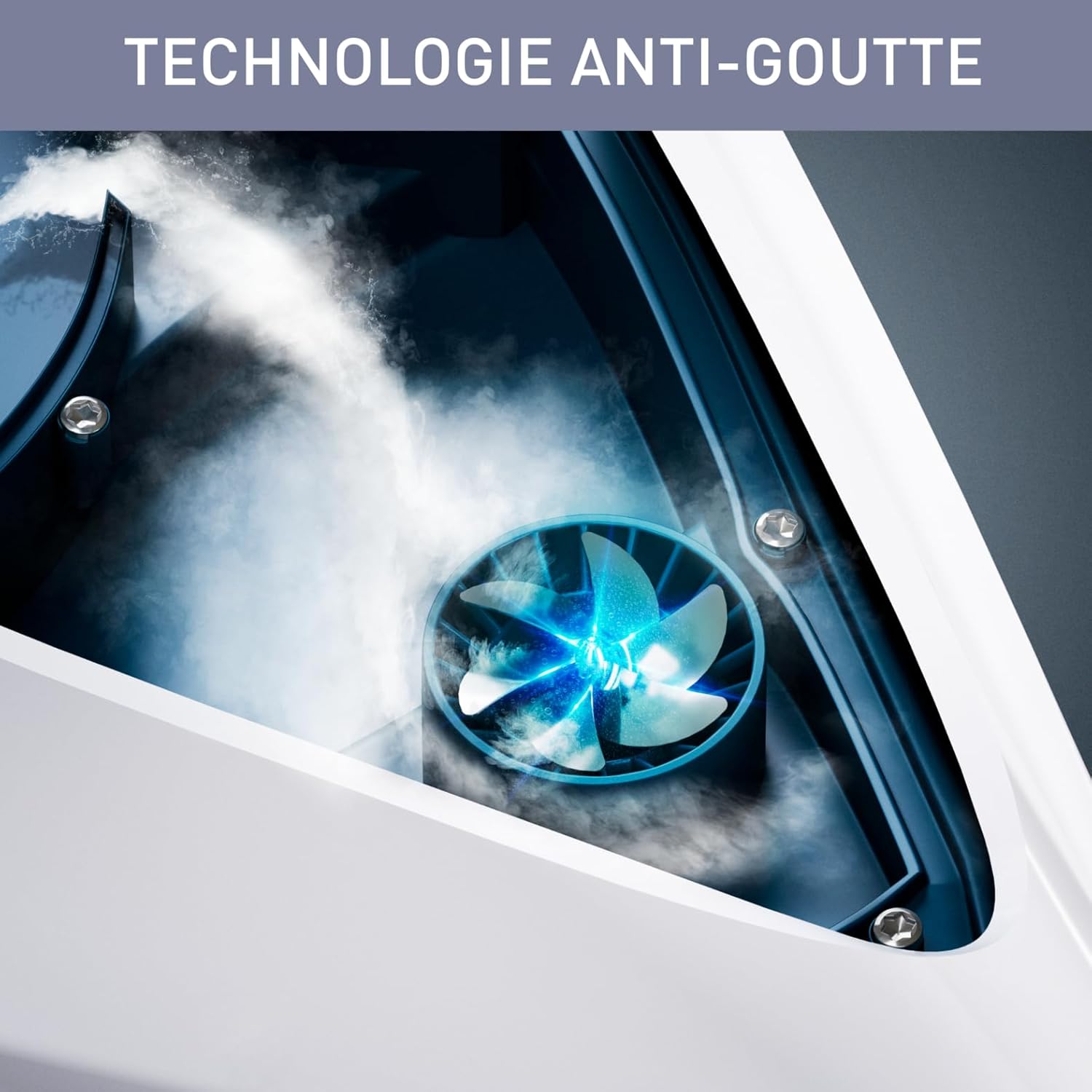
Image: An internal view of the anti-drip system, showing how it prevents water droplets from staining fabrics.
7. Troubleshooting
If you encounter issues with your steam generator iron, refer to the following table for common problems and solutions:
| Problem | Possible Cause | Solution |
|---|---|---|
| No steam is produced. | Water tank is empty. Iron not hot enough. Steam button not pressed. | Fill the water tank. Wait for the steam ready indicator light to become solid. Press the steam trigger. |
| Water drips from the soleplate. | Iron not hot enough. Using steam at too low a temperature. | Wait for the iron to reach the correct temperature. Select a higher temperature setting or use Smart Mode. |
| White flakes or brown stains appear on fabric. | Limescale build-up. Impurities in water. | Clean the scale collector. Use only tap water. Do not use additives. |
| The iron does not heat up. | Appliance not plugged in. Power button not pressed. | Check power connection. Press the On/Off button. |
If the problem persists after trying these solutions, please contact an authorized Calor service center.
8. Specifications
- Model Number: GV9610C0
- Color: Black
- Dimensions (L x W x H): 42.3 x 25 x 0.1 cm (Base dimensions, iron is separate)
- Weight: 5.1 Kilograms
- Water Tank Capacity: 1.9 Liters
- Power: 2830 Watts
- Voltage: 230 Volts (AC)
- Continuous Steam Output: Up to 180 g/minute
- Steam Boost Function: Up to 650 g/minute
- Soleplate: Durilium AirGlide Autoclean
- Special Features: Smart Steam Technology, Anti-Drip Protect System, Scale Collector
- Power Cord Length: 1.7 m
- Manufacturing Origin: Made in France
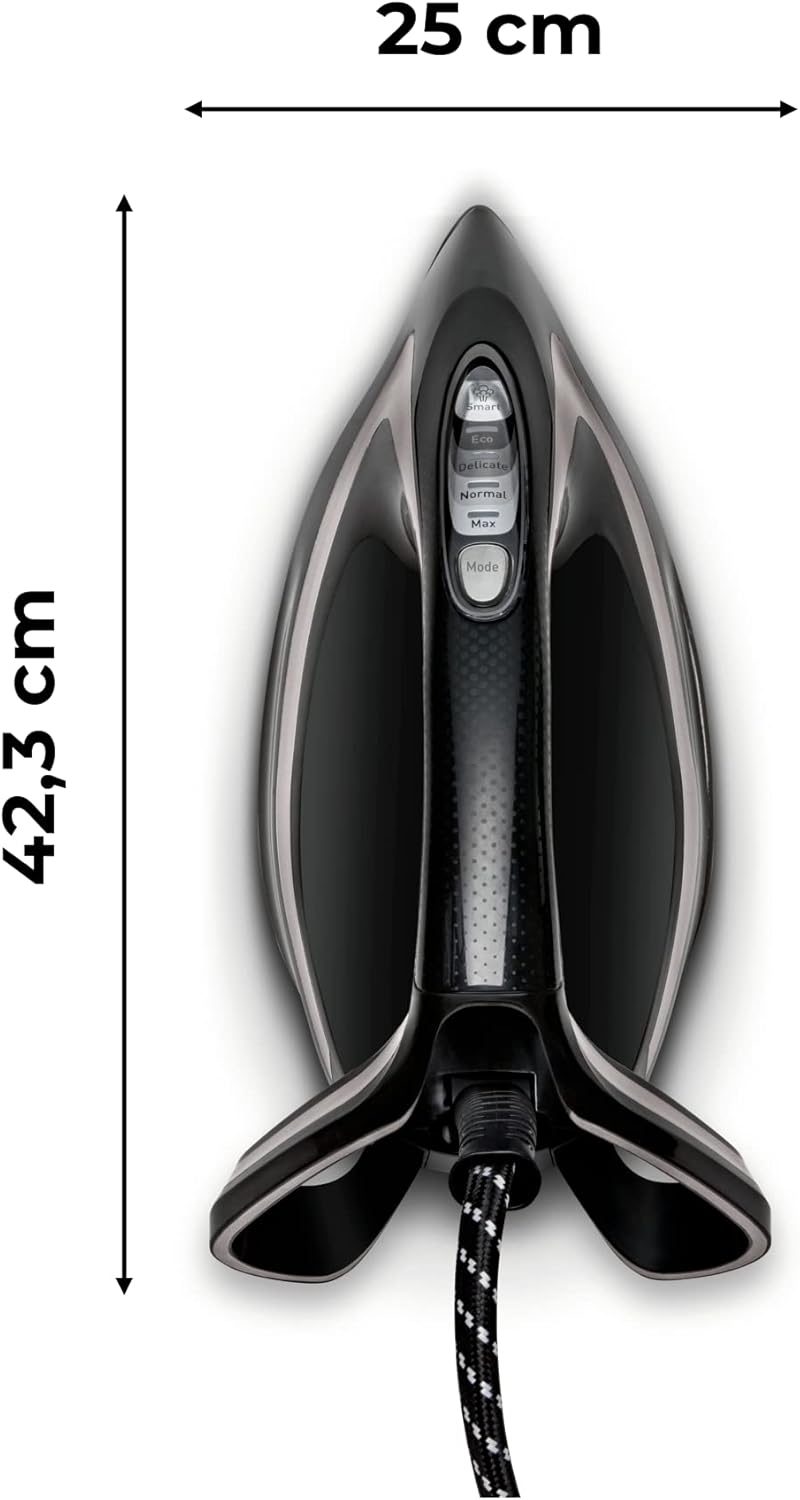
Image: Diagram showing the dimensions of the iron, with a length of 42.3 cm and a width of 25 cm.
9. Warranty and Support
This Calor PRO EXPRESS ULTIMATE PURE+ GV9610C0 steam generator iron comes with a 2-year warranty from the date of purchase. Additionally, Calor commits to 10-year repairability for this product.
For warranty claims, technical support, or to find an authorized service center, please refer to the contact information provided on the official Calor website or your purchase documentation.
Please retain your proof of purchase for warranty purposes.


