Introduction
The ERRBBIC Solar Power Bank is a high-capacity portable charger designed for outdoor enthusiasts and travelers. Featuring a robust, waterproof, and dustproof design, it provides reliable power for your electronic devices in various environments. Equipped with a 38800mAh polymer battery, multiple USB output ports, and an integrated solar panel, this power bank ensures you stay connected wherever you go. It also includes a powerful dual LED flashlight with multiple modes for added utility.
What's in the Box
- 1 x ERRBBIC Solar Phone Charger
- 1 x Charging Cable
- 1 x Carabiner Hook
- 1 x User Manual
Product Overview & Features

Figure 1: Front view of the ERRBBIC Solar Power Bank, showcasing the solar panel and LED indicators.
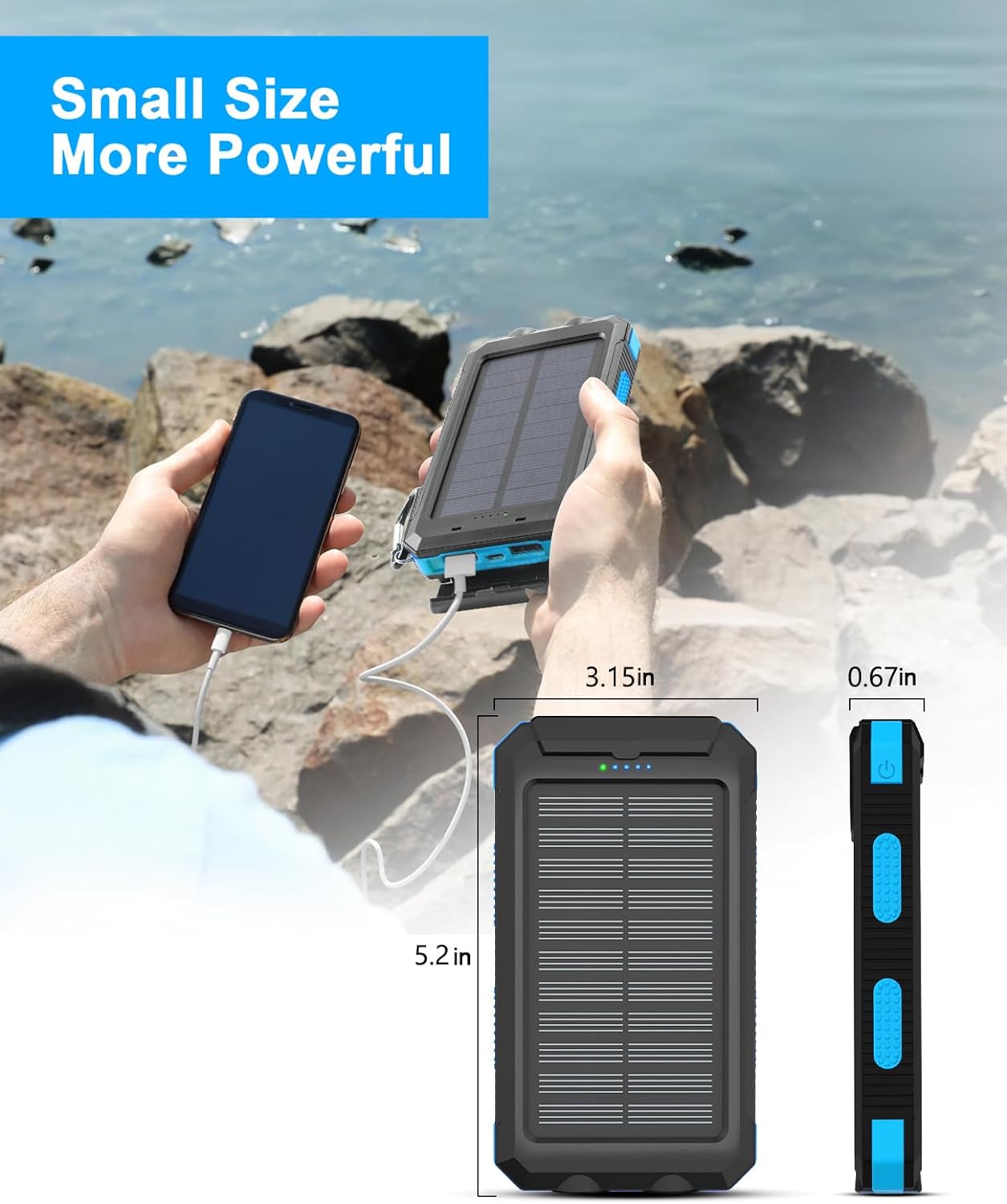
Figure 2: Compact size and dimensions of the power bank, highlighting its portability.
Key Features:
- High Capacity (38800mAh): Built-in high-capacity polymer battery for extended power supply.
- Integrated Solar Panel: Allows for self-recharging under sunlight, ideal for emergency and outdoor use.
- Dual USB & Three USB Port Output: Equipped with 5V/2.4A USB outputs (including USB-C Input & Output) to charge up to three devices simultaneously at full speed.
- Powerful Dual LED Flashlight: Features Steady, SOS, and Strobe modes for various lighting needs.
- Superior Portability: Includes a carabiner for easy attachment to backpacks, ensuring hands-free carrying.
- Rugged Design: Shockproof, water-resistant (IP65), and dust-resistant (IP6) housing protects against environmental elements.
- Safety Features: Built-in Lithium Polymer battery cells are anti-explosion, and the device includes multi-protection against overcharge, overcurrent, temperature, and overvoltage.
- Battery Indicators: Five pilot indicators show the battery charger's status (each blue light represents 25% charge). A green light indicates solar charging, while a blue light indicates USB charging.

Figure 3: The power bank's capability to charge up to three devices simultaneously.
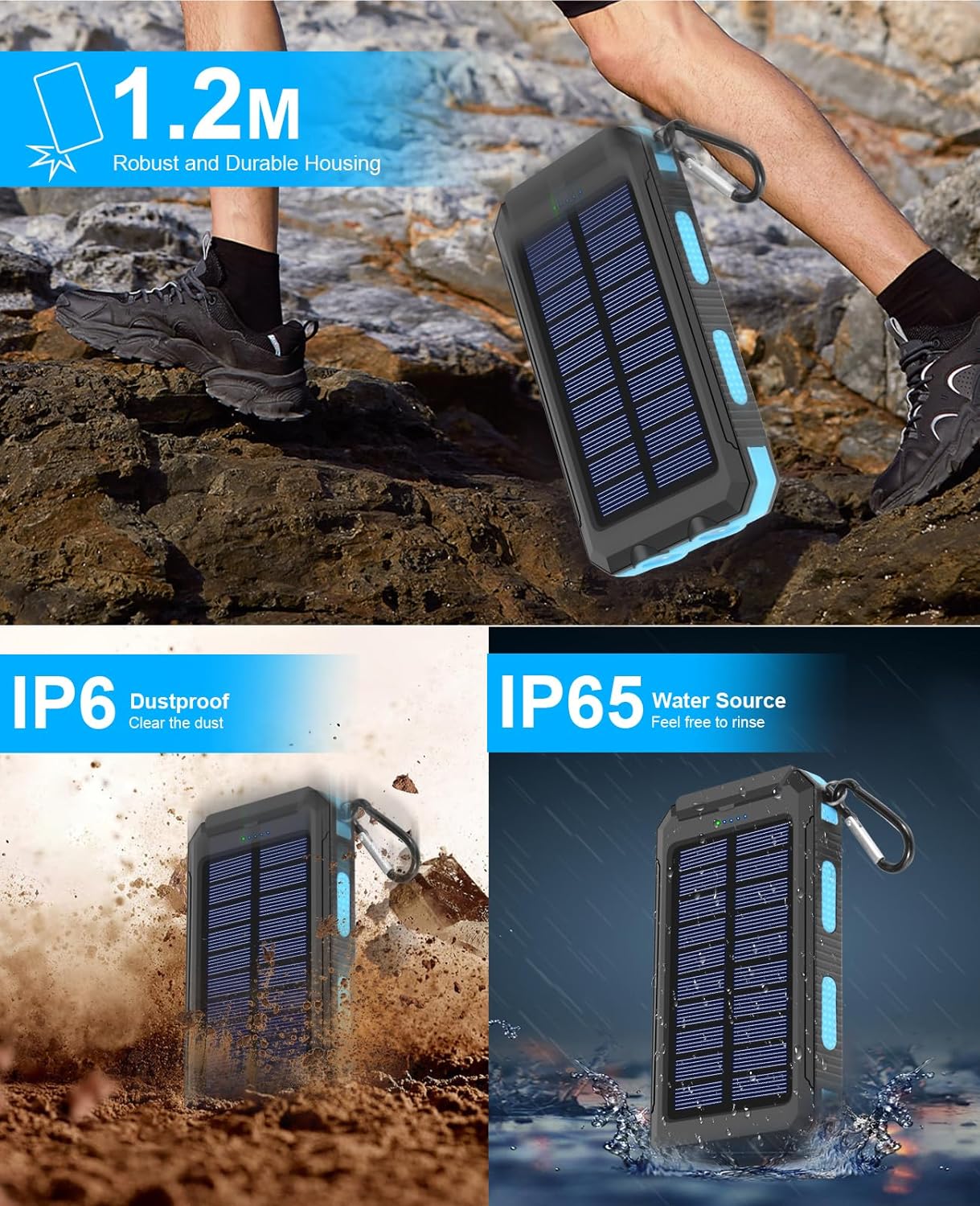
Figure 4: Depiction of the power bank's dual LED flashlight and its various modes.
Setup
Initial Charging:
Before first use, it is recommended to fully charge the ERRBBIC Solar Power Bank using a wall adapter. This ensures the internal battery is fully activated and calibrated for optimal performance.
- Locate the Micro USB input port or the USB-C input/output port on the power bank.
- Connect the provided charging cable (or a compatible USB-C cable) to the power bank's input port.
- Connect the other end of the charging cable to a USB wall adapter (not included) or a computer's USB port.
- The blue LED indicators will illuminate and flash, indicating the charging progress. All five blue LEDs will be solid when fully charged.
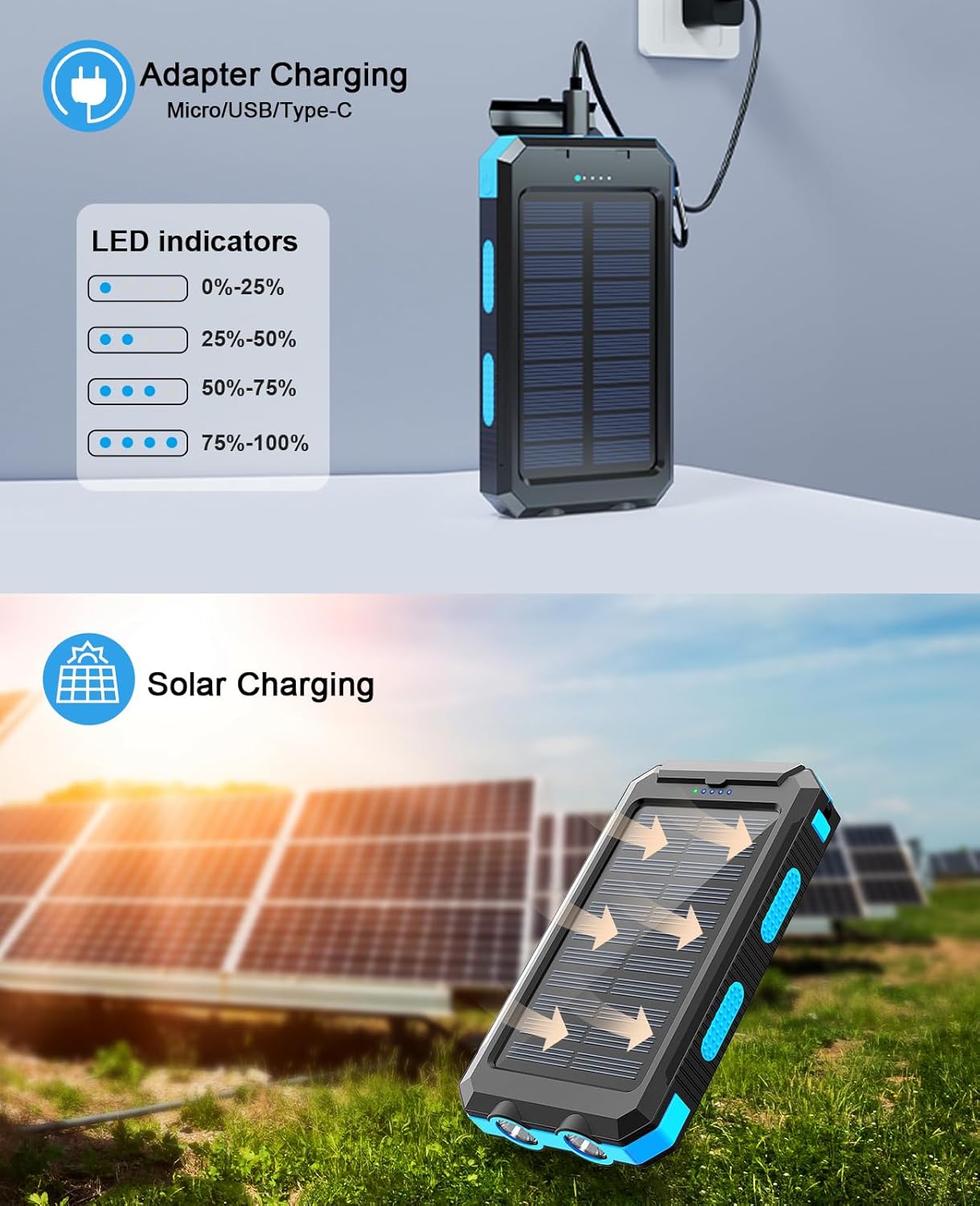
Figure 5: Illustrates charging the power bank via a wall adapter and the LED indicator status.
Note: While the solar panel can recharge the battery, it is primarily designed for emergency use and supplemental charging. For faster and more efficient charging, always use a wall adapter.
Operating Instructions
Charging Your Devices:
- Connect your device's charging cable to one of the USB-A output ports or the USB-C input/output port on the power bank.
- Connect the other end of the cable to your electronic device (smartphone, tablet, etc.).
- The power bank will automatically begin charging your device. The blue LED indicators will show the remaining battery capacity.
- You can charge up to three devices simultaneously using the available USB ports.
Solar Charging:
To charge the power bank using solar energy, place the solar panel directly under sunlight. The green LED indicator will illuminate, signifying that solar charging is active. Keep in mind that solar charging is slower than wall charging and its efficiency depends on sunlight intensity and the panel's conversion rate.
Using the LED Flashlight:
The ERRBBIC Solar Power Bank features a powerful dual LED flashlight with multiple modes.
- To Turn On/Off: Press and hold the power button located on the side of the power bank for approximately 3 seconds.
- Mode Switching: Once the flashlight is on, short press the power button to cycle through the modes:
- Steady Light
- SOS Mode (flashing signal)
- Strobe Mode (rapid flashing)
- Press and hold the power button again to turn off the flashlight.

Figure 6: Depiction of the power bank's dual LED flashlight and its various modes.
Maintenance
- Keep the power bank clean and dry. Wipe with a soft, damp cloth if necessary.
- Avoid exposing the device to extreme temperatures (hot or cold) or direct prolonged sunlight when not actively solar charging.
- Ensure the port cover is securely closed when not in use to maintain water and dust resistance.
- Store the power bank in a cool, dry place when not in use. For long-term storage, charge it to about 50-75% capacity every 3 months to preserve battery life.
- Do not attempt to disassemble or modify the power bank. This will void the warranty and may cause damage or injury.
Troubleshooting
| Problem | Possible Cause | Solution |
|---|---|---|
| Power bank not charging devices. | Low battery on power bank; loose cable connection; incompatible cable/device. | Recharge the power bank fully. Ensure cables are securely connected. Try a different cable or device to confirm compatibility. |
| Solar charging is very slow or not working. | Insufficient sunlight; solar panel obstructed; solar charging is supplemental. | Ensure direct, strong sunlight on the solar panel. Clear any obstructions. Remember solar charging is for emergencies/supplemental power, not primary charging. Use a wall adapter for faster charging. |
| Flashlight not turning on. | Power button not held long enough; low battery. | Press and hold the power button for 3 seconds. Recharge the power bank. |
| LED indicators not working correctly. | Internal malfunction; very low battery. | Fully charge the power bank. If the issue persists, contact customer support. |
Specifications
| Attribute | Value |
|---|---|
| Model Number | S1008D |
| Battery Capacity | 38800 Milliamp Hours |
| Product Dimensions | 5.2 x 3.15 x 0.67 inches |
| Item Weight | 9.9 ounces |
| Connectivity Technologies | USB |
| Connector Type | USB Type C+Micro USB |
| Special Features | Lightweight, Portable, Waterproof |
| Color | Blue |
Warranty & Support
For warranty information or technical support, please refer to the contact details provided on the product packaging or visit the official ERRBBIC website. Keep your purchase receipt as proof of purchase for any warranty claims.
You can also visit the ERRBBIC Store on Amazon for more information: ERRBBIC Amazon Store