
1. Introduction
Thank you for purchasing the astrum ST370 Wireless Barrel Speaker. This manual provides essential information for the safe and efficient operation of your device. Please read it thoroughly before use and retain it for future reference.
The astrum ST370 is a portable wireless speaker designed for outdoor use, offering robust sound with deep bass. It features multiple connectivity options including Bluetooth, FM radio, USB, Micro SD card, and AUX input, powered by a rechargeable battery.
2. Safety Information
- Do not expose the speaker to water, moisture, or extreme temperatures.
- Avoid dropping or subjecting the speaker to strong impacts.
- Do not attempt to disassemble, repair, or modify the device. This will void the warranty.
- Keep the speaker away from heat sources, direct sunlight, and flammable materials.
- Use only the provided charging cable or a certified equivalent.
- Do not operate the speaker at excessively high volumes for prolonged periods to prevent hearing damage.
- Dispose of the product and its battery responsibly according to local regulations.
3. Package Contents
Please check the box for the following items:
- 1 x astrum ST370 Wireless Speaker
- 1 x Charging Cable
- 1 x AUX Cable
- 1 x User Manual
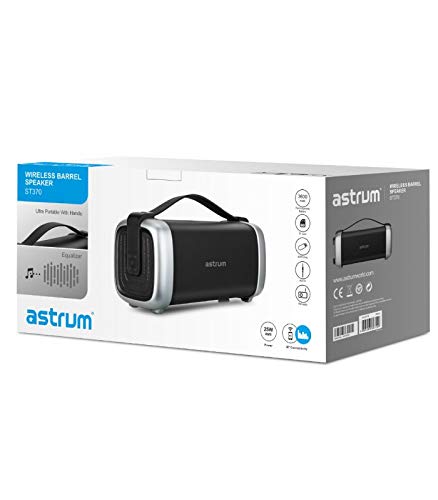
Image: The retail packaging for the astrum ST370 Wireless Barrel Speaker, showing the speaker and its key features.
4. Product Overview
Familiarize yourself with the components and controls of your astrum ST370 speaker.
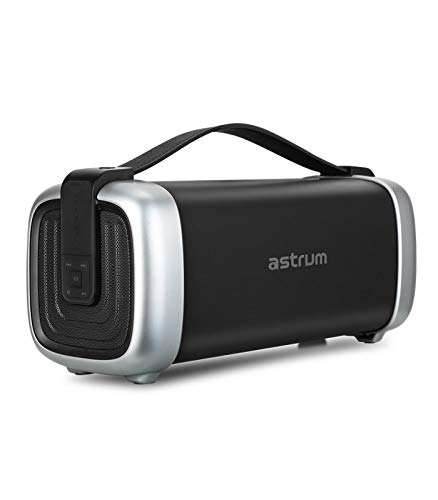
Image: Front view of the astrum ST370 Wireless Barrel Speaker, showcasing its black body, silver end caps, and integrated carrying handle.
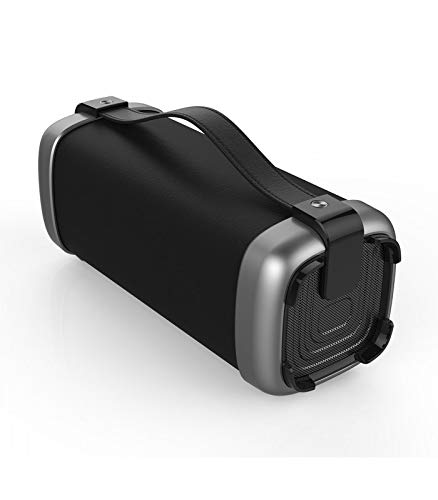
Image: Angled view of the astrum ST370 speaker, highlighting the textured side panel and the robust carrying handle.
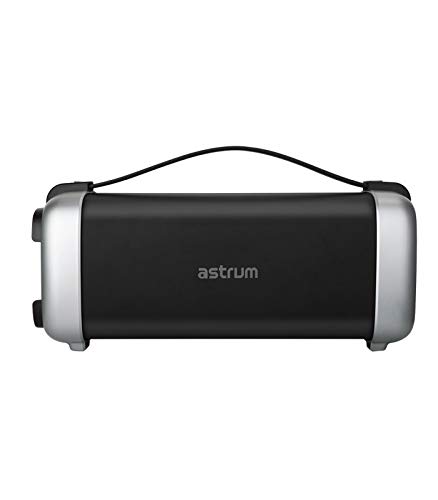
Image: Front view of the astrum ST370 speaker, displaying the control panel on the side with various buttons.
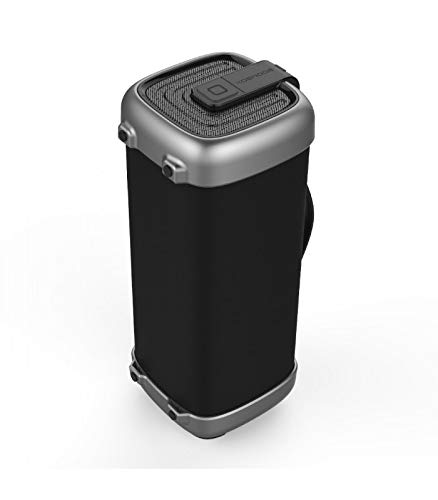
Image: Side profile of the astrum ST370 speaker, illustrating its compact barrel design and stable base.
Controls and Ports (Refer to images for location)
- Power Button: Turns the speaker on or off.
- Mode Button: Switches between Bluetooth, FM, USB, Micro SD, and AUX modes.
- Play/Pause Button: Plays or pauses audio.
- Volume Up / Next Track Button: Increases volume or skips to the next track.
- Volume Down / Previous Track Button: Decreases volume or goes to the previous track.
- USB Port: For USB drive playback.
- Micro SD Card Slot: For Micro SD card playback.
- AUX Input: For connecting external audio devices via 3.5mm cable.
- Charging Port: For connecting the charging cable.
5. Setup
5.1 Charging the Speaker
- Connect the provided charging cable to the speaker's charging port.
- Connect the other end of the charging cable to a USB power adapter (not included) or a computer's USB port.
- The charging indicator light will illuminate, typically red, during charging.
- Once fully charged, the indicator light may change color or turn off. Disconnect the speaker from the power source.
Note: For optimal battery life, fully charge the speaker before first use.
5.2 Powering On/Off
- To Power On: Press and hold the Power Button for a few seconds until you hear an audible prompt or see an indicator light.
- To Power Off: Press and hold the Power Button again for a few seconds until the speaker powers down.
6. Operating Instructions
6.1 Bluetooth Mode
- Power on the speaker. It will automatically enter Bluetooth pairing mode, indicated by a flashing LED light and an audible prompt.
- Enable Bluetooth on your smartphone, tablet, or other Bluetooth-enabled device.
- Search for available devices and select "ST370" from the list.
- Once paired, the speaker will provide an audible confirmation, and the LED light will stop flashing.
- You can now play audio from your device through the speaker.
6.2 FM Radio Mode
- Press the Mode Button repeatedly until you enter FM Radio mode.
- To auto-scan for stations, press and hold the Play/Pause Button. The speaker will scan and save available FM stations.
- Use the Volume Up/Next Track and Volume Down/Previous Track buttons to navigate between saved stations.
6.3 USB / Micro SD Card Playback
- Insert a USB drive or a Micro SD card (with pre-loaded audio files) into the respective port/slot.
- The speaker will automatically detect the storage device and switch to USB or Micro SD mode, beginning playback. If not, press the Mode Button to select the correct mode.
- Use the Play/Pause, Next Track, and Previous Track buttons to control playback.
6.4 AUX Input Mode
- Connect one end of the provided 3.5mm AUX cable to the speaker's AUX input port.
- Connect the other end of the AUX cable to the audio output jack of your external device (e.g., MP3 player, laptop).
- Press the Mode Button until you enter AUX mode.
- Control playback and volume directly from your connected external device.
6.5 Volume and Playback Control
- Volume Adjustment: Short press the Volume Up (+) or Volume Down (-) buttons.
- Track Navigation: Long press the Volume Up (+) button for the next track, and long press the Volume Down (-) button for the previous track (in Bluetooth, USB, or Micro SD modes).
- Play/Pause: Short press the Play/Pause button.
7. Maintenance
7.1 Cleaning
- Wipe the speaker's exterior with a soft, dry, lint-free cloth.
- Do not use abrasive cleaners, solvents, or chemical sprays.
- Avoid getting moisture into any openings.
7.2 Storage
- Store the speaker in a cool, dry place away from direct sunlight and extreme temperatures.
- If storing for an extended period, charge the battery to approximately 50% every few months to maintain battery health.
8. Troubleshooting
| Problem | Possible Cause | Solution |
|---|---|---|
| Speaker does not power on. | Low battery. | Charge the speaker fully. |
| Cannot pair via Bluetooth. | Speaker not in pairing mode; Bluetooth disabled on device; too far from speaker. | Ensure speaker is in Bluetooth mode; enable Bluetooth on your device; move device closer to speaker (within 10 meters). |
| No sound. | Volume too low; incorrect mode selected; cable not connected properly (AUX). | Increase volume; press Mode button to select correct input; check AUX cable connection. |
| FM radio reception is poor. | Weak signal. | Move the speaker to a location with better reception. |
9. Specifications
| Model Name | ST370 |
| Output Power | 25 Watts |
| Connectivity Technology | Bluetooth, Auxiliary, USB, Wireless |
| Special Features | Portable, Wireless, FM Radio, Micro SD Card Support |
| Power Source | Battery Powered |
| Battery Average Life | 8 Hours |
| Control Method | Touch |
| Subwoofer Diameter | 4 Inches |
| Tweeter Diameter | 1 Inch |
| Product Dimensions (LxWxH) | 32.7 x 13 x 14.2 cm |
| Item Weight | 1.45 kg |
| Color | Black |
| Recommended Uses | Outdoor |
10. Warranty and Support
The astrum ST370 Wireless Barrel Speaker comes with a 1 Year Warranty from the date of purchase. Please retain your proof of purchase for warranty claims.
For technical support, troubleshooting assistance beyond this manual, or warranty inquiries, please visit the official astrum website or contact their customer service department. Contact details can typically be found on the brand's official website or on your product packaging.
Manufacturer: Astrum Holdings Ltd, Unit-1618, Asia Trade Centre, 79 Lei Muk Road, Kwai Chung, New Territories, Hong Kong
Importer: Astrum Electronics India Pvt Ltd, Plot No.80&81, Gajulamandyam, Renigunta Mandal, Chittoor, Tirupati, Andhra Pradesh-517547