
Product Overview
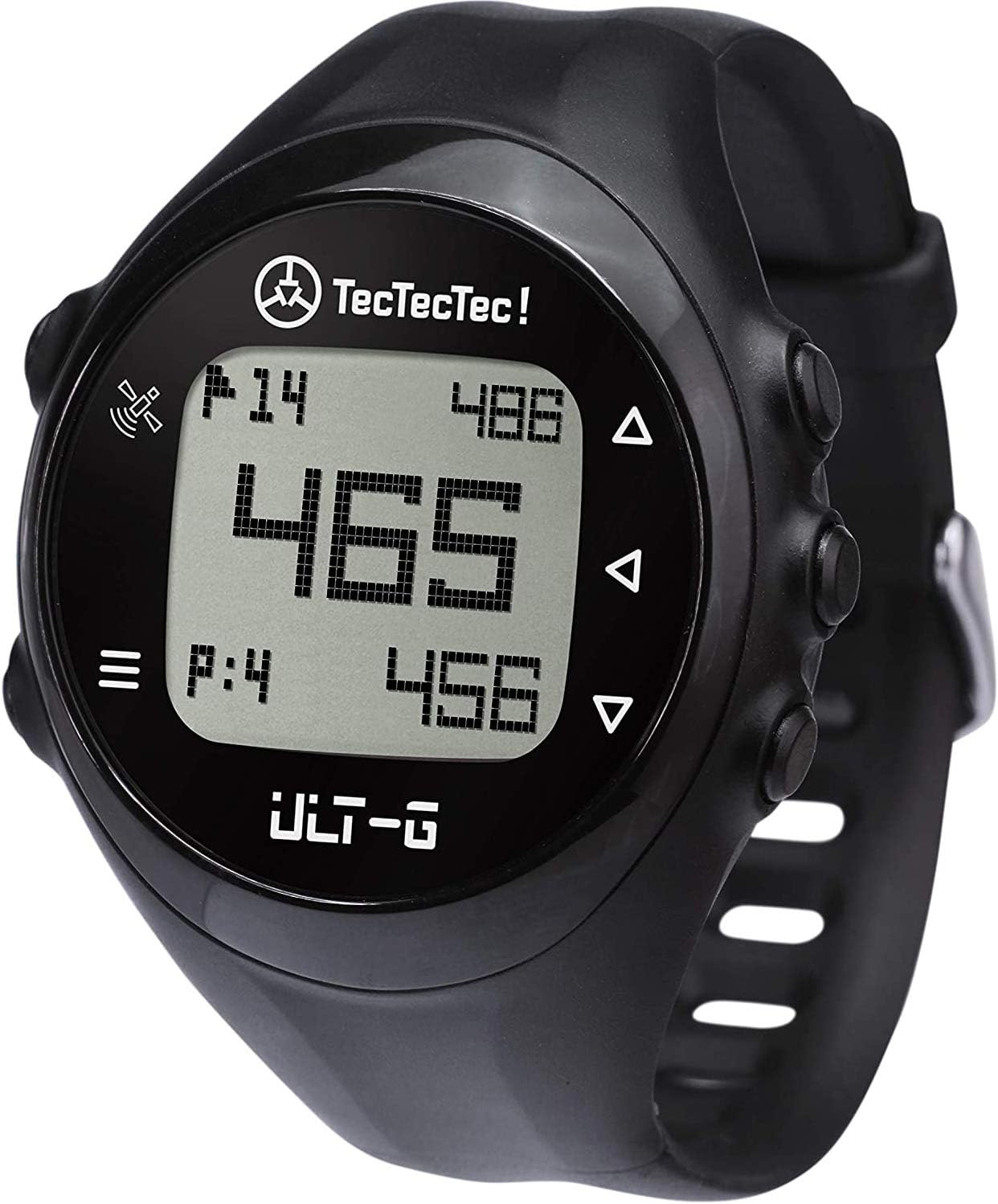
The TecTecTec ULT-G Golf GPS Watch is a stylish, lightweight, and multi-functional device designed to enhance your golf game. It features Bluetooth connectivity for free course updates, an easy-to-operate interface with four navigation buttons, and provides distances to the front, back, and middle of the green. It also measures shot distances and offers automatic hole progression. Preloaded with over 38,000 courses worldwide, the watch is durable, water and dust resistant, and boasts a long battery life of up to 2.5 rounds on a single charge.
Official Product Video
This video provides an overview of the TecTecTec ULT-G Golf GPS Watch, highlighting its key features and benefits for golfers.
Setup and Getting Started
What's in the Box

- TecTecTec ULT-G Golf GPS Watch
- Proprietary USB Charging Cable
Initial Setup
- Charge the Watch: Connect the proprietary USB charging cable to the watch and a power source (USB wall adapter or computer). Ensure the clip and pins are correctly aligned for a secure connection.
- Power On: Press and hold the power button until the display illuminates.
- Automatic Satellite Connection: Once powered on, the device will automatically connect to satellites and begin displaying course information. This watch does not require a smartphone, app, or web activation for basic functionality.
- Course Updates (Optional): For free course updates, connect the watch to your smartphone via Bluetooth and use the TecTecTec companion app.
Operating Your ULT-G Golf GPS Watch
Basic Functions
- Distance Measurement: The watch measures distances to the front, back, and middle of the green, providing crucial information for your shots.
- Shot Distance: Easily figure out the distance of your shots.
- Automatic Hole Progression: The watch automatically progresses to the next hole as you play, ensuring a seamless experience.
- Worldwide Course Access: Access information about over 38,000 courses around the world.

Bluetooth Connectivity
The ULT-G features Bluetooth connectivity to connect the watch to your smartphone for free course updates. This ensures you always have the most current course data without additional charges or subscriptions.
Care and Maintenance
Durability and Water Resistance
The ULT-G Golf GPS Watch is built with a durable design and features water and dust resistance, assisting you in various weather conditions on the course. It is designed to withstand the elements and remain reliable.
Battery Life and Charging
The watch's battery is designed to last through approximately 2.5 rounds of golf before needing to be recharged. To charge, use the proprietary USB charging cable included in the box. Ensure a proper connection for efficient charging.
Troubleshooting
Common Issues and Solutions
- Issue: Difficulty charging.
Solution: Ensure the proprietary USB charging cable's clip and pins are correctly aligned with the watch's charging contacts. A firm and precise connection is required. - Issue: GPS course location not working or watch not updating courses.
Solution: Ensure the watch has a clear view of the sky for satellite connection. Connect the watch to your smartphone via Bluetooth and use the companion app to manually update courses. If issues persist, check for firmware updates and perform a soft reset by pressing and holding the four corner buttons until 'BOOT' appears, then release.
Product Specifications
| Specification | Detail |
|---|---|
| Item Weight | 5.9 ounces |
| Product Dimensions | 1.8 x 1.8 x 0.75 inches |
| Country of Origin | China |
| Batteries | 1 CR5 batteries required. (included) |
| Display Size | 2.4 Inches |
| Warranty | 1 Manufacturer Warranty - Online Registration Required |
| Voice command | Buttons |
| Brand | TecTecTec |
| Screen Size | 2.4 Inches |
| Special Feature | Bluetooth |
| Connectivity Technology | Bluetooth |
| Map Type | Worldwide |
| Sport | Golf |
| Included Components | Proprietary USB Charging Cable |
| Mounting Type | Wrist Mount |
Warranty and Support
Warranty Information
The TecTecTec ULT-G Golf GPS Watch comes with a 1-year manufacturer warranty. Online registration is required to activate your warranty.
Customer Support
For lifetime software support and high-class customer service, please contact TecTecTec directly. Refer to the product packaging or the official TecTecTec website for the most current contact information.


