
1. Product Overview
The AOPUTTRIVER AP-007-APP Bluetooth Anemometer is a digital device designed for accurate measurement of wind speed and temperature. It features Bluetooth connectivity for seamless integration with a dedicated mobile application, enabling real-time data display, logging, and export. This instrument is suitable for various applications including HVAC installation, CFM calculation, duct vent analysis, and outdoor activities.
Key Features:
- Bluetooth Connectivity: Connects automatically to iPhone, iPad, Android phones, or tablets via the "Intelligent Anemometer" app.
- Data Export: Save measurement data in Excel or TXT format through the mobile application.
- Measurement Range: Max wind speed up to 67.1 mph (±5% accuracy); Wind temperature from 14°F to 113°F (-10°C to 45°C) (±2°C accuracy).
- Multiple Units: Measures wind speed in m/s, km/h, ft/min, knots, mph. Measures wind temperature in °C/°F.
- Wind Chill Indication: Provides wind chill readings.
- Sensitive Vanes: Equipped with 8 sensitive vanes for precise measurements.
- Tripod Mount: Features a 1/4 inch screw interface at the bottom for tripod connection, allowing for hands-free operation.
- Backlight Function: Enables use in dim lighting conditions.
- Auto Power Off: Automatically powers off after 5 minutes of inactivity to conserve battery life.
2. Package Contents
Verify that all items listed below are included in your package:

Image: AOPUTTRIVER AP-007-APP Bluetooth Anemometer package contents.
- 1x AP-007APP Bluetooth Anemometer
- 2x 1.5V AAA batteries
- 1x Small Tripod
- 1x Protective Case
- 1x Lanyard
- 1x Instruction Manual
3. Setup and Installation
3.1. Battery Installation
Locate the battery compartment on the back of the anemometer. Insert two 1.5V AAA batteries, ensuring correct polarity. Close the battery compartment cover securely.
3.2. App Installation and Bluetooth Connection
To utilize the Bluetooth features and mobile application:

Image: Steps for app download and Bluetooth connection.
- Download the App: Scan the QR code provided in the manual or search for "Intelligent Anemometer" in the Google Play Store (for Android) or Apple App Store (for iOS). Download and install the application on your smartphone or tablet.
- Power On Anemometer: Turn on the AP-007-APP anemometer.
- Enable Bluetooth: Ensure Bluetooth is enabled on your mobile device.
- Open App: Launch the "Intelligent Anemometer" app. The app will automatically search for and pair with the nearest AP-007-APP device.
- Connection Indicator: A green light on the left side of the anemometer will illuminate upon successful connection.
Note: Ensure your phone is not connected to other Bluetooth devices before attempting to pair with the anemometer.
3.3. Tripod Connection
The anemometer is equipped with a standard 1/4 inch screw interface at its base, allowing for connection to a tripod (included). This feature is useful for stable, hands-free measurements, especially during activities like shooting, boat sailing, kite flying, or drone operation.

Image: Anemometer with tripod installation.
4. Operating Instructions
4.1. Key Functions
Familiarize yourself with the buttons on the anemometer:

Image: Anemometer with labeled function buttons.
- Power Button (Red): Press to turn the device ON/OFF.
- UNIT Button: Cycles through different wind speed measurement units (m/s, km/h, ft/min, knots, mph).
- MAX/MIN Button: Displays the maximum or minimum recorded wind speed value.
- °F/°C Button: Switches between Fahrenheit and Celsius for temperature display.
- AVG Button: Displays the average wind speed value.
- Backlight Button (*): Activates or deactivates the LCD backlight.
4.2. Taking Measurements
To take a measurement, hold the anemometer so that the fan blades are directly exposed to the wind flow. The wind speed and temperature readings will be displayed on the LCD screen. For optimal accuracy, ensure the device is held steady and the airflow is unobstructed.
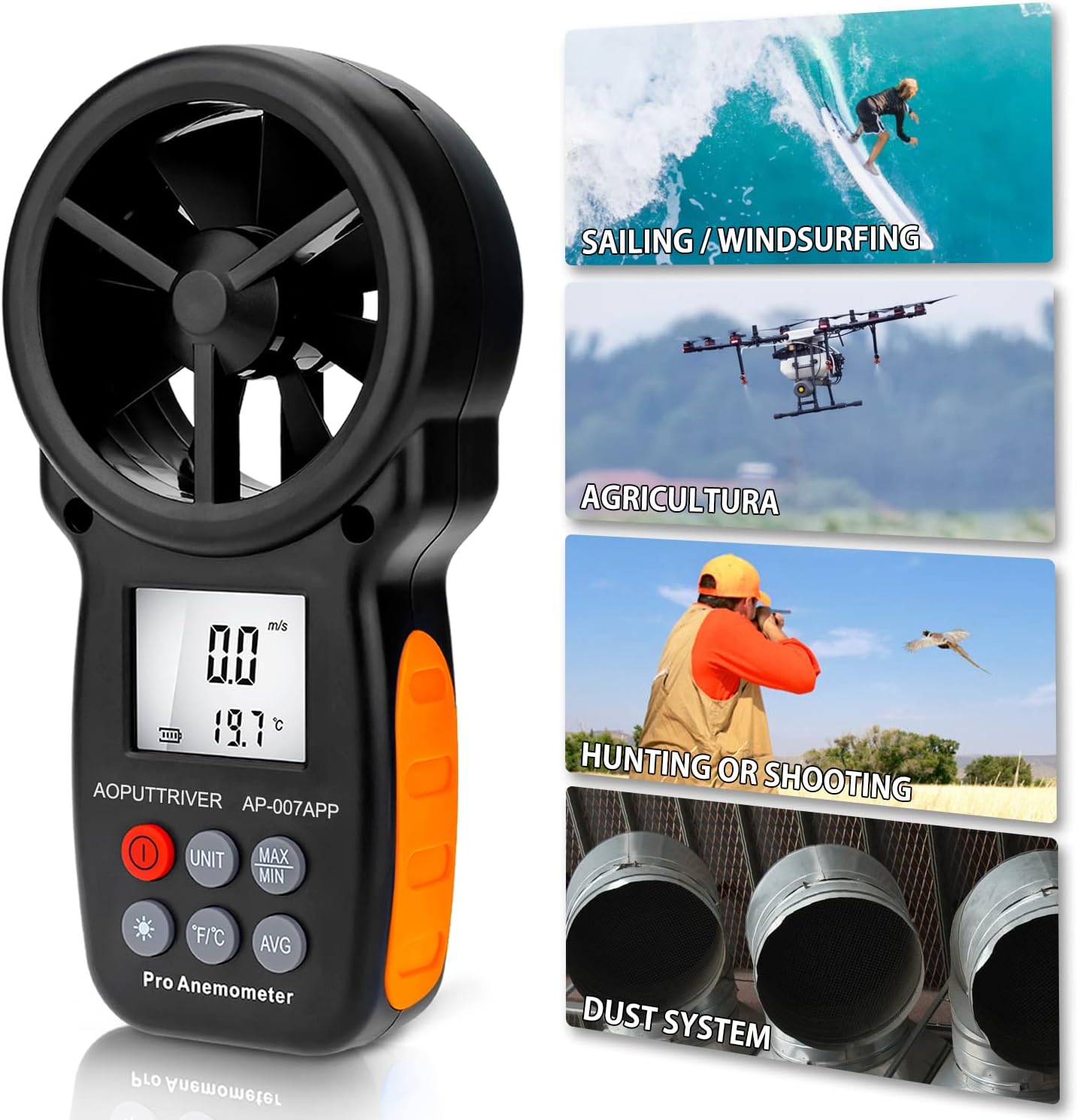
Image: Anemometer in various outdoor use scenarios.
4.3. Using the Mobile App
Once connected via Bluetooth, the "Intelligent Anemometer" app provides a comprehensive interface for monitoring and managing data. The app displays real-time wind speed and temperature, allows for data logging, and offers options to save data for further analysis.
Video: Demonstration of the AOPUTTRIVER AP-007-APP Bluetooth Anemometer and its mobile application features, including real-time data display.
4.4. Backlight Function
Press the backlight button (marked with an asterisk) to activate the LCD backlight. This improves visibility of the display in low-light conditions. Press the button again to turn off the backlight.
5. Data Export (for iPhone)
To export data saved on your iPhone to a computer:
Video: Demonstration of connecting the anemometer to a PC and saving data from the iPhone app via iTunes.
- Connect your iPhone to your PC using a USB cable.
- Open iTunes on your computer.
- In iTunes, select your iPhone device.
- Navigate to the "File Sharing" section.
- Select the "iAnemometer" app from the list.
- You will see the saved data files (e.g., CSV, TXT). Select the desired files and click "Save" to transfer them to your computer.
6. Specifications

Image: Anemometer dimensions and function parameters.
| Parameter | Value |
|---|---|
| Brand | AOPUTTRIVER |
| Model | AP-007-APP |
| Wind Speed Range | 0.3-30 m/s (67.1 mph) |
| Wind Speed Accuracy | ±5% of reading |
| Temperature Range | -10°C to 45°C (14°F to 113°F) |
| Temperature Accuracy | ±2°C (±3.6°F) |
| Resolution | 0.1 m/s; 0.2°C |
| Bluetooth Range | Approx. 10m (32.8 ft) |
| Power Supply | 2x 1.5V AAA batteries |
| Item Dimensions (L x W x H) | 6.49 x 3.34 x 1.5 inches (165 x 85 x 38 mm) |
| Item Weight | 200 Grams |
| Material | 007APP+Tripod |
7. Maintenance
To ensure the longevity and accuracy of your AOPUTTRIVER AP-007-APP Bluetooth Anemometer, follow these maintenance guidelines:
- Cleaning: Wipe the device with a soft, dry cloth. Do not use abrasive cleaners or solvents.
- Storage: Store the anemometer in a cool, dry place, away from direct sunlight and extreme temperatures. If storing for extended periods, remove the batteries to prevent leakage.
- Handle with Care: The fan blades are sensitive components. Avoid dropping the device or subjecting it to impacts, as this can damage the blades and affect measurement accuracy.
- Battery Replacement: Replace batteries when the low battery indicator appears on the display to ensure continuous operation and accurate readings.
8. Troubleshooting
If you encounter issues with your anemometer, refer to the following common problems and solutions:
- Device does not power on:
- Check if the batteries are correctly installed and have sufficient charge. Replace if necessary.
- Bluetooth connection fails or is unstable:
- Ensure Bluetooth is enabled on your mobile device.
- Verify that no other Bluetooth devices are actively connected to your phone, which might interfere with pairing.
- Restart both the anemometer and the "Intelligent Anemometer" app.
- Make sure you have downloaded the correct app by scanning the QR code or searching for "Intelligent Anemometer" specifically.
- Inaccurate wind speed readings:
- Ensure the fan blades are unobstructed and facing the wind directly.
- Check for any debris or damage to the fan blades.
- App lags or freezes:
- Close and reopen the app.
- Ensure your mobile device's operating system is up to date.
9. Customer Support
For technical assistance, warranty information, or any product-related inquiries, please refer to the contact details provided in your product packaging or visit the AOPUTTRIVER official website. AOPUTTRIVER offers 24/7 technical support to assist you with any problems you may encounter.
