
Product Overview
The L.O.L. Surprise Kids Smart Watch is designed to provide interactive fun for children. This smartwatch features a touchscreen display and a variety of age-appropriate functions without internet connectivity, Wi-Fi, Bluetooth, or wireless technology, ensuring a safe experience for your child. It includes a selfie camera, photo album viewer, video player, voice recorder, calculator, alarm clock, pedometer, and multiple playable games.

Image: Front view of the L.O.L. Surprise Kids Smart Watch, showcasing its pink striped band and vibrant display.
What's in the Box
- L.O.L. Surprise Kids Smart Watch (Model: LOL4104)
- USB Charging Cable
- Instruction Manual

Image: The L.O.L. Surprise Kids Smart Watch displayed in its clear retail packaging, showing the watch and its features listed on the side.
Setup
Initial Charging
Before initial use, fully charge the smartwatch for at least three hours. This ensures optimal battery performance and longevity. Use the provided USB charging cable to connect the watch to a compatible USB power source.
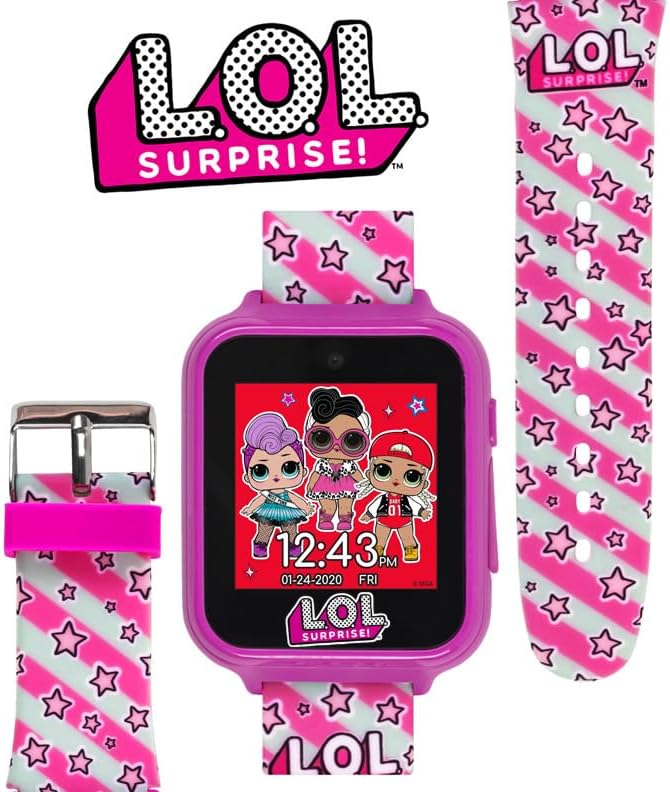
Image: Rear view of the L.O.L. Surprise Kids Smart Watch, highlighting the USB charging port on the side.
Powering On/Off
To power on the watch, press and hold the power button located on the side until the screen illuminates. To power off, press and hold the same button until the power-off prompt appears, then confirm.
Operating Instructions
Touchscreen Navigation
The smartwatch features a responsive touchscreen display. Swipe left or right to navigate through different applications and features. Tap on an icon to select and open an application.
Watch Faces
Personalize your smartwatch with 10 different character watch faces. To change the watch face, navigate to the watch face selection option and tap to choose your preferred design.

Image: A collage displaying ten distinct L.O.L. Surprise themed watch faces available on the smartwatch.
Camera and Video Player
Capture photos and record videos using the built-in selfie camera. Access the camera application from the main menu. Photos and videos can be viewed in the photo album viewer or video player applications.
Video: Demonstrates the features of the L.O.L. Surprise! Kid's Smartwatch, including the camera, games, and various functions.
Video: Highlights the touch-screen functionality, built-in selfie camera, and easy-to-buckle strap of the L.O.L. Surprise! Smartwatch.
Games
The smartwatch comes pre-loaded with various playable games to keep children entertained. Navigate to the "Games" icon and select a game to start playing.
Video: An overview of the iTime Kids Interactive Smartwatch, showcasing its various features including games and camera functions.
Voice Recorder
Record and playback voice messages using the integrated voice recorder function. This feature allows for creative play and simple message recording.
Calculator and Alarm Clock
Utilize the calculator for basic arithmetic. Set alarms to help with time management or reminders. Both applications are accessible from the main menu.
Pedometer Step Counter
The built-in pedometer tracks steps, encouraging physical activity. View daily step counts directly on the watch.
Maintenance
Charging
Ensure the watch is charged regularly using the provided USB cable. Avoid using third-party chargers that may not be compatible. A full charge takes approximately three hours.
Cleaning
Wipe the watch and band with a soft, dry cloth. Do not use abrasive cleaners or immerse the watch in water.
Troubleshooting
| Issue | Possible Cause | Solution |
|---|---|---|
| Watch does not turn on. | Low or no battery charge. | Charge the watch for at least three hours. |
| Touchscreen is unresponsive. | Temporary software glitch or low battery. | Restart the watch. Ensure it is sufficiently charged. |
| Features not working correctly. | Software issue. | Restart the watch. If issues persist, contact customer support. |
Specifications
| Feature | Detail |
|---|---|
| Product Dimensions | 8.5 x 1.57 x 0.47 inches |
| Item Weight | 1.4 ounces |
| Item Model Number | LOL4104 |
| Batteries | 1 Lithium Polymer battery (included) |
| Standing Screen Display Size | 40 Millimeters |
| Memory Storage Capacity | 512 MB |
| Operating System | Accutime OS |
| Special Features | Time Display, Audio Recording, Alarm Clock, Pedometer, Camera |
| Connectivity Technology | Bluetooth (Note: Does not connect to internet or support calling/texting) |
| Manufacturer | Accutime Watch Corp. |
Warranty and Support
This L.O.L. Surprise Kids Smart Watch comes with a one-year warranty from Accutime Watch Corp. For any support inquiries or warranty claims, please refer to the contact information provided in your product packaging or visit the official Accutime Watch Corp. website.
For additional information and resources, you may visit the Accutime Store on Amazon.
