
1. Product Overview
Super Mario Maker 2 for Nintendo Switch allows players to create, play, and share custom side-scrolling Super Mario courses. This game offers a unique blend of creative tools and traditional Mario gameplay, suitable for all ages. Players can dive into a single-player Story Mode, design their own levels with a wide array of parts and tools, and engage with a global community through online features.
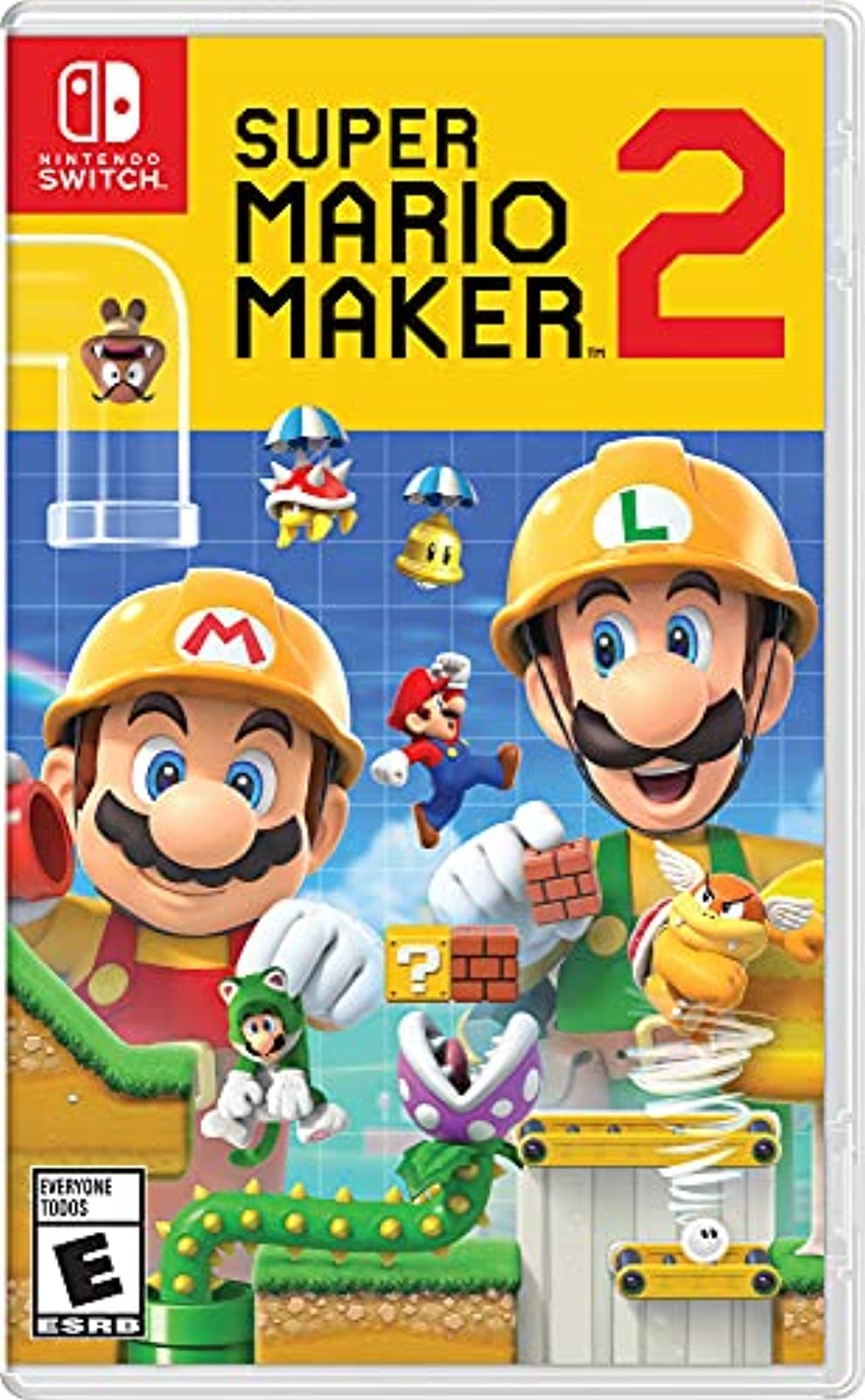
Image 1.1: Super Mario Maker 2 game box art, featuring Mario and Luigi in construction helmets, ready to build levels.
2. Key Features
- Limitless Course Creation: Design and play an endless number of side-scrolling Super Mario courses.
- Single-Player Story Mode: Enjoy over 100 built-in courses to rebuild Princess Peach's castle.
- Extensive Tools and Parts: Utilize a wide range of elements, tools, and customization options for course construction.
- Cooperative Building: Create courses with a friend by passing a Joy-Con controller.
- Online Community (Nintendo Switch Online Membership Required): Share creations, access user-made levels, and participate in online multiplayer.
- Free Software Updates: Includes features like World Maker mode, Link as a playable character, new course parts, and more.
3. Game Modes
3.1. Story Mode
Embark on a new Mario adventure with over 100 built-in courses. Play through these levels to earn coins and help rebuild Princess Peach's castle. This mode serves as an excellent introduction to the game's mechanics and creative potential.

Image 3.1: A scene from Story Mode, where Mario and Toadette navigate a level, highlighting the game's narrative component.
3.2. Course Maker
Unleash your creativity by designing your own Super Mario levels. The Course Maker provides a comprehensive set of parts, tools, and customization options. You can place enemies, blocks, pipes, power-ups, and more to construct unique challenges. Experiment with different themes and styles from various Super Mario games.
Cooperative Course Creation: Pass a Joy-Con controller to a friend to build levels together on a single system, fostering collaborative design.
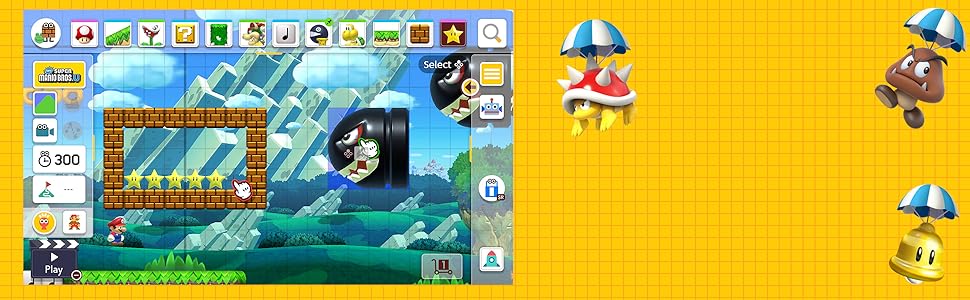
Image 3.2: The Course Maker interface, displaying a wide selection of tools and elements available for level design.
3.3. Course World (Online Features)
With a Nintendo Switch Online membership (sold separately), access Course World to connect with a global community of creators. Here you can:
- Share Your Creations: Upload your custom courses for others to play.
- Play User-Made Levels: Explore a vast, near-endless supply of courses created by players worldwide.
- Online Multiplayer: Enjoy competitive or cooperative online play with players near and far.
- Endless Challenge: Test your skills in a continuous stream of random courses.
- Save Courses Offline: Download online courses to play them later without an internet connection.
- Customize Mii Character: Dress your Mii character with fun accessories to personalize your online presence.
Note: Internet access and a Nintendo Switch Online membership are required for online features. Not available in all countries. Terms apply. Additional accessories may be required for multiplayer mode; sold separately.
Image 3.3: An overview of Course World, illustrating the online connectivity and community features.
3.4. Multiplayer
Super Mario Maker 2 supports various play modes:
- TV Mode: Play on your television with your Nintendo Switch docked.
- Tabletop Mode: Play on the Nintendo Switch screen with detached Joy-Con controllers.
- Handheld Mode: Play directly on the Nintendo Switch console.
Multiplayer options include local co-op for building and playing, as well as online multiplayer through Course World.
4. Setup
- Insert Game Card: Gently insert the Super Mario Maker 2 game card into the Nintendo Switch console's game card slot until it clicks into place.
- Launch Game: Select the Super Mario Maker 2 icon from the Nintendo Switch HOME Menu to start the game.
- Initial Setup: Follow any on-screen prompts for initial game setup, including language selection and user profile association.
- Internet Connection (Optional but Recommended): For online features, ensure your Nintendo Switch is connected to the internet. Navigate to System Settings > Internet to configure your connection.
- Nintendo Switch Online Membership (for online features): If you plan to use online features like Course World, ensure you have an active Nintendo Switch Online membership.
5. Operating Instructions
5.1. Basic Controls
Controls vary slightly depending on the game style selected within Course Maker or Story Mode. General controls include:
- Movement: Left Stick or D-Pad
- Jump: A Button
- Run/Dash: B Button (while moving)
- Action/Pick Up: Y Button
- Pause Menu: + Button
In Course Maker, touch controls are extensively used in handheld mode for precise placement and manipulation of course elements. In TV mode, a pointer controlled by a Joy-Con can be used.
5.2. Creating a Course
- Select "Course Maker" from the main menu.
- Choose a game style (e.g., Super Mario Bros., Super Mario World, New Super Mario Bros. U, Super Mario 3D World).
- Use the palette at the top of the screen to select elements (blocks, enemies, pipes, etc.).
- Drag and drop elements onto the course grid.
- Utilize the various tools (e.g., eraser, copy, undo/redo) to refine your design.
- Press the "Play" button (clapperboard icon) to test your course at any time.
- Once satisfied, save your course. You can then upload it to Course World if you have a Nintendo Switch Online membership.
5.3. Playing Courses
- Select "Story Mode" to play Nintendo-designed levels.
- Select "Course World" to access levels created by other players (Nintendo Switch Online membership required).
- Use filters in Course World to find specific types of levels (e.g., by game style, theme, difficulty).
- Engage in online multiplayer by selecting "Network Play" in Course World.
Video 5.1: Official overview of Super Mario Maker 2 gameplay and creation features.
Video 5.2: A detailed look at the 'Legendary Update' for Super Mario Maker 2, showcasing new items and modes.
6. Maintenance
- Game Card Handling: Always handle the game card by its edges. Avoid touching the gold connectors.
- Storage: Store the game card in its original case when not in use to protect it from dust and damage.
- Cleaning: If the game card's connectors appear dirty, gently wipe them with a soft, dry cloth. Do not use liquids or abrasive materials.
- Software Updates: Ensure your game software is regularly updated to the latest version for optimal performance and access to new features. Your Nintendo Switch console will typically prompt you for updates when connected to the internet.
7. Troubleshooting
- Game Not Starting: Ensure the game card is fully inserted into the console. Try removing and reinserting it. Check for any visible damage to the game card.
- Freezing/Crashes: If the game freezes or crashes, try restarting the Nintendo Switch console. Ensure the game software is updated.
- Online Connectivity Issues: Verify your Nintendo Switch's internet connection in System Settings. Check your Nintendo Switch Online membership status. Ensure there are no ongoing network maintenance issues from Nintendo.
- Controller Input Problems: Ensure your Joy-Con controllers are properly attached or wirelessly connected and charged. Recalibrate controllers if necessary via System Settings.
- Save Data Issues: Ensure sufficient free space on your console or microSD card for save data. Do not power off the console during saving.
8. Specifications
| Feature | Detail |
|---|---|
| Platform | Nintendo Switch |
| Edition | Standard |
| Release Date | June 28, 2019 |
| ESRB Rating | Everyone |
| Language | English |
| Item Model Number | HACPBAAQA |
| UPC | 045496596484 |
| Product Dimensions | 0.42 x 6.63 x 4.15 inches |
| Item Weight | 0.352 ounces |
| Compatible Consoles | Nintendo Switch, Nintendo Switch - OLED Model, Nintendo Switch Lite |
9. Warranty and Support
For warranty information and customer support, please refer to the official Nintendo website or the documentation included with your Nintendo Switch console. Nintendo provides comprehensive support resources, including FAQs, troubleshooting guides, and contact information for technical assistance.
Visit the official Nintendo Support website for the most up-to-date information: Nintendo Switch Support