
Dupray Neat Steam Cleaner
Dupray Neat Steam Cleaner
User Manual
1. Introduction
The Dupray Neat Steam Cleaner is a powerful and versatile cleaning solution designed to clean and sanitize various surfaces using superheated steam. This chemical-free cleaning method effectively eliminates 99.9% of bacteria and viruses, making it ideal for a healthy home environment. With its comprehensive 17-piece accessory kit, the Neat Steam Cleaner is suitable for a wide range of cleaning tasks, from floors and tiles to upholstery and car interiors.
Please read this manual thoroughly before operating your Dupray Neat Steam Cleaner to ensure safe and efficient use.
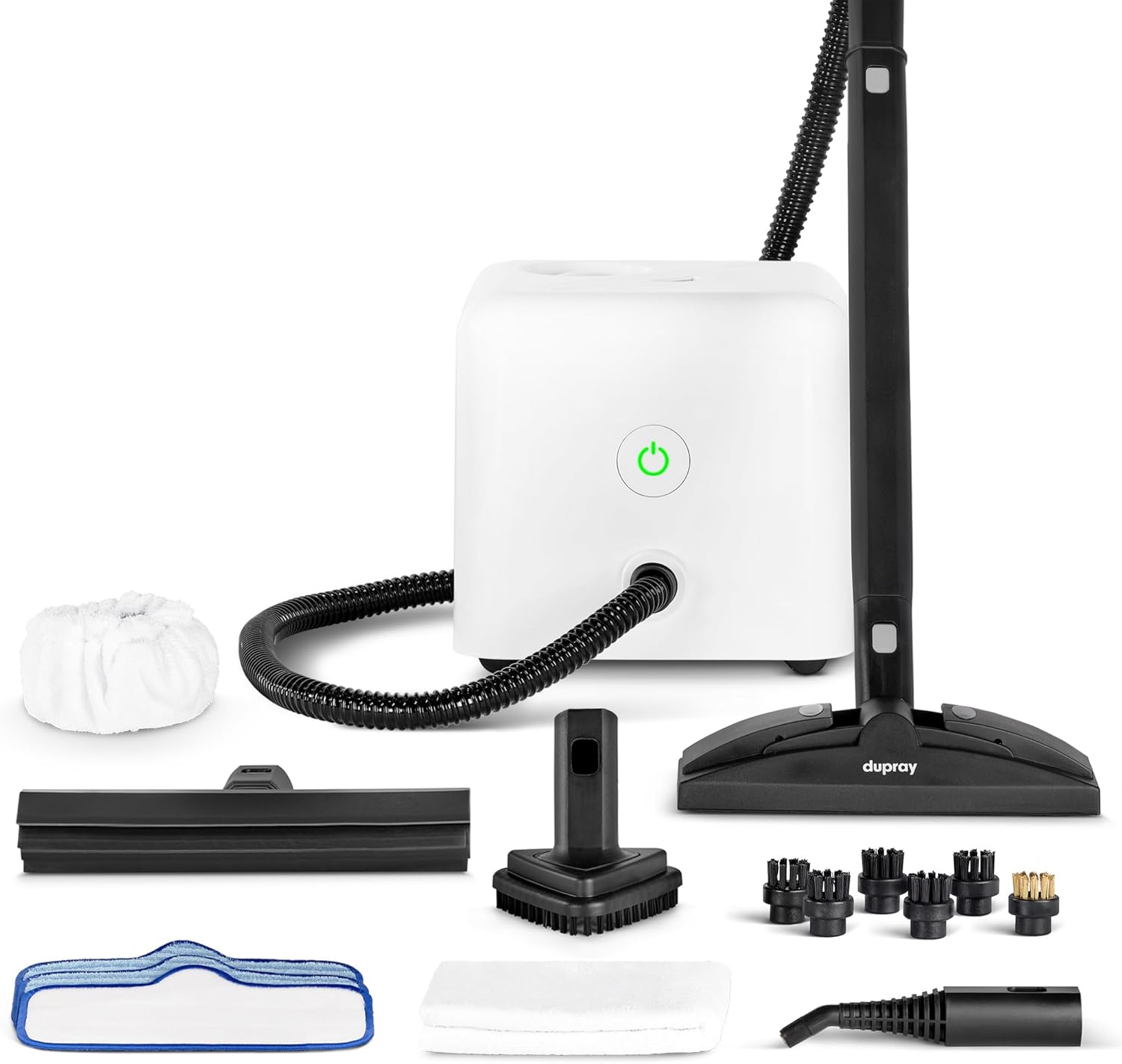
Image 1.1: The Dupray Neat Steam Cleaner and its complete 17-piece accessory kit.
2. Safety Information
Always follow basic safety precautions when using electrical appliances to reduce the risk of fire, electric shock, and personal injury.
- Read all instructions: Familiarize yourself with the appliance before use.
- Hot steam: Steam is extremely hot and can cause burns. Keep hands and face away from steam outlets.
- Do not overfill: Fill the water tank only to the recommended capacity.
- Unplug when not in use: Always unplug the steam cleaner from the electrical outlet before filling, emptying, or performing maintenance.
- Use on appropriate surfaces: Ensure surfaces are suitable for steam cleaning. Test on an inconspicuous area first.
- Keep away from children and pets: Do not allow children or pets near the operating steam cleaner.
- Use only distilled water: To prevent mineral buildup and prolong the life of your appliance, use only distilled or demineralized water.
3. Package Contents
Your Dupray Neat Steam Cleaner package includes the following items:
- Dupray Neat Steam Cleaner Unit
- Steam Lance
- Floor Tool
- Window Tool
- Triangular Tool
- Microfiber Pads (for floor and triangular tool)
- Extension Tubes
- Nylon Brushes
- Brass Brush
- Scrub Pad
- Microfiber Cloths
- Funnel (integrated)
- Instruction Manual

Image 3.1: The complete 17-piece professional accessory set.
4. Setup
4.1 Filling the Water Tank
- Ensure the steam cleaner is unplugged and cool.
- Unscrew the safety cap on top of the unit.
- Using the integrated funnel, carefully pour up to 1.6 liters of distilled or demineralized water into the tank. Do not overfill.
- Securely screw the safety cap back on.

Image 4.1: Easy water refilling with the integrated funnel.
4.2 Attaching Accessories
Select the appropriate accessory for your cleaning task. Attach it firmly to the steam lance or extension tubes until it clicks into place. To remove, press the release button and pull the accessory off.
4.3 Powering On
- Plug the power cord into a grounded electrical outlet.
- Press the power button on the front of the unit. The indicator light will illuminate.
- Allow approximately 7-8 minutes for the unit to heat up and produce steam. The indicator light will change when ready.
5. Operating Instructions
5.1 General Operation
Once the unit is ready, press the steam trigger on the handle to release steam. For continuous steam, engage the lock button on the handle. Always use a microfiber cloth or pad to wipe away loosened dirt and moisture.

Image 5.1: Powerful superheated steam eliminates 99.9% of bacteria and viruses without chemicals. Pick up dirt as you clean.
5.2 Specific Applications
Floors and Tiles
Attach the floor tool with a microfiber pad and extension tubes. Move the tool slowly over the surface to allow the steam to penetrate and loosen dirt. For heavily soiled areas, make multiple passes.

Image 5.2: The floor tool can be used with a microfiber pad or a regular cloth.
Grout Cleaning
Use a small nylon brush attached to the steam lance. Apply steam directly to the grout lines and scrub gently. Wipe away residue with a clean cloth.

Image 5.3: Before and after cleaning tile grout.
Kitchen Surfaces and Appliances
The steam lance with a small brush or triangular tool is effective for cleaning countertops, sinks, stovetops, and oven interiors. Steam helps to dissolve grease and grime.

Image 5.4: Before and after cleaning a BBQ grill.
Upholstery and Furniture
Attach the triangular tool with a microfiber cloth. Hold the tool a few inches from the fabric and apply steam in short bursts. Wipe with the cloth to remove dirt and refresh the fabric. Always test on an inconspicuous area first.

Image 5.5: Cleaning and refreshing furniture upholstery.
Windows and Mirrors
Use the window tool. Apply steam to a section of the glass, then use the squeegee blade to wipe away moisture and dirt. For best results, wipe the blade clean after each pass.
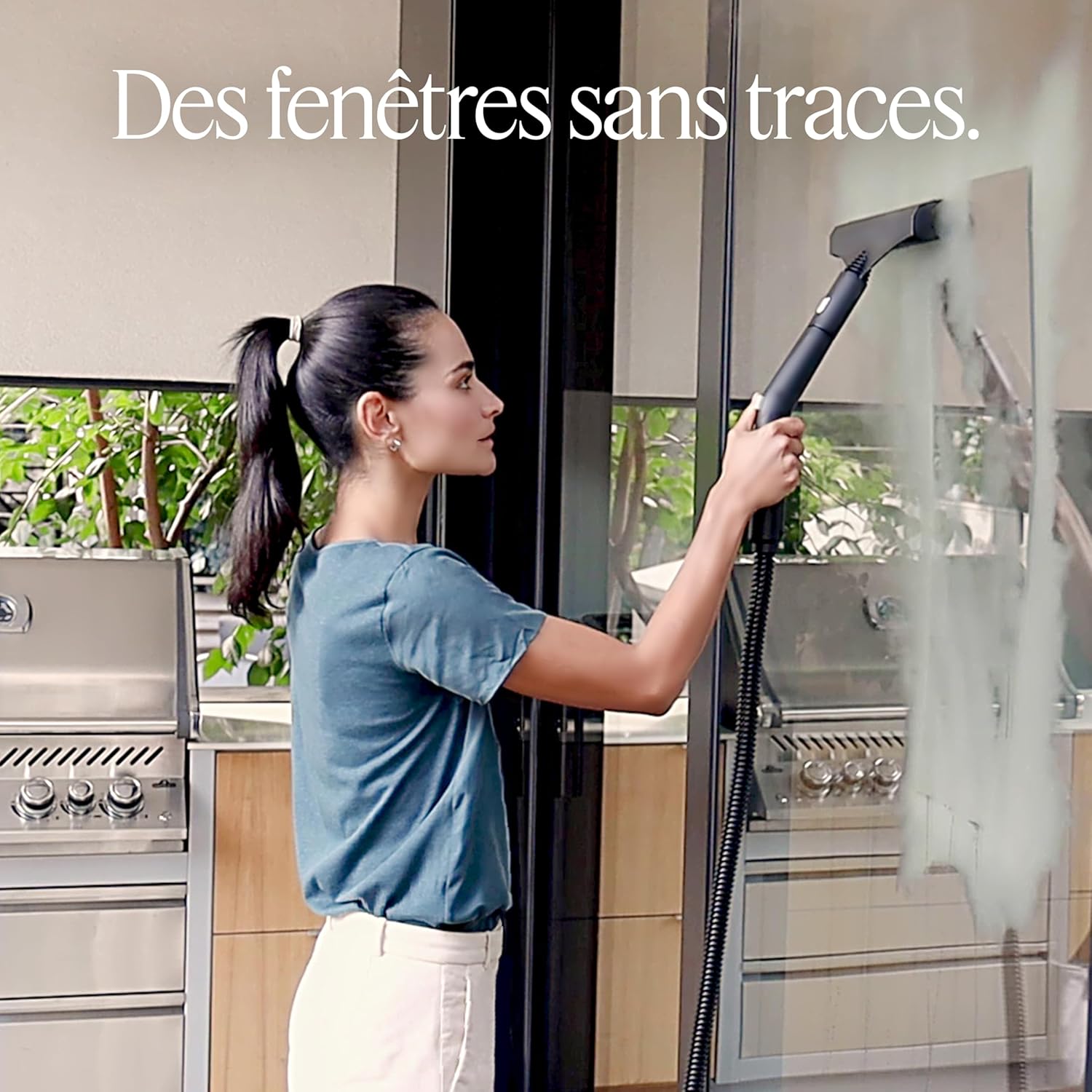
Image 5.6: Achieve streak-free windows with the steam cleaner.
Wallpaper Removal
Attach the triangular tool with a microfiber cloth. Hold the tool against the wallpaper for a few seconds to allow steam to penetrate, then gently peel away the paper. Repeat as needed.

Image 5.7: Steam can assist in wallpaper removal.
Mattress and Pillow Sanitization
Use the triangular tool with a clean microfiber cloth. Move the tool slowly over the mattress surface, allowing the steam to penetrate. This helps to eliminate dust mites and bed bugs.

Image 5.8: Steam cleaning helps eliminate bed bugs and dust mites from mattresses.
The Dupray Neat Steam Cleaner is versatile for many applications, including car interiors, kitchen appliances, and more. Always refer to the specific accessory instructions for optimal results.

Image 5.9: Clean, refresh, and deodorize various surfaces.
6. Maintenance
6.1 Cleaning the Unit
After each use, ensure the unit is unplugged and cool. Wipe the exterior with a damp cloth. Clean accessories as needed; microfiber pads can be machine washed.
6.2 Descaling
Regular descaling is crucial to maintain performance, especially if using tap water (though distilled water is recommended). Consult the Dupray website or customer support for detailed descaling instructions specific to your model.
6.3 Storage
Empty any remaining water from the tank. Store the steam cleaner and its accessories in a cool, dry place, away from direct sunlight and extreme temperatures. Ensure the power cord is neatly wrapped.
7. Troubleshooting
| Problem | Possible Cause | Solution |
|---|---|---|
| No steam or low steam output | Water tank empty; Unit not heated sufficiently; Mineral buildup. | Refill water tank; Allow full heating time (7-8 minutes); Perform descaling. |
| Water leaking from nozzle/accessories | Accessories not properly attached; Condensation buildup; Overfilling. | Ensure accessories are securely attached; Point nozzle away and press trigger to release initial condensation; Do not overfill. |
| Unit not turning on | Not plugged in; Power outlet issue; Unit malfunction. | Check power connection; Test outlet with another device; Contact customer support. |
8. Specifications
| Feature | Detail |
|---|---|
| Brand | Dupray |
| Model Name | Neat Steam Cleaner |
| Model Number | 1 |
| Color | White |
| Product Dimensions (L x W x H) | 26.67 x 26.67 x 24.13 cm |
| Weight | 4 Kilograms |
| Capacity | 1.6 Liters |
| Power | 1500 Watts |
| Voltage | 220 Volts |
| Continuous Cleaning Time | Up to 50 minutes per fill |
9. Warranty and Support
9.1 Warranty Information
The Dupray Neat Steam Cleaner comes with a 2-year limited warranty. This warranty covers defects in materials and workmanship under normal use. Please retain your proof of purchase for warranty claims.
For full warranty terms and conditions, please visit the official Dupray website or contact customer support.
9.2 Customer Support
If you encounter any issues not covered in the troubleshooting section, or require further assistance, please contact Dupray customer support:
- Website: Visit the official Dupray website for FAQs, support articles, and contact information.
- Email/Phone: Refer to the contact details provided on the Dupray website or in your product packaging.
Related documentsNeat Steam Cleaner


Ask a question about this manual
Ask about setup, troubleshooting, compatibility, parts, safety, or missing instructions. Manuals+ will review the question and use this page’s manual context to help answer it.