
1. Introduction
This manual provides detailed instructions for assembling your JEKCA Present Box ST17PB01-S01 building block set. The JEKCA system utilizes a unique interlocking brick-through technology to create sturdy and durable models without the need for glue. Please read all instructions carefully before beginning assembly.

Figure 1.1: Fully assembled JEKCA Present Box ST17PB01-S01.
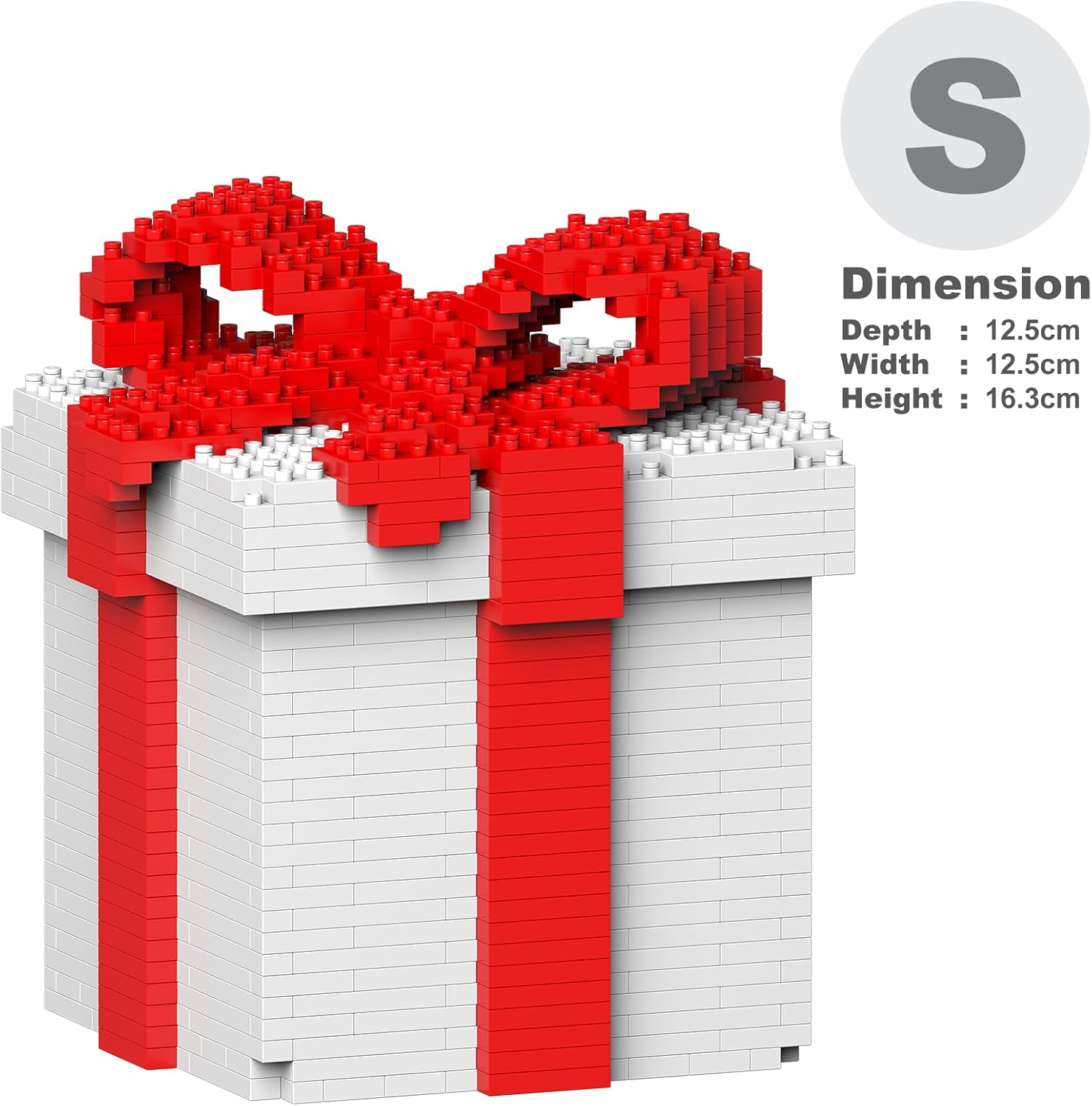
Figure 1.2: Dimensions of the assembled JEKCA Present Box ST17PB01-S01.
2. Safety Information
- Age Recommendation: This product is recommended for individuals aged 14 years and above.
- Small Parts: The set contains small parts which may pose a choking hazard. Keep out of reach of young children.
- Adult Supervision: Adult supervision is recommended during assembly, especially for younger users within the recommended age range.
- Proper Use: Use the included pin driver tool as instructed. Do not use excessive force or substitute tools.
3. Components Overview
Before starting assembly, ensure all components listed below are present in your package. If any parts are missing, please contact customer support.
- Bricks: Various shapes and colors of plastic building blocks (over 770 pieces).
- Pins: Small plastic pins used to secure bricks together.
- Pin Driver: A specialized tool for inserting and removing pins.
- Instruction Manual: This document.
- Quick Guide: A supplementary guide for basic assembly principles.

Figure 3.1: Example of JEKCA building bricks.
4. Assembly Instructions
4.1 Understanding the Interlocking System
JEKCA building blocks utilize a patented interlocking brick-through technology. This system involves inserting pins through the bricks to create a strong, stable connection. The pins are crucial for the structural integrity of your model.

Figure 4.1: Illustration of the JEKCA interlocking brick-through system.
4.2 Step-by-Step Assembly Process
Follow the included graphical instruction manual for the specific build sequence of the Present Box. The general steps for connecting bricks are as follows:
- Position Bricks: Place the two bricks you wish to connect directly on top of each other, aligning their holes.
- Insert Pin: Take a pin and insert it into the aligned holes.
- Secure with Pin Driver: Use the pin driver tool to push the pin completely through the bricks until it is flush or slightly recessed. For a secure connection, sometimes a 90-degree turn of the pin driver is needed to fully seat the pin.

Figure 4.2: Basic steps for inserting and securing a pin.

Figure 4.3: Detailed illustration of the JEKCA interlocking mechanism.

Figure 4.4: Demonstrating the use of the pin driver tool.
Continue following the specific instructions provided in your separate graphical building manual to complete the Present Box model. The JEKCA system allows for a sturdy construction that is not easily broken apart once assembled correctly.
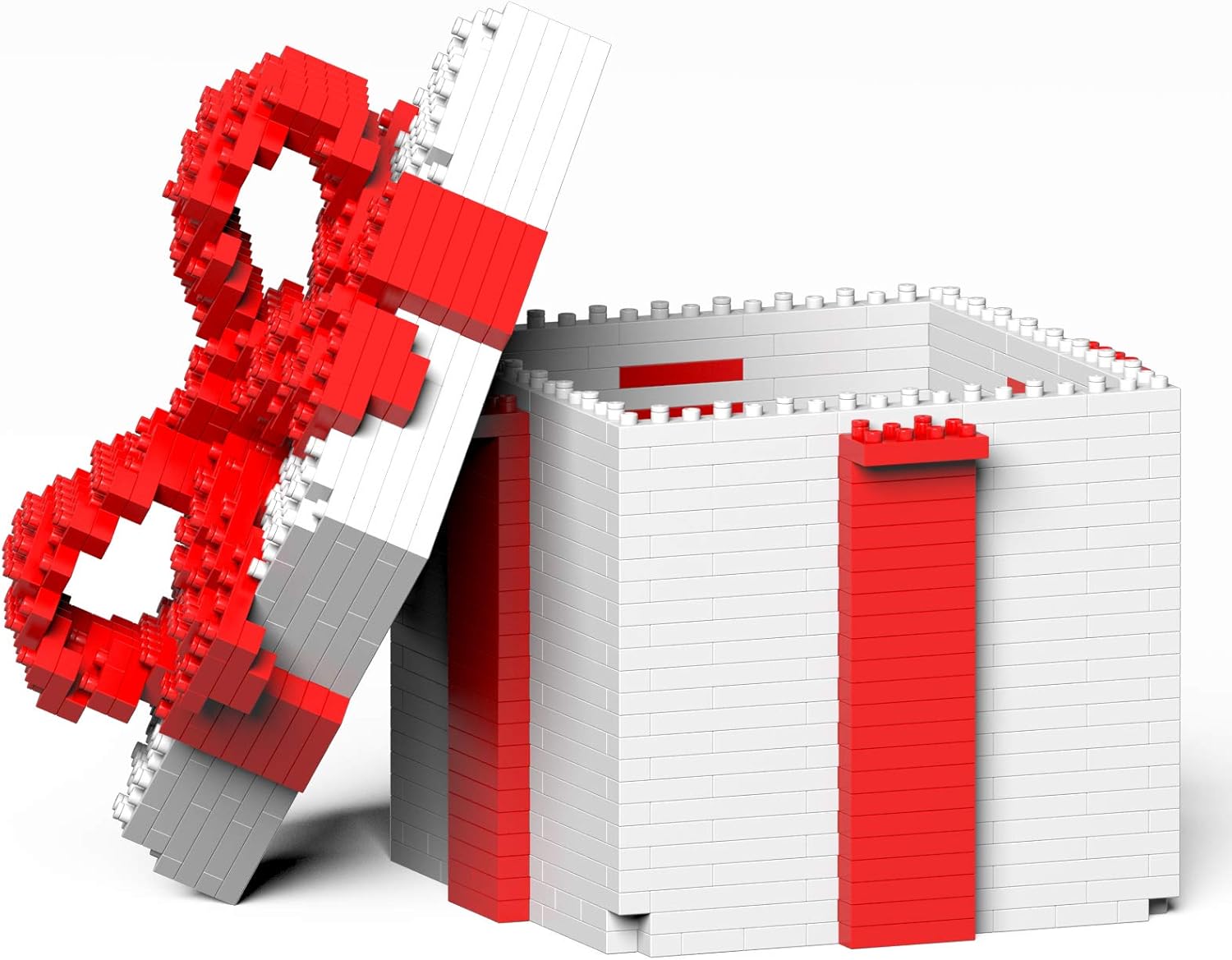
Figure 4.5: The JEKCA Present Box ST17PB01-S01 with its lid open.
5. Care and Maintenance
- Cleaning: To clean your JEKCA model, gently wipe it with a soft, damp cloth. Avoid using harsh chemicals or abrasive cleaners, as these may damage the plastic.
- Storage: Store your assembled model or unbuilt bricks in a cool, dry place away from direct sunlight to prevent discoloration or warping.
- Disassembly: If you need to disassemble parts of your model, carefully use the pin driver to push the pins out. Avoid pulling bricks apart forcefully without removing the pins first.
6. Troubleshooting
- Bricks Not Fitting: Ensure the bricks are correctly aligned before attempting to insert a pin. Do not force misaligned bricks.
- Pins Not Securing: Make sure the pin is fully inserted and seated. Sometimes a slight twist with the pin driver can help secure it. If a pin is bent, replace it with a new one.
- Missing Pieces: Carefully check all packaging materials. If pieces are genuinely missing, refer to the customer support section for assistance.
- Model Instability: Review the assembly steps to ensure all pins are correctly inserted and secured according to the instructions. Incomplete pin insertion can lead to a less stable model.
7. Specifications
| Feature | Detail |
|---|---|
| Brand Name | JEKCA |
| Model Number | ST17PB01-S01 |
| Item Type Name | Plastic Building Blocks |
| Material Type | Plastic |
| Number of Pieces | 770 |
| Item Dimensions (L x W x H) | 4.92 x 4.92 x 6.42 inches (12.5 x 12.5 x 16.3 cm) |
| Recommended Age | 14 years and above |
| Assembly Required | Yes |
| Included Components | Bricks, Instruction Manual, Pin Driver, Pins, Quick Guide |
8. Customer Support
For further assistance, missing parts, or inquiries regarding your JEKCA Present Box ST17PB01-S01, please contact JEKCA customer support through their official website or the retailer where the product was purchased.
Return Policy: This product is subject to a 30-day refund/replacement return policy from the date of purchase. Please refer to your purchase receipt or retailer's policy for specific details.