
Introduction
Welcome to the world of JEKCA! This manual provides detailed instructions for assembling your JEKCA Panda 04S model, model number ST19ML22. Designed for individuals aged 14 and above, this kit contains over 1010 pieces, allowing you to construct a sturdy and detailed panda figure using JEKCA's unique interlocking brick-through system. Please read all instructions carefully before beginning assembly.
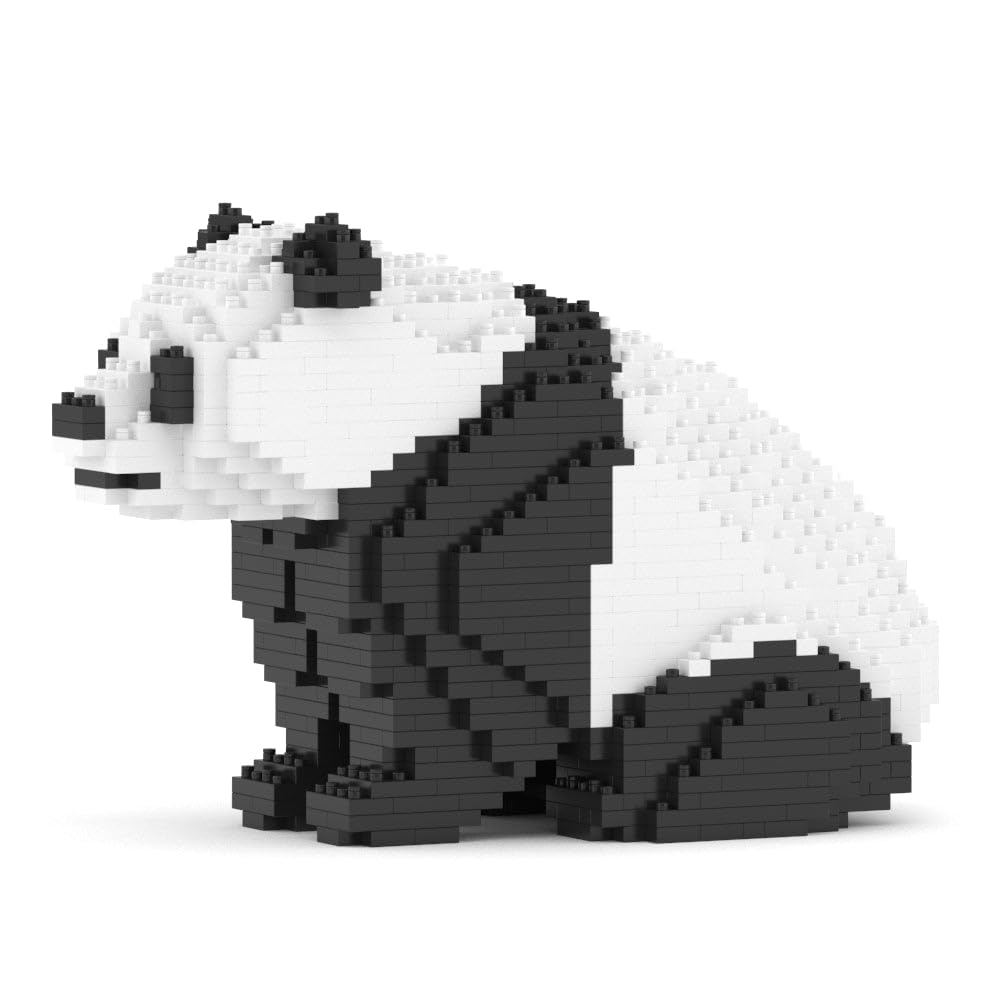
Image: The fully assembled JEKCA Panda 04S model, showcasing its black and white block design.
Package Contents
Before you begin, ensure all components are present in your package:
- Instruction Manual
- Bricks (over 1010 pieces)
- Pins
- Pin Driver
- Quick Guide
Setup and Assembly
Follow these steps to assemble your JEKCA Panda 04S model. Refer to the included Quick Guide and detailed Instruction Manual for specific brick placement.
Step 1: Understand the Interlocking System
JEKCA models utilize a unique interlocking brick-through system. Bricks are connected not only by studs but also by pins inserted through holes in the bricks, providing exceptional stability.

Image: A three-step diagram illustrating the JEKCA interlocking system. Step 1 shows two bricks being placed together. Step 2 shows pins being inserted through the bricks. Step 3 shows the pin driver being used to secure the pins at a 90-degree angle.
- Align Bricks: Place the bricks together as indicated in your detailed instruction manual.
- Insert Pins: Insert the provided pins through the designated holes in the aligned bricks.
- Secure with Pin Driver: Use the pin driver to push the pins firmly into place, ensuring a secure connection. The pins should be flush or slightly recessed.
Step 2: Initial Base Assembly
Begin by assembling the base layers of the panda model. Pay close attention to the color and shape of each brick as shown in the manual.

Image: A partially assembled JEKCA panda model viewed from above, with a red pin driver being used to insert pins into the top layer of bricks.
Step 3: Layer-by-Layer Construction
Continue building the model layer by layer, following the step-by-step diagrams in your instruction manual. Ensure each layer is securely fastened with pins before proceeding to the next.

Image: A front view of the completed JEKCA Panda 04S model, highlighting its facial features and body shape.

Image: A side view of the completed JEKCA Panda 04S model, showing the contours of its back and legs.
Operating and Display
Once assembled, your JEKCA Panda 04S model is ready for display. Due to the robust interlocking system, the model is sturdy and can be handled with care.
- Placement: Choose a stable, flat surface for display.
- Handling: While sturdy, avoid dropping the model or applying excessive force to individual parts.
Maintenance
To keep your JEKCA Panda 04S model in optimal condition:
- Cleaning: Dust the model regularly with a soft, dry cloth or a soft brush. For stubborn dirt, a slightly damp cloth can be used, but avoid excessive moisture.
- Storage: If disassembling for storage, keep all bricks and pins organized to prevent loss.
Troubleshooting
Here are solutions to common assembly issues:
| Problem | Solution |
|---|---|
| Bricks do not connect securely. | Ensure pins are fully inserted using the pin driver. Check that the correct pins are used for the specific bricks. |
| Missing pieces. | Carefully check the packaging and surrounding area. If pieces are genuinely missing, contact JEKCA customer support. |
| Difficulty removing pins. | Use the flat end of the pin driver to gently pry out pins. Avoid excessive force to prevent damage to bricks or pins. |
Specifications
- Model: Panda 04S (ST19ML22)
- Brand: JEKCA
- Product Dimensions (Assembled): 9.61 x 4.69 x 6.22 inches (24.4 x 11.9 x 15.8 cm)
- Item Weight: 1.1 pounds
- Number of Pieces: >1010
- Recommended Age: 14 years and up
- Material: Plastic

Image: The JEKCA Panda 04S model displayed next to a tablet showing its specifications: Model ST19ML22, 1010 pcs, Length: 24.4 cm, Width: 11.9 cm, Height: 15.8 cm.
Customer Support
For further assistance, missing parts, or inquiries, please contact JEKCA customer support through their official channels. Refer to the packaging or the JEKCA website for contact information.

