
1. Introduction
The Memphis Audio MXA62PS 6.5" LED Coaxial Powerports Speaker Pods are designed for powersports applications, offering robust audio performance in a compact, durable package. These speakers feature a polypropylene woofer and PEI dome tweeter, ensuring clear sound reproduction. Built to withstand harsh environments, they are water, element, and UV resistant with an IP66 rating. The integrated RGB LED lighting adds a customizable visual element to your setup. The adjustable aluminum hardware allows for 360° mounting, providing versatile installation options.

Figure 1.1: Memphis Audio MXA62PS Speaker Pods with LED illumination.
2. Safety Information
Please read all safety instructions carefully before installing and operating your MXA62PS speaker pods. Failure to follow these guidelines may result in injury or damage to the product.
- Ensure all power is disconnected from the vehicle's electrical system before beginning installation.
- Use appropriate personal protective equipment, including eye protection, during installation.
- Do not expose the speakers to extreme temperatures or direct flame.
- Verify all wiring connections are secure and properly insulated to prevent short circuits.
- Consult a professional installer if you are unsure about any part of the installation process.
3. What's in the Box
Verify that all components are present before proceeding with installation:
- 2 x MXA62PS Speaker Pods
- Mounting Hardware
- Grill

Figure 3.1: Rear view of the MXA62PS speaker pod, illustrating its robust housing.
4. Setup
4.1 Mounting
The MXA62PS speaker pods are designed for easy installation on roll bars or other suitable surfaces using the included adjustable aluminum hardware.
- Identify a secure mounting location on your vehicle's roll bar or desired surface. Ensure the location provides adequate clearance for the speaker pods and does not obstruct any vehicle controls or safety features.
- Attach the mounting clamps to the speaker pods using the provided hardware. The clamps feature a 360° rotational adjustment, allowing you to orient the speakers for optimal sound projection.
- Securely fasten the speaker pods to the mounting surface. Ensure all bolts are tightened to prevent movement during vehicle operation.

Figure 4.1: Detailed view of the adjustable aluminum mounting hardware.
4.2 Wiring
Proper wiring is crucial for optimal performance and safety. The MXA62PS speakers require connections for both audio and LED lighting.
- Audio Wiring: Connect the speaker wires to your amplifier or head unit. Ensure correct polarity (positive to positive, negative to negative) for each speaker. The speakers have a 4 Ohm impedance.
- LED Wiring: The integrated RGB LEDs require a separate power connection. These wires are typically smaller gauge. Connect them to a suitable 12V power source, preferably through a switch or an RGB LED controller (not included) for color customization.
- Route all wiring safely, away from moving parts, heat sources, and sharp edges. Use cable ties to secure wiring and prevent chafing.
5. Operating Instructions
5.1 Audio Playback
Once properly installed and wired, your MXA62PS speaker pods are ready for audio playback.
- Turn on your audio source (e.g., MP3 player, smartphone, tablet connected via Bluetooth or wired connection).
- Adjust the volume on your audio source and/or amplifier to a comfortable listening level.
- For optimal sound quality, ensure your audio source is providing a clean, undistorted signal.
5.2 LED Control
The integrated RGB LEDs can be controlled to match your preference.
- If connected to a simple switch, the LEDs will illuminate in a default color (usually blue or white) when the switch is engaged.
- For full RGB color customization, connect the LED wires to a compatible RGB LED controller (sold separately). Follow the controller's instructions for color selection, brightness adjustment, and lighting effects.
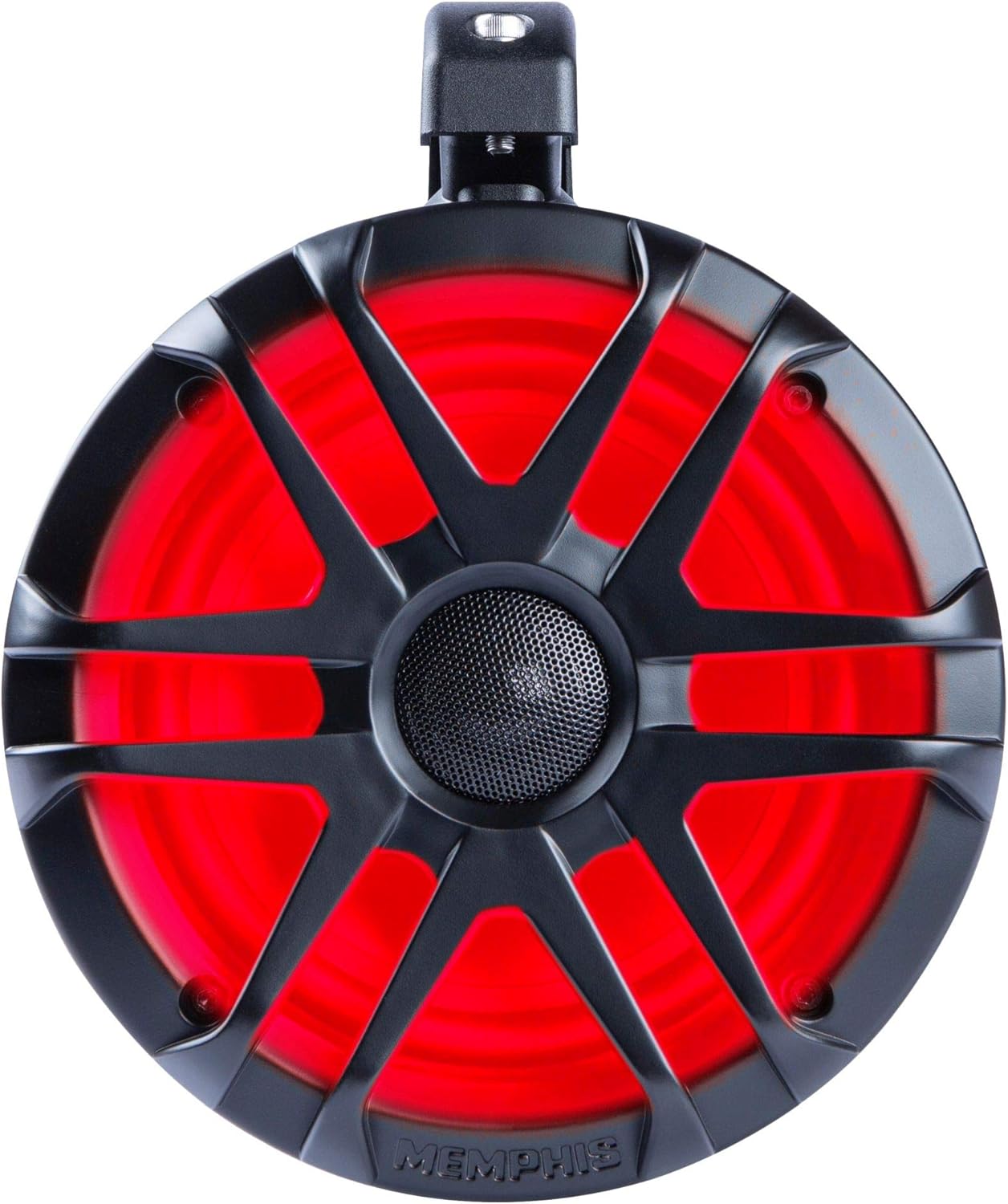
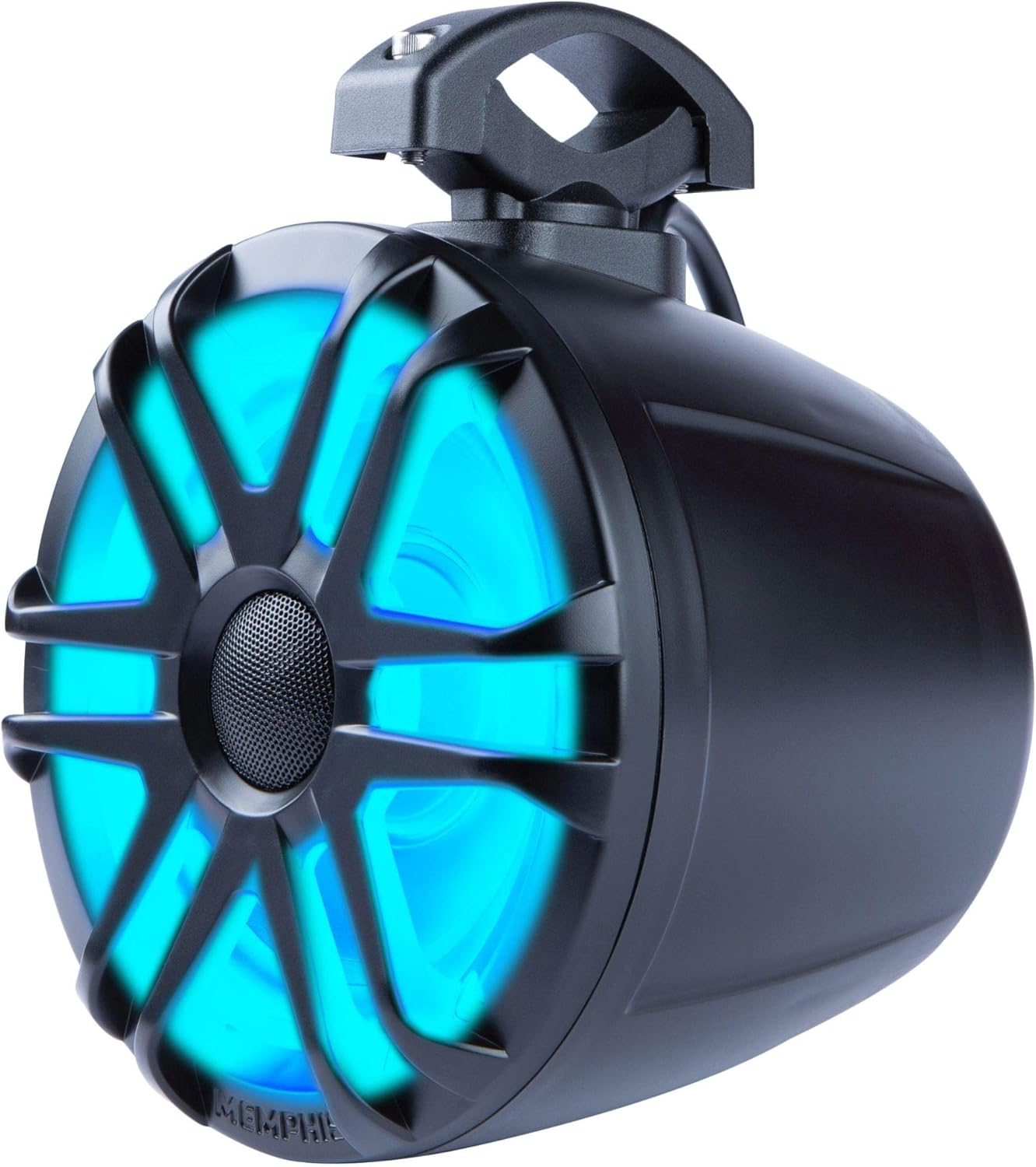
Figure 5.1: MXA62PS speaker pods demonstrating red and blue LED illumination options.
6. Maintenance
Regular maintenance will help ensure the longevity and performance of your MXA62PS speaker pods.
- Cleaning: Clean the speaker pods with a soft, damp cloth. Avoid using harsh chemicals or abrasive cleaners, which can damage the finish or speaker components.
- Inspection: Periodically inspect all mounting hardware and wiring connections for tightness and signs of wear or corrosion. Tighten any loose connections and replace damaged wiring as needed.
- Water Exposure: While the speakers are IP66 rated for water resistance, avoid prolonged submersion or direct high-pressure water sprays, especially near the speaker cone.
7. Troubleshooting
If you encounter issues with your MXA62PS speaker pods, refer to the table below for common problems and solutions.
| Problem | Possible Cause | Solution |
|---|---|---|
| No sound from speakers | Loose or incorrect wiring connections Amplifier/head unit off or malfunctioning Blown fuse in audio system Speaker damage | Check all audio wiring for secure connections and correct polarity. Ensure amplifier/head unit is powered on and functioning correctly. Inspect and replace any blown fuses. If speakers are damaged, contact customer support. |
| LEDs not illuminating | Loose or incorrect LED wiring No power to LED circuit Faulty LED controller (if used) Damaged LEDs | Verify all LED wiring connections are secure and properly connected to a 12V source. Check power source and any associated fuses for the LED circuit. Test the LED controller if applicable, or bypass it to test direct power. If LEDs are damaged, contact customer support. |
| Distorted sound | Volume too high (clipping) Improper amplifier gain settings Poor audio source quality | Reduce volume on audio source and amplifier. Adjust amplifier gain settings according to manufacturer recommendations. Use a high-quality audio source. |
8. Specifications
Detailed technical specifications for the Memphis Audio MXA62PS speaker pods:
| Feature | Specification |
|---|---|
| Model Name | MXA62PS |
| Speaker Type | Coaxial |
| Speaker Size | 6.5 Inches |
| Woofer Material | Polypropylene |
| Tweeter Type | PEI Dome |
| Speaker Maximum Output Power | 150 Watts |
| Impedance | 4 Ohm |
| Waterproof Rating | IP66 |
| Mounting Type | Clamp Mount (360° adjustable) |
| LED Lighting | RGB LED included |
| Item Weight | 7 Pounds |
| Package Dimensions | 18.5 x 11.75 x 10 inches |
| Connectivity Technology | Coaxial |
| Compatible Devices | MP3 Player, Smartphone, Tablet |
| Audio Output Mode | Stereo |
9. Warranty Information
Memphis Audio MXA62PS speaker pods come with a limited warranty. This warranty covers defects in materials and workmanship under normal use. The duration and specific terms of the warranty may vary. Please retain your proof of purchase for warranty claims. For detailed warranty information, refer to the documentation included with your product or visit the official Memphis Audio website.
Optional protection plans may be available for extended coverage. For example, 2-Year and 3-Year Protection Plans are offered, as well as a monthly Complete Protect plan.
10. Customer Support
For technical assistance, troubleshooting beyond this manual, or warranty inquiries, please contact Memphis Audio customer support. You can typically find contact information on the official Memphis Audio website or through your authorized dealer.
Visit the Memphis Audio Store for more information and product updates.


