
Bosch SMI50D05TR
Bosch Series 4 SMI50D05TR 60 cm Semi-Integrated Dishwasher User Manual
Model: SMI50D05TR
1. Introduction
This manual provides essential information for the safe and efficient operation of your Bosch Series 4 SMI50D05TR 60 cm Semi-Integrated Dishwasher. Please read these instructions carefully before installation, use, or maintenance to ensure optimal performance and to prevent damage or injury. Keep this manual for future reference.

Image 1.1: The Bosch Series 4 SMI50D05TR semi-integrated dishwasher seamlessly installed within kitchen cabinetry.
2. Safety Instructions
Always adhere to the following safety guidelines to prevent accidents and ensure the longevity of your appliance:
- Read all instructions before using the dishwasher.
- Ensure the dishwasher is properly grounded.
- Do not operate the dishwasher if it is damaged or malfunctioning.
- Keep children away from the dishwasher, especially when it is operating or when the door is open.
- Use only detergents and rinse aids specifically designed for automatic dishwashers.
- Avoid touching the heating element during or immediately after use.
- Do not overload the dishwasher or place items that are not dishwasher-safe.
- In case of a power outage, disconnect the appliance from the power supply.
3. Setup and Installation
3.1 Unpacking
Carefully remove all packaging materials. Inspect the dishwasher for any signs of damage during transit. Retain packaging for potential future transport or service.
3.2 Placement
The Bosch SMI50D05TR is a semi-integrated model designed to fit into a standard 60 cm wide kitchen cabinet opening. Ensure the installation area is level and has adequate space for water and electrical connections. The appliance dimensions are approximately 60 cm (Depth) x 60 cm (Width) x 85 cm (Height).
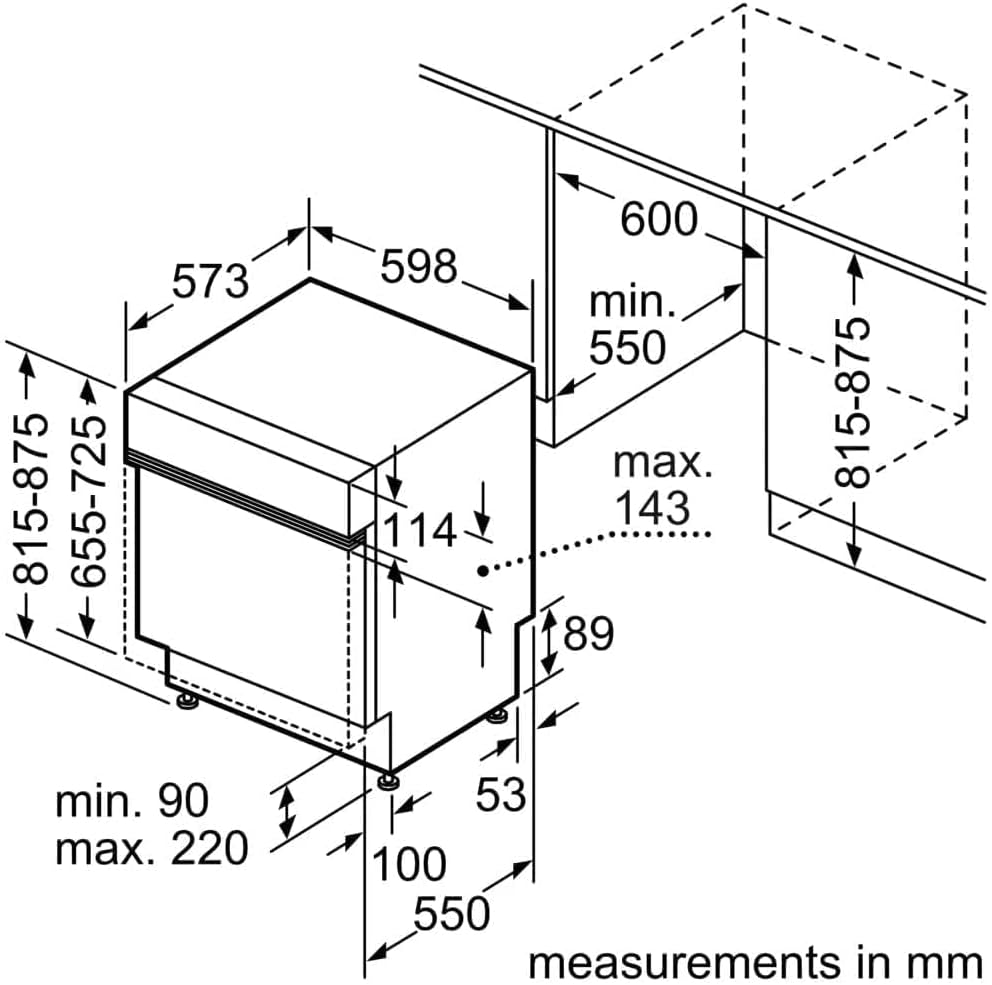
Image 3.1: Detailed dimensional drawing illustrating the required space and clearances for installing the dishwasher.
3.3 Water and Electrical Connections
Connect the water inlet hose to a cold water supply with a minimum pressure of 0.04 MPa and a maximum of 1 MPa. Ensure the drain hose is properly connected to a suitable drain point, preventing kinks or blockages. The dishwasher requires a 220V electrical supply. All connections should be performed by a qualified technician in accordance with local regulations.

Image 3.2: Diagram showing the typical water inlet, drain hose, and electrical connections at the rear of the dishwasher.
3.4 Initial Start-up
Before the first wash cycle, ensure the salt and rinse aid dispensers are filled. Run an empty cycle with detergent to clean the interior of the appliance.
4. Operating Instructions
4.1 Loading Dishes
Arrange dishes to allow water to reach all surfaces. Scrape off large food particles. The dishwasher has a capacity for 12 place settings and features an adjustable basket for flexible loading of various items.
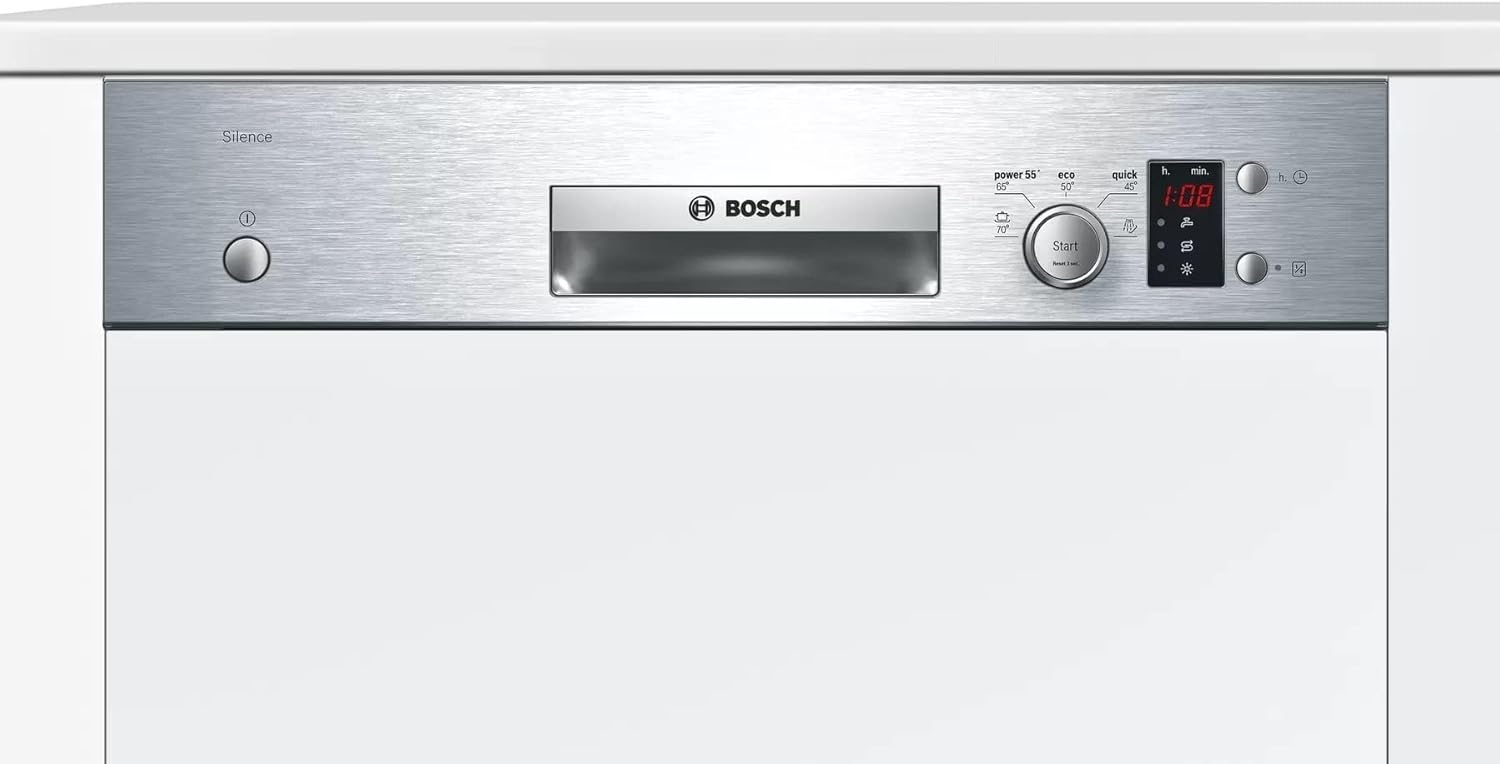
Image 4.1: Example of properly loading the upper rack with glasses and smaller items.

Image 4.2: Example of properly loading the lower rack with larger plates, bowls, and the cutlery basket.
4.2 Adding Detergent and Rinse Aid
Fill the detergent dispenser with the appropriate amount of dishwasher detergent. Ensure the rinse aid dispenser is filled to the indicated level for optimal drying results and to prevent water spots.
4.3 Selecting a Program
Your dishwasher offers 4 wash cycles, including an Economy cycle and a Quick Wash option. Use the touch panel controls to select the desired program. The LED display will show the selected program and remaining time.
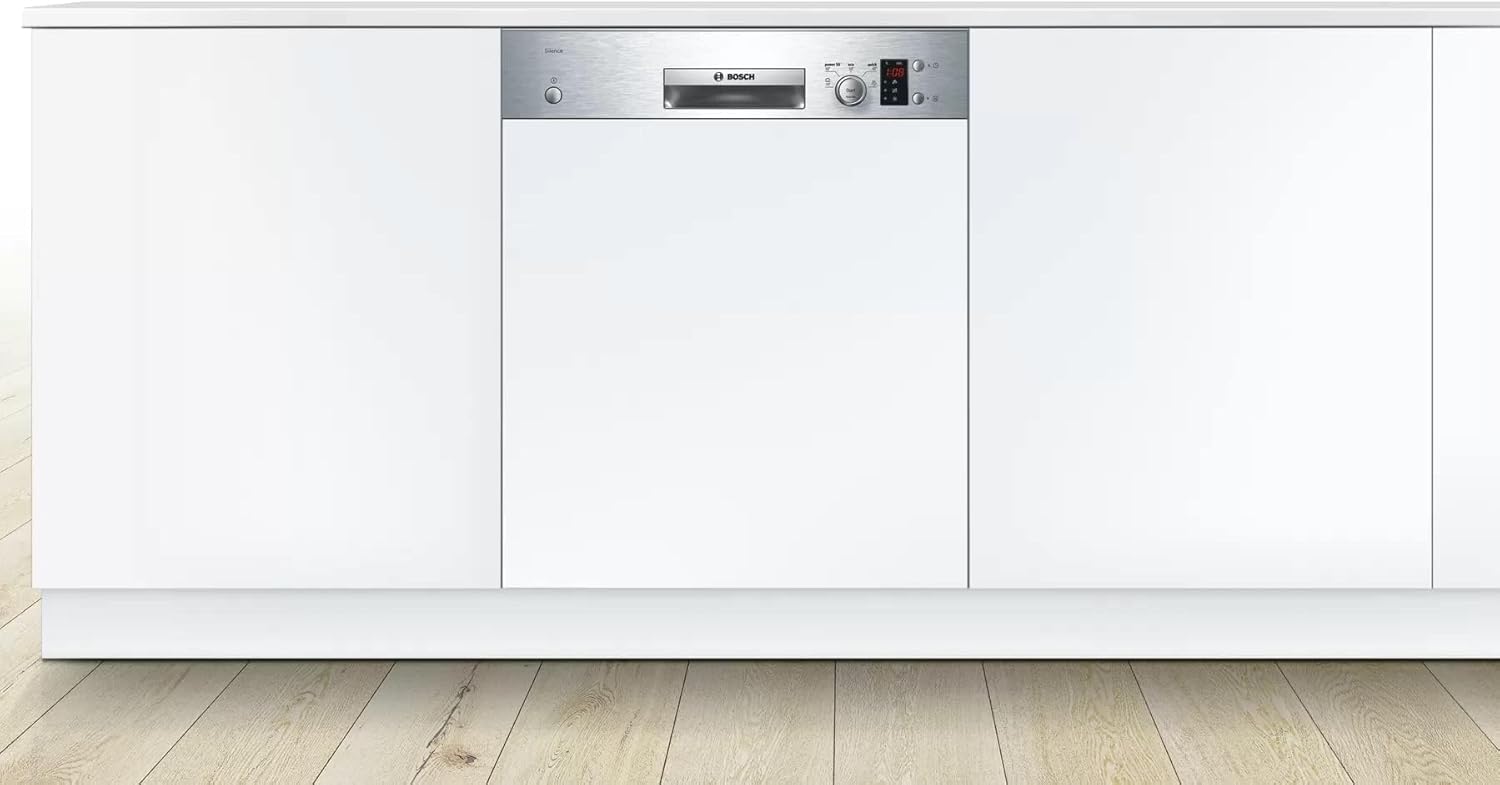
Image 4.3: The control panel featuring touch controls and an LED display for program selection and status indication.
4.4 Starting and Pausing a Cycle
Press the 'Start' button on the touch panel to begin the selected wash cycle. To pause a cycle, open the door slightly or press the 'Start' button again. Close the door firmly to resume.
4.5 Special Features
- Half Load: Use this option when washing a smaller load to save water and energy.
- Water Supply Indicator: An indicator light will alert you if there is an issue with the water supply.
5. Maintenance and Cleaning
5.1 Cleaning the Filters
Regularly clean the filter system located at the bottom of the dishwasher. Remove the coarse and fine filters, rinse them under running water, and remove any trapped food particles. Reassemble correctly.
5.2 Cleaning the Spray Arms
Check the spray arm nozzles for blockages. If necessary, remove the spray arms and clear any debris from the holes using a thin object like a toothpick.
5.3 Exterior Cleaning
Wipe the exterior surfaces, including the stainless steel panel, with a soft, damp cloth and a mild cleaning agent. Avoid abrasive cleaners or solvents.
5.4 Winterization (if applicable)
If the dishwasher is to be left in an unheated location during winter, ensure all water is drained from the appliance and hoses to prevent freezing and damage.
6. Troubleshooting
Before contacting customer service, refer to the following common issues and their potential solutions:
| Problem | Possible Cause | Solution |
|---|---|---|
| Dishwasher does not start | Power supply issue, door not closed properly, program not selected | Check power connection, ensure door is latched, select a program and press start. |
| Poor cleaning results | Improper loading, clogged spray arms, insufficient detergent, dirty filters | Reload dishes correctly, clean spray arms and filters, add more detergent. |
| Water spots on dishes | Low rinse aid level, hard water | Refill rinse aid dispenser, adjust water softener settings if applicable. |
| Dishwasher leaks | Improper hose connection, damaged door seal | Check hose connections, inspect door seal for damage. |
7. Specifications
| Feature | Detail |
|---|---|
| Brand | Bosch |
| Model Number | SMI50D05TR |
| Product Type | Semi-Integrated Dishwasher |
| Capacity | 12 Place Settings |
| Dimensions (D x W x H) | 60 cm x 60 cm x 85 cm |
| Material | Stainless Steel |
| Noise Level | 45 dB |
| Control Type | Touch |
| Display Type | LED |
| Number of Cycles | 4 (including Economy) |
| Special Features | Adjustable basket, Quick Wash, Water Supply Indicator, Half Load |
| Voltage | 220 Volts |
| Item Weight | 32 Kilograms |
| Color | Silver |
8. Warranty Information
This Bosch SMI50D05TR dishwasher is eligible for a 10-year warranty provided by the manufacturer/brand, effective from the date of purchase. For detailed terms and conditions, or to make a warranty claim, please contact the manufacturer (Bosch) or your seller directly.
9. Customer Support
For further assistance, technical support, or to inquire about spare parts, please contact Bosch customer service. You can typically find contact information on the official Bosch website or in the documentation provided with your appliance.
Bosch Official Website: www.bosch-home.com
Related documentsSMI50D05TR


Ask a question about this manual
Ask about setup, troubleshooting, compatibility, parts, safety, or missing instructions. Manuals+ will review the question and use this page’s manual context to help answer it.