
Introduction
This manual provides comprehensive instructions for the K-Rain K1 4" Pop-Up Rotor Sprinkler. This sprinkler is engineered for efficient and effective watering of small to medium lawn and landscape areas. Key features include a patented top arc set for precise adjustment, a durable reversing mechanism, and a protective rubber cover.
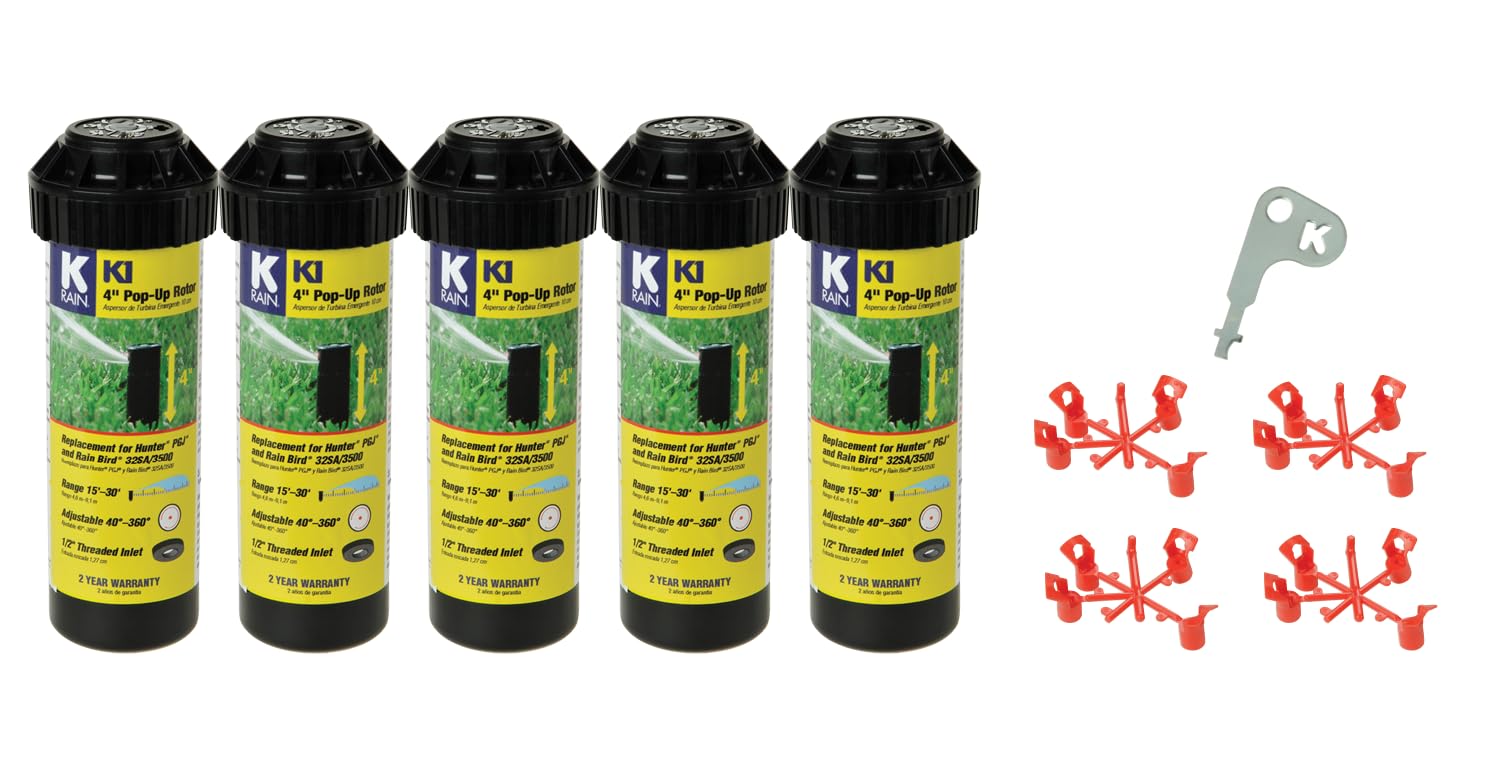
Image of the K-Rain K1 4" Pop-Up Rotor Sprinkler, a black cylindrical unit with a yellow label, designed for lawn irrigation.
Key Features
- Patented Top Arc Set: Simplifies arc adjustment for wet or dry conditions, offering a full range from 40° to 360° with clear degree markings.
- Time-Proven Reversing Mechanism: Ensures continuous reverse and return operation.
- Durable Rubber Cover: Seals out dirt and debris, enhancing product longevity.
- Pre-installed Nozzle: Comes with a 2.5 GPM nozzle.
- Adjustable Spray Distance: Covers areas from 15 ft. to 30 ft.
- Standard Inlet: Features a 1/2" threaded inlet for easy connection.

Diagram showing the internal components of the K-Rain K1 rotor sprinkler, including the arc set, reversing gears, gearbox, flow control, inlet filter, and 1/2 inch NPT inlet.
Setup and Installation
The K-Rain K1 rotor sprinkler is designed for straightforward installation and adjustment. Follow these steps to configure your sprinkler for optimal performance.
Adjusting the Arc and Spray Distance
The K1 sprinkler is adjusted from a left start position, meaning it begins spraying from the left, rotates clockwise, and then returns to the left start.
Official K-Rain video demonstrating how to set and adjust the arc and spray distance of the K1 rotor sprinkler. It covers identifying key components, finding the left start, setting the left start, and setting the right stop, as well as adjusting the spray distance.
Identifying Components
- Keyhole: Used to pull up the riser for adjustment.
- Nozzle Arrow: Indicates the current spray direction.
- Spray Pattern Arrow: A gray arrow in the center that indicates the right stop position.
- Spray Pattern Slot: Where the key is inserted to adjust the right stop.
- Distance Screw: A silver screw used to increase or decrease spray distance.
- Turret: The top rotating part of the sprinkler head.
- Riser: The pop-up stem of the sprinkler.
- Left Start Slot: A slot on the side of the riser that aligns with the nozzle arrow for the left start position.
Finding Left Start
- Insert the K-key (or a flathead screwdriver) partway into the keyhole, turn it slightly, and pull up the riser.
- Hold the bottom half of the riser in one hand and remove the key.
- Turn the nozzle turret to the right until you hear a click.
- Then, turn the turret back to the left until you hear another click. The nozzle arrow should now align with the left start slot on the side of the riser.
Setting Left Start
- Turn only the lower half of the riser to the left until the nozzle arrow points to your desired left start position.
- Carefully and slowly release the riser.
Setting Right Stop
- Insert the key into the spray pattern slot, indicated by the plus (+) and minus (-) arrows.
- While holding the top of the nozzle turret with your fingers, turn the slot until the gray spray pattern arrow in the center points to your desired right stop position.
Adjusting Spray Distance
- Insert the key into the silver distance screw, which is located in the white nozzle arrow.
- Turn the screw clockwise to decrease the spray distance or counter-clockwise to increase it, adjusting to your preference.
Operation
Once properly installed and adjusted, the K-Rain K1 rotor sprinkler will operate automatically according to your irrigation system's schedule. Ensure that your system maintains adequate water pressure for optimal performance. The maximum operating pressure for this unit is 70 PSI.

Top view of the K-Rain K1 sprinkler head, showing the adjustment markings for arc and distance.
Maintenance
Regular maintenance ensures the longevity and efficient operation of your K-Rain K1 sprinkler.
- Inspect for Debris: Periodically check the sprinkler head and nozzle for any dirt, grass clippings, or other obstructions that may interfere with the spray pattern or rotation. Clean as necessary.
- Clean Inlet Filter: The sprinkler includes an inlet filter to prevent larger particles from entering the mechanism. This filter should be removed and cleaned periodically to prevent clogging and maintain water flow.
- Check Rubber Cover: Ensure the rubber cover is intact and properly seated to continue sealing out dirt and increasing product durability.
Bottom view of the K-Rain K1 sprinkler head, showing the 1/2 inch threaded inlet.
Troubleshooting
Sprinkler Not Rotating or Stuck
- Check for Obstructions: Inspect the nozzle and the internal mechanism for any debris that might be preventing rotation.
- Verify Water Pressure: Ensure your irrigation system is providing sufficient water pressure. Low pressure can prevent the rotor from operating correctly.
- Re-adjust Arc Settings: If the sprinkler is stuck at one spot, the arc settings might be incorrect. Follow the steps in the "Setup and Installation" section to re-adjust the left start and right stop.
Uneven Spray Pattern
- Clear Nozzle: Ensure the nozzle is completely clear of any blockages.
- Adjust Spray Distance: Use the distance screw to fine-tune the spray distance and achieve a more uniform coverage.
- Confirm Arc Configuration: Double-check that the arc settings are correctly configured for the specific area you intend to water.
Specifications
| Attribute | Value |
|---|---|
| Material | Plastic |
| Brand | K-Rain |
| Exterior Finish | Stainless Steel |
| Inlet Connection Size | 1/2 Inches |
| Inlet Connection Type | Threaded |
| Outlet Connection Type | Threaded |
| Maximum Operating Pressure | 70 Pound per Square Inch |
| Number of Ports | 2 |
| Item Weight | 1.76 pounds |
| Package Dimensions | 8.39 x 7.17 x 3.35 inches |
| Item Model Number | AMZ-31031-PACK |
| Size | 1/2 inches |
| Color | Black |
| Power Source | Hydraulic Powered |
| Batteries Included? | No |
| Batteries Required? | No |
Warranty Information
The K-Rain K1 4" Pop-Up Rotor Sprinkler is covered by a 2-Year Warranty. Please retain your original proof of purchase for any warranty claims. This warranty covers defects in materials and workmanship under normal use.
Customer Support
For additional assistance, technical support, or to inquire about replacement parts, please visit the official K-Rain website or contact their customer service department through the contact information provided on their website.