
Introduction
This manual provides essential instructions for the proper installation, operation, and maintenance of your Compulocks 299PSENW Security Tablet Stand. This product is designed to securely hold 12.9-inch tablets in a wall-mounted configuration, offering protection and accessibility. Please read this manual thoroughly before installation and use.
Safety Information
- Ensure the mounting surface is structurally sound and capable of supporting the weight of the stand and the tablet.
- Use appropriate tools and hardware for installation. If unsure, consult a professional installer.
- Keep all keys in a safe and accessible location, away from unauthorized access.
- Do not overtighten screws during assembly, as this may damage the product or mounting surface.
- Keep small parts away from children to prevent choking hazards.
Package Contents
Please verify that all components are present before proceeding with installation:
- 1 x Compulocks 299PSENW Security Tablet Stand (White)
- Mounting Hardware (screws, anchors, etc.)
- Set of Keys for the security lock
Setup
1. Mounting the Stand
- Select Location: Choose a suitable wall location that is structurally sound and at an appropriate viewing height.
- Mark Drilling Points: Hold the stand against the wall at the desired position and mark the drilling points for the mounting screws.
- Drill Holes: Drill pilot holes at the marked points using an appropriate drill bit for your wall type. Insert wall anchors if necessary.
- Secure Stand: Align the stand with the drilled holes and secure it to the wall using the provided mounting screws. Ensure it is firmly attached and level.
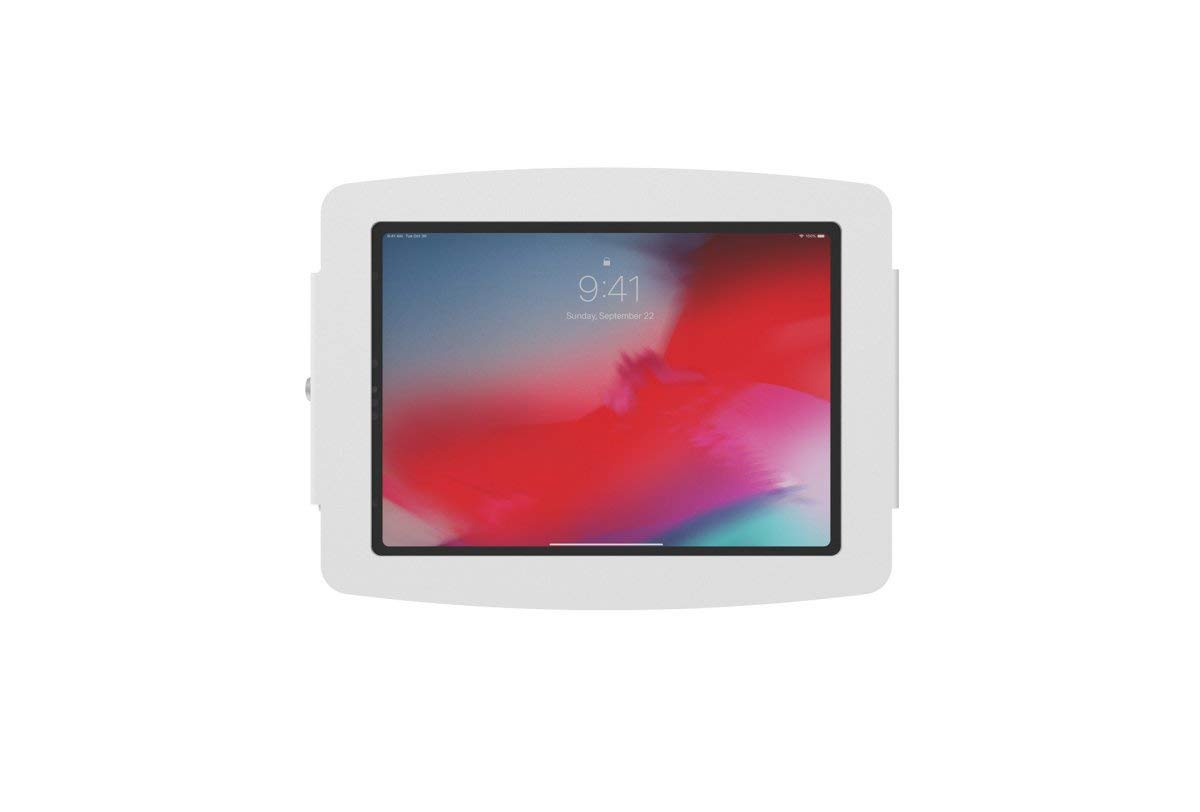
Image: The Compulocks 299PSENW Security Tablet Stand, white in color, securely mounted to a wall. A tablet is visible within the enclosure, displaying a lock screen. A keyhole is visible on the side of the enclosure.
2. Inserting the Tablet
- Unlock Enclosure: Use the provided key to unlock the security enclosure. The front panel or side mechanism will release.
- Place Tablet: Carefully place your 12.9-inch tablet into the enclosure, ensuring it sits flush and is properly aligned with any internal supports or charging ports.
- Close Enclosure: Close the enclosure, ensuring all edges are properly seated.
- Lock Enclosure: Insert the key and turn it to lock the enclosure, securing the tablet in place. Remove the key and store it safely.
Operating
The Compulocks 299PSENW stand is designed for simple operation once installed.
- Accessing the Tablet: To remove or access the tablet for maintenance or updates, use the key to unlock the enclosure as described in the 'Inserting the Tablet' section.
- Securing the Tablet: Always ensure the enclosure is locked with the key after placing the tablet inside to maintain security.
Maintenance
- Cleaning: Wipe the stand with a soft, damp cloth. Avoid using abrasive cleaners or solvents, as these may damage the finish.
- Inspection: Periodically check all mounting screws and connections to ensure they remain tight and secure.
- Lock Care: If the lock mechanism becomes stiff, a small amount of graphite lubricant can be applied to the keyhole.
Troubleshooting
- Tablet does not fit: Ensure your tablet is a 12.9-inch model. This stand is specifically designed for that size.
- Stand feels loose on the wall: Re-tighten the mounting screws. If the issue persists, the wall anchors may need to be replaced or a more secure mounting location chosen.
- Lock mechanism is stuck: Do not force the key. Try applying a small amount of lubricant. If the problem continues, contact customer support.
Specifications
| Brand | Compulocks |
| Model Number | 299PSENW |
| Color | White |
| Form Factor | Wall Mount |
| Compatible Devices | Tablets (specifically 12.9-inch models) |
| Mounting Type | Wall Mount |
| Material | Aluminum |
| Special Feature | Designed to accommodate devices with fast charging capabilities |
| Item Dimensions (L x W x H) | 60 x 60 x 85 centimeters |
| Adjustable Length | Yes |
| UPC | 819472022256 |
Warranty Information
The Compulocks 299PSENW Security Tablet Stand comes with a 2-year manufacturer's warranty. This warranty covers defects in materials and workmanship under normal use. Please retain your proof of purchase for warranty claims. The warranty does not cover damage caused by improper installation, misuse, accidents, or unauthorized modifications.
Customer Support
For technical assistance, warranty claims, or any questions regarding your Compulocks 299PSENW Security Tablet Stand, please contact your retailer or the manufacturer directly. Refer to the product packaging or the manufacturer's official website for contact details.