
Introduction
This manual provides detailed instructions for the safe and efficient operation of your Panda PAN60SWR1 13lbs Compact Portable Washing Machine. Please read all instructions carefully before using the appliance and retain this manual for future reference.

Image: Panda PAN60SWR1 13lbs Compact Portable Washing Machine, showing its compact design and top-load access.
Setup
Proper setup is crucial for the performance and longevity of your washing machine. Follow these steps carefully:
- Unpacking and Inspection: Carefully remove the washing machine from its packaging. Inspect for any visible damage.
- Remove Motor Protection Part: Before first use, locate and remove the black rectangular plastic piece (motor protection part) from the bottom of the machine. This part is for shipping protection only.
- Placement: Place the washing machine on a firm, level surface. Ensure there is adequate space around the machine for ventilation and operation. This compact unit is suitable for apartments, dorms, RVs, or as a secondary washer.
- Water Inlet Connection:
- Your machine has one water inlet. Connect the provided inlet hose to the water inlet on the back of the machine.
- Attach the quick adapter to a standard faucet.
- Connect the other end of the inlet hose to the quick adapter on the faucet.
- Adjust the water temperature directly at the faucet.

Image: The inlet hose and quick adapter for connecting to a standard faucet.

Image: Close-up of the inlet hose connected to a faucet via the quick adapter.
- Drain Hose Setup: Position the drain hose to direct wastewater into a sink or drain. Ensure the hose is securely placed to prevent accidental dislodgement during operation.
- Power Connection: Plug the washing machine into a standard 110V electrical outlet.

Image: The drain hose, designed to hook over a sink or into a drain.
Operating Instructions
Familiarize yourself with the control panel and follow these steps for washing your laundry:

Image: The digital control panel with buttons for Water Level, Program, Delay, Start/Pause, and Power.
- Load Laundry: Open the lid and place your clothes evenly inside the stainless steel drum. Do not overload the machine; the maximum capacity is 13 lbs.
- Add Detergent: Add the appropriate amount of detergent to the detergent box.
- Power On: Press the 'Power' button to turn on the machine.
- Select Water Level: Press the 'Water Level' button repeatedly to choose from 8 available water levels. The display will indicate the selected level.
- Select Wash Program: Press the 'Program' button to cycle through the 8 washing programs:
- Soak Wash
- Standard
- Heavy
- Soft Wash
- Quick Wash
- Spin
- Air Dry
- Start Cycle: Press the 'Start/Pause' button to begin the washing cycle.
- Pause Cycle: To pause the cycle, press the 'Start/Pause' button again. Press it once more to resume.
- End of Cycle: The machine will beep to indicate the end of the cycle.

Image: View inside the stainless steel tub of the washing machine.
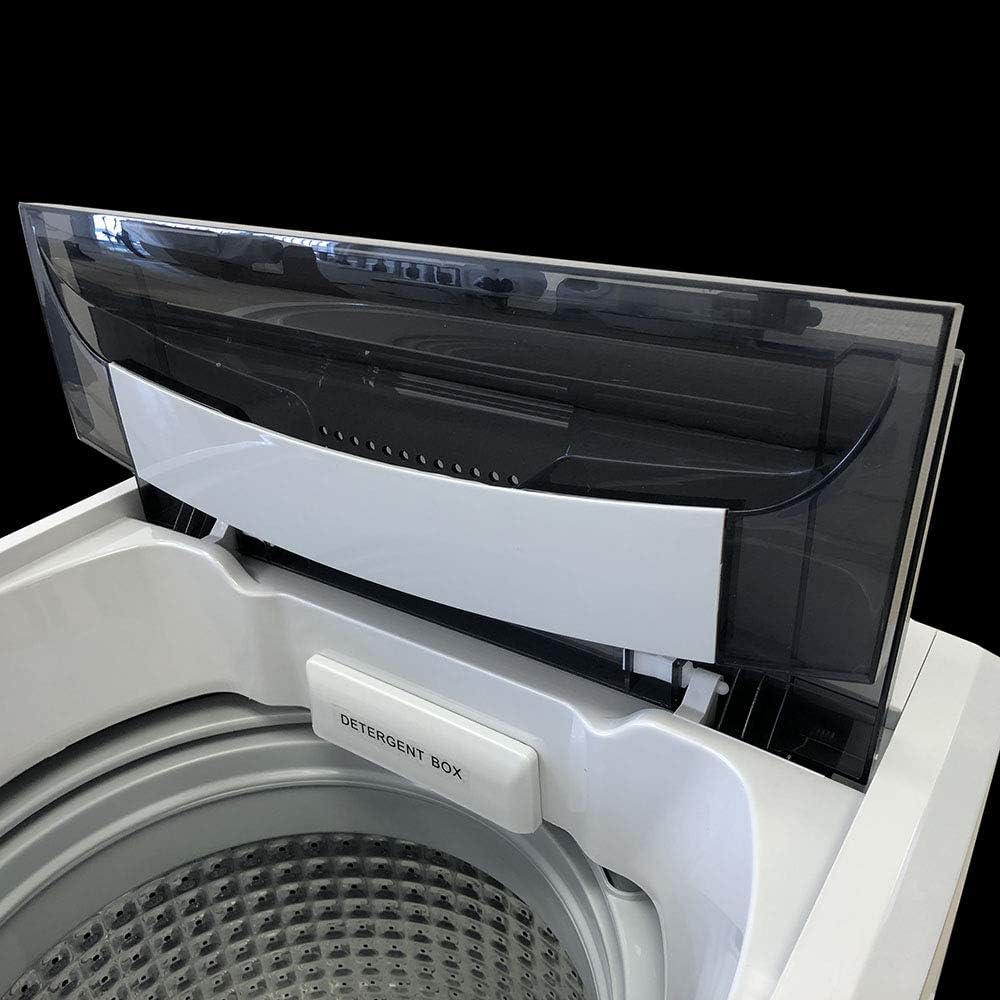
Image: Close-up of the detergent box located inside the washing machine.
Maintenance
Regular maintenance ensures optimal performance and extends the life of your washing machine:
- Cleaning the Drum: Periodically clean the stainless steel drum with a non-abrasive cleaner. Run a self-clean cycle if available, or a regular wash cycle with hot water and a cup of white vinegar.
- Cleaning the Exterior: Wipe down the exterior of the machine with a soft, damp cloth. Avoid harsh chemicals that may damage the finish.
- Drain Hose: Ensure the drain hose is free from kinks and blockages.
- Water Inlet Filter: Check and clean the water inlet filter periodically to prevent clogs and ensure proper water flow.
- Storage: If storing the machine for an extended period, especially in cold environments, drain all water from the hoses and tub to prevent freezing damage.
Troubleshooting
If you encounter issues with your washing machine, refer to the following common problems and solutions:
| Problem | Possible Cause | Solution |
|---|---|---|
| Machine does not start | Power cord unplugged; Lid not closed properly; 'Start/Pause' not pressed. | Check power connection; Ensure lid is fully closed; Press 'Start/Pause'. |
| No water filling | Water supply turned off; Inlet hose kinked; Water inlet filter clogged. | Turn on water supply; Straighten hose; Clean filter. |
| Water not draining | Drain hose kinked or blocked; Drain pump malfunction. | Check and clear drain hose; Contact customer support if issue persists. |
| Excessive vibration/noise | Machine not level; Overloaded or unbalanced load; Shipping bolts not removed. | Adjust leveling feet; Redistribute laundry; Ensure motor protection part is removed. |
| Water marks inside machine | Manufacturer water testing. | This is normal. A small percentage of machines are water tested at the factory to ensure quality. |
If the problem persists after attempting these solutions, please contact customer support.
Specifications
| Feature | Detail |
|---|---|
| Model | PAN60SWR1 |
| Capacity | 13 lbs (6 kg) |
| Dimensions (L x W x H) | 20 x 19.5 x 33 inches (50.8 x 49.5 x 83.8 cm) |
| Weight | 57 lbs (25.8 kg) |
| Wash Programs | 8 |
| Water Levels | 8 |
| Tub Material | Stainless Steel |
| Voltage | 110V AC |
| Motor Rate | 325 Watts |
| Max Spin Speed | 800 RPM |
| Noise Level | 74 Decibels |
| Included Components | Inlet Hose with Quick Adapter |
Warranty and Support
Your Panda PAN60SWR1 washing machine comes with a 1-year manufacturer warranty. For warranty claims, technical assistance, or any questions not covered in this manual, please contact Panda customer support. Keep your purchase receipt as proof of purchase for warranty services.
For further assistance, please visit the official Panda website or contact their customer service department.
