
1. Introduction
Thank you for choosing the MUSYSIC MU-U2F5 Professional UHF Wireless Microphone System. This system is designed to provide clear, reliable audio for various applications, including live performances, presentations, and karaoke. It features dual channels with 2x100 selectable frequencies to minimize interference and ensure optimal sound quality. Please read this manual thoroughly before operation to ensure proper setup and use.
2. Safety Information
- Do not expose the unit to rain or moisture to avoid fire or electric shock.
- Do not open the casing. There are no user-serviceable parts inside. Refer all servicing to qualified personnel.
- Ensure proper ventilation around the receiver. Do not block ventilation openings.
- Use only the provided power adapter. Using an incorrect adapter may damage the unit and void the warranty.
- Dispose of batteries responsibly according to local regulations.
3. Package Contents
Verify that all items listed below are included in your package:
- 1x MUSYSIC MU-U2F5 Wireless Receiver
- 1x Handheld Wireless Microphone
- 1x Bodypack Transmitter
- 1x Lavalier Microphone
- 1x Headset Microphone
- 1x Power Adapter
- 1x 1/4" Audio Cable
- 1x User Manual (Operating Instruction Sheet)
4. Product Overview
4.1. Receiver
The receiver unit processes the wireless audio signals from the microphones.

Figure 1: Front Panel of the MU-U2F5 Receiver. Shows the display, IR sensor, and control buttons.

Figure 2: Rear Panel of the MU-U2F5 Receiver. Features Balanced XLR outputs for channels A and B, a 1/4" Mix Out, and DC power input.
4.2. Handheld Wireless Microphone
The handheld microphone is designed for vocal performances and presentations.

Figure 3: MUSYSIC MU-U2F5 Handheld Wireless Microphone. Features a display and power button.
4.3. Bodypack Transmitter with Lavalier and Headset Microphones
The bodypack transmitter allows for hands-free operation with either the lavalier (lapel) or headset microphone.
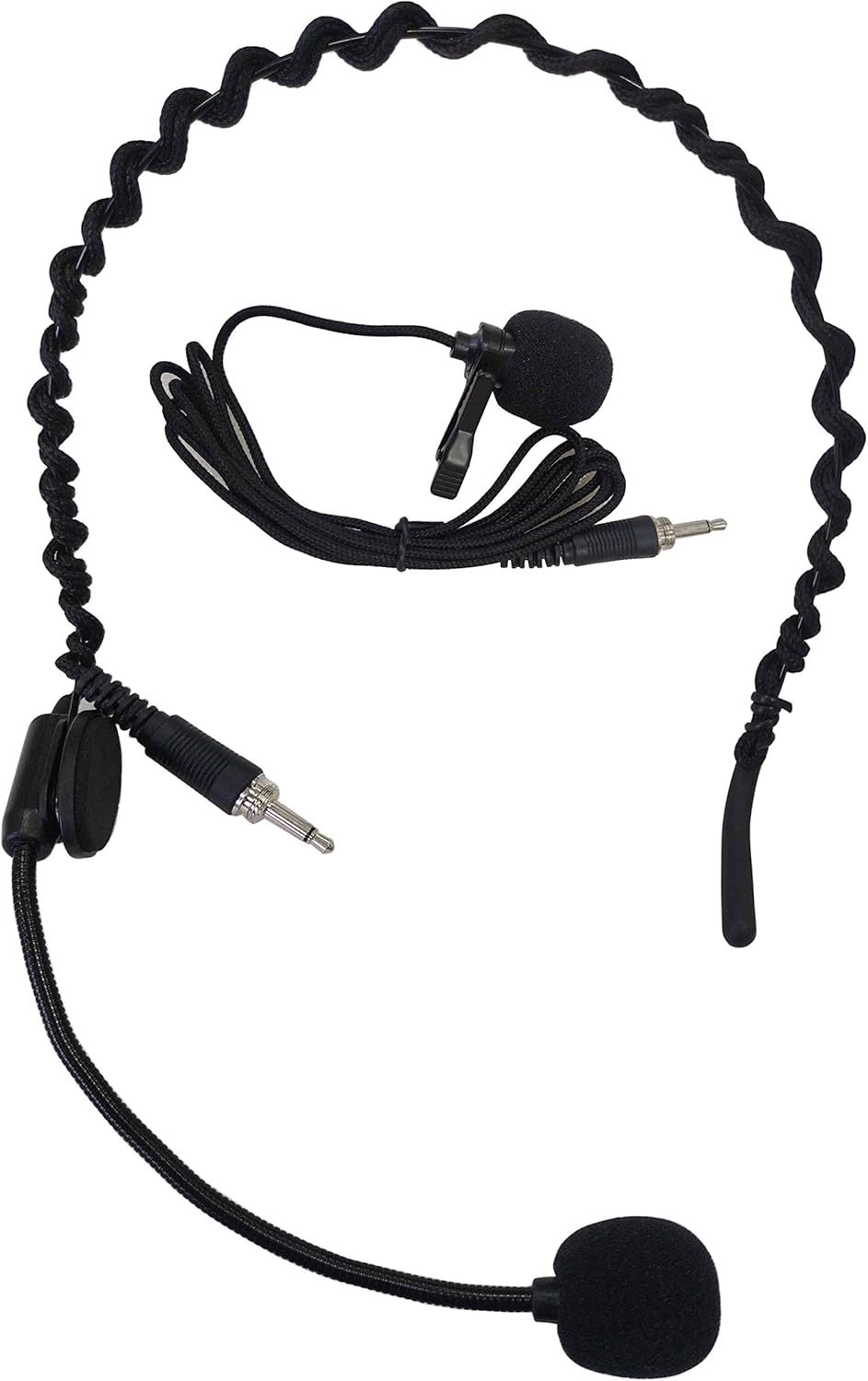
Figure 4: MUSYSIC MU-U2F5 Bodypack Transmitter with Lavalier and Headset Microphones. Shows the bodypack unit, lavalier mic, and headset mic connected.
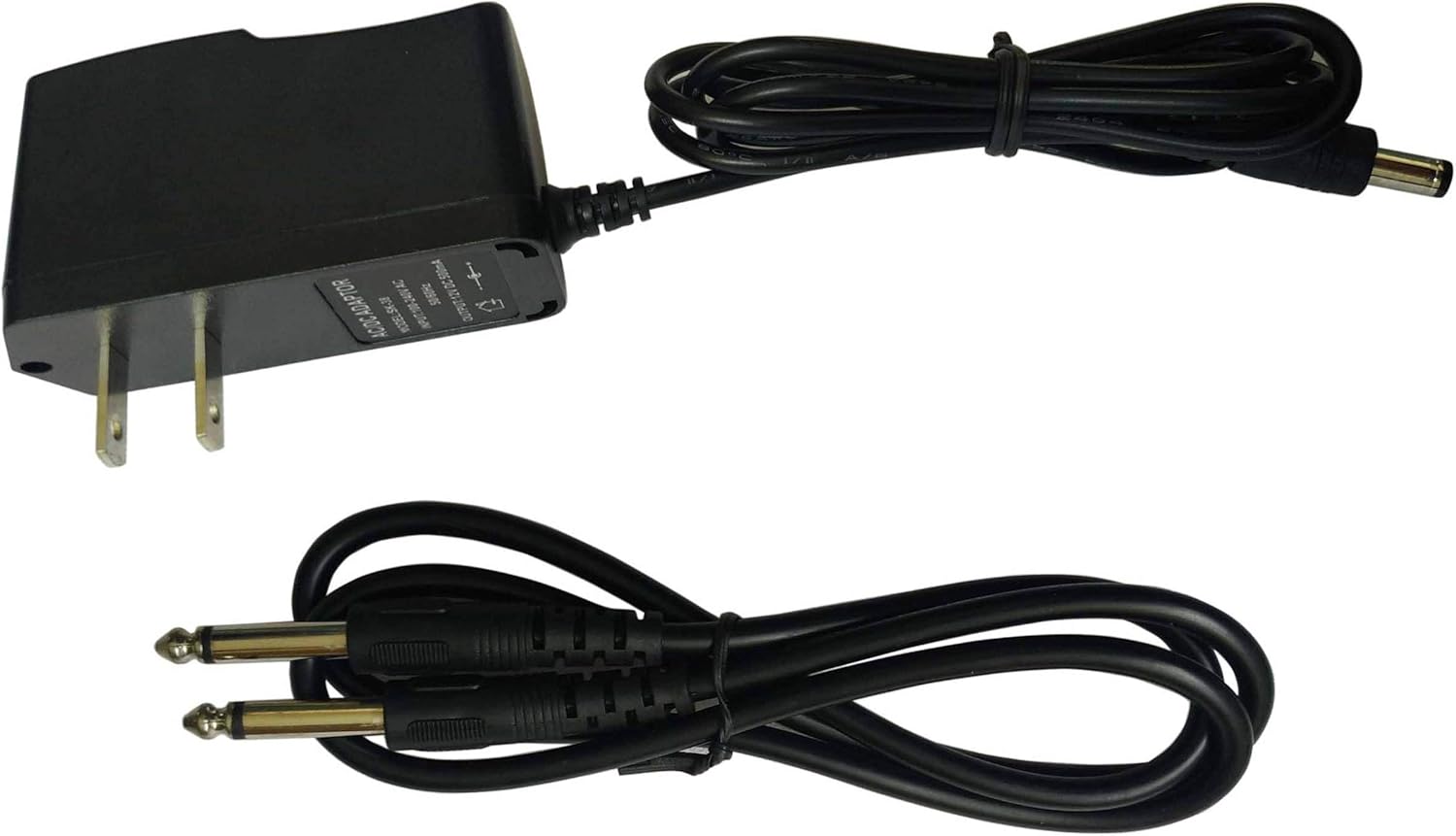
Figure 5: MUSYSIC MU-U2F5 Headset Microphone. A close-up of the headset microphone component.
5. Setup
5.1. Receiver Placement and Connections
- Place the receiver on a stable surface, away from potential sources of interference (e.g., computers, Wi-Fi routers). Ensure the antennas are extended and positioned for optimal signal reception.
- Connect the provided power adapter to the DC INPUT on the rear of the receiver (Figure 2) and plug it into a power outlet.
- Connect the receiver's audio output to your mixer, amplifier, or PA system. You can use:
- Balanced XLR Outputs (BALANCED-A, BALANCED-B): For individual channel outputs.
- 1/4" Mix Out: For a combined output of both channels. Use the provided 1/4" audio cable.

Figure 6: Power Adapter and 1/4" Audio Cable.
5.2. Transmitter Battery Installation
Both the handheld microphone and bodypack transmitter require batteries (not included, typically AA batteries). Open the battery compartment, insert batteries according to polarity markings, and close the compartment.
6. Operating Instructions
The following instructions are based on the provided operating instruction sheet.

Figure 7: Operating Instruction Sheet.
6.1. Adjust Volume
Press the UP or DOWN button on the receiver to adjust the receiver's output volume for the corresponding channel.
6.2. Manually Adjust Frequency
Press the SET and UP buttons of the receiver at the same time until the display is flashing. Then, press the UP or DOWN button to select a different frequency.
6.3. Automatically Scan for a Clean Frequency
Press the SET and DOWN buttons of the receiver at the same time for a few seconds. The system will automatically select the best available frequency.
6.4. Set Your Transmitter Frequency (IR Sync)
To synchronize the transmitter (handheld mic or bodypack) with the receiver:
- Open the battery cover of your transmitter. You will find the IR Mark (the IR mark of the handheld mic is a hole behind).
- Put your transmitter's IR sensor close to the Receiver's IR sensor (face to face).
- Press the SET button on the receiver. The receiver will send the frequency information and link to your transmitter.
7. Maintenance
7.1. Cleaning
- Wipe the receiver and microphones with a soft, dry cloth.
- Do not use liquid cleaners or solvents, as they may damage the finish or internal components.
7.2. Battery Replacement
- Replace batteries in transmitters when the low battery indicator appears or audio quality degrades.
- Always replace both batteries in a transmitter at the same time.
7.3. Storage
- Store the system in a cool, dry place, away from direct sunlight and extreme temperatures.
- Remove batteries from transmitters if storing the system for extended periods to prevent leakage.
8. Troubleshooting
| Problem | Possible Cause | Solution |
|---|---|---|
| No sound from microphone | Microphone not powered on; Low batteries; Incorrect frequency; Receiver not connected to audio system; Audio system volume too low. | Ensure microphone is on; Replace batteries; Perform IR Sync (Section 6.4); Check audio cables and connections; Increase volume on receiver and audio system. |
| Interference or static noise | Nearby electronic devices; Other wireless systems; Frequency conflict. | Move receiver away from other electronics; Use automatic frequency scan (Section 6.3) to find a clear channel; Ensure line of sight between transmitter and receiver. |
| Short wireless range | Obstructions; Antennas not positioned correctly; Low batteries. | Ensure clear line of sight; Adjust receiver antennas; Replace transmitter batteries. |
| Receiver display not working | Power issue; Unit malfunction. | Check power adapter connection; Ensure power outlet is functional. If problem persists, contact support. |
9. Specifications
- Brand: MUSYSIC
- Model: MU-U2F5
- Number of Channels: 2
- Frequency Range: UHF (2x100 selectable frequencies)
- Connectivity Technology: XLR
- Connector Type: XLR, 1/4" Mix Out
- Power Source: Battery Powered (Transmitters), DC Input (Receiver)
- Microphone Form Factor: Microphone System (Handheld, Lavalier, Headset)
- Polar Pattern: Omnidirectional (Lavalier/Headset), Dynamic (Handheld - typical)
- Special Feature: Battery Indicator Light
- Recommended Uses: Indoor/Outdoor
- Color: Black
10. Warranty Information
For detailed warranty information, please refer to the documentation included with your purchase or visit the official MUSYSIC website. Warranty terms and conditions may vary by region and retailer.
11. Support
If you encounter any issues or have questions not covered in this manual, please contact MUSYSIC customer support. You can find contact information and additional resources on the official MUSYSIC website: Visit the MUSYSIC Store on Amazon.