
Lenco SCD-971
Lenco SCD-971 Boombox User Manual
Your guide to operating and maintaining your Lenco SCD-971 CD/Cassette Boombox.
Introduction
Thank you for purchasing the Lenco SCD-971 Boombox. This versatile audio system allows you to enjoy music from various sources, including CDs, cassette tapes, and FM radio. Its compact and durable design makes it ideal for children and portable use. Please read this manual carefully before using the device to ensure proper operation and to maximize its lifespan.

Image: The Lenco SCD-971 Boombox, showcasing its colorful design and highlighting its CD and cassette playback capabilities.
Important Safety Instructions
- Do not expose this appliance to dripping or splashing water.
- Do not block any ventilation openings. Install in accordance with the manufacturer's instructions.
- Do not install near any heat sources such as radiators, heat registers, stoves, or other apparatus (including amplifiers) that produce heat.
- Protect the power cord from being walked on or pinched, particularly at plugs, convenience receptacles, and the point where they exit from the appliance.
- Only use attachments/accessories specified by the manufacturer.
- Unplug this appliance during lightning storms or when unused for long periods of time.
- Refer all servicing to qualified service personnel. Servicing is required when the apparatus has been damaged in any way.
Setup
Powering the Unit
The Lenco SCD-971 can be powered by either AC power or batteries, offering flexibility for both home and portable use.
AC Power Connection:
- Ensure the unit is switched off.
- Insert the AC power cord into the AC IN jack located at the back of the unit.
- Plug the other end of the power cord into a standard wall outlet (AC 230V ~ 50Hz).
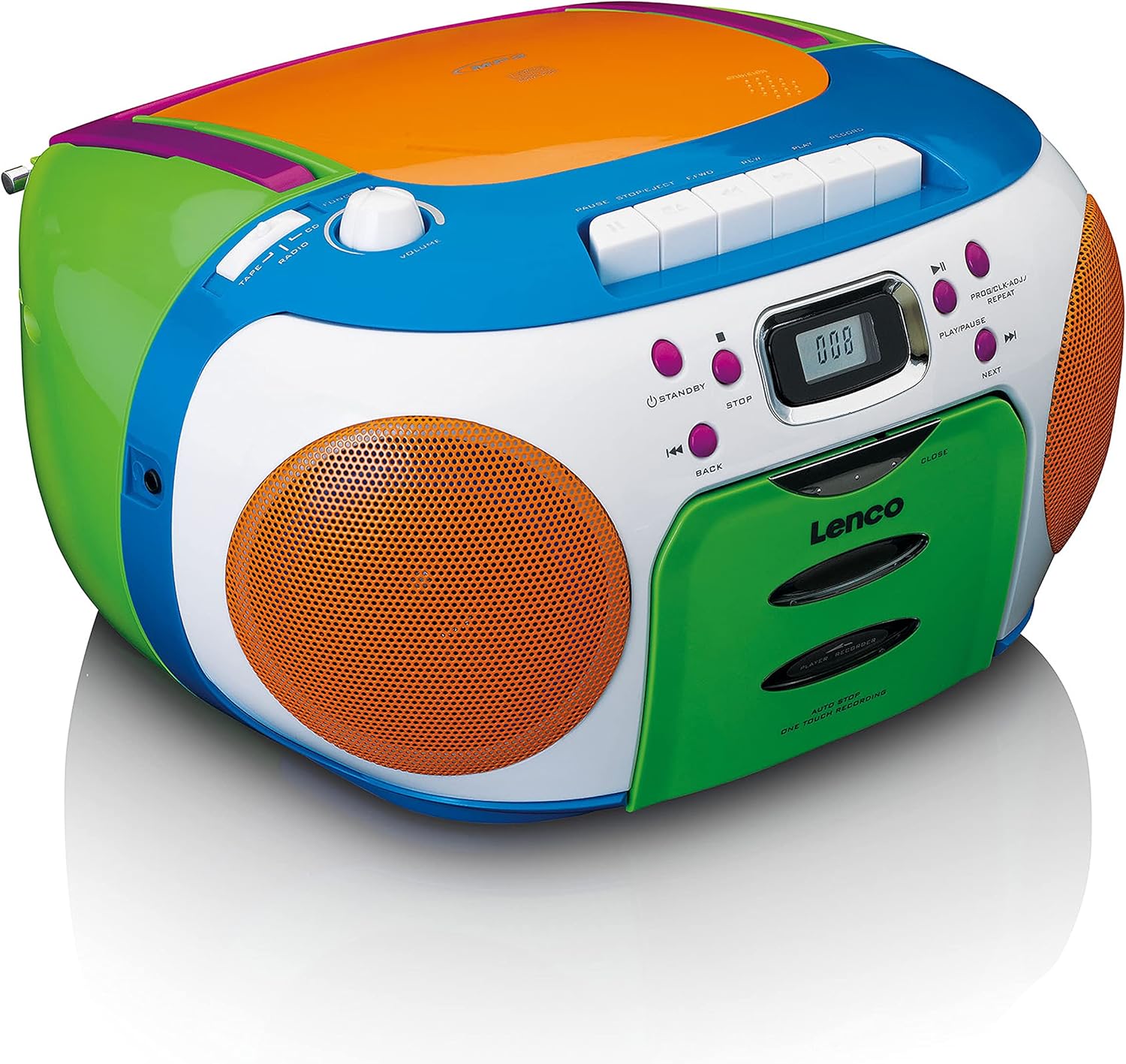
Image: Rear panel of the Lenco SCD-971, illustrating the AC power input and the battery compartment cover.
Battery Operation:
- Open the battery compartment cover on the back of the unit.
- Insert 6 x C-size (UM-2) batteries (not included), ensuring correct polarity (+/-).
- Close the battery compartment cover securely.
- When operating on batteries, disconnect the AC power cord.
Note: Remove batteries if the unit will not be used for an extended period to prevent leakage and damage.
Operating Instructions
General Controls Overview
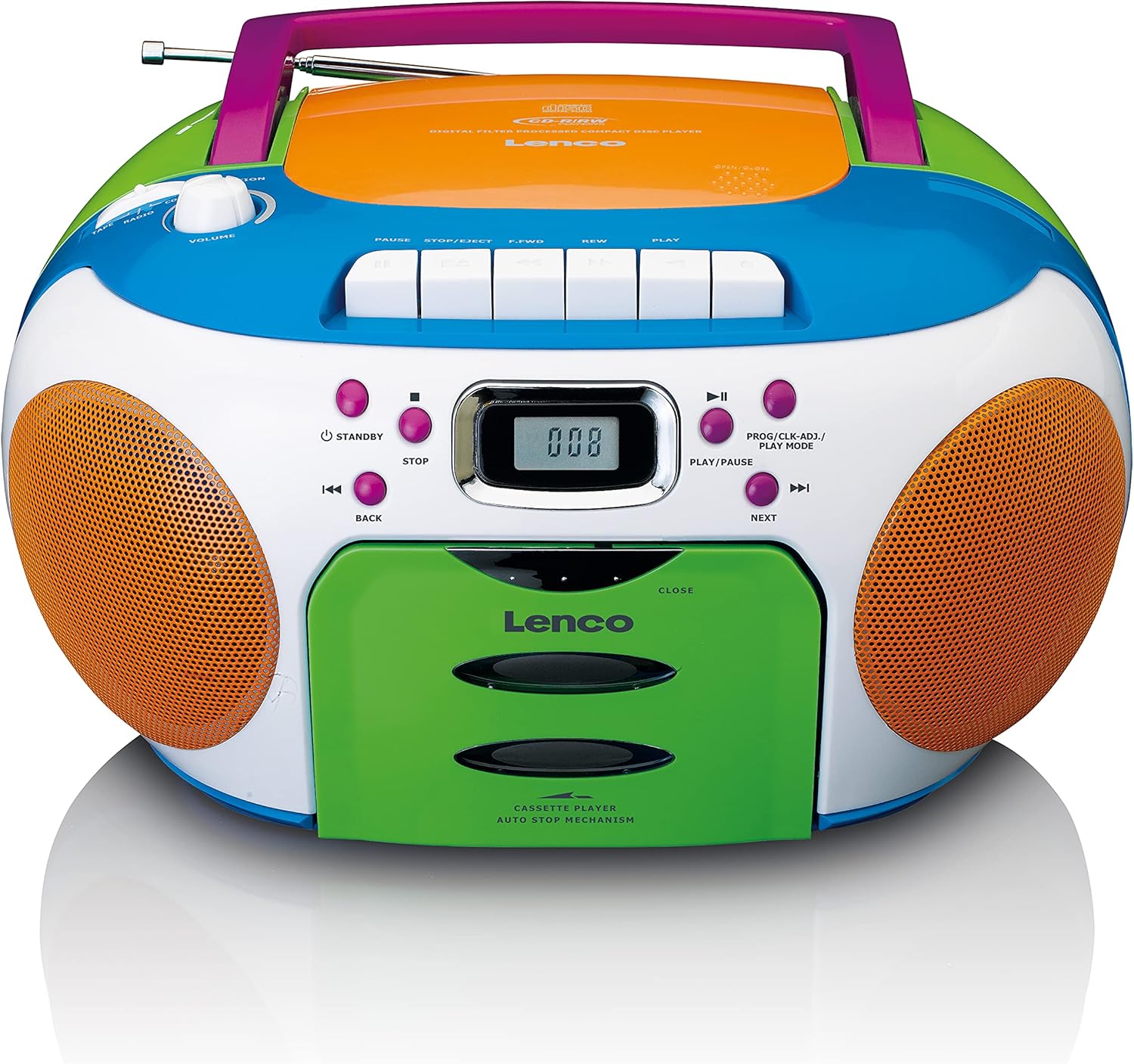
Image: Top view of the Lenco SCD-971, highlighting the main control panel with buttons for CD, cassette, and radio functions.
- STANDBY Button: Powers the unit on or off.
- VOLUME Knob: Adjusts the audio output level.
- FUNCTION Selector: Switches between CD, Radio, and Tape modes.
- LCD Display: Shows track number, radio frequency, and mode.
- CD Control Buttons: Play/Pause, Stop, Skip Forward/Backward, Program.
- Cassette Control Buttons: Play, Stop/Eject, Fast Forward, Rewind, Pause, Record (if applicable).
- Tuning Knob: For selecting radio stations.

Image: Detailed view of the central control panel, showing the digital display and the various playback and mode selection buttons.
CD Player Operation
- Press the STANDBY button to turn on the unit.
- Set the FUNCTION selector to "CD".
- Open the CD compartment door by gently lifting it.
- Place a CD with the label side facing up onto the spindle.
- Close the CD compartment door firmly until it clicks. The display will show "---" then the total number of tracks.
- Press the PLAY/PAUSE button (►/▮▮) to start playback. The current track number will be displayed.
- To pause, press PLAY/PAUSE. Press again to resume.
- To stop playback, press the STOP button (■).
- To skip tracks, press NEXT (►►|) or BACK (◀◀|).
- To search within a track, press and hold NEXT or BACK during playback.
Radio Operation
- Press the STANDBY button to turn on the unit.
- Set the FUNCTION selector to "RADIO".
- Extend the telescopic antenna for optimal FM reception.
- Rotate the TUNING knob to select your desired radio station. The frequency will be shown on the display.
- Adjust the VOLUME knob to your preferred listening level.
Cassette Player Operation
- Press the STANDBY button to turn on the unit.
- Set the FUNCTION selector to "TAPE".
- Press the STOP/EJECT button to open the cassette compartment door.
- Insert a cassette tape with the open edge facing upwards.
- Close the cassette compartment door.
- Press the PLAY button (►) to start playback.
- To stop playback, press the STOP/EJECT button.
- To fast forward, press the F-FWD button. Press PLAY to resume.
- To rewind, press the REW button. Press PLAY to resume.
- To pause playback, press the PAUSE button (▮▮). Press again to resume.
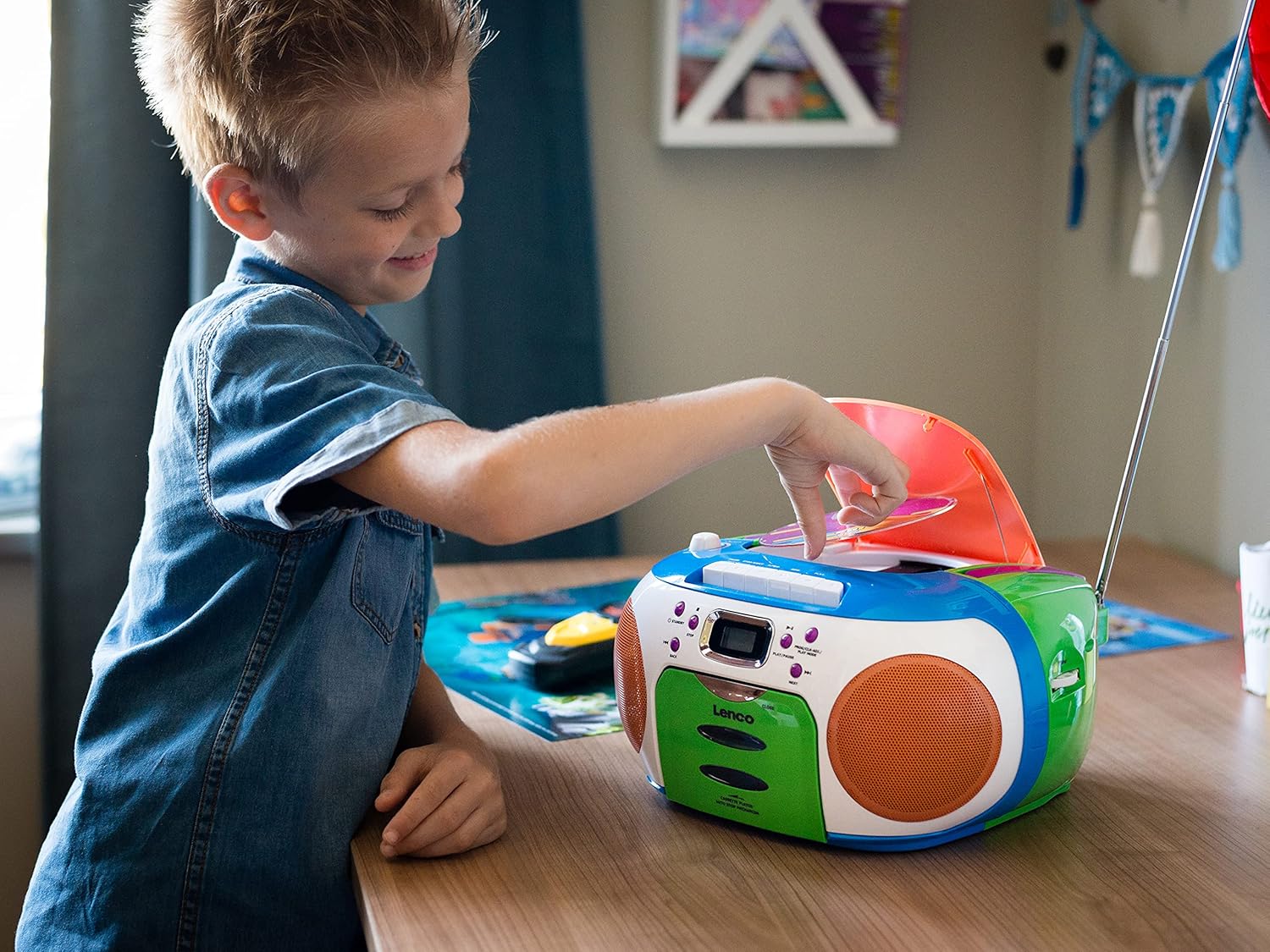
Image: A young user interacting with the Lenco SCD-971, demonstrating the ease of opening the CD player compartment.
Maintenance
Cleaning the Unit
- Always unplug the unit from the power source before cleaning.
- Use a soft, damp cloth to wipe the exterior surfaces. Do not use abrasive cleaners or solvents.
- For the CD lens, use a specialized CD lens cleaner disc. Do not touch the lens directly.
- For the cassette deck, periodically clean the tape heads, capstan, and pinch roller with a cotton swab lightly dampened with isopropyl alcohol.
Storage
When not in use for extended periods, store the unit in a cool, dry place away from direct sunlight and extreme temperatures. Remove batteries if storing for more than a few weeks.
Troubleshooting
| Problem | Possible Cause | Solution |
|---|---|---|
| No power | AC cord not connected; Batteries depleted or incorrectly inserted. | Check AC cord connection; Replace batteries or ensure correct polarity. |
| CD not playing / "NO DISC" error | CD inserted incorrectly; CD dirty or scratched; CD compartment not closed; Unit in wrong function mode. | Insert CD label side up; Clean or replace CD; Close compartment firmly; Select "CD" function. |
| Poor radio reception | Antenna not extended; Weak signal. | Fully extend and adjust the telescopic antenna; Try moving the unit to a different location. |
| Cassette not playing | Tape tangled; Unit in wrong function mode. | Check tape condition; Select "TAPE" function. |
| No sound from speakers | Volume too low; Headphones connected. | Increase volume; Disconnect headphones from the headphone jack. |
Specifications
- Model: SCD-971
- Power Source: AC 230V ~ 50Hz or 6 x C-size (UM-2) batteries
- Output Power: 13 Watts (as per product specifications, likely peak or total)
- CD Player: Top-loading CD player, compatible with CD/CD-R/CD-RW
- Cassette Player: Auto-stop mechanism
- Radio: FM Stereo
- Connectivity: Auxiliary input (3.5mm headphone jack)
- Dimensions (L x W x H): 28.8 x 23.8 x 15.5 cm (approx. 11.3 x 9.4 x 6.1 inches)
- Weight: 2.2 kg (approx. 4.85 lbs)
- Color: Multicolored
Warranty and Support
Lenco products are designed and manufactured to the highest quality standards. In the unlikely event of a problem with your product, please refer to the warranty information provided with your purchase or visit the official Lenco website for support and contact details.
For technical assistance or service inquiries, please contact Lenco customer support. Keep your proof of purchase for warranty claims.
Website: www.lenco.com
Related documentsSCD-971


Ask a question about this manual
Ask about setup, troubleshooting, compatibility, parts, safety, or missing instructions. Manuals+ will review the question and use this page’s manual context to help answer it.