
1. Introduction
This manual provides essential instructions for the assembly, operation, and maintenance of your Hot Wheels DMH51 Track Builder Loop Launcher Playset. Please read this guide thoroughly before use to ensure proper setup and safe enjoyment of the product.
The Hot Wheels Track Builder Loop Launcher is designed to expand your Hot Wheels track system, allowing for dynamic stunt action with a loop and launcher mechanism. It encourages creative track building and problem-solving.
2. Package Contents
Verify that all components listed below are present in your package. If any parts are missing or damaged, please contact customer support.
- Loop Launcher mechanism
- Track pieces (orange and blue)
- Connectors
- Base supports
- One Hot Wheels vehicle

Figure 2.1: All components included in the Hot Wheels DMH51 Track Builder Loop Launcher Playset.
3. Setup Instructions
Follow these steps to assemble your Loop Launcher Playset:
- Attach Base Supports: Securely connect the grey base supports to the bottom of the main loop launcher mechanism. Ensure they click into place for stability.
- Connect Track Pieces: Attach the blue track pieces to the entry and exit points of the loop launcher. Use the provided connectors to extend the track as desired.
- Form the Loop: Connect the orange track pieces to form the loop structure, integrating it with the launcher mechanism. Ensure all connections are firm.
- Integrate with Existing Tracks (Optional): If you have other Hot Wheels Track Builder sets, use the connectors to integrate the Loop Launcher into your larger track system.
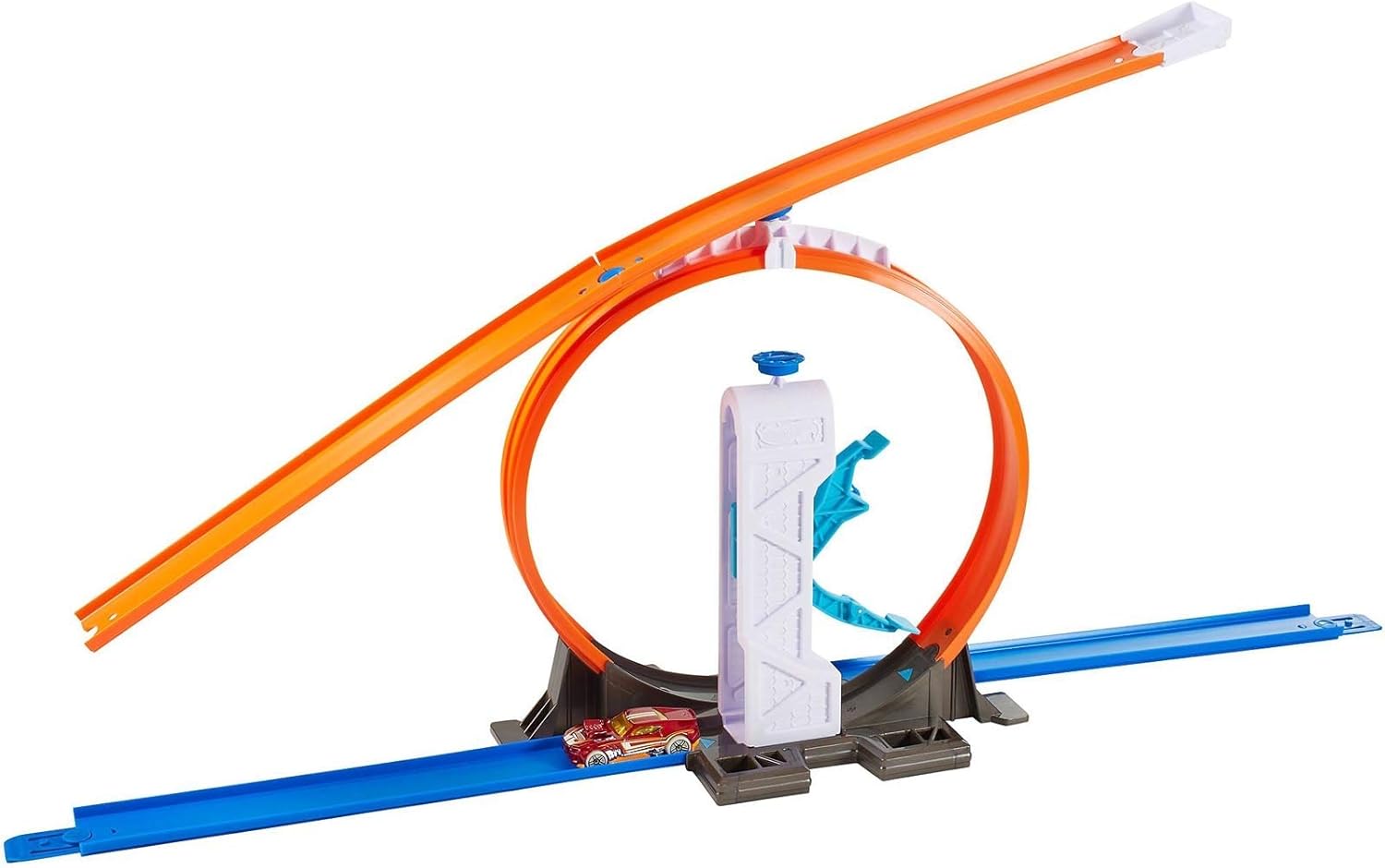
Figure 3.1: Fully assembled Hot Wheels DMH51 Track Builder Loop Launcher Playset.
4. Operating Instructions
To operate the Hot Wheels DMH51 Track Builder Loop Launcher:
- Place Vehicle: Position a Hot Wheels vehicle at the starting point of the launcher mechanism.
- Engage Launcher: Pull back the launcher mechanism until it locks into place.
- Launch Car: Press the release button or trigger to launch the car through the loop. Observe the car's speed and trajectory.
- Experiment: Adjust the launcher's position or the track layout to achieve different stunt outcomes.

Figure 4.1: Child operating the Hot Wheels DMH51 Track Builder Loop Launcher.
5. Maintenance
To ensure the longevity and optimal performance of your playset:
- Cleaning: Wipe down track pieces and the launcher mechanism with a soft, dry cloth. Avoid using harsh chemicals or abrasive cleaners.
- Storage: When not in use, store the playset in a clean, dry place away from direct sunlight and extreme temperatures.
- Inspection: Periodically check all connections and moving parts for wear or damage. Replace any broken components if necessary.
6. Troubleshooting
| Problem | Possible Cause | Solution |
|---|---|---|
| Car does not complete the loop. | Insufficient launch force; track misalignment; car type. | Ensure the launcher is fully engaged before release. Check all track connections for smooth transitions. Some Hot Wheels cars perform better than others on loops. |
| Launcher mechanism is stuck. | Debris in mechanism; improper assembly. | Inspect the mechanism for any obstructions. Re-check assembly steps to ensure all parts are correctly fitted. |
| Track pieces disconnect easily. | Connections not fully secured; worn connectors. | Press connectors firmly until they click. If connectors are worn, they may need replacement (contact customer support). |
7. Specifications
- Model Number: DMH51
- Brand: Hot Wheels
- Material: Plastic
- Color: Multicolor
- Scale: 1:64 (for included vehicle)
- Assembly Required: Yes
- Batteries Required: No
- Recommended Age: 4 years and up
- Product Dimensions: Approximately 1 x 1 x 1 cm; 400 g (assembled, specific dimensions may vary based on configuration)
8. Safety Information
- Choking Hazard: Small parts. Not for children under 3 years.
- Adult Supervision: Adult supervision is recommended during play, especially during initial setup.
- Proper Use: Use only Hot Wheels vehicles on the track. Do not modify the playset.
- Avoid Misuse: Do not aim launched vehicles at people or animals.
9. Warranty and Support
For warranty information or customer support, please refer to the contact details provided on the product packaging or visit the official Hot Wheels website.


