
Product Overview
The Melnor HydroLogic 4-Zone Digital Water Timer is designed to automate your watering schedule, providing convenience and efficiency for your garden or lawn. This timer features four independent high-flow valves, allowing you to manage up to four distinct watering areas simultaneously or at different times. Each zone can be programmed with up to four selectable start times, offering flexible scheduling options for various plant needs.
This bundle includes one HydroLogic 4-Zone Digital Water Timer and five extra stainless steel filter washers, ensuring a leak-free seal and prolonged product life.

Figure 1: Melnor HydroLogic 4-Zone Digital Water Timer with included stainless steel filter washers.
Setup Instructions
- Battery Installation: The timer requires two AA batteries (not included). Locate the battery compartment on the back of the unit. Open the compartment, insert the batteries, ensuring correct polarity, and securely close the cover.
- Connecting to Faucet: Attach the timer securely to your outdoor faucet. Ensure the connection is tight to prevent leaks.
- Attaching Hoses: Connect your garden hoses to the four independent outlets at the bottom and sides of the timer. The angled valves facilitate easy hose attachment.
- Setting the Clock: Rotate the dial to "SET CLOCK". Use the arrow buttons to adjust the current time and day of the week. Press "OK" to confirm each setting.
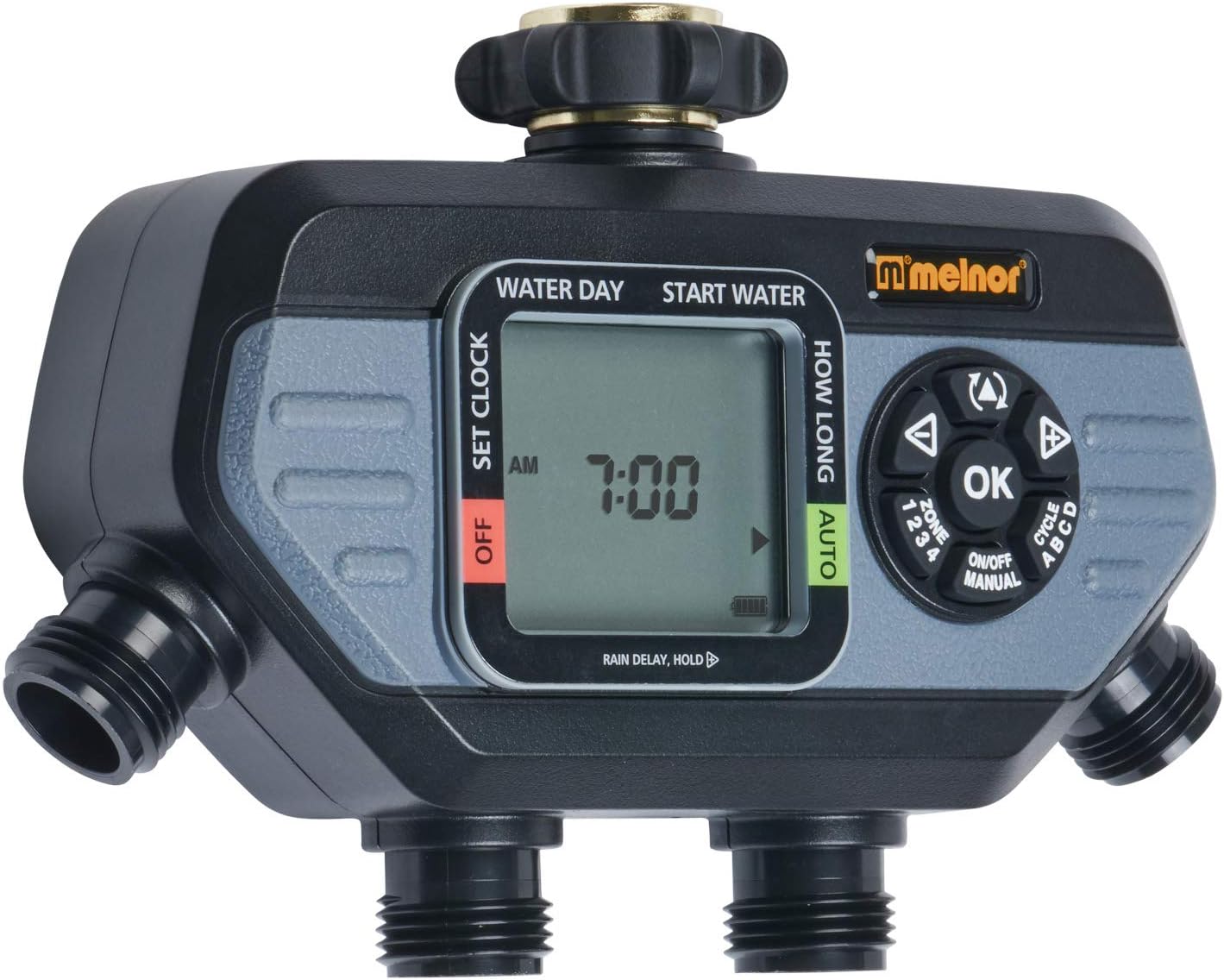
Figure 2: The Melnor HydroLogic timer connected to an outdoor faucet.
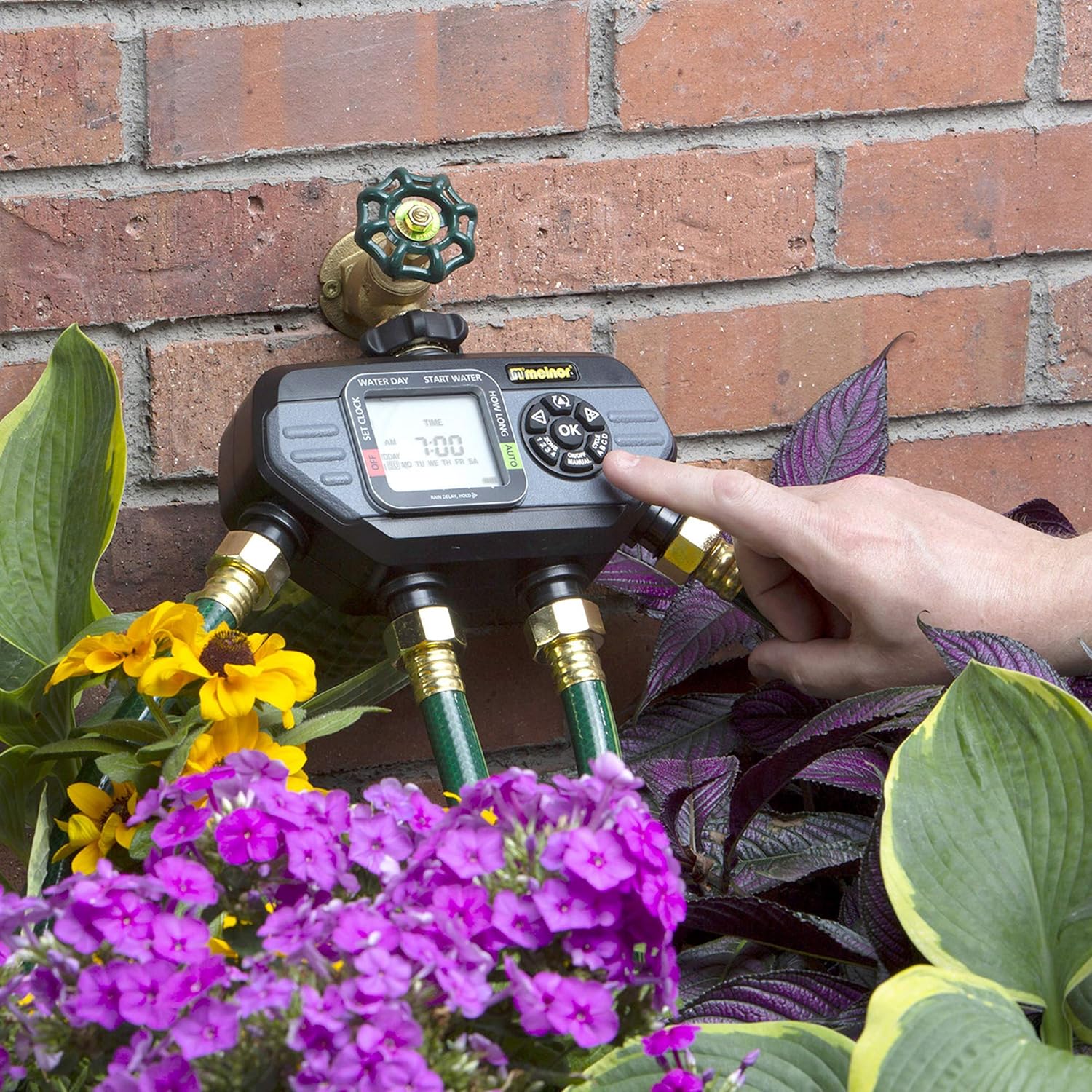
Figure 3: The timer with hoses attached, ready for use in a garden.
Operating Instructions
The HydroLogic timer offers intuitive programming with its large LCD screen and easy-touch buttons. Each of the four zones operates independently, allowing for customized watering schedules.
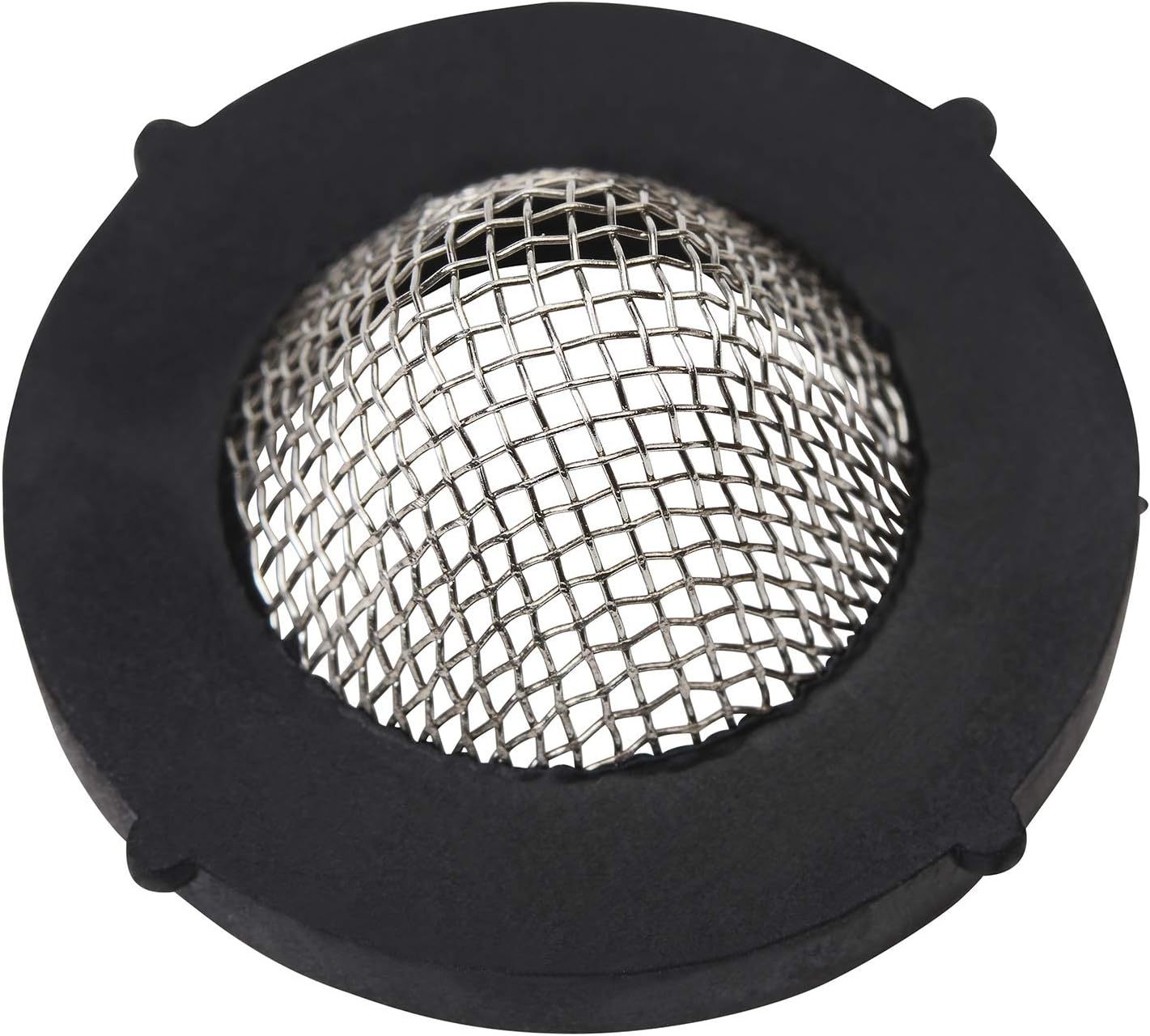
Figure 4: Key features of the Melnor HydroLogic timer for easy operation.
- Programming Water Days: Rotate the dial to "WATER DAY". Select the desired zone (1-4) using the ZONE button. Use the arrow buttons to choose specific days of the week for watering, or select an "every few days" interval. Press "OK" to confirm.
- Setting Start Times: Rotate the dial to "START WATER". For each zone, you can set up to four separate start times (Cycle A, B, C, D). Use the arrow buttons to adjust the time and press "OK" to confirm.
- Defining Watering Duration: Rotate the dial to "HOW LONG". Select the zone and cycle. Use the arrow buttons to set the duration of watering in minutes or hours. Press "OK" to confirm.
- Activating Automatic Mode: Once all settings are programmed, rotate the dial to "AUTO". The timer will now follow your programmed schedule.
- Manual Watering: To temporarily turn on the water outside of the schedule, rotate the dial to "ON/OFF MANUAL". You can then select a zone and manually turn it on or off. Remember to return the dial to "AUTO" for the programmed schedule to resume.
- Rain Delay Feature: To pause your watering schedule due to rain, rotate the dial to "RAIN DELAY, HOLD". Use the arrow buttons to select the number of days (up to 7) you wish to delay watering. The schedule will automatically resume after the delay period.
Maintenance
- Filter Washers: Regularly inspect the stainless steel filter washers located at the faucet connection and hose outlets. These filters prevent debris from entering the timer and hoses. Clean them as needed or replace them with the included extra washers to maintain optimal performance and prevent leaks.
- Winterization: Before the first frost, disconnect the timer from the faucet and hoses. Remove the batteries. Store the timer indoors in a dry, protected area to prevent damage from freezing temperatures.
- Cleaning: Wipe the timer with a damp cloth as needed. Avoid using harsh chemicals or abrasive cleaners.
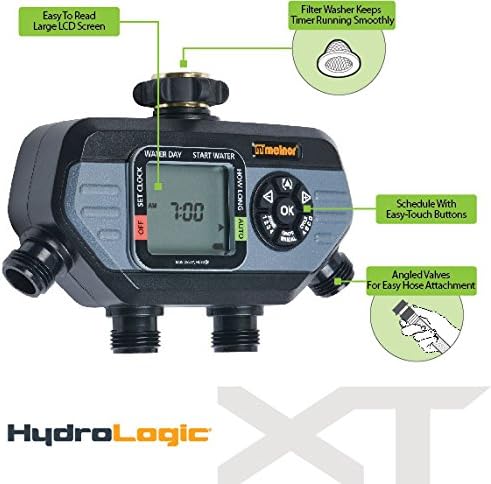
Figure 5: Stainless steel filter washer, essential for preventing clogs and leaks.
Troubleshooting
If you encounter issues with your Melnor HydroLogic timer, consider the following common solutions:
- Timer Not Watering / Valves Not Opening:
- Check battery level and replace batteries if low.
- Ensure the dial is set to "AUTO" for programmed watering.
- Verify that the faucet is fully open.
- Inspect filter washers for clogs and clean or replace if necessary.
- Confirm that the start times and durations are correctly programmed for the desired zones.
- Water Leaking from Connections:
- Ensure all connections (faucet to timer, timer to hoses) are tightened securely.
- Check the rubber washers and filter washers for proper seating and damage. Replace if worn or damaged.
- Timer Not Turning Off:
- This can sometimes occur if manual mode is used while a programmed cycle is active. Allow the current cycle to complete, then ensure the dial is set to "AUTO" for normal operation.
- Check for debris in the valves by disconnecting hoses and running water through manually.
- Important Safety Warning: Intended for outdoor use only. Severe electrical shock could result if water is sprayed into outlets or sources of electrical current. Do not use water more than 115°F (46°C). Do not use when the ambient air temperature is less than 40°F (4.5°C).
Specifications
| Feature | Detail |
|---|---|
| Brand | Melnor |
| Model Number | 65038-AMZ |
| Product Dimensions | 2.64"D x 8.26"W x 5.7"H |
| Item Weight | 1.1 Pounds |
| Number of Zones | 4 |
| Power Source | Battery Powered (2 x AA batteries required) |
| Material | Stainless Steel (filter washers) |
| Included Components | 4-Zone Water Timer, 5 Stainless Steel Filter Washers |

Figure 6: Product dimensions for installation planning.
Warranty and Support
The Melnor HydroLogic 4-Zone Digital Water Timer is backed by a Melnor 7-Year Limited Warranty. Melnor stands behind its products and is committed to customer satisfaction.
For additional information, detailed user manuals, or assistance, please refer to the official Melnor resources:
- Official User Manual (PDF): Download User Manual
- Official Installation Manual (PDF): Download Installation Manual
- Visit the Melnor Store: Melnor Official Store on Amazon