Introduction
The Hot Wheels id Rip Rod is part of a unique system that combines physical Hot Wheels racing with a connected digital platform. This system offers an engaging experience of creativity, experimentation, and competition. Each Hot Wheels id vehicle, including the Rip Rod, features an embedded NFC chip, providing it with a unique digital identity. By downloading the free companion application, users can measure vehicle performance on a smartphone or tablet, build a virtual garage, and participate in digital races.
This manual provides essential information for setting up, operating, and maintaining your Hot Wheels id Rip Rod to ensure optimal performance and enjoyment.

Image: The Hot Wheels id Rip Rod, showcasing its distinctive silver body with green flame decals and translucent green wheels.
Setup
To begin your Hot Wheels id experience, follow these steps:
- Download the Hot Wheels id App: Locate and download the official Hot Wheels id application from your device's app store. This application is required to interact with the NFC-enabled features of your Rip Rod.
- Scan Your Vehicle: The Hot Wheels id Rip Rod contains an embedded NFC chip. To register your car in the digital system, open the Hot Wheels id app and follow the on-screen instructions to scan your vehicle. This typically involves placing your device near the car. A Hot Wheels Race Portal (sold separately) or an NFC-enabled device is required for scanning.
- Initial Sync: After scanning, the app will sync your Rip Rod, adding it to your virtual garage. This process may require an internet connection.
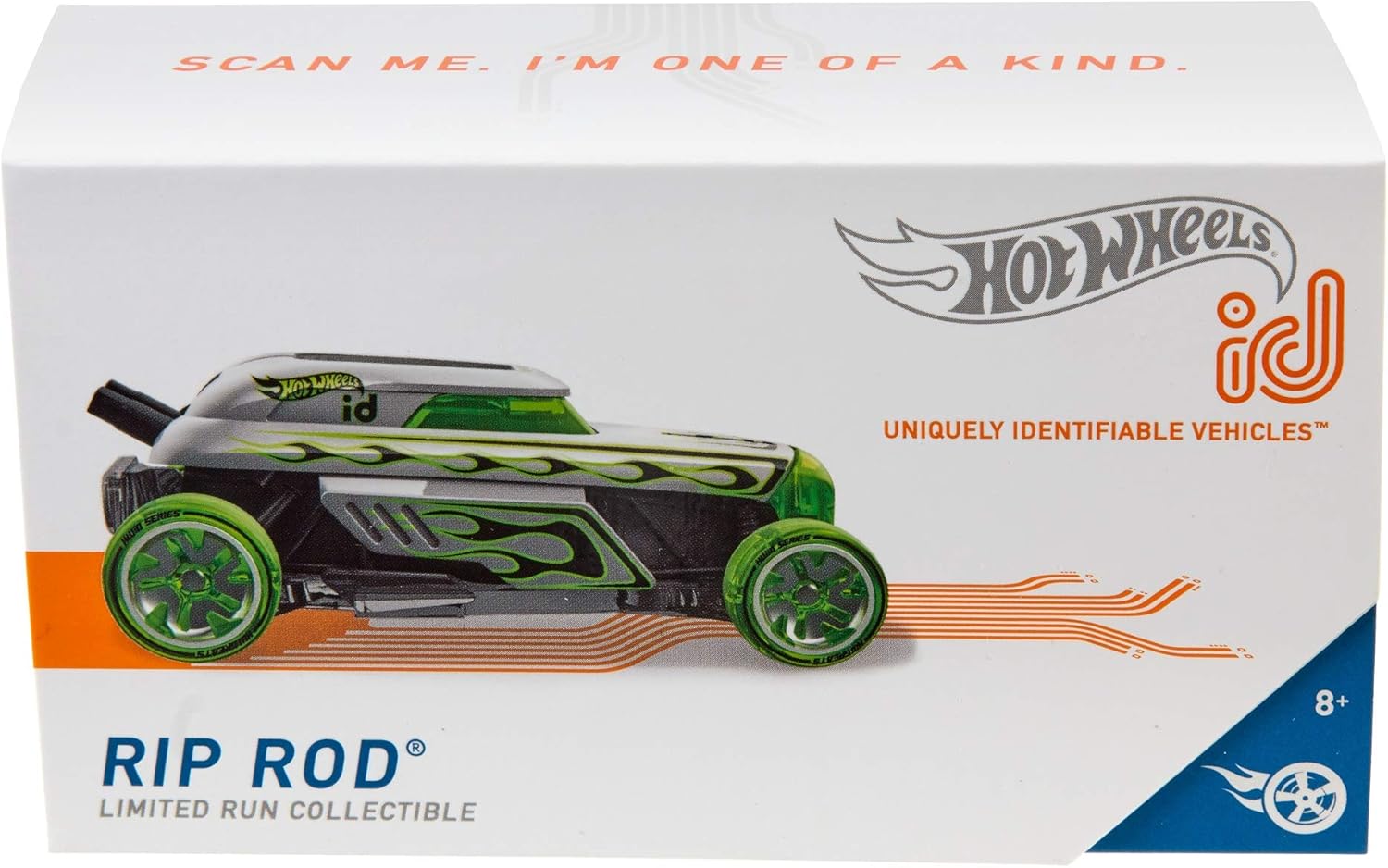
Image: Front packaging of the Hot Wheels id Rip Rod, highlighting the 'Scan Me' feature for digital integration.
Video: An official Hot Wheels id video demonstrating the process of scanning a Hot Wheels id car with a smartphone and integrating it into the digital game environment.
Operating Instructions
The Hot Wheels id Rip Rod offers both physical and digital play experiences.
Digital Play
- Virtual Garage: Once scanned, your Rip Rod is added to your virtual garage within the Hot Wheels id app. Here, you can view its statistics, track its performance, and manage your collection.
- Racing and Challenges: The app features various digital races, challenges, and rewards. Use your Rip Rod to compete, unlock performance boosts, and level up.
- Performance Tracking: When used with a Hot Wheels Race Portal or Smart Track (sold separately), the app can track your car's speed, lap times, and distance, providing real-time performance data.
Physical Play
- Track Compatibility: The Rip Rod is designed to work with classic Hot Wheels tracks. For enhanced digital interaction, use it with the Hot Wheels id Smart Track (sold separately).
- Interactive Racing: Place your Rip Rod on compatible tracks and launch it. The physical movement on the track can be mirrored and tracked within the digital app when connected to a Race Portal or Smart Track.
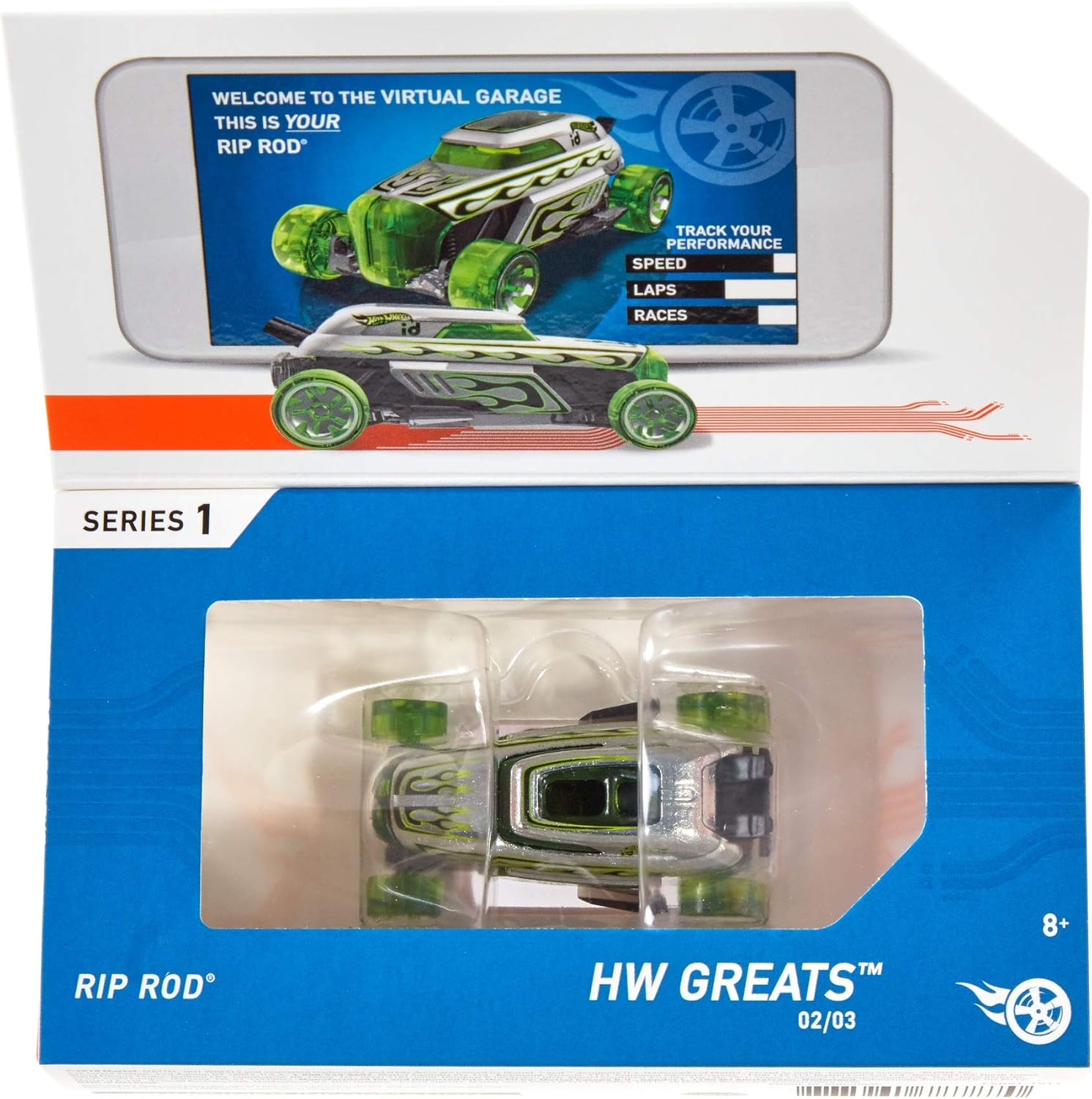
Image: Back packaging of the Hot Wheels id Rip Rod, illustrating the virtual garage interface and performance tracking features within the app.
Video: An official Hot Wheels id video showcasing the integration of physical track play with digital performance measurement and virtual racing environments.
Maintenance
Proper care will extend the life and performance of your Hot Wheels id Rip Rod.
- Cleaning: Wipe the vehicle with a soft, dry cloth to remove dust and debris. Avoid using harsh chemicals or abrasive materials, as these can damage the finish or the embedded NFC chip.
- Storage: Store the Rip Rod in a cool, dry place away from direct sunlight and extreme temperatures.
- Handling: Handle the vehicle with care to prevent damage to the wheels, axles, or body. While durable, excessive force or impact can affect its functionality.
Troubleshooting
If you encounter issues with your Hot Wheels id Rip Rod or the associated app, consider the following:
- Vehicle Not Scanning:
- Ensure your smartphone or tablet has NFC capabilities enabled.
- Make sure the Hot Wheels id app is open and ready to scan.
- Position the vehicle correctly over your device's NFC reader or the Hot Wheels Race Portal.
- Try restarting the app and your device.
- App Connectivity Issues:
- Verify your device has a stable internet connection (Wi-Fi or cellular data).
- Check for app updates in your device's app store.
- Ensure your device's operating system is up to date.
- Performance Tracking Inaccuracies:
- Ensure the Hot Wheels Race Portal or Smart Track is properly connected and calibrated according to its own instructions.
- Check for any obstructions on the track or sensors.
For further assistance, refer to the Hot Wheels id app's help section or visit the official Hot Wheels support website.
Specifications
| Feature | Detail |
|---|---|
| Product Dimensions | 3.94 x 7.87 x 3.94 inches |
| Item Weight | 2.88 ounces |
| ASIN | B07NDXHM2Q |
| Item Model Number | FXB51 |
| Manufacturer Recommended Age | 8 - 16 years |
| Release Date | November 15, 2019 |
| Manufacturer | Mattel |
| Key Feature | Embedded NFC chip for digital interaction |
Warranty and Support
For information regarding product warranty, please refer to the official Mattel website or the documentation included with your purchase. Hot Wheels products are manufactured by Mattel.
For customer support, technical assistance, or further inquiries about the Hot Wheels id system, please visit the official Hot Wheels support page or contact Mattel customer service directly. Contact information can typically be found on the Mattel corporate website or within the Hot Wheels id application.
Online Resources:
- Hot Wheels Official Website: Visit the Hot Wheels Store
- Mattel Support: Refer to Mattel's official website for support contact details.


