
1. Introduction
This manual provides essential information for the proper installation, operation, and maintenance of your JVC CS-DR621 6.5-inch 2-Way Coaxial Car Speakers. Please read this manual thoroughly before use to ensure optimal performance and longevity of your speakers.

Figure 1.1: JVC CS-DR621 Car Speakers (Pair)
2. Product Features
The JVC CS-DR621 speakers are designed for enhanced audio performance in vehicles, featuring:
- Carbon Mica Woofer Cone: A lightweight yet durable material that provides smooth sound with accurate low frequencies.
- Hybrid Woofer Surround: Combines the lightweight properties of cloth with the strength of rubber for efficient and durable performance in automotive environments.
- 1-inch Balanced Dome PEI Tweeter: Delivers clear and detailed high-frequency sound for vocals, guitars, and other instruments. The neodymium magnet ensures excellent detail and high power handling.
- Factory Fit Design: Engineered to fit seamlessly into many OEM speaker locations, providing an upgrade without extensive modifications.
- High Power Handling: Capable of handling up to 300 watts of peak power, ensuring robust sound output.
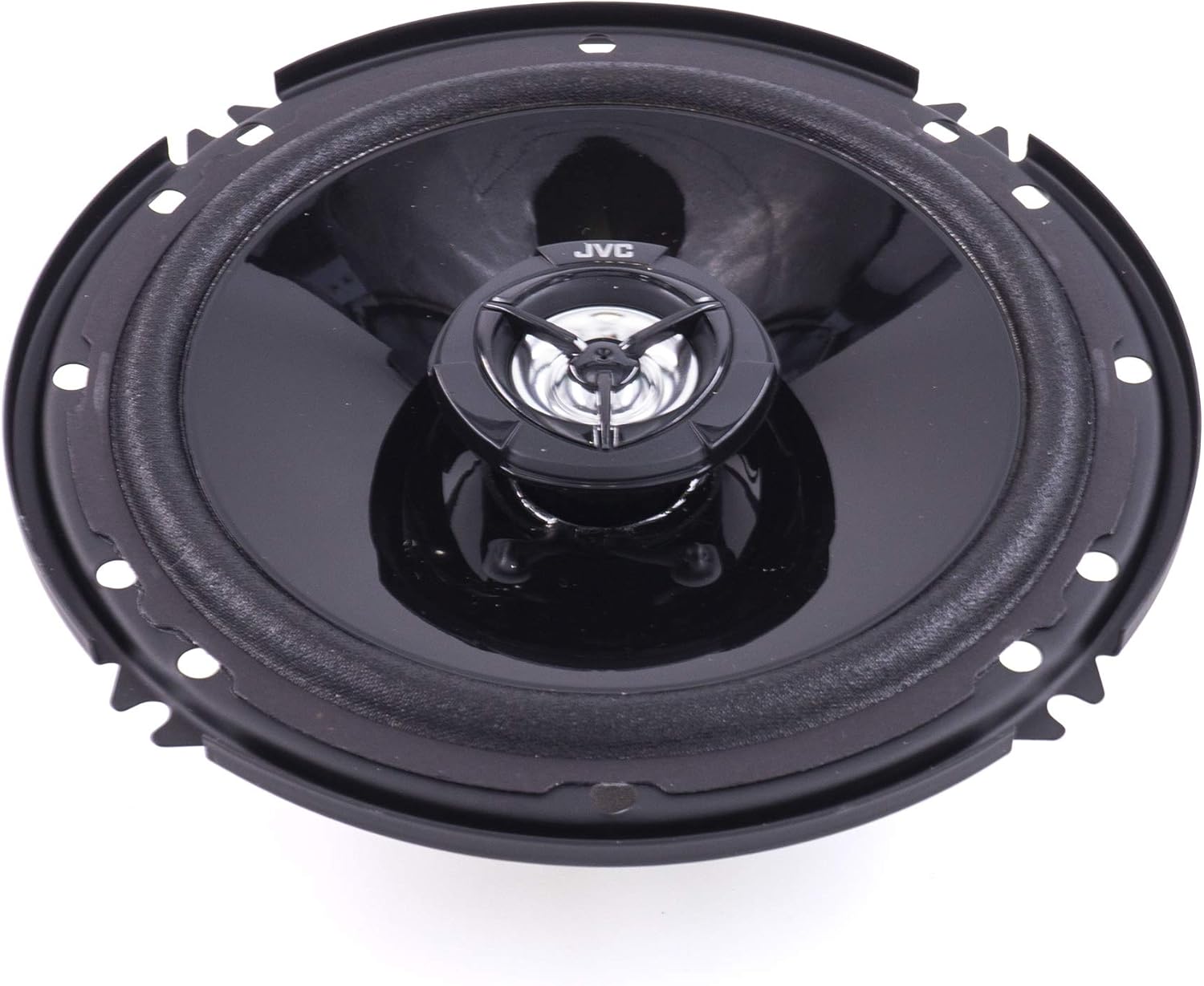
Figure 2.1: Speaker cone and tweeter detail
3. Package Contents
Verify that all items listed below are included in your package:
- (2) JVC CS-DR621 6.5-inch Coaxial Speakers
- (2) Speaker Grilles
- Mounting Screws and Clips
- Speaker Wires
- Instruction Manual (this document)

Figure 3.1: Included components in the JVC CS-DR621 package
4. Setup and Installation
Proper installation is crucial for optimal sound quality and speaker longevity. If you are unsure about any steps, it is recommended to consult a professional car audio installer.
4.1 Preparation
- Ensure your vehicle's battery is disconnected before starting any electrical work.
- Gather necessary tools: screwdrivers, wire strippers, crimpers, drill (if new holes are needed), and safety glasses.
- Identify the speaker locations in your vehicle. The CS-DR621 speakers are designed for 6.5-inch openings.
4.2 Mounting Dimensions
The speakers have a mounting depth of approximately 1-3/4 inches (44.5 mm) and a mounting hole diameter of 4-15/16 inches (125.4 mm). Verify these dimensions against your vehicle's speaker openings to ensure a proper fit.

Figure 4.1: Side profile of the speaker, illustrating mounting depth
4.3 Wiring
- Connect the speaker wires to the terminals on the back of the speaker. Ensure correct polarity (positive to positive, negative to negative).
- Route the speaker wires to your car's head unit or amplifier, ensuring they are secured and not exposed to sharp edges or moving parts.
- Connect the other end of the speaker wires to the corresponding outputs on your head unit or amplifier.
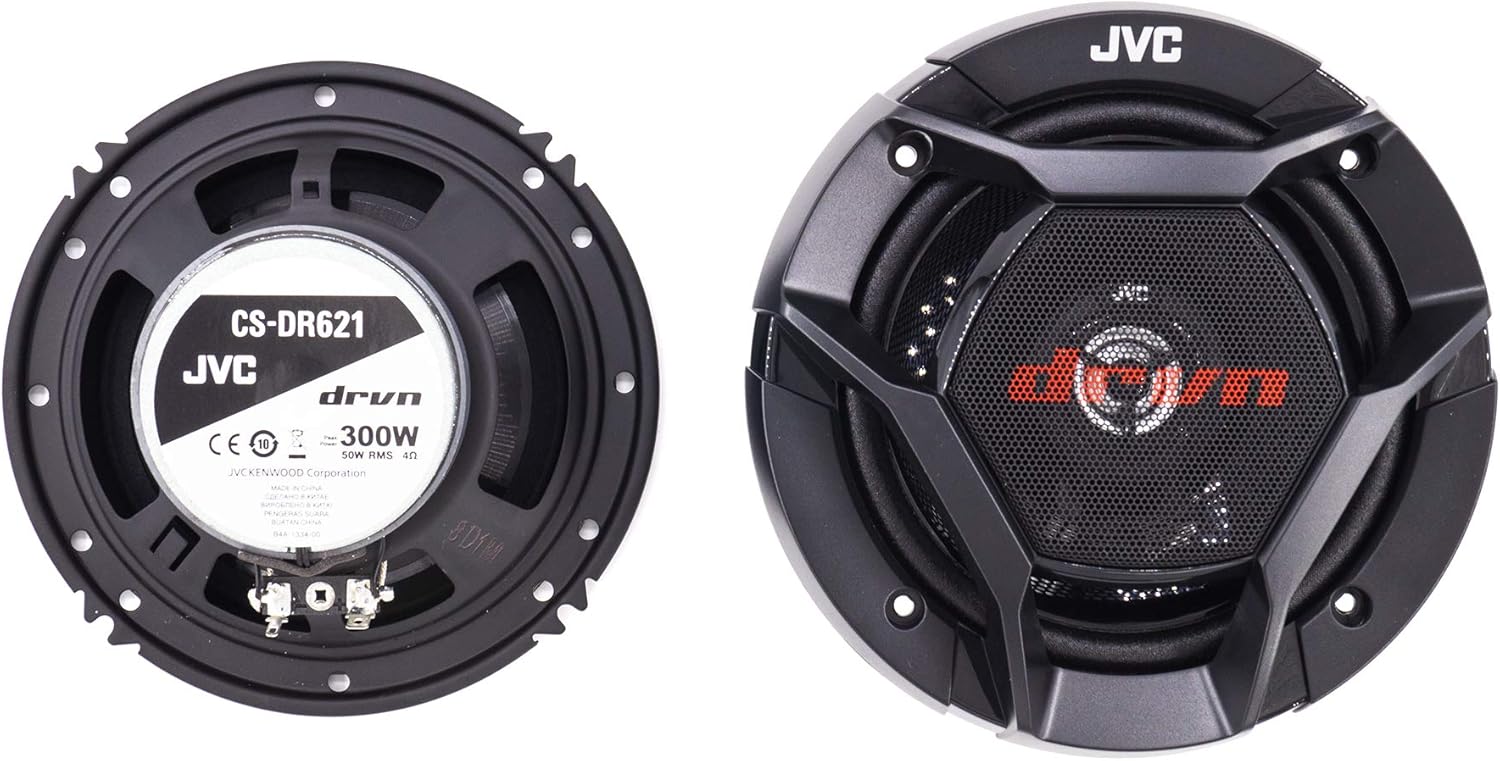
Figure 4.2: Speaker terminals for wiring connections
4.4 Final Steps
- Secure the speakers in place using the provided mounting screws.
- Attach the speaker grilles if desired.
- Reconnect your vehicle's battery.
5. Operating Instructions
Once installed, your JVC CS-DR621 speakers will operate as part of your car's audio system.
- Turn on your car's head unit.
- Adjust the volume and audio settings (bass, treble, balance, fader) on your head unit to achieve your preferred sound.
- Avoid prolonged listening at extremely high volumes to prevent speaker damage and hearing loss.
- If using an external amplifier, ensure its gain settings are properly matched to your head unit's output to prevent distortion.
6. Maintenance
The JVC CS-DR621 speakers are designed for durability. Regular maintenance is minimal but can help preserve their appearance and performance.
- Cleaning: Use a soft, dry cloth to wipe down the speaker grilles and surrounds. For stubborn dirt, a slightly damp cloth can be used, but ensure no moisture enters the speaker cone or voice coil area.
- Avoid Chemicals: Do not use harsh detergents, solvents, or abrasive cleaners, as these can damage the speaker materials.
- Environmental Exposure: While designed to withstand typical automotive conditions, extreme temperatures or direct prolonged exposure to water should be avoided where possible.
7. Troubleshooting
If you encounter issues with your speakers, refer to the following common problems and solutions:
| Problem | Possible Cause | Solution |
|---|---|---|
| No sound from speakers | Loose or incorrect wiring connections; head unit not powered on; fader/balance settings incorrect. | Check all speaker wire connections for proper polarity and secure fit. Ensure head unit is on and outputting audio. Adjust fader/balance settings. |
| Distorted or unclear sound | Overpowering speakers; incorrect amplifier gain settings; damaged speaker wire; speaker impedance mismatch. | Reduce volume. Check amplifier gain settings. Inspect speaker wires for damage. Ensure speakers are connected to a compatible head unit/amplifier (4 Ohm impedance). |
| Weak or no bass response | Incorrect head unit/amplifier settings (e.g., high-pass filter enabled); phase issues; speaker box/mounting issues. | Check head unit or amplifier settings for proper bass and crossover configurations. Ensure speaker wires are connected with correct polarity. Verify secure speaker mounting. |
If the problem persists after trying these solutions, contact JVC customer support or a qualified car audio technician.
8. Specifications
| Feature | Detail |
|---|---|
| Model Number | CS-DR621 |
| Speaker Type | 2-Way Coaxial |
| Speaker Size | 6.5 Inches (Woofer Diameter) |
| Peak Power Handling | 300 Watts |
| RMS Power Handling | 100 Watts |
| Impedance | 4 Ohms |
| Frequency Response | 85 Hz to 23.8 kHz |
| Sensitivity | 89 dB |
| Mounting Depth | 1-3/4 inches |
| Mounting Hole Diameter | 4-15/16 inches |
| Woofer Material | Carbon Mica |
| Tweeter Material | Polyetherimide (PEI) |
| Enclosure Material | Carbon Mica, Polyetherimide, Cloth, Rubber, Plastic |
| Item Weight | 1.2 Pounds (per speaker, approximate) |
| GTIN / UPC | 046838079764 |
9. Warranty and Support
Your JVC CS-DR621 Car Speakers come with a limited manufacturer's warranty.
- Warranty Period: 1 Year Manufacturer's Warranty.
- Coverage: This warranty covers defects in materials and workmanship under normal use. It does not cover damage caused by improper installation, accident, misuse, abuse, negligence, or unauthorized modification.
- Claiming Warranty: For warranty service, please retain your proof of purchase and contact JVC customer support. Do not attempt to repair the product yourself.
For further assistance, technical support, or to inquire about warranty claims, please visit the official JVC website or contact their customer service department.


